Establishing secure connection…Loading editor…Preparing document…

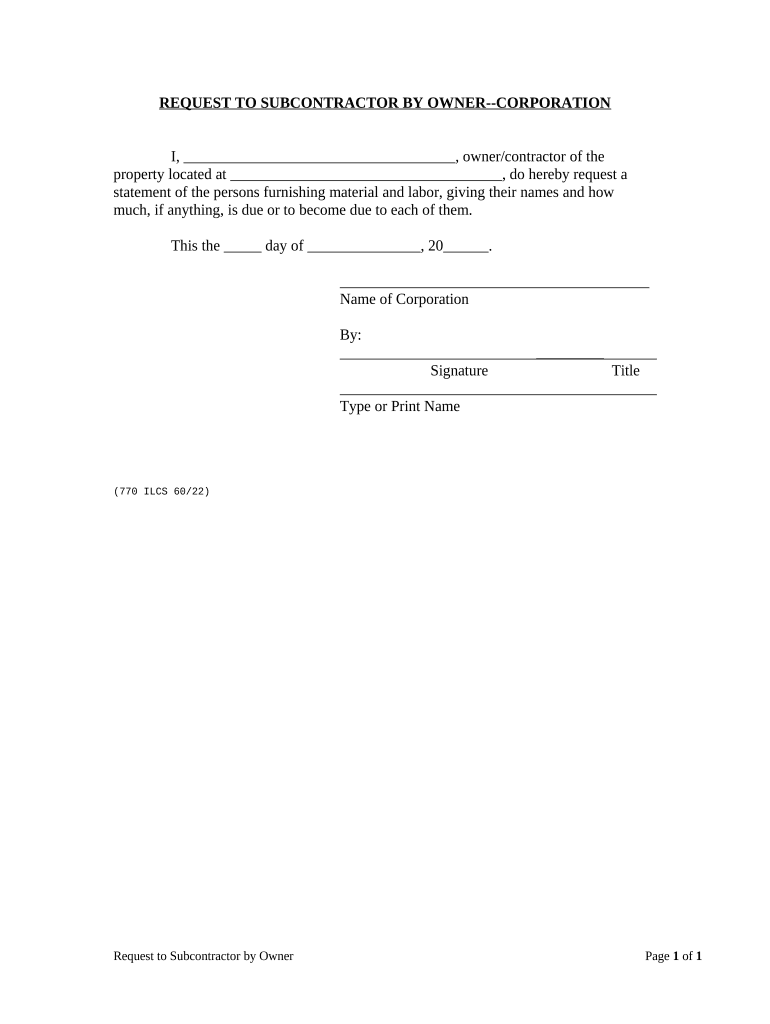
Request to Subcontractor by Owner

This template is fully customizable. Edit the text, fill out the fields, and send it for signature. Give it a try!
Request to Subcontractor by Owner

What a Request to Subcontractor by Owner Is and When It Applies

A Request to Subcontractor by Owner is a formal written notice from the project owner or owner's representative asking a subcontractor to perform specified work, supply materials, provide documentation, or confirm commercial terms for a defined scope. Typical uses include issuing a scope clarification, requesting insurance or safety documentation, directing a change order, or asking for schedule or cost proposals. The document records the owner's instruction, establishes a response deadline, and creates a paper or electronic trail that supports contract administration, payment processing, and any later dispute resolution.

Why this Request Matters for Project Controls and Risk Management

A clear written request aligns expectations, creates a timestamped record of instructions and responses, and reduces misunderstandings that can cause schedule delays or claims. It also supports compliance for insurance, lien, and payment processes.

Why this Request Matters for Project Controls and Risk Management

Who typically prepares or responds to this request

Project owners, construction managers, general contractors, and designated contract administrators commonly prepare requests; subcontractors and specialty trade leads respond with confirmations, proposals, or submissions.

  • Owner / Project Executive: Issues official requests and sets contractual deadlines for subcontractor response and compliance.
  • General Contractor / CM: Coordinates requests across trades, consolidates responses, and routes documentation for payment or approval.
  • Subcontractor Lead / Project Manager: Provides proposed scope, pricing, schedule updates, insurance certificates, or corrective actions as requested.

Use organizational routing and version control so each request and reply is auditable for compliance and potential claims.

Core elements to include in a professional request

A complete Request to Subcontractor by Owner contains identification, scope, timing, contract references, deliverables, and signature information to ensure clarity and enforceability.

Document ID

Assign a unique request number and revision identifier so parties can reference correspondence consistently across procurement and jobsite logs; include page and total page counts.
Project Reference

Name the project, contract number, and physical address so the request is unambiguously tied to the correct site and contract documents, avoiding cross-project confusion.

Scope Description

Describe the work, materials, or documents requested in precise terms, cite contract clause numbers when relevant, and attach drawings or spec excerpts when available.

Response Requirement

State the required response action (e.g., submit proposal, certify compliance, deliver COI) and set a clear deadline with date and time to preserve schedule control.

Compensation Terms

If the request creates a potential change order, describe pricing instructions, whether a not-to-exceed estimate is acceptable, and any payment timing or retainer impacts.

Signatures and Authority

Specify who on the subcontractor side is authorized to accept terms or submit notices, and include signature blocks and date fields for formal acceptance or acknowledgment.

Essential data fields to capture

Request Number: Unique ID
Project Name: Site identifier
Contract Reference: PO or contract
Requested Action: Action type
Response Deadline: Due date/time
Authorized Signer: Name and title

Step-by-step: issuing and tracking a request

Follow a consistent three-way workflow: issue, confirm receipt, and file the response so records remain auditable and actionable.

  • 01
    Prepare Request: Draft scope, cite contract clauses, attach exhibits.
  • 02
    Send to Subcontractor: Deliver by email and contracted portal for redundancy.
  • 03
    Acknowledge Receipt: Require an acknowledgment within 24–48 hours.
  • 04
    Record Response: Store signed reply and update the project log.

How to configure a digital workflow for requests

Set fields, authentication, and routing rules so the request becomes part of a repeatable, auditable electronic process.

Field Configuration
Request Number Auto-generate sequential IDs
Response Deadline Enforce MM/DD/YYYY input and time zone
Authentication Use email + optional SMS code
Routing Auto-forward to contract admin on reply

Where to send and how responses are routed

Designate official submission channels and integrate them with project records to prevent lost or conflicting replies.

  • Primary Delivery: Send via contractual email address and project portal
  • Alternate Delivery: Accept certified mail for disputes
  • Internal Routing: Auto-notify GC, contract admin, and accounting
  • Document Storage: Archive in the document management system

Digital delivery and signing options to consider

Choose delivery and authentication methods that match contract requirements and the sensitivity of the requested material.

  • eSignature: ESIGN/UETA compliant
  • Authentication: Email, SMS, or KBA
  • Integrations: Link to PM/ERP systems

Ensure whatever platform you use provides an audit trail (timestamps, IP addresses) and retains a tamper-evident copy suitable for dispute resolution or lien defense.

Typical deadlines and timing expectations

Set explicit timelines on the request to protect the project schedule and contractual rights; use business-day language where appropriate.

Initial Acknowledgment:

Require within 48 business hours

Proposal or Deliverable Response:

Commonly 7–14 calendar days depending on complexity

Change Order Negotiation:

Owner sets a 14–30 day window to finalize terms

Work Start Date:

Specify earliest permissible start after acceptance

Record Retention Trigger:

Deadlines affect retention timelines and liens

Common mistakes that delay responses

  • Vague scope descriptions leave subcontractors guessing and increase change order disputes and rework.
  • Missing contract references cause route confusion and can invalidate a request under notice provisions.
  • Unclear deadline language (business days vs calendar days) leads to disputed late responses.
  • Failure to require an acknowledgment causes claims about whether a subcontractor ever received the instruction.

Risks and contract consequences of incorrect or incomplete requests

Work Delays: Schedule slippage
Change Order Disputes: Payment withheld
Liens: Potential lien claims
Insurance Gaps: Invalid COI
Compliance Failure: Regulatory exposure
Tax Consequence: 1099 withholding risk

Real-world examples of request use and outcomes

Two short examples illustrate how owners and subcontractors used written requests to resolve scope and documentation issues.

Optica Ventures LLC — Brian Fitzgibbons

Optica issued a formal request for contractor insurance details after bid award to eliminate ambiguity on coverage limits.

  • The subcontractor provided a named COI within 48 hours.
  • The documented exchange prevented a downstream coverage dispute and supported timely payment processing during project closeout.

Martin Properties — Tim Martin

The owner requested a proposed schedule adjustment and cost estimate for unforeseen site conditions three weeks into construction.

  • The subcontractor submitted a time-and-materials estimate within ten days.
  • The signed acknowledgment and attached estimate accelerated change order approval and limited schedule-based liquidated damages exposure.

Common eSignature platforms for executing requests — quick pricing and features

Compare starting price, trial availability, bulk send, audit trail, HIPAA capability, and envelope caps across leading platforms; signNow appears first as a reference point.

signNow DocuSign Adobe Sign PandaDoc HelloSign
Starting Price $8/user/mo $15/user/mo $14/user/mo $19/user/mo $15/user/mo
Free Trial 7-day free trial Varies Varies Varies Varies
Bulk Send Yes (Business Premium) Yes Yes Yes No
Audit Trail Yes Yes Yes Yes Yes
HIPAA Compliant Yes Yes Yes No No
Envelope Cap No envelope cap 100 envelopes/user/year Varies Varies Varies

Frequently asked questions about using a Request to Subcontractor by Owner

Answers to common questions about enforceability, electronic signatures, deadlines, and recordkeeping to help avoid delays and disputes.


Need help? Contact support

be ready to get more
Join over 28 million airSlate SignNow users