Establishing secure connection…Loading editor…Preparing document…

Letter Regarding Discharge of Debtor

This template is fully customizable. Edit the text, fill out the fields, and send it for signature. Give it a try!
Letter Regarding Discharge of Debtor

What a Letter Regarding Discharge of Debtor Is

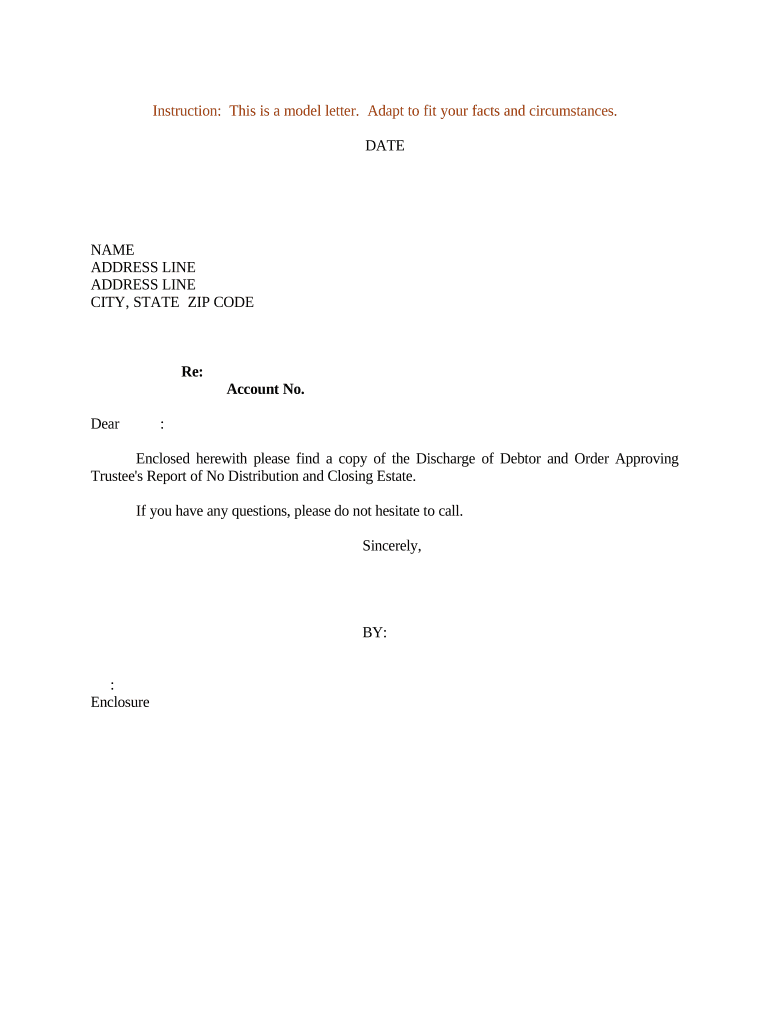
Letter Regarding Discharge of Debtor is a written notice issued by a creditor, trustee, or court-appointed representative to confirm that a debtor has been released from specified debts or obligations. It summarizes the discharged obligation, identifies the debtor and creditor, cites the underlying case or account, and states the effective discharge date. Recipients use it to update records, halt collection activity, and support credit disputes. The document may require signature, notarization, or additional attachments such as court orders or settlement agreements to be effective.

Why a Clear Discharge Letter Matters

A Letter Regarding Discharge of Debtor provides formal notice that obligations have ended, helps prevent mistaken collection efforts, and creates a record for creditors, credit bureaus, and courts. It clarifies rights and supports administrative or legal follow-up.

Why a Clear Discharge Letter Matters

Who Prepares and Receives These Letters

Typical users include creditors, trustees, debtor counsel, and administrative staff who prepare or process discharge notices.

  • Creditor representatives — send to creditors' accounts receivable or legal teams to stop collection.
  • Debtors or their attorneys — obtain confirmation for credit reporting or case closure documentation.
  • Courts, trustees, or bankruptcy administrators — issue or archive discharge letters as official records.

Essential Sections to Include in the Letter

A professional Letter Regarding Discharge of Debtor includes standard sections to identify parties, describe discharged obligations, cite authorities, and provide signature and distribution details.

Header

Contains case identifier, date, and sender contact information. A clear header helps recipients process and file the letter within administrative systems and accelerates verification with creditors and credit bureaus.
Identification

Lists debtor's legal name, aliases, addresses, and account or case numbers. Accurate identifiers reduce the risk of misapplied discharges and ensure correct record updates across systems.

Discharge Details

Specify which debts are discharged, amounts, and any surviving obligations. Reference the court order or settlement by docket or agreement number for verification and include copies when possible.

Authority

Cite the legal authority for the discharge such as the bankruptcy order, settlement paragraph, or creditor release language, including docket, case number, or agreement references.

Signatures

Provide printed names, titles, and dated signatures of authorized signers. Include notary acknowledgment or witness lines if required by recipient or jurisdiction, and retain signed originals for compliance.

Distribution

Record the delivery method and recipients, attach proof of mailing or electronic transmission, and list instructions for updating internal ledgers or credit reports where applicable.

Step-by-Step: Prepare and Issue the Letter

Start here: gather case details, confirm discharge status, prepare letter, obtain signatures, then distribute to relevant parties.

  • 01
    Gather Details: Collect debtor name, account numbers, case or claim IDs.
  • 02
    Confirm Discharge: Verify court order or creditor settlement document.
  • 03
    Draft Letter: State discharged debt, effective date, and parties involved.
  • 04
    Sign & Send: Obtain signatures, notarize if required, then distribute certified copies.

How the Issuance and Distribution Workflow Operates

The typical process for issuing and distributing a discharge letter follows verification, drafting, authentication, and transmission steps.

  • Verify: Confirm discharge order and account balances.
  • Draft: Prepare letter with identifiers and authority citation.
  • Authenticate: Obtain signatures, notarize if required, or use eSignature.
  • Distribute: Send to debtor, bureaus, and internal records with proof.

Configure an Electronic Workflow for the Letter

Configure an electronic workflow to place fields, set authentication, and route signed letters to archives and recipients.

Field Configuration
Signer Authentication Email link or SMS code; KBA if required
Signature Field Required signature and date fields
Notary Block Include if jurisdiction or recipient requires notarization
Routing Sequential or parallel routing to stakeholders

Platform Considerations for eSigning and Storage

Choose a platform that provides secure eSigning, audit trails, and integration with filing systems to streamline distribution and retention.

  • Authentication: Email, SMS, or advanced verification
  • Integrations: Connect to CRM, ERP, cloud storage
  • Formats: Support PDF, DOCX, and audit export

Security and Compliance Considerations

Encryption: TLS 1.2/1.3 in transit, AES-256 at rest
Audit Trail: Detailed timestamps, IP, and actions
HIPAA: BAA available for protected health information
ESIGN / UETA: Compliant with ESIGN and UETA
Certifications: SOC 2 Type II, ISO 27001, PCI DSS
Access Controls: Role-based permissions and SSO options

Potential Risks of an Incorrect or Incomplete Letter

Continued Collections: Creditors may resume collection activity
Credit Reporting Errors: Incorrect status on credit reports
Legal Challenge: Risk of disputes or court motions
Compliance Fines: Penalties for false statements
Delayed Resolution: Slows account closures and audits
Reputational Harm: Stakeholder trust may suffer

Common Preparation Mistakes to Avoid

  • Failing to cite the exact court order or docket number forces third parties to seek additional confirmation and delays updating closed accounts.
  • Using informal or ambiguous language about what is discharged leaves room for creditors to interpret liabilities as unresolved.
  • Omitting precise debtor identifiers such as case numbers, former names, or account numbers increases risk of misapplied discharges.
  • Failing to keep proof of delivery or signed originals undermines audit trails and complicates subsequent disputes or enforcement actions.

Typical Timelines and Response Expectations

Typical timelines for preparing and distributing a discharge letter vary; the following are common industry expectations rather than statutory deadlines.

When to Issue the Letter:

Issue promptly after court order or settlement is finalized.

Notify Credit Bureaus and Lenders:

Provide documentation to bureaus to clear records; timing may vary by bureau.

Provide Debtor Copy:

Deliver to debtor via certified mail or secure electronic transmission.

Record Retention Timeline:

Retain signed originals in records per retention policy and legal requirements.

Respond to Disputes:

Respond to inquiries or disputes within 30 days where feasible.

eSignature Pricing and Feature Comparison for Discharge Letters

Compare common plan features and starting prices across vendors to match your volume, compliance, and integration needs; signNow is listed first per vendor ordering.

signNow DocuSign Adobe Sign PandaDoc HelloSign
Starting Price $8/user/mo $15/user/mo $14/user/mo $19/user/mo $15/user/mo
Free Trial 7-day trial Varies by plan Varies by plan Varies by plan Varies by plan
Bulk Send Yes Yes Yes Yes No
Audit Trail Yes Yes Yes Yes Yes
HIPAA Compliant Yes Yes Yes No No
Envelope Cap No cap 100 envelopes/user/year No cap No cap No cap

Frequently Asked Questions About Discharge Letters

Answers to common preparation, signing, and distribution questions to reduce errors and improve compliance when issuing a Letter Regarding Discharge of Debtor.


Need help? Contact support

be ready to get more
Join over 28 million airSlate SignNow users