Establishing secure connection…Loading editor…Preparing document…

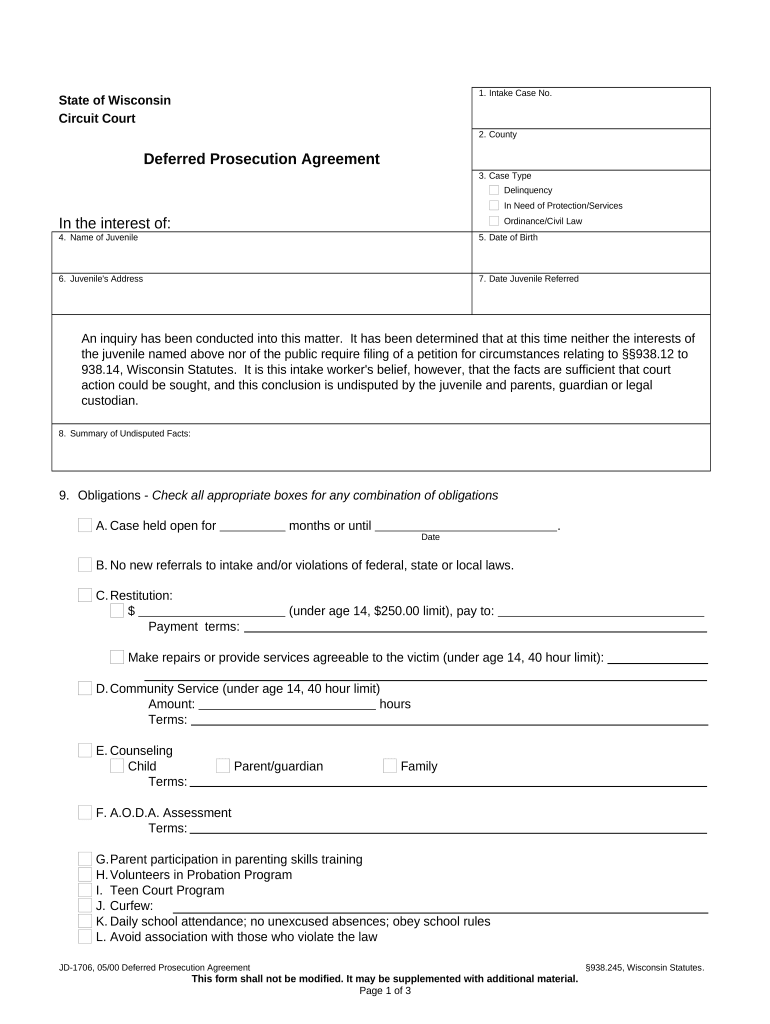
Deferred Prosecution Agreement

This template is fully customizable. Edit the text, fill out the fields, and send it for signature. Give it a try!
Deferred Prosecution Agreement

What a Deferred Prosecution Agreement Is

A Deferred Prosecution Agreement (DPA) is a formal, negotiated settlement between a prosecutor and an organization in which the prosecutor agrees to defer or suspend criminal charges for a defined period provided the organization meets specified conditions. Typical terms include admissions of facts, monetary remediation, enhanced compliance measures, reporting obligations, independent monitors, and periodic certifications. If the organization satisfies the DPA conditions, the prosecutor may dismiss charges at the end of the term; failure to comply can reactivate prosecution. DPAs are used at both federal and state levels and are subject to court review where applicable.

Why Parties Use a Deferred Prosecution Agreement

A DPA can resolve alleged misconduct without a conviction, limit collateral consequences, and allow remediation while preserving public accountability; it also imposes structured compliance obligations and oversight to reduce recurrence.

Why Parties Use a Deferred Prosecution Agreement

Who Typically Negotiates and Signs a DPA

DPAs involve prosecutors and corporate representatives negotiating terms shaped by the severity of alleged conduct, remediation steps, and public interest.

  • Federal prosecutors and U.S. Attorney offices negotiating settlement terms and court filings
  • State attorneys general or local prosecutors when misconduct falls under state law or regulation
  • Corporate counsel, chief compliance officers, and senior executives who implement remediation and certify compliance

Execution usually requires senior corporate authorization and may require court approval; signatories should confirm signing authority and any required judicial filings before execution.

Core Elements Found in a Professional DPA

Standard DPAs combine factual admissions, remediation steps, financial remedies, monitoring, reporting, and termination provisions to create a measurable compliance roadmap.

Admissions

A clear factual statement of the underlying conduct and any agreed admissions of wrongdoing or responsibility by the organization, tailored to legal and factual risk.
Remediation

Specific corrective measures such as policy updates, disciplinary action, enhanced training, or systems remediation with deadlines and responsible parties.

Monetary Relief

Agreed fines, forfeitures, restitution, or disgorgement amounts and payment schedules tied to resolution terms and government recovery priorities.

Compliance Program

Mandatory enhancements to compliance frameworks, internal controls, and reporting lines, often requiring written plans and evidence of implementation.

Monitoring

Appointment of an independent compliance monitor or reporting officer, with scope, duration, reporting frequency, and access rights defined.

Enforcement Terms

Conditions for reinstatement of charges, cure periods, termination triggers, confidentiality limits, and provisions governing public disclosure.

Stepwise Process to Prepare and Execute a DPA

Follow these sequential steps to prepare an enforceable DPA and reduce negotiation friction.

  • 01
    Assess Exposure: Gather facts, potential charges, and internal findings for initial evaluation.
  • 02
    Engage Counsel: Retain experienced criminal or white-collar counsel for negotiation and filings.
  • 03
    Negotiate Terms: Discuss admissions, remediation, payments, monitoring, and confidentiality limits.
  • 04
    Execute and File: Obtain corporate sign-off, sign the DPA, and submit any required court filings.

How a DPA Moves from Negotiation to Close

A typical DPA workflow moves from investigation to negotiation, execution, monitoring, and final resolution; responsibilities shift at each stage.

  • Investigation: Evidence collection and internal review precede offers.
  • Offer: Prosecutor presents proposed DPA terms for negotiation.
  • Execution: Parties sign; court approval if required is sought.
  • Monitoring: Ongoing reporting and verification until termination.

Digital Workflow Settings for Completing a DPA

Configure your document workflow to ensure secure execution, track approvals, and preserve a complete audit trail.

Field Configuration
Signer Authentication Email link, SMS code, or higher assurance KBA
Document Versioning Enable version control and retain prior drafts
Audit Trail Capture IP, timestamp, and signer actions
Access Control Limit downloads and editing to authorized roles

Technical and Security Considerations for eSigning

Use a platform that provides secure authentication, a tamper-evident audit trail, and long-term record retention to support enforceability.

  • File Formats: PDF, Word, and PDF/A supported
  • Integrations: CRM and document storage connectors
  • Encryption: TLS in transit, AES-256 at rest

Preserve signed PDFs with audit metadata and ensure any BAA or special compliance addenda (for HIPAA or 21 CFR Part 11) are in place before sharing patient or regulated data.

Typical Deadlines and Ongoing Reporting Intervals

DPAs include immediate and recurring deadlines; document them clearly to avoid defaults and potential reinstatement of charges.

Negotiation Period:

Often weeks to months depending on complexity

Execution and Filing:

File with court promptly if judicial approval is required

Interim Reporting:

Monthly or quarterly compliance reports are common

Monitor Reviews:

Independent monitor reports may be semiannual

Term Completion:

Final certification and potential dismissal on successful completion

Key Milestones in a DPA Timeline

Track these sequential milestones to monitor progress, demonstrate compliance, and meet enforcement deadlines.

01

Investigation Concludes

Facts compiled and internal report finalized for negotiation.

02

Terms Negotiated

Agreed obligations, payments, and monitoring are defined.

03

Agreement Signed

Authorized signatories execute the document and date it.

04

Compliance Period

Ongoing obligations observed until the agreed termination date.

Common Preparation Mistakes to Avoid

  • Using vague remediation language that lacks measurable deliverables and dates, which invites disputes and enforcement actions.
  • Failing to confirm corporate signing authority or board approvals, causing delays or later challenges to the agreement's validity.
  • Neglecting to attach required exhibits such as remediation plans, financial statements, or prior internal investigation reports that prosecutors expect.
  • Underestimating reporting requirements and resource commitments, leading to missed filings or default under monitoring provisions.

Consequences of Noncompliance with a DPA

Reinstated Charges: Prosecution resumes
Increased Penalties: Higher fines or sanctions
Loss of Benefits: Exclusion from government contracts
Civil Liability: Private suits follow disclosure
Criminal Exposure: New charges for breaches
Reputational Harm: Public disclosure impacts trust

Sample Use Cases Illustrating Typical DPAs

These anonymized scenarios show common structures and outcomes for corporate DPAs across sectors.

Case Study 1

A regional bank agreed to a DPA after AML deficiencies were identified

  • Agreement required a three-year monitor and $5 million remediation
  • The bank implemented controls, made payments, and avoided criminal conviction while accepting oversight and reporting obligations.

Case Study 2

A healthcare provider entered a DPA following disclosure shortcomings tied to PHI handling

  • Terms required privacy program overhaul, staff training, and periodic audits
  • After timely reports and corrective actions, the prosecutor dismissed charges at term end, subject to public reporting.

Who Signs and Approves the DPA

Company Signatory

Typically a CEO or authorized corporate officer signs on behalf of the organization; board or special committee approval may be required depending on governance rules and materiality.

Prosecutor/Agency

A designated U.S. Attorney, Assistant Attorney General, or state prosecutor signs for the government; court approval may also be entered by a judge where required.

Supporting Documents and Evidence to Attach

Internal Report: Final internal investigation findings
Remediation Plan: Detailed corrective action schedule
Financial Records: Payment schedules and audited statements
Monitoring Protocol: Monitor scope and access terms
Board Resolutions: Authorization to enter the agreement
Compliance Certifications: Periodic attestations by officers

Comparing eSignature Options for Executing a DPA

Select an eSignature provider offering audit trails, secure authentication, and record retention compatible with DPA obligations and any regulatory addenda.

signNow DocuSign Adobe Sign PandaDoc HelloSign
Starting Price $8/user/mo $15/user/mo $14/user/mo $19/user/mo $15/user/mo
Free Trial 7-day free trial No No Yes, limited Yes, limited
Bulk Send Yes Yes Yes Yes No
Audit Trail Yes Yes Yes Yes Yes
HIPAA Compliant Yes Yes Yes No No

Frequently Asked Questions About Deferred Prosecution Agreements

Answers to common legal and procedural questions about DPAs, execution, and post-execution compliance obligations.


Need help? Contact support

be ready to get more
Join over 28 million airSlate SignNow users