Establishing secure connection…Loading editor…Preparing document…

Letter Relieving Delegated Responsibilities

This template is fully customizable. Edit the text, fill out the fields, and send it for signature. Give it a try!
Letter Relieving Delegated Responsibilities

What a Letter Relieving Delegated Responsibilities Is

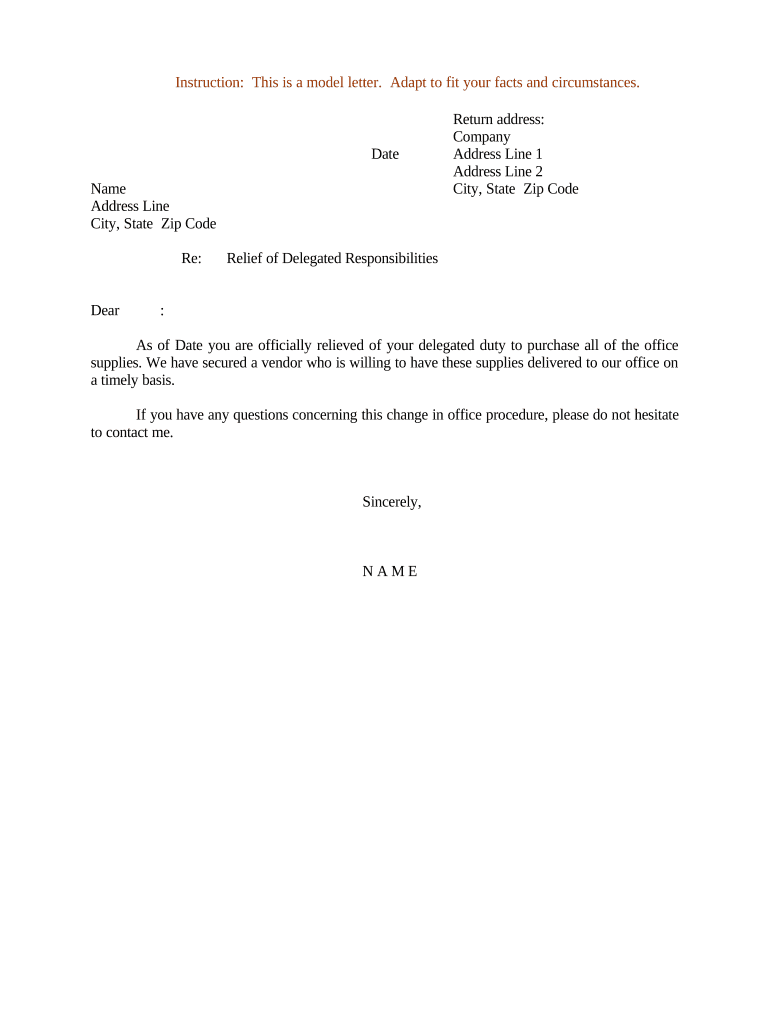
A Letter Relieving Delegated Responsibilities is a formal written notice that records the transfer, suspension, or removal of duties previously assigned to an individual or agent. It documents the effective date when the delegate is no longer responsible for specific tasks, clarifies which responsibilities remain with the original delegator (if any), and notes any transitional obligations such as handover steps, access revocations, or reporting requirements. Organizations use the letter to reduce ambiguity, create a clear record for compliance or audit purposes, and protect parties from future disputes about who held authority on particular dates.

Why this letter matters for compliance and risk control

A clear Letter Relieving Delegated Responsibilities reduces legal risk, creates a dated record for audits, and protects both the delegator and former delegate from liability over future acts. It also supports internal controls when duties move between departments, change with personnel departures, or require formal reassignment.

Why this letter matters for compliance and risk control

Typical users and signers of the letter

Organizations and individuals use this letter when reassigning duties, terminating delegations, or formalizing temporary suspensions of authority.

  • Department heads and managers who assign or revoke operational authority for staff or contractors.
  • Human resources and legal teams documenting role changes tied to termination or reassignment.
  • Contract administrators and procurement officers recording delegated authority changes for vendors and agents.

Signers should ensure the letter is dated, signed by authorized personnel, and distributed to affected stakeholders and recordkeepers.

Core elements every professional letter should include

Include these six components to make the letter clear, enforceable, and easy to reference in audits or disputes.

Header

Date, company name, and recipient details presented clearly at the top so the document is immediately attributable to a specific transaction and parties.
Delegation Details

A concise description of the original delegated responsibilities, including limits, authorities, and any referenced agreement or contract identifiers for precise context.

Relief Statement

An explicit sentence stating which duties are being relieved, the effective date of relief, and whether relief is full, partial, or conditional during transition.

Transitional Actions

Specific handover tasks, return of property or records, access terminations, and any reporting or certification the outgoing delegate must provide.

Authority to Sign

Identification of the person issuing the relief with title and authority statement showing they are entitled to reassign or relieve duties.

Signatures and Dates

Signature blocks for the delegator and, where appropriate, the delegate acknowledging receipt, plus dates and witness or notary lines if required.

Essential details to include on the form

Full legal name: Name on record
Title / role: Official job title
Effective date: MM/DD/YYYY
Delegated duties: Short list
Issuer identity: Name and title
Signature line: Signed and dated

Step-by-step: preparing and issuing the letter

Follow these sequential steps to ensure the letter is complete, authorized, and distributed to appropriate stakeholders.

  • 01
    Draft: Write clear scope and effective date.
  • 02
    Review: Legal or HR review for policy alignment.
  • 03
    Sign: Authorized officer signs and dates.
  • 04
    Distribute: Send copies to delegate, HR, and records.

How to configure an online workflow for the letter

Set up a simple eSignature workflow with named roles, fields, and notifications to ensure timely completion and record retention.

Field Configuration
Recipient field Populate with delegate email and name
Signature field Place required signature and date fields
Authentication Use email or SMS code for signer verification
Retention rule Enable audit trail and secure storage

Where the letter should be sent and recorded

Route the signed letter to internal stakeholders and the official records system to establish an auditable trail.

  • Primary recipient: Send to the delegate via secure channel
  • HR and payroll: Notify to update personnel records
  • Records archive: Store in the central document repository
  • Access control: Revoke system permissions if required

Digital signing and technical delivery options

Use an eSignature platform that provides a tamper-evident audit trail, signer authentication, and secure storage.

  • Document formats: PDF and Word
  • Authentication methods: Email, SMS code
  • Audit trail: Timestamps and IP

Retain the signed copy in your records system with access controls; ensure the vendor supports export to PDF/A and provides audit logs for compliance.

Timing considerations and typical deadlines

Identify and observe any internal or regulatory deadlines that affect effective dates, payroll actions, or contract notices when issuing the letter.

Effective date alignment:

Coordinate with payroll cutoffs and access schedules.

Immediate actions:

Revoke system access within 24–48 hours when required.

Notice periods:

Follow contractual notice obligations if delegation ties to vendor contracts.

Record retention start:

Record retention begins on the effective date.

Audit readiness:

Provide signed copies to auditors on request.

Common drafting and processing mistakes to avoid

  • Using vague language for the relieved duties, which creates ambiguity and may lead to disputes about ongoing authority and liability.
  • Failing to date the letter or aligning the effective date with payroll or system access schedules, causing gaps in accountability and potential unauthorized actions.
  • Not obtaining an acknowledgment signature from the delegate, leaving no proof the delegate received or accepted the relief of responsibilities.
  • Keeping only an email notification without a signed, auditable record, which weakens evidence in audits and legal proceedings.

Consequences of an incorrect or incomplete letter

Operational risk: Unauthorized actions may continue
Liability exposure: Organization may assume unexpected liabilities
Contract breaches: Third parties may claim noncompliance
Audit findings: Deficient records can trigger citations
Payroll errors: Compensation misallocations may occur
Reputational harm: Stakeholder trust can be damaged

Comparison: common eSignature vendors for executing the letter

Basic vendor features and starting prices help organizations choose a platform that provides audit trails, signer authentication, and secure storage.

signNow DocuSign Adobe Sign PandaDoc HelloSign
Starting Price $8/user/mo $15/user/mo $14/user/mo $19/user/mo $15/user/mo
Free Trial 7-day free trial Varies by vendor Varies by vendor Varies by vendor Varies by vendor
Bulk Send Yes Yes Yes Yes No
Audit Trail Yes Yes Yes Yes Yes
HIPAA Compliant Yes Yes Yes No No

Real-world examples of how organizations use this letter

Two examples show common scenarios where a Letter Relieving Delegated Responsibilities creates clarity and auditability.

Optica Ventures (Operations)

A manager departs and responsibilities shift to a successor with overlapping duties for two weeks

  • The outgoing manager signs an acknowledgement of handover
  • The company retained the signed letter in personnel records, preventing disputes over approval authority during the transition and supporting payroll corrections.

Xerox (NetSuite Operations)

A contractor's procurement authority is rescinded after project completion

  • Procurement returns purchasing cards and provides inventory handover details
  • Xerox stored the signed letter with vendor files and updated ERP role permissions to prevent unauthorized purchases.

Practical tips for accurate and efficient completion

Follow these best practices to reduce follow-up work and ensure the letter serves as a reliable record.

Use precise language
Describe duties with exact terms and link to referenced contracts or policy sections to eliminate ambiguity and reduce interpretation risk during audits.
Align dates
Set the effective date to align with payroll, system access changes, and contractual notice periods to avoid gaps in control and responsibility.
Preserve the audit trail
Use an eSignature solution that records timestamps, signer identity, and actions to provide defensible evidence of receipt and acceptance.
Store centrally
Keep the signed letter in the official records repository and notify HR, IT, and contract owners to update systems and permissions promptly.

Frequently asked questions and troubleshooting

Answers to common questions about creating, signing, and storing a Letter Relieving Delegated Responsibilities.


Need help? Contact support

be ready to get more
Join over 28 million airSlate SignNow users