Establishing secure connection…Loading editor…Preparing document…

Disclaimer Property Form

This template is fully customizable. Edit the text, fill out the fields, and send it for signature. Give it a try!
Disclaimer Property Form

What the Disclaimer Property Form Is and when it’s used

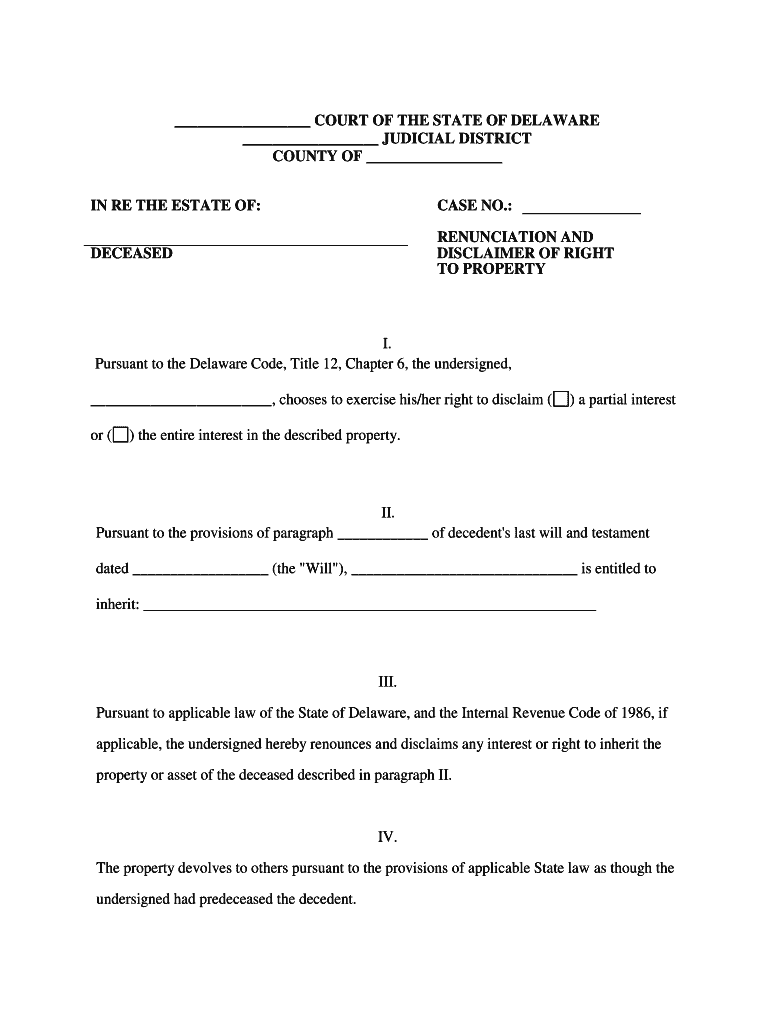
The Disclaimer Property Form is a written legal instrument used to renounce or disclaim an ownership interest in real property or an interest in an estate. It documents a party’s voluntary refusal of rights to a parcel, easement, or inheritance share and is used to prevent unintended transfers, simplify estate administration, or clarify title for recording. Validity depends on state law, execution formalities, and recording practice; notarization and witness requirements vary. Consult state statutes or counsel for jurisdiction-specific mechanics.

Why a clear disclaimer matters for property and title

A properly executed Disclaimer Property Form removes ambiguity over ownership, reduces the risk of competing claims, and creates an auditable record for title searches, probate, and tax reporting.

Why a clear disclaimer matters for property and title

Who commonly completes a Disclaimer Property Form

Typical users include estate representatives, title agents, and property owners who must formally renounce or clarify property interests.

  • Heirs and beneficiaries who decline property to simplify estate distribution or avoid tax consequences.
  • Executors and trustees executing estate settlements when a beneficiary refuses a specific asset.
  • Title companies and real estate attorneys resolving competing claims or clearing title for transfer.

Representative signers and administrators

Estate Administrator

An administrator or executor may complete the form on behalf of an estate when a beneficiary or heir expressly disclaims an interest; accuracy and timing affect probate distribution and tax reporting.

Title Company Manager

Title officers use disclaimers to clear clouded title before closing; recorded disclaimers provide a public record that supports issuance of clear title insurance commitments.

Core elements to include in a professional Disclaimer Property Form

A complete form combines declarant identity, precise property description, an unambiguous disclaimer statement, execution details, and recording instructions so the instrument produces the intended title effect.

Declarant ID

Full legal name, mailing address, and capacity (individual, trustee, personal representative). Use the exact name that appears on government-issued identification and title records to avoid mismatches.
Property Description

A precise legal description or assessor’s parcel number and county recorder reference. Street addresses alone are insufficient for recording; include metes and bounds or recorded deed references when available.

Statement of Disclaimer

A clear declaration that the named party irrevocably disclaims the specified interest, describing the interest being disclaimed and any limitations or exceptions to that disclaimer.

Effective Date

The execution date governs when the disclaimer takes effect. Use MM/DD/YYYY and confirm whether state law requires recording within a particular period for effectiveness.

Notary & Witness

A notary acknowledgment is required in most jurisdictions for deeds and recorded instruments; some states also require one or two witnesses. Follow local recording office instructions.

Recording Instructions

Specify the county recorder, recording reference, and return address. Note any exhibit attachments and request that the recorder stamp and return a recorded copy to the designated party.

Step-by-step: completing and recording a Disclaimer Property Form

Follow this sequence to reduce errors and support timely recording: prepare, verify identity, execute, then record.

  • 01
    Prepare Document: Populate declarant and property fields using recorded deed references.
  • 02
    Verify Identity: Check government ID or use approved digital authentication methods.
  • 03
    Execute and Notarize: Sign in front of a notary and witnesses if the state requires them.
  • 04
    Record Instrument: Submit to the county recorder with fees and requested copies.

Overview of an electronic disclaimer workflow

A typical e-submission reduces turnaround time when the jurisdiction accepts electronic records and RON notarization.

  • Upload: Upload the completed form as PDF/A to preserve formatting.
  • Assign Signers: Designate declarant, notary, and any witness fields in order.
  • Authenticate: Use email, SMS code, or ID credentialing to confirm signer identity.
  • Audit Trail: Capture timestamps, IP, and notarization evidence for recordkeeping.

Technical considerations for digital completion and eRecording

Ensure your platform supports secure PDF/A export, multi-factor signer authentication, and notarization workflows required by the recorder.

  • File Formats: PDF/A, PDF, DOCX supported for form preparation and export.
  • Authentication: Email, SMS, ID verification, or credential analysis for signer validation.
  • Integrations: Connectors to cloud storage and title systems speed submission and archiving.

Online workflow settings to configure for disclaimers

Configure signer order, authentication strength, and notary support before sending to reduce rework and ensure recordability.

Field Configuration
Signer Order Set declarant first, notary then witness order where required
Authentication Use SMS code or government ID verification for higher assurance
Notary Workflow Enable RON where accepted; otherwise require in-person notarization
Record Retention Store signed PDF/A and audit trail for the retention period

Timing considerations and typical processing expectations

Act promptly: delays in execution or recording can create competing claims or require corrective instruments.

Execution Timing:

Sign and notarize as soon as parties agree to avoid intervening conveyances.

Recording Timing:

Record with the county recorder promptly; local acceptance timelines vary by office.

Tax Reporting:

Check tax implications before disclaiming; IRS guidance may apply to transfers and gifts.

Revocation Window:

Some states limit revocation rights; consult counsel about ability to rescind a disclaimer.

Notary Retention:

RON or notary journals may require multi-year retention per state rules.

Common mistakes that delay recording or reduce effectiveness

  • Using an incomplete legal description causes county recorders to reject filings and creates indexing errors that complicate title searches.
  • Mismatched declarant names between the form and prior recorded instruments result in rejection or questions of identity and intent.
  • Failing to notarize or include required witness signatures in jurisdictions that demand them invalidates recording and delays transfers.
  • Not confirming county acceptance of electronic or RON notarization leads to returned submissions and longer processing times.

Risks and potential consequences of incorrect disclaimers

Title Defects: Clouded title risk
Tax Liability: Possible gift or income consequences
Probate Delay: Extended probate administration
Invalidation Risk: Form may be void if formalities unmet
Recording Rejection: County may refuse improper instruments
Legal Fees: Attorney costs for corrective actions

Practical tips to prevent delays and ensure enforceability

Follow these practices to reduce rejections, avoid title issues, and preserve legal effect when preparing a disclaimer.

Verify legal description and references
Copy the legal description and recording references verbatim from existing recorded deeds or the county assessor to ensure precise indexing and avoid recorder rejection.
Confirm signer identity and capacity
Require government ID verification for individuals and organizational documentation for fiduciaries or corporate signers to prevent later challenges.
Follow local notary and witness rules
Check county and state requirements for notarization and witness counts before execution; failure to follow formalities can void recordability.
Keep both original and electronic copies
Store signed originals and a PDF/A archived copy plus the audit trail in secure storage to support title searches and legal defenses.

Key milestones from execution to recorded public notice

Track these sequential milestones to ensure timely recording and public notice of the disclaimer.

01

Preparation Complete

All fields checked and supporting references attached before signing

02

Execution & Notarization

Declarant signs and notary and witnesses complete required acknowledgements

03

Filing Submitted

Document and fee submitted to county recorder for acceptance

04

Recorded Notice

Recorder returns stamped instrument and indexing confirms public notice

Common eSignature vendor pricing and capability snapshot

Compare starting price and core capabilities for common vendors. signNow is listed first per vendor ordering rules; confirm plan details with each provider before purchase.

signNow DocuSign Adobe Sign PandaDoc HelloSign
Starting Price $8/user/mo $15/user/mo $14/user/mo $19/user/mo $15/user/mo
Free Trial 7-day free trial Varies by vendor Varies by vendor Varies by vendor Varies by vendor
Bulk Send Yes Yes Yes Yes No
Audit Trail Yes Yes Yes Yes Yes
HIPAA Compliant Yes Yes Yes No No

Submitting the form to the county recorder (process overview)

Recorder offices have different eRecording acceptance rules—confirm the county’s preferred method before sending.

  • Prepare Recorder Copy: Create a clean PDF with required cover sheet
  • Include Fees: Attach appropriate recording fee and any return postage
  • Submit Electronically: Use county eRecording portal or approved vendor
  • Receive Recorded Copy: Obtain stamped PDF and record reference number

Real-world examples using digital workflows for property documents

Case summaries show how organizations reduced turnaround and kept clear records when processing property-related instruments.

Martin Properties — Tim Martin

Tim Martin completed property instruments online to serve mobile closings and remote signings.

  • He reported consistent compliance across devices and offline capability.
  • His team cited faster turnaround and reliable recorded copies, enabling remote closings while preserving signed originals and audit trails.

Optica Ventures — Brian Fitzgibbons

The team used digital forms for various property and transactional documents to streamline customer interactions.

  • The interface supported external parties signing without friction.
  • The result was fewer incomplete returns and clearer public records for title and escrow steps.

Required identification and form elements to check before signing

Declarant Name: Full legal name
Property ID: Legal description
Recorder County: Designated county
Execution Date: MM/DD/YYYY
Notary Block: Acknowledgement text
Return Address: Post-recording recipient

Frequently asked questions about Disclaimer Property Forms

Answers to common questions about validity, notarization, recording, and revocation to help avoid procedural errors and preserve title clarity.


Need help? Contact support

be ready to get more
Join over 28 million airSlate SignNow users