Establishing secure connection…Loading editor…Preparing document…

Discovery Interrogatories from Plaintiff to Defendant with Production Requests

This template is fully customizable. Edit the text, fill out the fields, and send it for signature. Give it a try!
Discovery Interrogatories from Plaintiff to Defendant with Production Requests

What this discovery packet is and how it functions

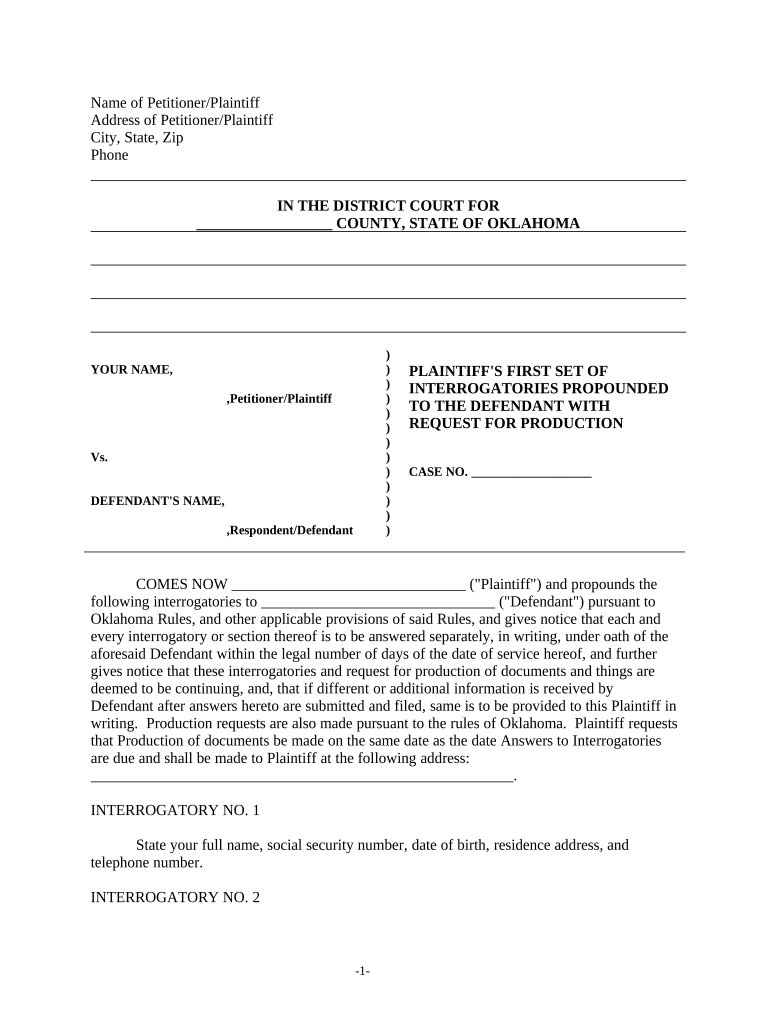
The Discovery Interrogatories from Plaintiff to Defendant with Production Requests is a combined discovery tool used in civil litigation to obtain written answers and documentary evidence from a defendant. It typically pairs interrogatories—numbered written questions that must be answered under oath—with requests for production of documents or electronically stored information. Plaintiffs use this packet to narrow disputed facts, identify witnesses and records, and create a foundation for depositions or motions. Timing, form, and permissible scope are governed by the Federal Rules of Civil Procedure (Rule 33 and Rule 34) or applicable state discovery rules.

Why plaintiffs and counsel rely on combined interrogatories and production requests

Using interrogatories with production requests helps preserve evidence, clarify factual positions, and reduce surprise at trial. Combined discovery narrows issues early, identifies documents for inspection or review, and supports efficient case management by creating sworn, written responses that can be used at deposition or in dispositive motions.

Why plaintiffs and counsel rely on combined interrogatories and production requests

Who prepares and responds to these discovery requests

Regardless of user, strict adherence to service rules, response deadlines, and privilege handling is essential to avoid sanctions or waiver.

  • Plaintiff's counsel preparing targeted questions to develop factual record for pleading and motion practice.
  • Defense counsel coordinating factual review, privilege logs, and document collection for accurate sworn responses.
  • Pro se litigants or small-firm attorneys using templates to meet procedural deadlines and preserve evidentiary issues.

Core elements included in a professional interrogatories and production packet

A well-structured packet organizes procedural and substantive elements so recipients can identify, respond, and produce records without ambiguity.

Case Caption

Complete court caption and docket number at the top of each page to ensure proper association with the case before any question or request.
Instructions

Clear definitions and instructions defining terms, custodians, date ranges, and formats for production (paper, native, or TIFF/PDF) to reduce disputes.

Definitions

Precise definitions for terms like 'document', 'communication', or named individuals to prevent overbroad or evasive answers.

Interrogatories

Numbered, discrete questions with a single factual focus per interrogatory to comply with state or local limits on interrogatory counts.

Production Requests

Specific requests for documents or ESI stating custodians, date ranges, and file types, plus required privilege logging instructions.

Verification

A sworn verification or declaration block signed under penalty of perjury by the responding party or corporate representative.

Essential information fields to include

Court Details: Court name and docket number
Party Names: Full legal party names
Propounding Party: Name and counsel contact info
Response Deadline: Due date for written answers
Document Scope: Date range and custodians
Verification Block: Signature and date required

Step-by-step completion and service workflow

Follow a clear sequence to prepare, serve, and document responses while preserving meet-and-confer rights and evidentiary chains.

  • 01
    Draft: Draft precise interrogatories and production requests tailored to issues.
  • 02
    Serve: Serve opposing counsel using permitted methods under local rules.
  • 03
    Confer: Meet-and-confer on scope, format, and privilege issues.
  • 04
    Preserve: Collect ESI and maintain a defensible preservation protocol.

Setting up a digital workflow for completion and production

Configuring a repeatable digital workflow ensures consistent production formats, authentication, and audit trails for discovery exchanges.

Field Configuration
Upload Document Use PDF/A or searchable DOCX for OCR and redaction
Assign Roles Designate drafter, reviewer, and custodian
Authentication Choose email/SMS code or stronger signer verification
Audit Trail Enable timestamps, IP capture, and download logs

Where to send, file, and serve discovery materials

Identify the correct recipients and filing destinations to satisfy service obligations and maintain a record of delivery.

  • Serve Opposing Counsel: Send via agreed e-service, email, or overnight mail per local rules
  • File with Court: File only required items; do not file routine discovery unless ordered
  • E-File Portal: Use court’s electronic filing system for motions and certificates of service
  • Proof of Service: Retain signed certificates or system delivery receipts

Digital signing and e-submission considerations

Confirm the platform’s exportability and chain-of-custody features before relying on electronic signatures for verified discovery responses.

  • File Formats: PDF, DOCX, and native ESI accepted
  • Signer Authentication: Email or SMS code; stronger options for sensitive records
  • Retention: Maintain secure, tamper-evident logs

Typical timelines and response deadlines to track

Track service and response windows carefully; timelines vary by rule, local practice, and any stipulated extensions.

Standard Response Time:

30 days after service unless the parties agree otherwise (Rule 33 default)

Shortened Deadlines:

Court may set shorter response periods for expedited matters

Meet-and-Confer Window:

Begin conferral promptly after receipt to avoid motion practice

Motion to Compel Timing:

File after reasonable conferral and statutory waiting period

Privilege Log Delivery:

Deliver contemporaneously or as ordered by the court

Common drafting and service mistakes to avoid

  • Asking compound questions that invite objections and hinder usable answers.
  • Using vague date ranges or undefined custodians that expand review burden unnecessarily.
  • Failing to specify production formats (native vs. PDF), leading to spoliation disputes.
  • Neglecting to include a clear verification block signed under penalty of perjury.

Consequences of improper responses, late production, or spoliation

Court Sanctions: Monetary or evidentiary sanctions
Waived Objections: Untimely objections may be forfeited
Spoliation Risk: Adverse inference or dismissal exposure
Default Judgment: Extreme failure to comply may trigger default
Cost Shifting: Court may require payment of search or review costs
Privilege Loss: Incomplete logs can waive privilege claims

Practical examples showing how interrogatories and production requests are used

Two concise examples illustrate drafting focus, scope, and expected outcomes in common civil cases.

Employment Dispute

Plaintiff asks for digital time records and communications to prove overtime claims.

  • Tailored date range limits review burden.
  • Properly targeted requests produced payroll data and email threads that supported damages calculations and narrowed deposition topics, reducing discovery costs.

Contract Claim

Plaintiff requests execution copies, revisions, and communications about performance.

  • Requests specify custodians and file formats.
  • Document production revealed a draft version with material changes, allowing plaintiff to refine contract interpretation and prepare focused summary judgment briefing.

Common eSignature vendor pricing and feature comparison for discovery workflows

Platform pricing and feature sets vary by plan; signNow is listed first to show commonly available capabilities across vendors.

signNow DocuSign Adobe Sign PandaDoc HelloSign
Starting Price $8/user/mo $15/user/mo $14/user/mo $19/user/mo $15/user/mo
Free Trial 7-day free trial Varies by plan Varies by plan Varies by plan Varies by plan
Bulk Send Yes (Business Premium+) Yes Yes Yes No
Audit Trail Yes Yes Yes Yes Yes
HIPAA Compliant Yes Yes Yes No No

Frequently asked questions and concise answers

Answers to six common questions about use, electronic signing, service, objections, and preserving privileged material.


Need help? Contact support

be ready to get more
Join over 28 million airSlate SignNow users