Establishing secure connection…Loading editor…Preparing document…

Dispositional Order

This template is fully customizable. Edit the text, fill out the fields, and send it for signature. Give it a try!
Dispositional Order

What a Dispositional Order Is and when courts use it

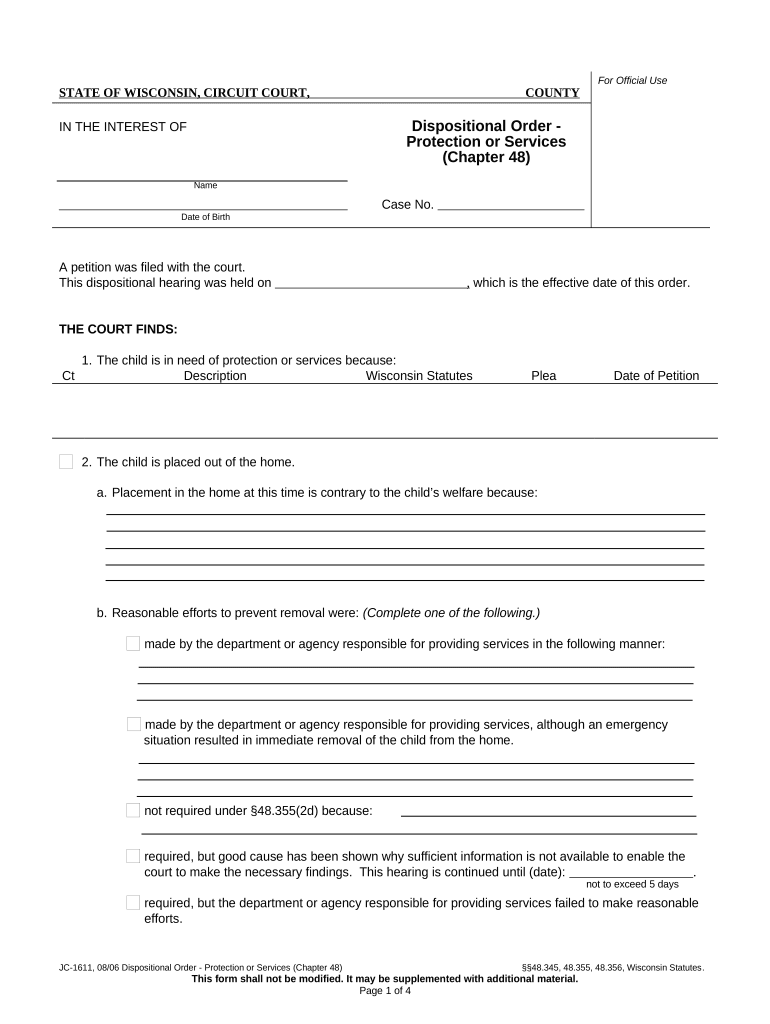
A Dispositional Order is a court-issued directive that sets the outcome or remedy after a determination of responsibility or adjudication. It records the court's findings, specifies penalties or placements, and directs actions for parties and supervising agencies. Dispositional orders appear in juvenile, family, and some civil and criminal matters and become enforceable once signed by the judge and entered on the court docket.

Why a clear Dispositional Order matters

A precise Dispositional Order prevents ambiguity about obligations, timelines, and remedies, supports enforcement, and reduces grounds for appeal by documenting findings and required actions in a single, signed instrument.

Why a clear Dispositional Order matters

Who typically prepares or receives a Dispositional Order

Team members who draft, review, or act on dispositional orders vary by case type; multiple stakeholders rely on the final signed order.

  • Judges and court clerks responsible for drafting or entering the formal order into the court record.
  • Attorneys and legal representatives who prepare proposed orders and verify accuracy before submission.
  • Social workers, probation officers, or agency administrators who implement placement, supervision, or services.

Ensure distribution to all listed parties and to the court file; omissions or routing delays can impede enforcement or services.

Core components to include in a professional Dispositional Order

A professionally drafted Dispositional Order groups the court caption, factual findings, discrete directives, and administrative details so the order is enforceable and easy to implement by nonlegal staff.

Caption & Case Info

Complete caption with court name, docket number, parties, and date to tie the order to the official case file and ensure proper indexing.
Findings of Fact

Concise factual findings that support the court's disposition; these reduce successful appeals by showing the rationale for the order.

Disposition Directive

A clear, numbered statement of the court's decision (placement, sentence, restitution, supervision terms) that is enforceable on its face.

Conditions & Supervision

Specific obligations imposed on a party (reporting, counseling, restrictions) including frequency, responsible agency, and compliance criteria.

Service & Notice

Instructions for serving the order, certifying service, and notifying agencies or attorneys, including deadlines and methods.

Signature & Entry

Judge's signature line, date, and clerk's entry stamp or certificate of filing so the order becomes part of the official record.

Required information and minimal fields for validity

Party Names: Full legal names
Docket Number: Court-assigned case number
Order Date: MM/DD/YYYY format
Specific Directives: Clear, numbered actions
Judge Signature: Handwritten or e-signed judge name
Clerk Entry: Filing or entry stamp

Step-by-step: completing a Dispositional Order

Follow a consistent, numbered process to prepare, verify, sign, file, and serve the order so it is enforceable and reduces appellate risk.

  • 01
    Draft: Prepare order using court caption and agreed terms.
  • 02
    Review: Confirm facts, cite supporting findings, and check party names.
  • 03
    Sign: Obtain judge's signature—wet or compliant e-signature as allowed.
  • 04
    File & Serve: File with clerk and serve all parties per local rules.

How the Dispositional Order moves through the system

A short workflow clarifies who signs, where the order files, and how parties receive notice so administrative staff can complete each step efficiently.

  • Prepare Order: Draft and obtain internal approvals before presenting to the judge.
  • Judge Signs: Judge signs in court or uses approved electronic method.
  • Clerk Files: Clerk stamps and enters the order on the docket.
  • Serve Parties: Serve counsel and agencies per court service rules.

Configuring digital workflow for a Dispositional Order

Map each workflow setting to court and agency requirements before enabling electronic execution or routing.

Field Configuration
Authentication Email link, SMS code, or advanced authentication
Document Format PDF/A preferred for record permanence
Routing Order Judge → Clerk → Parties (sequential or parallel)
Storage Location Court file + secure archive (encrypted)

Technical and integration considerations for electronic orders

Confirm your eSignature platform supports the authentication, format, and retention features required by the court and any supervising agencies.

  • Integrations: Salesforce, NetSuite, MS 365 supported
  • Formats: PDF, DOCX, and PDF/A
  • Authentication: Email, SMS, or advanced options

Choose a platform that archives audit trails, stores signed copies securely with AES-256 encryption, and can export court-ready PDFs and records for review.

Timing and typical deadlines to track

Monitor filing, service, and appeal windows closely; specific deadlines are set by local court rules and may vary by jurisdiction and case type.

File with Clerk:

File the signed order with the court clerk promptly per local filing procedures.

Service to Parties:

Serve all named parties and agencies according to court-prescribed methods and timelines.

Effective Date:

The order itself may state an effective date; otherwise the clerk's entry date controls enforceability.

Appeal Window:

The time to appeal depends on court rules; consult local rules for the specific deadline.

Processing Time:

Clerk processing varies; allow sufficient time for docketing and certified copies.

Penalties and risks from an incorrect or incomplete order

Unenforceable Terms: Remedies may be void if directives are vague
Contempt Exposure: Noncompliance can lead to contempt proceedings
Service Defects: Improper service may delay enforcement
Appeal Grounds: Errors can create reversible error on appeal
Delayed Services: Placement or supervision may be postponed
Privacy Breach: Improper handling may violate HIPAA/FERPA

Common mistakes to avoid when preparing the order

  • Using inconsistent party names across documents, which can result in misfiling or failure of service and require corrected entries.
  • Leaving directives vague (for example, 'follow counseling') without specifying frequency, duration, or responsible provider for enforcement.
  • Failing to obtain or document judicial signature and clerk entry, which prevents the order from becoming an enforceable court record.
  • Not serving required parties or agencies on time, leading to delayed implementation and potential appeals.

Real-world examples of using electronic dispositional orders

Two examples show how organizations streamline order execution while maintaining compliance and auditability.

Martin Properties

Martin Properties automated execution for lease-related dispositional orders to reduce turnaround.

  • The online process reduced paper handling and improved tracking.
  • Tim Martin said the system allowed compliant processing and efficient distribution of signed orders across teams and clients.

Fertility Centers of Illinois

A healthcare provider standardized orders affecting patient care coordination.

  • The digital workflow captured audit trails and signatures.
  • John Butler highlighted responsive support and compliant recordkeeping that met their institutional requirements.

Practical tips for accurate, efficient Dispositional Orders

Applying consistent formatting and verification steps reduces rework and legal challenges; follow these operational best practices when preparing orders.

Use standardized templates
Start from a court-approved template to ensure required fields appear consistently, reducing omissions and clerk rejections.
Verify party data
Cross-check party names, addresses, and counsel details against pleadings to avoid misidentification and service issues.
Number directives
Number each order item and reference responsible parties and deadlines to simplify enforcement and reporting.
Retain audit trails
Keep a signed copy, entry stamp, and an audit trail showing signatures, timestamps, and routing for future challenges.

eSignature vendor comparison for Dispositional Orders

Compare common platform features and pricing models; signNow appears first to show a low-cost option with enterprise features suitable for official court documents.

signNow DocuSign Adobe Sign PandaDoc HelloSign
Starting Price $8/user/mo $15/user/mo $14/user/mo $19/user/mo $15/user/mo
Free Trial 7-day free trial Varies by vendor Varies by vendor Varies by vendor Varies by vendor
Bulk Send Yes (premium) Yes Yes Yes Varies
Audit Trail Yes Yes Yes Yes Yes
HIPAA Compliant Yes (BAA available) Yes (BAA available) Yes (BAA available) Varies Varies
Envelope Cap No envelope cap 100 envelopes/user/year Varies by plan Varies by plan Varies by plan

Common questions about Dispositional Orders and electronic signing

Answers to frequent operational and legal questions about preparing, signing, filing, and retaining dispositional orders, including electronic execution considerations.


Need help? Contact support

be ready to get more
Join over 28 million airSlate SignNow users