Identification
Clear reference to the original trust name and signing date so administrators and third parties can match the amendment to the correct trust instrument and avoid identification disputes.
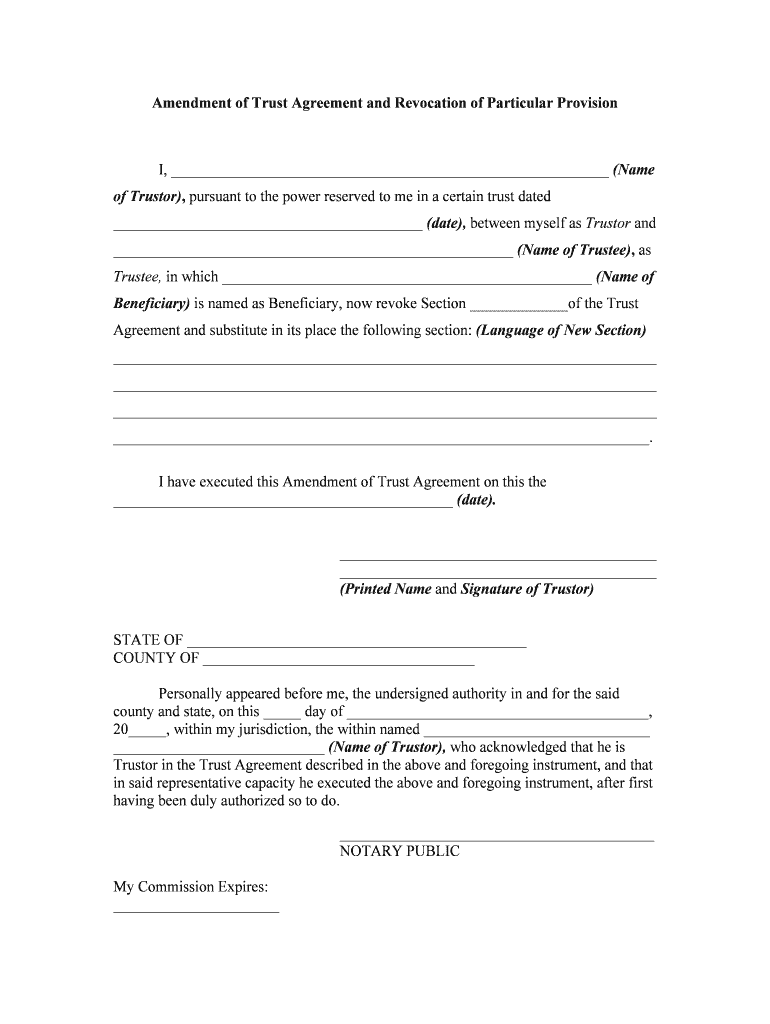
Amending a trust preserves the original trust framework while allowing targeted, legally recognized changes. Properly executed amendments avoid the time and cost of restating the entire trust and can address tax, beneficiary, or trustee updates. Electronic execution and secure eSign platforms can document intent, attribution, and retention consistent with the ESIGN Act (15 U.S.C. ch. 96) and state UETA statutes where adopted.

Clear reference to the original trust name and signing date so administrators and third parties can match the amendment to the correct trust instrument and avoid identification disputes.
A short preamble describing the parties and authority (e.g., 'The undersigned Trustee, pursuant to Section X of the Trust dated MM/DD/YYYY...') to document why the Trustee can amend the trust.
Precise wording showing what is deleted, added, or replaced. Use section and paragraph numbers from the original trust to minimize interpretation issues.
A clearly stated effective date for the amendment and any transitional provisions indicating whether the change applies prospectively or retroactively where permitted.
Signature lines for the Trustee and any co-trustees, including printed names, titles, dates, and spaces for witness signatures or notary acknowledgment if required by law or third parties.
A statement confirming that copies have been delivered to beneficiaries and institutions, plus a certification page or notarial acknowledgment to substantiate authenticity if needed.
Distribution of the executed amendment to beneficiaries, financial institutions, and custodians completes the process and helps avoid later disputes.
The Trustee signs amendments to exercise the authority granted in the trust instrument. Trustees must follow any internal consent or co-trustee requirements and confirm they are acting within their fiduciary duties.
Where authorized, a Trust Protector or attorney-in-fact may sign or consent to amendments. Their role and signing authority should be explicitly described in the trust document to avoid challenges.
Tim Martin found online signing allowed full remote execution of property-related trust documents
Dan Rotelli emphasized compliance and auditability as key selection criteria
| Template Field Set | Create fixed fields for Trust Name, Original Date, and Amendment Text. |
|---|---|
| Signer Order | Set trustee signature first, then co-trustee and witness/notary. |
| Authentication | Require email or SMS code verification for signers. |
| Notary Integration | Enable RON or schedule in-person notarization if required. |
| Distribution List | Auto-send signed PDF to trustees, beneficiaries, and custodians. |
Platforms that provide tamper-evident final PDFs, detailed audit logs, and integrations with systems such as Microsoft 365, Google Workspace, NetSuite, and Procore simplify recordkeeping and institutional acceptance.
Enter MM/DD/YYYY to specify when changes take effect.
Provide required beneficiary notice per trust terms or state law.
Record deeds promptly if real property transfer requires it.
Consider the amendment's effect on annual tax reporting and deadlines.
Retain executed amendment according to legal retention schedules.
| signNow | DocuSign | Adobe Sign | PandaDoc | HelloSign | |
|---|---|---|---|---|---|
| Starting Price | $8/user/mo | $15/user/mo | $14/user/mo | $19/user/mo | $15/user/mo |
| Free Trial | 7-day free trial | Varies by vendor | Varies by vendor | Varies by vendor | Varies by vendor |
| Bulk Send | Yes | Yes | Yes | Yes | No |
| Audit Trail | Yes | Yes | Yes | Yes | Yes |
| HIPAA Compliant | Yes | Yes | Yes | No | No |
| Envelope Cap | No cap | 100 envelopes/user/year | Varies | Varies | Varies |