Establishing secure connection…Loading editor…Preparing document…

Driveway Easement and Shared Parking Agreement

This template is fully customizable. Edit the text, fill out the fields, and send it for signature. Give it a try!
Driveway Easement and Shared Parking Agreement

What a Driveway Easement and Shared Parking Agreement Covers

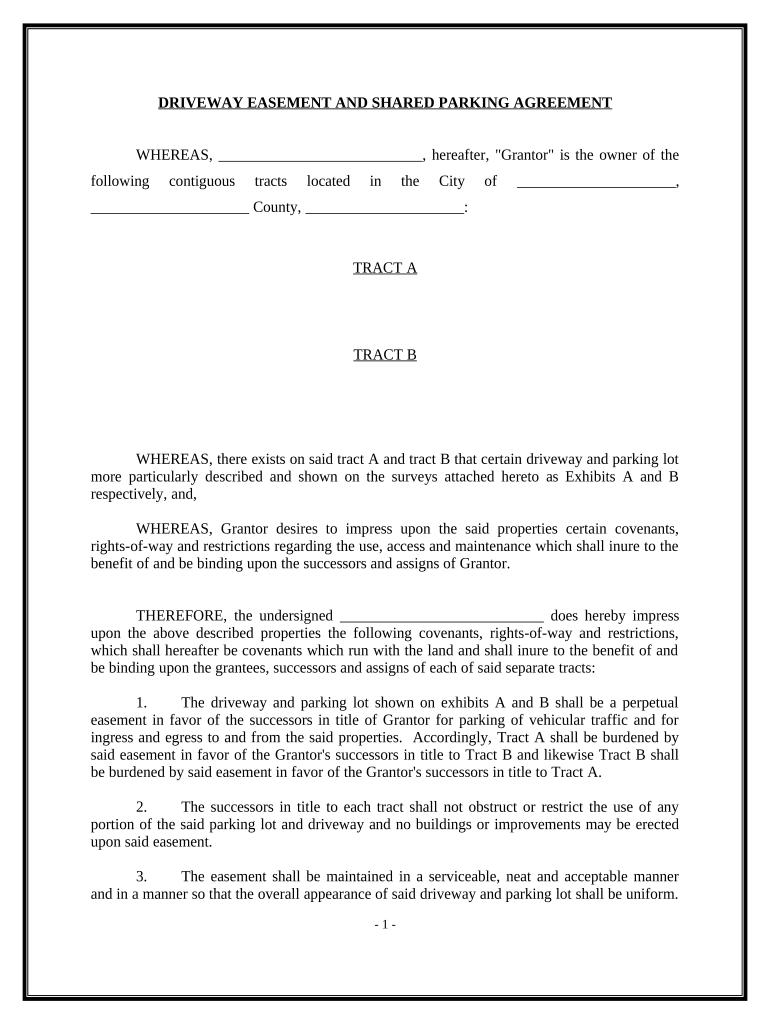
A Driveway Easement and Shared Parking Agreement is a written contract that establishes the legal right for one property owner to use part of another owner’s land for driveway access and vehicle parking. It defines the location, dimensions, permitted uses, maintenance obligations, access rights, and any limitations on hours or vehicle types. These agreements are commonly recorded in the land records to bind successors and typically include a legal description, survey reference, and term or perpetual duration.

Why this Agreement Matters for Property Use and Title Clarity

This agreement prevents disputes, protects access rights, and clarifies maintenance and liability between neighbors or co-owners. Recording the agreement preserves easement rights for future owners and supports clear title for financing or sale.

Why this Agreement Matters for Property Use and Title Clarity

Who Typically Prepares and Signs This Agreement

In practice, drafting with legal and surveying input reduces ambiguity and aids recordation and enforceability.

  • Property owners and neighbors — to establish access and parking rights between contiguous lots.
  • Real estate attorneys — to draft precise legal descriptions, indemnities, and recording language.
  • Title companies and lenders — to review and accept easement language for closing and financing.

Primary Signers and Their Roles

Owner / Grantor

The fee simple owner granting the easement signs as grantor; their signature creates the property interest. The grantor often provides a legal description and may retain certain reserved rights; clarity prevents later title objections.

Beneficiary / Grantee

The person or entity receiving the right to use the driveway or parking area signs as grantee. The grantee’s obligations—maintenance, permitted uses, and indemnity—are typically detailed to limit future disputes and ensure enforceability.

Core Clauses to Include in a Professional Agreement

A robust easement and shared parking agreement balances rights and duties. Include precise descriptions, operational rules, and dispute resolution measures to reduce future litigation and title issues.

Legal Description

A metes-and-bounds or recorded plat reference with survey exhibit ensures the exact location and dimensions of the easement or parking area for recording and enforcement.
Purpose and Use

State permitted uses (driveway access, guest parking, number of spaces, commercial vs residential use) to prevent unintended activities and zoning conflicts.

Duration

Specify term (temporary, fixed term, or perpetual) and conditions for termination, renewal, or abandonment to set expectations for successors.

Maintenance

Allocate responsibility for routine upkeep, repairs, snow removal, and cost-sharing methods to avoid disputes over expenses.

Insurance and Liability

Require proof of insurance, indemnity language, and allocation of liability for damage or injuries occurring within the easement area.

Recording and Assignment

Include a recording clause, successor language, and any transfer restrictions to bind future owners and ensure title clarity.

Step-by-Step: Completing and Recording the Agreement

Follow a clear sequence to ensure enforceability and smooth recordation.

  • 01
    Drafting: Prepare precise legal description and clauses; involve counsel or a title agent.
  • 02
    Survey Attachment: Obtain and attach a certified survey or sketch referencing bounds and easement area.
  • 03
    Execution: Sign before a notary or follow RON rules if online notarization is used.
  • 04
    Recordation: File with the county recorder where the servient property is located and obtain recording data.

Configuring an Online Workflow for Signing and Recording

Set up a digital workflow that mirrors the physical execution steps and preserves an audit trail.

Field Configuration
Document Upload Upload final PDF with survey exhibit attached.
Signature Fields Place signature, printed name, and date fields for each party.
Authentication Require email plus SMS code or higher for grantee/grantor identity verification.
Notary Enable in-person or RON notary field depending on jurisdiction.

Where to Send and File the Executed Agreement

Know the proper recipients and recording office to preserve priority and title certainty.

  • County Recorder: Record the signed instrument in the county where the servient estate is located.
  • Title Company: Provide executed and recorded copies to the title insurer for policy updates.
  • Lender: Deliver copies to any affected mortgagee if required by loan documents.
  • Parties: Keep executed originals for grantor and grantee; provide digital copies for closing files.

Digital Signing and eSubmission Requirements

Confirm the chosen provider supports recording evidence and produces a signed PDF suitable for county recorders.

  • Authentication: Email plus SMS OTP or knowledge-based verification supports identity attribution.
  • Audit Trail: Capture timestamps, IP addresses, and signer events for evidentiary support.
  • RON Support: If using remote notarization, the platform must meet state RON standards and retain A/V recordings.

Typical Timing and Recording Expectations

Timelines influence priority, mortgage subordination, and tax reporting; plan for both execution and recording windows.

Execution Timeframe:

Complete signing and notarization as agreed; delayed signatures can affect priority.

Recording Window:

Record promptly after execution to preserve priority against subsequent interests.

Title Update:

Allow 3–10 business days for the recorder and title company to update records.

Mortgage Lender Notice:

Notify mortgagee immediately if loan documents require consent.

Survey Lead Time:

Schedule a survey early; survey delivery can take several weeks depending on local workload.

Common Mistakes to Avoid

  • Using imprecise legal descriptions that fail county recording requirements.
  • Omitting maintenance or cost-sharing details, which often leads to neighbor disputes.
  • Failing to obtain lender consent when required by mortgage covenants.
  • Not recording the agreement promptly, risking priority disputes with later purchasers or lienholders.

Consequences of an Incorrect or Unrecorded Agreement

Loss of Priority: Later-recorded interests may take precedence over an unrecorded easement.
Title Objections: Title insurers may refuse coverage or require endorsements for vague easements.
Litigation Risk: Ambiguities about use or maintenance can lead to costly neighbor disputes.
Enforcement Difficulty: Unrecorded or unsigned documents are harder to enforce against successors.
Mortgage Default Risk: Violation of lender consent terms can trigger loan covenant breaches.
Notary Noncompliance: Improper notarization or RON process failures can invalidate acceptance by recorders.

Real-World Scenarios Where This Agreement Resolved Access Issues

Two practical examples illustrate common uses and outcomes when the agreement is properly drafted and recorded.

Neighbor Access Dispute

A homeowner lacked recorded access to a rear parking pad; attorney-drafted easement defined access route and maintenance split

  • Surveyed 10-foot strip as Exhibit A
  • Recording the agreement removed title objections and the neighbors adopted a cost-sharing schedule for paving and snow removal, preventing future litigation.

Shared Commercial Lot

Two adjacent retail tenants needed shared parking for peak hours; the lease referenced a recorded parking easement

  • Agreement limited hours and assigned spaces by tenant
  • The recorded easement allowed the landlord to enforce space allocation and secured lender consent for tenant subleases.

Practical Tips for Accurate and Efficient Completion

Adopt these practices to reduce rejection risk, title objections, and neighbor disputes.

Use a Survey Exhibit
Attach a stamped survey showing easement boundaries and bearings to avoid ambiguous descriptions and recorder rejection.
Coordinate with Title
Have the title company review draft language early to confirm lender or policy requirements for endorsements.
Specify Maintenance
Detail who performs and pays for maintenance, seasonal work, and long-term repairs to prevent future conflicts.
Record Promptly
Record immediately after notarization to preserve priority and provide notice to third parties.

eSignature Provider Comparison for Executing and Recording Documents

Comparing vendor pricing and feature items can inform platform selection for executing and notarizing recorded documents; signNow is listed first per comparison format.

signNow DocuSign Adobe Sign PandaDoc HelloSign
Starting Price $8/user/mo $15/user/mo $14/user/mo $19/user/mo $15/user/mo
Free Trial Yes, 7-day trial Varies by plan Varies by plan Varies by plan Varies by plan
Bulk Send Yes Yes Yes Yes Yes
Audit Trail Yes Yes Yes Yes Yes
Envelope Cap No envelope cap 100 envelopes/user/year Varies by plan Varies by plan Varies by plan

Frequently Asked Questions and Troubleshooting

Answers to common execution, recording, and enforceability questions when preparing a driveway easement or shared parking agreement.


Need help? Contact support

be ready to get more
Join over 28 million airSlate SignNow users