Establishing secure connection…Loading editor…Preparing document…

Easement for Right-of-Way

This template is fully customizable. Edit the text, fill out the fields, and send it for signature. Give it a try!
Easement for Right-of-Way

What an Easement for Right-of-Way Is and when it’s used

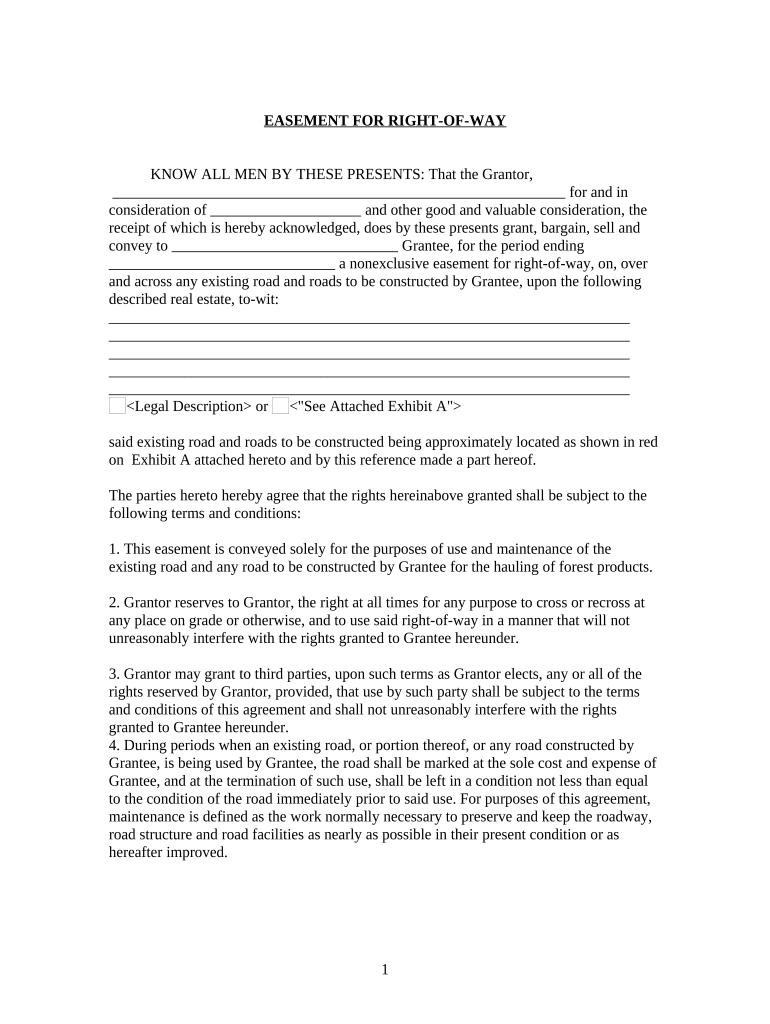
An Easement for Right-of-Way is a legal instrument that grants a person or entity the limited right to pass over, access, or use a portion of another party’s real property for a specific purpose such as utilities, road access, or maintenance. It defines the easement area by legal description, sets permitted uses and restrictions, and often specifies duration, compensation, and maintenance responsibilities. Easements are recorded in the county land records to provide notice to subsequent owners and to create an enforceable interest in land under state property law.

Why a clear, recorded easement matters

A professionally drafted and recorded Easement for Right-of-Way establishes legal rights, reduces boundary disputes, and protects both grantor and grantee by documenting scope, duration, and responsibilities under state property law.

Why a clear, recorded easement matters

Step-by-step: preparing and executing the easement

Follow this sequence to prepare, execute, and record an Easement for Right-of-Way with minimal delays.

  • 01
    Draft: Prepare legal description and exhibit.
  • 02
    Review: Confirm parties, title, and consideration.
  • 03
    Sign: Obtain signatures and notarization.
  • 04
    Record: File with county recorder and distribute copies.

Where the easement is submitted and who receives it

Recording and distribution steps ensure public notice and practical access to the document after execution.

  • County Recorder: Record the executed easement where the property is located.
  • Title Company: Send a copy to the title insurer for chain-of-title updates.
  • Grantee: Provide the grantee a certified recorded copy.
  • Grantor: Retain the original signed document for records.

Who typically prepares, signs, and records this easement

Responsibilities vary by role; grantors provide authority, grantees maintain access, and recorders supply public notice—each party should keep a certified recorded copy.

  • Property owners or grantors transferring access rights to another party for a road or utility.
  • Utility companies, municipalities, and developers acquiring corridor access for infrastructure.
  • Title companies, surveyors, and real estate attorneys handling recording and exhibits.

Primary signers who can execute an easement

Property Owner (Grantor)

The grantor is the recorded owner of the servient estate who must have authority to convey the easement. If the owner is an entity, an authorized officer or manager should sign and include a title block indicating signing authority.

Receiving Entity (Grantee)

The grantee is the individual or organization receiving the right-of-way; a corporate grantee must have an authorized signer and, where applicable, a corporate resolution or power confirming signing authority.

Essential elements to include in a professional easement

Ensure the document contains these six components to create a clear, enforceable right-of-way interest.

Legal Description

An exact, recorded legal description of the servient parcel and the easement corridor, plus an attached exhibit map, prevents boundary disputes and recording office rejections.
Granting Clause

A precise clause describing the rights granted, permitted uses, and any exclusive or non-exclusive nature of the easement clarifies the parties’ expectations and limits.

Consideration

A stated monetary amount or recital of consideration documents the exchange and supports enforceability under contract and property law principles.

Maintenance and Liability

Provisions allocating maintenance duties, access protocols, indemnities, and insurance expectations reduce later disputes and define operational responsibilities.

Duration and Termination

Specify whether the easement is perpetual, for a fixed term, or conditional upon an event, and include procedures for termination or abandonment.

Recording Instructions

Identify the county recorder, specify document type for indexing, and require filing instrument numbers be provided to both parties after recording.

File formats and supporting documents commonly included

Use standard file formats and common attachments to ensure the easement records and integrates with title systems and eSignature platforms.

PDF / PDF-A

Deliver a signed, flattened PDF or PDF-A for long-term archival and recording compatibility; include a visible signature block and attached certificate of completion when e-signed.

Word DOCX

Keep an editable DOCX draft for negotiation and counsel review, then convert to PDF for signing and recording once terms are final.

Exhibit Map

Attach a labeled exhibit map (PDF) showing bearings, distances, and survey references; maps minimize ambiguity and are commonly required by recording offices.

Title Commitment

Include a recent title commitment or title report excerpt to confirm ownership and show existing recorded encumbrances affecting the easement.

Security and compliance considerations for digital execution

Encryption: AES-256 at rest
Transport Security: TLS 1.2/1.3 in transit
Audit Trail: Detailed signing logs
Certifications: SOC 2 Type II
HIPAA Support: BAA available
Accessibility: WCAG 2.0 Level AA

Common legal consequences of defective easements

Recording Rejection: Fee or rejection
Boundary Disputes: Litigation risk
Unclear Scope: Interpretation disputes
Invalid Signatures: Possible voiding
Title Cloud: Encumbrance disputes
Fraud Claims: Criminal/civil exposure

eSignature vendor comparison for executing and distributing easements

Compare common vendor price points and core capabilities relevant to signing and distributing Easement for Right-of-Way documents. signNow appears first per comparison conventions.

signNow DocuSign Adobe Sign PandaDoc HelloSign
Starting Price $8/user/mo $15/user/mo $14/user/mo $19/user/mo $15/user/mo
Free Trial Yes, 7-day free trial No No Yes, limited Yes, limited
Bulk Send Yes Yes Yes Yes No
Audit Trail Yes Yes Yes Yes Yes
Envelope Cap No cap 100 envelopes/user/year Varies by plan Varies by plan Varies by plan

Practical tips to reduce errors and recording delays

Applying consistent best practices reduces rework, protects title, and minimizes disputes.

Use a recorded legal description
Always copy the exact legal description from the deed or survey and attach a labeled exhibit map. Errors in the legal description are a primary cause of recording rejection and boundary disputes.
Confirm signer authority
Verify that the signing individual has authority to bind an entity or trust and collect any necessary corporate resolutions or trust affidavits to support the signature at recording.
Include clear maintenance and liability terms
Specify which party is responsible for upkeep, repairs, and indemnity to reduce later operational conflicts and to clarify insurance coverage responsibilities.
Record promptly and circulate copies
Record the executed easement quickly after signing and provide certified recorded copies to title insurers, grantees, and grantors to update records and prevent inadvertent encumbrances.

Frequent mistakes to avoid when preparing an easement

  • Vague legal descriptions or missing exhibits that create ambiguity and invite litigation.
  • Failing to obtain proper notarization or authorized signatures before recording.
  • Not confirming chain-of-title or existing encumbrances with a title search.
  • Omitting maintenance, access hours, or liability clauses that cause disputes.

Common questions about executing and recording an easement

Answers to frequently asked questions address authentication, recording, and practical issues encountered during easement workflows.


Need help? Contact support

be ready to get more
Join over 28 million airSlate SignNow users