Establishing secure connection…Loading editor…Preparing document…

Letter to Boss Regarding Employee Confidentiality Breach

This template is fully customizable. Edit the text, fill out the fields, and send it for signature. Give it a try!
Letter to Boss Regarding Employee Confidentiality Breach

What this Letter Is and when to use it

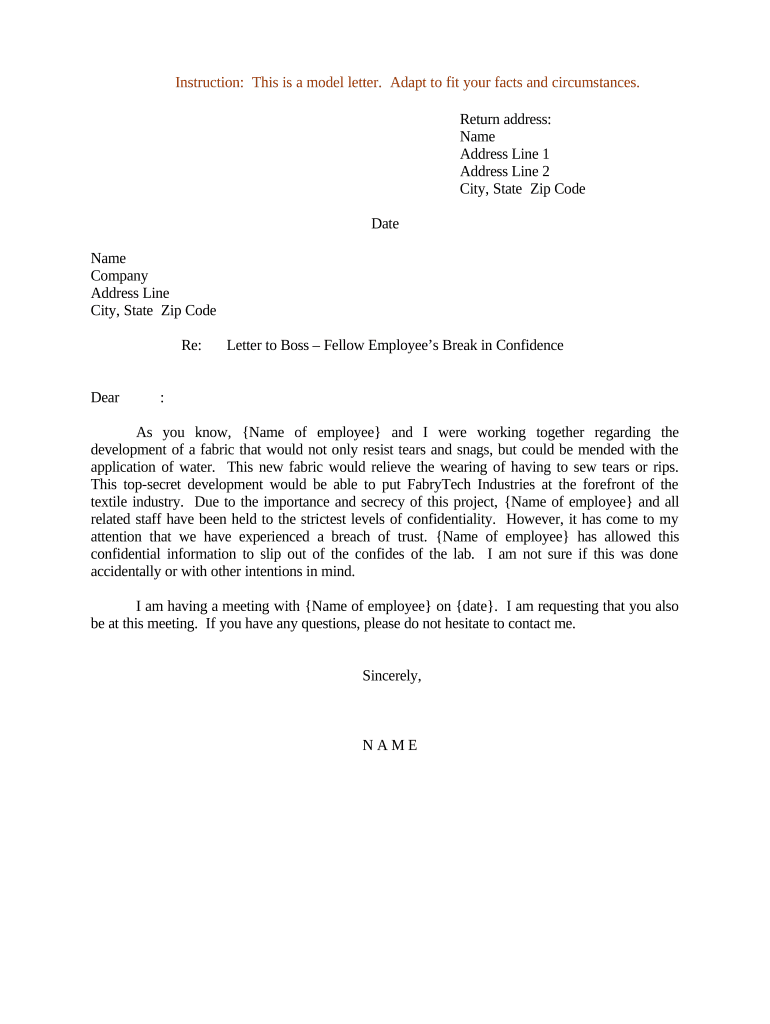
A Letter to Boss Regarding Employee Confidentiality Breach is a formal written notice used by an employee or manager to report, document, and request action on a suspected or confirmed unauthorized disclosure of confidential company information. The letter states the facts as known, identifies affected data or files, names involved parties when known, and requests investigation or remedial steps. It creates a dated record for HR and legal review, supports disciplinary or corrective processes, and helps satisfy internal reporting requirements and regulatory obligations where protected data (such as HIPAA-covered information or student records under FERPA) may be involved.

Why documenting a confidentiality breach matters

Use this Letter to Boss Regarding Employee Confidentiality Breach to document the incident, prompt timely investigative and corrective action, preserve evidence for HR or legal review, and demonstrate compliance with obligations under ESIGN/UETA-regulated electronic records and industry laws such as HIPAA or FERPA.

Why documenting a confidentiality breach matters

Who typically prepares and receives this letter

Typical users include employees reporting breaches, HR or compliance staff, and managers responsible for incident response and documentation.

  • Affected employee or team members documenting unauthorized disclosures and requesting investigation.
  • HR or compliance teams preserving evidence, coordinating with legal, and tracking corrective actions.
  • Managers escalating to executive leadership when breaches risk regulated data or operational impact.

Essential sections to include in the letter

Core sections to include in a Letter to Boss Regarding Employee Confidentiality Breach, with a brief description of the purpose of each section and practical notes.

Header

Date, recipient name and title, sender name, and subject line specifying 'Confidentiality Breach' to ensure immediate routing to HR or legal; includes reference to attached evidence or incident ID if available.
Summary

Concise factual overview: what occurred, where and when, which systems or records were affected, and whether PII, PHI, or FERPA-protected data may be involved; avoid speculation or emotive language.

Parties

Identify involved employees, vendors, or contractors by name and role when known; if unknown, describe behavior or access level (e.g., shared drive editor, HR assistant) to aid investigation.

Evidence

List specific logs, emails, file names, screenshots, timestamps, or printed records attached; indicate chain-of-custody steps taken and any immediate containment actions such as account suspension.

Requested Action

Specify the remedy sought: formal investigation, preservation of logs, temporary access restrictions, disciplinary review, notification to affected parties, or referral to legal/regulatory authorities for data breach notification obligations.

Closing

Provide contact information for follow-up, state willingness to cooperate, request confirmation of receipt and planned next steps, and sign with printed name, title, and date to create a clear record.

Step-by-step: prepare and submit the letter

Follow these four steps to prepare and submit a Letter to Boss Regarding Employee Confidentiality Breach accurately and promptly.

  • 01
    Collect Facts: Gather timeline, names, and evidence immediately.
  • 02
    Draft Letter: Write concise, factual account with attachments listed.
  • 03
    Send to Recipient: Address to manager and HR with read receipt.
  • 04
    Follow Up: Request confirmation, expected actions, and case number.

Online workflow settings for electronic submission

Typical online workflow settings for submitting a Letter to Boss Regarding Employee Confidentiality Breach and preserving evidentiary metadata.

Field Configuration
Document Format PDF/A archival format with attachments enabled
Signature Type Electronic signature with audit trail and timestamp
Authentication Email verification or SMS code optional; KBA for sensitive cases
Retention Policy Auto-save to secure repository with versioning

How submission and tracking typically work

Routing, documentation, and tracking options when submitting the letter, whether paper or electronic, to ensure accountability.

  • Prepare Document: Create signed PDF or typed letter on company letterhead.
  • Attach Evidence: Include logs, screenshots, and exportable audit data.
  • Submit: Email to manager and HR or upload to incident portal.
  • Track: Record submission date, recipients, and next steps.

Platform and delivery considerations for electronic letters

Platform and delivery options for electronic submission and evidence preservation, including secure upload, email with read receipt, or integration with incident management systems.

  • File Types: PDF, DOCX, TXT accepted
  • Integrations: Connects to HRIS, ticketing, cloud storage
  • Audit Trail: Timestamp, IP, and action log

Required information and key fields

Sender Name: Full legal name as on ID
Recipient: Manager or HR contact and title
Incident Date/Time: MM/DD/YYYY HH:MM, local time
Location: System, folder, or physical area
Data Type: PII, PHI, FERPA, or internal
Attachments: Screenshots, logs, emails, exhibits listed

Common preparation mistakes to avoid

  • Including speculation or accusations without supporting evidence; this undermines the investigation and can expose the organization to defamation or wrongful discipline claims.
  • Failing to preserve logs, screenshots, or access records immediately; delayed evidence collection often prevents meaningful forensic analysis and weakens legal positions.
  • Using informal channels (chat, text) to report sensitive details instead of documented letter; lacks formal receipt, tracking, and may be inadmissible in proceedings.
  • Omitting clear requested actions or timelines; without explicit next steps HR or IT may delay containment, increasing legal and operational risk.

Consequences of an incorrect or incomplete letter

Delayed Response: Slower containment, increased exposure
Regulatory Fines: Possible HIPAA or FERPA penalties
Evidence Lost: Weaker disciplinary or legal cases
Retaliation Claims: Improper handling may trigger claims
Tax/Compliance Impact: Reporting obligations may be missed
Document Invalidity: Ambiguous facts reduce enforceability

Expected timelines after submission

Key timelines and expectations after submitting a Letter to Boss Regarding Employee Confidentiality Breach, including HR response and legal notification triggers.

Immediate Acknowledgment:

Expect confirmation within 24–48 hours from HR

Investigation Start:

Investigation typically begins within 3–7 business days

Containment Actions:

Temporary suspensions or access changes within 24 hours

Regulatory Notice:

Breach notification deadlines vary; HIPAA 60 days typical

Closure Report:

Final report and remediation plan within 30–60 days

Practical examples of incident reporting

Real-world examples showing how a Letter to Boss Regarding Employee Confidentiality Breach supports investigation, HR action, and regulatory compliance.

Healthcare Clinic

A regional clinic discovered an unauthorized export of patient appointment records and drafted a Letter to Boss Regarding Employee Confidentiality Breach to start internal review.

  • Immediate preservation of logs and notification followed.
  • The letter documented files affected, timestamps, and involved staff; HR initiated a formal investigation, coordinated with IT for forensic export, and determined PHI exposure under HIPAA, enabling timely notice and mitigation in line with regulatory requirements.

Financial Firm

An accounting team member emailed a client spreadsheet to a personal address, prompting a manager to submit a Letter to Boss Regarding Employee Confidentiality Breach.

  • Containment included credential resets and access audits.
  • Documenting the incident in writing preserved a clear timeline, supported freezing affected accounts, and provided evidence for a disciplinary review; the written record also helped satisfy internal audit and any necessary regulator inquiries.

eSignature pricing and feature snapshot for sending incident letters

Comparison of eSignature pricing and feature availability for common needs when preparing and sending incident letters.

signNow DocuSign Adobe Sign PandaDoc HelloSign
Starting Price $8/user/mo $15/user/mo $14/user/mo $19/user/mo $15/user/mo
Free Trial 7-day trial Varies by plan Varies by plan Varies by plan Varies by plan
Bulk Send Yes Yes Yes Yes No
Audit Trail Yes Yes Yes Yes Yes
HIPAA Compliant Yes Yes Yes No No
Envelope Cap No cap 100 envelopes/user/year Varies by plan Varies by plan Varies by plan

Frequently asked questions about drafting and submitting the letter

Common questions and practical answers about drafting, submitting, and enforcing a Letter to Boss Regarding Employee Confidentiality Breach.


Need help? Contact support

be ready to get more
Join over 28 million airSlate SignNow users