Establishing secure connection…Loading editor…Preparing document…

Fidelity Re-Registration Form for Non-Retirement Inherited Assets

This template is fully customizable. Edit the text, fill out the fields, and send it for signature. Give it a try!
Fidelity Re-Registration Form for Non-Retirement Inherited Assets

What the Fidelity Re-Registration Form for Non-Retirement Inherited Assets Is

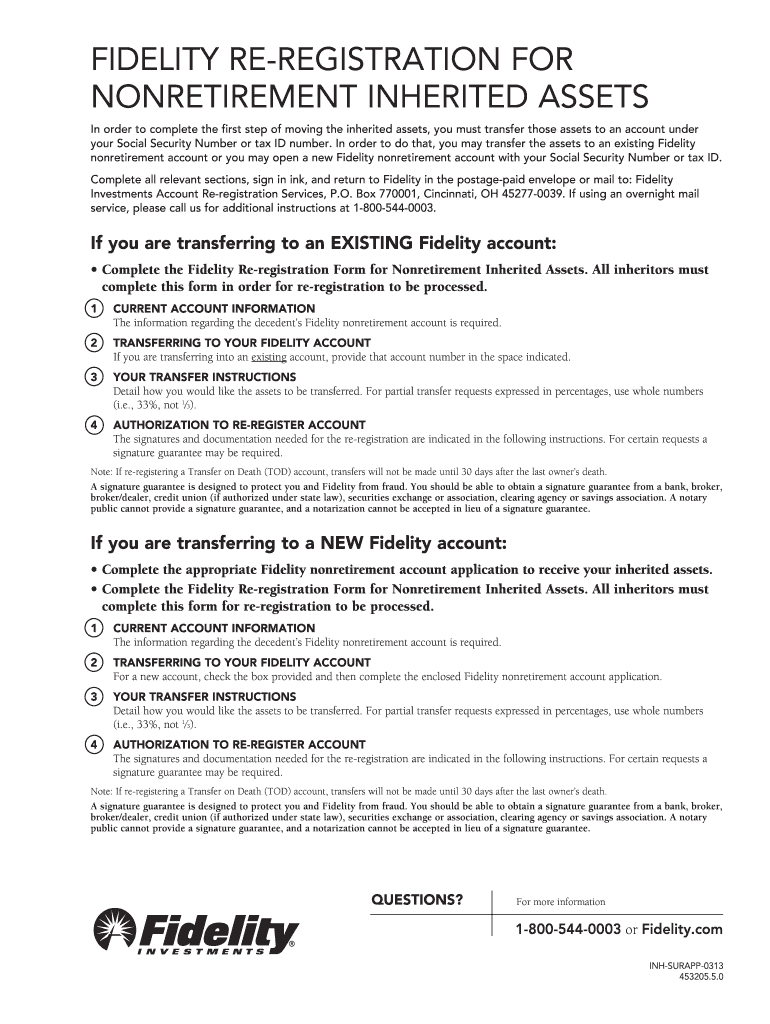
The Fidelity Re-Registration Form for Non-Retirement Inherited Assets is a document used to update ownership on brokerage or custodial accounts after an owner dies when assets are not held in retirement plans. It documents the decedent, the new owner(s), and the legal basis for transfer (probate, small estate affidavit, beneficiary designation), and it helps Fidelity match account records to probate and tax documents for transfer or distribution.

Why this Form Matters for Accurate Ownership Transfer

Completing the re-registration form correctly ensures orderly transfer of securities, avoids delays in distributions or sales, and creates a verifiable record for tax reporting. Electronic execution is generally enforceable under the ESIGN Act (15 U.S.C. ch. 96, 2000) and state UETA laws where adopted.

Why this Form Matters for Accurate Ownership Transfer

Who Commonly Prepares or Signs the Re-Registration Form

Precise signatory authority and required supporting documents depend on whether transfer follows probate, small estate procedures, or beneficiary designations.

  • Estate executors named in the will or letters testamentary who manage probate distributions.
  • Successor account owners named by beneficiary designation or transfer-on-death instructions.
  • Authorized agents or attorneys-in-fact with valid power of attorney documents.

Typical Signers and Their Roles

Estate Executor

An executor appointed by a probate court who has letters testamentary. This person signs to transfer assets under the will, provides court-issued documents, and coordinates tax reporting and distributions to heirs.

Named Beneficiary

A beneficiary or successor owner designated on account records who signs when a transfer-on-death or beneficiary designation applies, supplying identification and beneficiary documentation to effect re-registration.

Required Identity and Account Details

Decedent Name: Full legal name
Date of Death: MM/DD/YYYY format
Account Number: Brokerage custody account ID
New Owner Name: Exact legal name
Taxpayer ID: SSN or EIN
Supporting Doc: Probate or beneficiary proof

Consequences of Inaccurate or Incomplete Forms

Processing Delay: Transfer may be delayed
Tax Withholding: Backup withholding risk
Account Rejection: Form may be rejected
Probate Issues: Court intervention required
Liability Exposure: Executor personal risk
Incorrect Ownership: Title transfer errors

Common Preparation Pitfalls to Avoid

  • Using an informal name or nickname for the decedent instead of the exact name on the death certificate causes identity mismatches and slows processing.
  • Failing to supply a required court document—letters testamentary, small estate affidavit, or final decree—often leads to repeated requests and longer hold times.
  • Uploading low-quality scans of sensitive documents can make identification impossible; submit legible, full-page scans of IDs and legal papers.
  • Not checking beneficiary designations before submitting may duplicate steps if the account has a valid transfer-on-death or pay-on-death instruction on file.

Step-by-Step: Completing the Re-Registration Form

Follow these steps in order to assemble documents and complete the re-registration accurately and reduce back-and-forth with the custodian.

  • 01
    Gather Documents: Collect death certificate and probate paperwork.
  • 02
    Confirm Ownership: Verify account number and title details.
  • 03
    Complete Form: Enter names, dates, and tax IDs clearly.
  • 04
    Submit Supporting: Attach required court and ID documents.

How Account Re-Registration Works in Practice

This overview shows the typical flow from form completion through record update at the custodian.

  • Form Preparation: Complete form and collect supporting documents.
  • Submission: Send to Fidelity by mail or electronic upload.
  • Verification: Custodian reviews documents and verifies identity.
  • Title Update: Account ownership is re-registered on completion.

Configuring an Online Submission Workflow

If you submit electronically, set up a clear workflow that assigns tasks, collects signatures, and stores documents securely.

Field Configuration
Signer Role Executor or beneficiary email assigned
Authentication Email + SMS code or government ID check
Document Upload PDF preferred, 300 DPI minimum
Audit Trail Enable IP, timestamp, and actions log

Digital Submission and Technical Requirements

Ensure the platform supports redaction, audit trails, and secure storage to meet custodian and regulatory expectations.

  • File Formats: PDF or DOCX preferred
  • Authentication: Email, SMS, or identity proofing
  • Encryption: TLS 1.2/1.3 in transit

Timing for Reporting and Related Deadlines

Know related tax and reporting deadlines that may apply when inherited assets are sold or produce reportable income before or after transfer.

Provide W-9 on Request:

W-9 must be supplied to payers when requested.

1099-NEC Deadline:

Form 1099-NEC to recipient and IRS due Jan 31.

1099-MISC Deadlines:

Recipient copy due Jan 31; IRS electronic due Mar 31.

Income Tax Return:

Form 1040 due April 15; extensions extend filing, not payment.

Probate Timeline:

Probate duration varies widely by state and estate complexity.

Key Milestones from Submission to Title Update

These sequential stages outline what to expect after you submit a re-registration package to a custodian or broker.

01

Intake & Acknowledgment

Custodian logs receipt and assigns a case number.

02

Document Verification

Legal documents and identities are reviewed for validity.

03

Clearance & Holds

Accounts may be placed on hold pending verification.

04

Account Re-Registration

Title is updated and confirmation is sent to parties.

eSignature Vendor Comparison Relevant to Re-Registration Workflows

Comparison of starter pricing and key capabilities across common eSignature vendors. signNow is listed first per platform comparison conventions.

signNow DocuSign Adobe Sign PandaDoc HelloSign
Starting Price $8/user/mo $15/user/mo $14/user/mo $19/user/mo $15/user/mo
Free Trial 7-day free trial Varies by plan Varies by plan Varies by plan Varies by plan
Bulk Send Yes Yes Yes Yes No
Audit Trail Yes Yes Yes Yes Yes
HIPAA Compliant Yes Yes Yes No No
Envelope Cap No envelope cap 100 envelopes/user/year limit Varies by plan Varies by plan Varies by plan

Frequently Asked Questions About Re-Registration

Answers to common questions encountered when completing or submitting Fidelity re-registration packages for non-retirement inherited assets.


Need help? Contact support

be ready to get more
Join over 28 million airSlate SignNow users