Establishing secure connection…Loading editor…Preparing document…

Letter to Parents About After School Program

This template is fully customizable. Edit the text, fill out the fields, and send it for signature. Give it a try!
Letter to Parents About After School Program

What this Letter Is and When to Use It

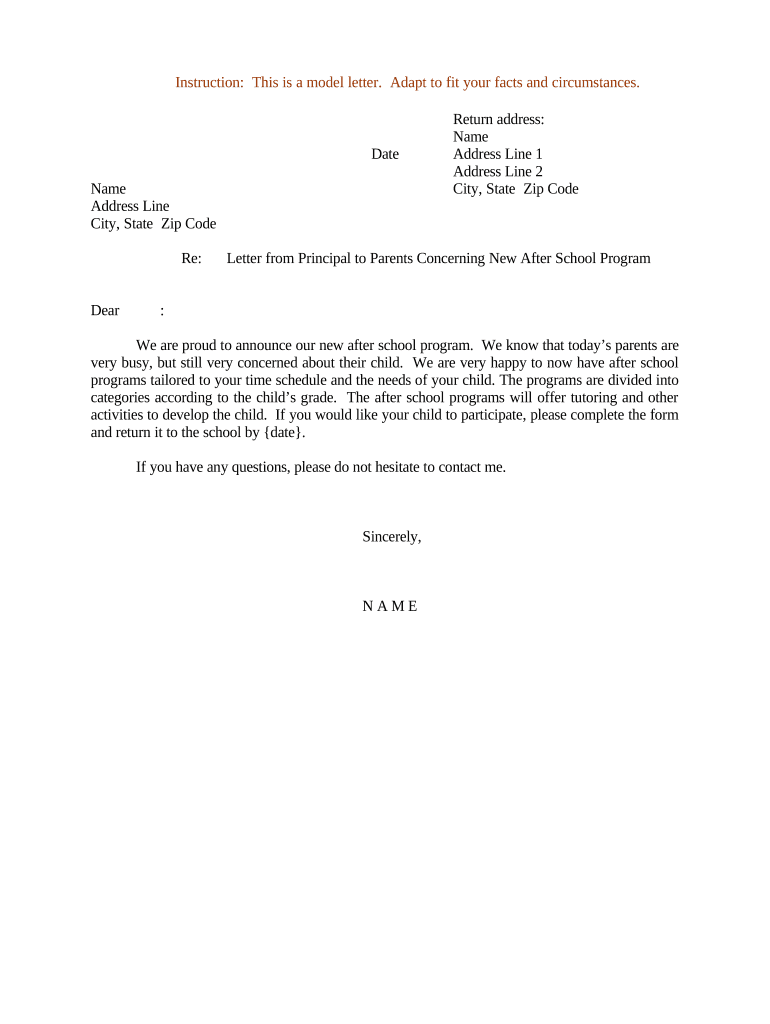
A Letter to Parents About After School Program is a written notice provided by a school, district, or program operator to inform families about program details, enrollment steps, safety procedures, and consent requirements. It typically covers schedule, location, staff contacts, pickup procedures, fees (if any), medical and allergy disclosures, and registration deadlines. The letter can be delivered as a printed handout, included with enrollment packets, posted on school portals, or sent electronically with a secure signature option to capture parental consent and permissions.

Why a Clear Parent Letter Matters

A well‑written letter reduces confusion, documents parental consent, and protects the program by recording important authorizations and emergency information. It standardizes expectations for attendance, pickup, behavior, and medication while creating a record that supports compliance and communication.

Why a Clear Parent Letter Matters

Who Prepares and Receives This Letter

Typical creators include school administrators, program directors, and after‑school coordinators preparing enrollment materials.

  • School administrators managing district or campus programs who centralize communications and recordkeeping.
  • After‑school program coordinators or private providers enrolling children and collecting permissions.
  • Parents and legal guardians who must review, consent, and provide emergency and medical details.

Recipients should keep a copy and return signed permissions by the stated deadline or complete the electronic consent workflow.

Essential Elements to Include in the Letter

A professional letter balances clarity and completeness: present program facts first, then consent items, medical sections, authorization blocks, and signature fields so parents can respond quickly and accurately.

Program Summary

Briefly describe days, times, location, supervising staff, and contact details so parents immediately understand what the program offers and where it operates.
Schedule & Fees

List start/end dates, daily hours, holiday closures, any enrollment fees or payment deadlines, and refund or cancellation terms to avoid later disputes.

Pickup Rules

Specify authorized pickup persons, ID requirements, late pickup policies, and procedures for changes to pickup authorization for safety and liability reasons.

Health & Medications

Ask parents to list allergies, ongoing conditions, medication administration consent, and emergency treatment permission, with clear spaces for details and signatures.

Emergency Contacts

Provide fields for at least two alternate contacts and phone numbers; explain when they will be contacted and who may pick up the child in an emergency.

Signature Block

Include a dated signature line for the parent/guardian, printed name, relationship to child, and an optional electronic signature field for digital workflows.

Step‑by‑Step: How to Complete and Return the Letter

Follow this ordered process to ensure the letter is properly completed, authorized, and filed with program staff.

  • 01
    Read Carefully: Review all program details and deadlines before filling out fields.
  • 02
    Complete All Fields: Fill child, contact, health, and pickup sections fully and clearly.
  • 03
    Sign and Date: Provide parent/guardian signature and date in MM/DD/YYYY format.
  • 04
    Return Methods: Submit by physical drop‑off, school office, secure upload, or eSignature link.

Configuring Online Completion and eSignature Workflows

Set up a simple online path so parents can complete, sign, and return the letter with audit records and secure storage.

Field | Setting Required | Validate format
Signature Field Enable eSignature with consent capture
Date Field Enforce MM/DD/YYYY format
Uploads Allow PDF or JPG for supporting docs
Notifications Email copy to parent and program admin

Where to Send Completed Letters and How They Are Processed

Choose channels that ensure secure receipt, routing, and storage while minimizing manual handling.

  • School Office: Hand in printed forms to the front office for scanning and filing.
  • Program Coordinator: Deliver directly to the program director for enrollment confirmation.
  • Secure Upload: Use a district portal or secure file upload for attachments and signed copies.
  • Electronic Signature: Complete via an eSignature link to capture consent and audit data.

Technical Considerations for eSubmission and Signatures

Use secure platforms that preserve the document, audit trail, and attachments in standard formats for administrator review.

  • File Formats: Accept PDF and DOCX for fidelity and archiving.
  • Authentication: Support email or SMS codes for signer verification.
  • Integration: Export to Google Drive, Box, or school SIS for storage.

Typical Deadlines and Timing to Communicate

Communicate clear deadlines so parents return completed letters in time for staffing, transportation, and medical planning.

Notification Date:

Send at least two weeks before enrollment opens.

RSVP / Enrollment Deadline:

Set a firm date for acceptance and roster finalization.

Medical Forms Due:

Require health disclosures before the child attends a session.

Confirmation Notice:

Confirm enrollment within 3 business days of receipt.

Program Start:

State the first day and expected pickup procedures.

Common Mistakes to Avoid When Preparing or Returning the Letter

  • Leaving fields blank for emergency contacts or medical conditions, which can delay or deny attendance for safety reasons.
  • Using informal dates or inconsistent formats that make it hard for staff to process or verify consent timelines.
  • Failing to list all authorized pickup adults, increasing the risk of unauthorized release or last‑minute disruptions.
  • Returning unsigned forms or unsigned electronic submissions when consent confirmation is required under policy.

Potential Risks and Consequences of Incomplete or Incorrect Letters

Unauthorized Pickup: Liability exposure if staff releases child without proper authorization.
Medical Gaps: Delayed treatment or improper medication administration from missing health details.
Attendance Denial: Child may be barred from program without required consent or forms.
Data Privacy: Sensitive health information mishandled could trigger privacy inquiries.
Recordkeeping Errors: Inconsistent records complicate audits and dispute resolution.
Compliance Issues: Failure to obtain proper consent may violate district policies.

Who Is Authorized to Sign and What That Means

Program Director

Program directors or site managers approve program operations, confirm enrollment rosters, and sign administrative confirmations. Their signature indicates program acceptance of students and acknowledges operational readiness.

Parent / Guardian

A parent or legal guardian must sign consent and authorization sections to permit attendance, emergency treatment, and authorized pickups; a signature establishes parental consent for the program’s stated terms.

Illustrative Use Cases for Parent Letters

Two concise scenarios show practical ways schools and providers use the letter to streamline enrollment and safety.

Urban School District

District issues a single standardized letter districtwide to collect emergency contacts and pickup authorizations

  • The letter includes electronic signature fields to capture consent quickly
  • Signed records are exported to the student information system and retained for three years to support audits and health‑related follow ups.

Private After‑School Provider

A private provider emails the letter with an eSign link to new families during onboarding

  • Parents complete health and allergy sections and authorize medication administration
  • The provider stores signed copies and flags medical alerts for staff before program start.

Sample eSignature Vendor Pricing and Feature Comparison

A concise vendor comparison highlights starting prices and common capabilities relevant when choosing an eSignature solution for parent consent letters.

signNow DocuSign Adobe Sign PandaDoc HelloSign
Starting Price $8/user/mo $15/user/mo $14/user/mo $19/user/mo $15/user/mo
Free Trial 7-day free trial Varies by plan Varies by plan Varies by plan Varies by plan
Bulk Send Yes Yes Yes Yes No
Audit Trail Yes Yes Yes Yes Yes
HIPAA Compliant Yes Yes Yes No No
Envelope Cap No cap 100 envelopes/user/year Varies Varies Varies

Practical Tips to Improve Accuracy and Turnaround

Follow these best practices to reduce errors, speed processing, and maintain secure records for parent consent forms.

Use clear headings and required field markers
Mark mandatory fields clearly and add inline explanations for medical or pickup authorization fields. Use standard formats such as MM/DD/YYYY for dates to avoid processing delays and ensure consistent database entries.
Offer multiple secure return options
Provide paper drop‑off, secure upload, and an eSignature link so families can choose the most convenient method while ensuring timely receipt and an auditable consent trail.
Validate critical fields before submission
Implement field validation for phone numbers, emergency contacts, and signature presence. Automated checks reduce incomplete returns and the need for follow‑up calls that consume staff time.
Store signed copies centrally
Archive signed letters in a centralized document management system with controlled access and backup so records are retrievable for audits, health incidents, or disputes.

If Notarization or Witnessing Is Required: Authentication Steps

Some districts or special circumstances may require notarization or witness attestation; follow these steps if that applies.

01

Prepare Document

Ensure the parent letter includes a notary acknowledgement block or witness signature lines before presenting for notarization.

02

Identity Verification

Signer must present government‑issued photo ID as required by the notary or witness policy.

03

In‑Person Notary

Sign before a commissioned notary public who completes the acknowledgement and affixes their seal.

04

Remote Notarization

If permitted, use RON procedures with identity proofing and audio‑visual recording per state rules.

05

Witness Attestation

Have required witnesses sign and print names in the presence of the signer when witness lines are specified.

06

Record Retention

Retain notary or witness records per state rules and district policy for the required retention period.

07

Submit to Office

Return notarized or witnessed documents to the designated school office or upload the notarized PDF.

08

Verify Completion

Program staff should confirm receipt and that the authentication block is complete before allowing attendance.

Frequently Asked Questions

Answers to common questions about completing, signing, and returning the Letter to Parents About After School Program.


Need help? Contact support

be ready to get more
Join over 28 million airSlate SignNow users