Establishing secure connection…Loading editor…Preparing document…

Letter Regarding Corporate Annual Report Forms

This template is fully customizable. Edit the text, fill out the fields, and send it for signature. Give it a try!
Letter Regarding Corporate Annual Report Forms

What this letter is and when it's used

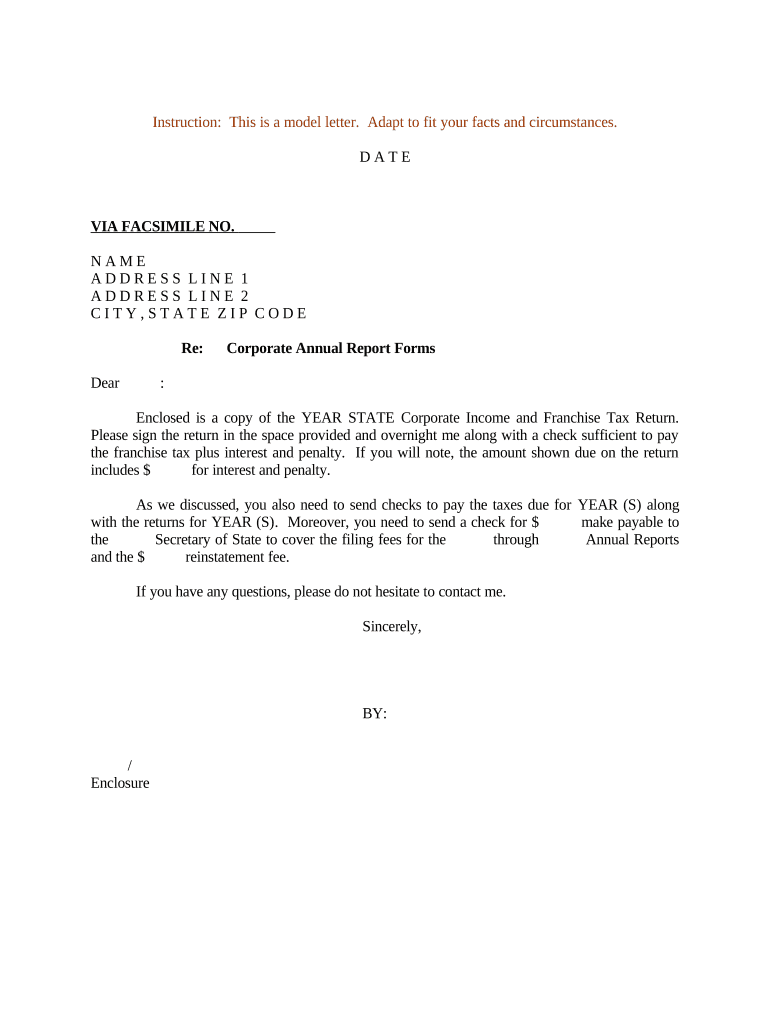
A Letter Regarding Corporate Annual Report Forms is a formal business letter used by a corporation to notify officers, registered agents, shareholders, or a third‑party preparer that state annual report forms must be completed and filed. It typically summarizes which reports are due, identifies the filing party, lists required attachments (financial summaries, officer lists, or statements of good standing), and states the deadline and filing destination. The letter clarifies responsibility for signatures, any notarization or witness expectations, and records retention instructions for corporate compliance and recordkeeping.

Why sending a clear annual report letter matters

A concise letter reduces the risk of missed filings, identifies who must act, and documents the company's internal delegation for compliance and audit trails. Clear communication helps avoid late fees, administrative penalties, and interruptions to corporate good standing.

Why sending a clear annual report letter matters

Who prepares and who receives this letter

Typical senders include corporate secretaries, general counsel, accounting departments, outside corporate counsel, or registered agents who manage state filings.

  • Corporate secretary or legal: Notifies signatories and coordinates signature collection.
  • Registered agent or third‑party filer: Receives authorization and files with the state.
  • CFO or accounting team: Attaches financial schedules and confirms payment of fees.

Core elements to include in the letter

Include essential structural elements so recipients can act without follow‑up and the company maintains an audit trail for compliance and internal records.

Recipient

Full legal name and role of the person or entity expected to complete or submit the annual report forms, including contact information for questions and delivery instructions.
Deadline

Clear filing date written as MM/DD/YYYY and any state grace periods or statutory due dates that affect timeliness and penalties.

Forms Listed

A concise list of each state form or schedule required (annual report, franchise tax return, officer list) so the signer knows what to attach and file.

Signatory

Specify who is authorized to sign (officer title or corporate agent) and whether electronic signature, notarization, or witnesses are required.

Attachments

Identify supporting documents to include (financial summary, registered agent consent, previous filing copy) and the preferred file format for electronic submission.

Filing Instructions

Provide the state filing portal or address, delivery method, fee payment instructions, and retention guidance for the executed filing package.

Step‑by‑step: preparing and issuing the notification letter

Follow these steps to create a complete letter, collect approvals, and route the annual report forms for filing.

  • 01
    Identify due items: List each state report and required attachments.
  • 02
    Draft letter: Summarize actions, deadlines, and signer responsibilities.
  • 03
    Collect signatures: Use authorized signers and document authentication methods.
  • 04
    File and confirm: Submit forms to the state and retain proof of filing.

How to customize an online completion workflow

Configure an efficient digital workflow so recipients can sign, attach forms, and forward completed filings to the state from one process.

Field Configuration
Template Create reusable letter template with merge tokens for company data.
Authentication Require email plus SMS code or stronger ID verification for signers.
Conditional Fields Show notarization or witness blocks only when state rules require them.
Delivery Send signed package to the registered agent and file via state portal.

Where to send the completed letter and associated forms

Understand the common filing destinations and how the signed letter should accompany or authorize the state annual report submission.

  • State Secretary: File annual report forms through the state's Secretary of State portal.
  • Registered Agent: Provide a copy to the registered agent if they will submit on behalf of the company.
  • Third‑Party Filer: Send signed authorization to external filing service as needed.
  • Internal Records: Retain executed letter in corporate minute book or secure document repository.

Digital signing and platform considerations

Choose a platform that supports audit trails, common file formats, and the level of signer authentication your state or industry requires.

  • File formats: PDF and DOCX preferred
  • Integrations: Works with NetSuite and Google Workspace
  • Authentication: Email, SMS code, or KBA

Ensure the chosen platform preserves a tamper‑evident record, supports required notarization or witness workflows, and meets applicable compliance standards.

Common timelines and filing deadlines to note

Annual report timing varies by state; use the corporate formation state's deadline and note any franchise tax payment dates that may apply.

Annual Report Due Date:

Varies by state; check Secretary of State.

Franchise Tax Payment:

Often aligns with report filing; amount and due date differ by jurisdiction.

Extension Options:

Some states allow extensions; others do not.

Late‑filing Penalties:

Fees or interest may begin immediately after deadline.

Confirmation Receipt:

Retain filing confirmation or stamped copy as proof.

Key milestones from letter issuance to filing

Track these milestones to monitor progress and ensure the filing is completed and documented on time.

01

Draft Approved

Internal review and approval completed.

02

Signatures Collected

Authorized signers have executed the letter and forms.

03

State Filing Submitted

Forms filed with Secretary of State or tax authority.

04

Proof Archived

Save confirmation and store per retention rules.

Common preparation errors to avoid

  • Using an informal or incomplete corporate name that does not match the state's records, causing automated rejection or mismatch.
  • Failing to include the entity's state file number, which delays processing and requires resubmission.
  • Not specifying whether an electronic signature is acceptable under the state's filing rules or whether notarization is required.
  • Omitting required attachments or financial statements that the state portal lists as mandatory, leading to incomplete filings.

Potential penalties and compliance risks

Late Filing Fee: State assessed
Interest Charges: Accrues on unpaid amounts
Administrative Dissolution: Possible for prolonged noncompliance
Loss of Good Standing: Impacts contracting and licensing
Fines: Per statute or regulatory schedule
Increased Oversight: May trigger audit or notices

Comparing common eSignature options for handling letter execution

Pricing and feature differences affect cost and compliance when collecting signatures on corporate letters and attached forms.

signNow DocuSign Adobe Sign PandaDoc HelloSign
Starting Price $8/user/mo $15/user/mo $14/user/mo $19/user/mo $15/user/mo
Free Trial Yes, 7-day trial No No No No
Bulk Send Yes Yes Yes Yes No
Audit Trail Yes Yes Yes Yes Yes
HIPAA Compliant Yes Yes Yes No No

Frequently asked questions and troubleshooting tips

Answers to common questions about preparing, signing, and filing letters related to corporate annual report forms.


Need help? Contact support

be ready to get more
Join over 28 million airSlate SignNow users