Establishing secure connection…Loading editor…Preparing document…

Golf Course Design Contract

This template is fully customizable. Edit the text, fill out the fields, and send it for signature. Give it a try!
Golf Course Design Contract

What the Golf Course Design Contract Is and Covers

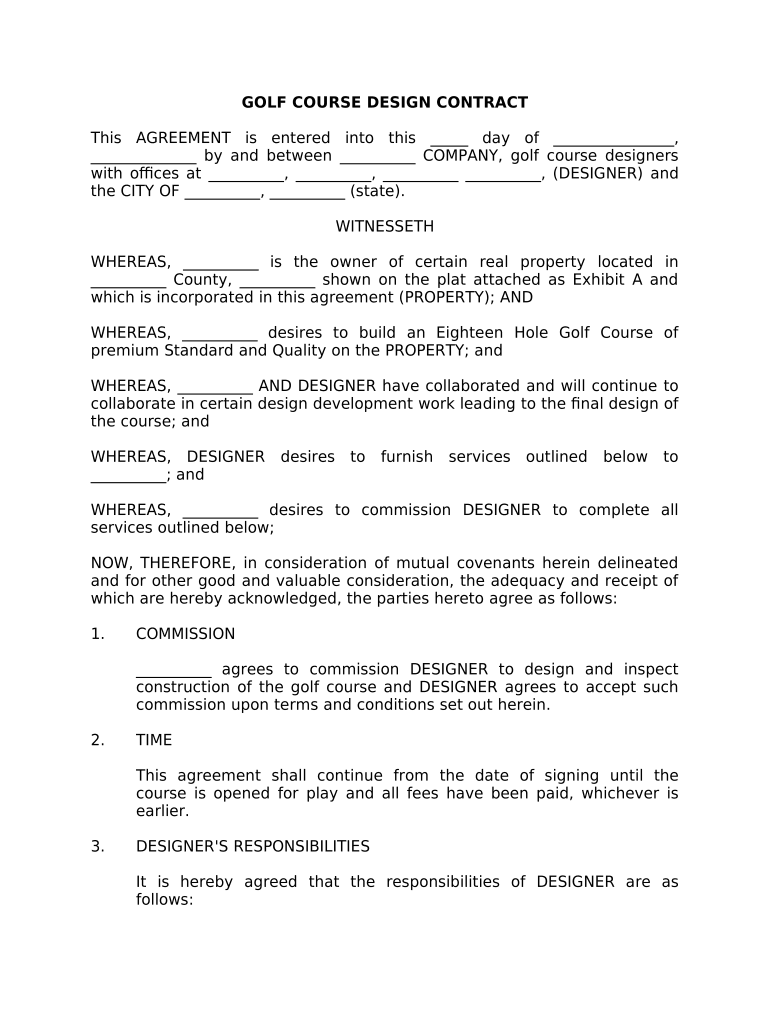
A Golf Course Design Contract is a legally binding agreement that sets out the scope, deliverables, timeline, payment terms, intellectual property rights, insurance and risk allocation for the design and planning of a golf course. It identifies the parties, describes the site and services (feasibility, schematic design, construction documents, construction administration), and establishes milestones, approvals and mechanisms for change orders. The contract governs coordination with consultants, permitting responsibilities and acceptance criteria for completed work, and it provides the baseline for claims, liens and post-construction warranties.

Why a Clear Golf Course Design Contract Matters

A well-drafted contract reduces misunderstandings, limits exposure to scope creep, defines payment triggers and protects both designer and client when regulatory approvals or construction variables arise.

Why a Clear Golf Course Design Contract Matters

Who Typically Uses This Contract

Use the right contract version and state-specific language to reduce later disputes and accelerate permitting and construction.

  • Golf course owners and developers who need a defined scope, deliverables and schedule to control budgets and financing.
  • Landscape architects and golf course design firms that require clear intellectual property, fee structures and liability limits.
  • Municipalities, parks departments and clubs that must coordinate permits, public review and long-term maintenance responsibilities.

Typical Signatories and Their Roles

Lead Designer

Licensed landscape architect or golf course architect responsible for producing design documents, coordinating consultants and certifying plans; carries professional liability exposure and typically provides construction administration services.

Project Owner

Developer, club or public agency that funds the project, approves major design decisions, issues payment and secures permits; owner typically controls land access, approvals timeline and site utilities.

Essential Information to Include

Parties' Names: Full legal entity names
Project Description: Short site and scope summary
Site Address: Street, city, state, ZIP
Deliverables List: Drawings and reports
Payment Terms: Milestones or percentages
Insurance Limits: Limits and certificate holder

Key Risks and Consequences of Errors

Delay Penalties: Liquidated damages possible
Payment Disputes: Work stoppage or claims
Mechanic's Lien Risk: Contractor lien exposure
Design Defects: Professional liability claims
Permit Denials: Schedule and cost impacts
Termination Costs: Partial payment and remedies

Common Mistakes to Avoid

  • Vague scope descriptions that leave critical tasks undefined and invite scope creep and extra-cost claims.
  • Missing milestone-based payment schedule that ties payments only to time rather than verifiable deliverables or approvals.
  • Failing to allocate permitting responsibilities, resulting in disputes over fees, timelines and corrective work.
  • Not defining how change orders are approved or priced, which delays decisions and leads to unapproved work.

How to Complete a Golf Course Design Contract

Follow these steps to assemble, review and finalize a contract that matches project needs and legal requirements.

  • 01
    Gather project facts: Collect site, survey, and existing condition documents.
  • 02
    Draft scope: Define phases, drawings, deliverables and exclusions.
  • 03
    Review terms: Check indemnity, insurance, IP and termination clauses.
  • 04
    Sign and archive: Execute, notarize if required and retain originals.

Typical Routing and Submission Flow

A simple workflow shows how documents move from drafting to execution and final delivery.

  • Prepare documents: Assemble contract, exhibits and drawings for review.
  • Share for review: Circulate to legal, owner and consultants for comments.
  • Execute signatures: Obtain signatures and notarization where required.
  • Distribute copies: Provide executed sets to stakeholders and file records.

Core Contract Elements to Include

A professional agreement should cover these core elements to ensure clear expectations and enforceability.

Scope of Services

Describe design phases, deliverables, meetings and approvals in detail, including what is explicitly excluded to prevent scope disputes and to define fee boundaries.
Schedule & Milestones

Set dates for schematic design, permit-ready documents, bid packages and construction administration with allowance for weather and permitting delays.

Compensation

State fee basis (lump sum, milestone, percentage), invoicing cadence, retainage and reimbursable expenses to avoid payment ambiguity.

Change Orders

Define procedure for requesting, pricing and approving changes, including emergency work and owner-initiated revisions.

Liability & Insurance

Allocate responsibility for professional errors, set insurance minimums and include indemnity wording appropriate to project size and public/private status.

Intellectual Property

Specify ownership, license rights for drawings and whether the designer retains copyright with limited usage rights for the owner.

Configuring an Online Contract Workflow

Set up the digital workflow to match approval order, authentication level and archival requirements for the project.

Field Configuration
Signature Method eSign or wet signature per party preference
Authentication Email or SMS code; KBA if required
Template Reuse Create reusable contract template for project series
Reminders & Expiry Set automatic reminders and link expiration

Digital Signing and File Compatibility

Confirm the provider offers verifiable audit trails, secure storage (AES-256 at rest, TLS 1.2/1.3 in transit) and optional advanced signer authentication for higher-risk projects.

  • Integrations: Salesforce, NetSuite, Procore supported
  • File Types: PDF, DOCX, CAD-friendly attachments
  • Authentication: Email, SMS, KBA, or SSO options

Typical Deadlines and Timing Expectations

Key dates for design contracts keep procurement, permitting and construction aligned; adjust durations for project complexity and local review cycles.

Schematic Design Delivery:

30–90 days depending on site complexity and approvals needed

Permit Submission:

Submit after permit-ready documents; municipal review varies by jurisdiction

Bid Packages Issued:

Issued once construction documents are complete and owner approves

Construction Start:

Dependent on contractor selection and permit approvals

Final Acceptance:

Typically after punchlist completion and owner sign-off

Key Project Milestones in Sequence

A sequential milestone view helps track progress from procurement through project handover.

01

Procurement

Finalize contract and obtain signatures for designer and owner.

02

Design Phase

Deliver schematic and permit-ready drawings per schedule.

03

Bidding

Issue bid documents and receive contractor proposals.

04

Construction Closeout

Complete punchlist, warranties and final documentation.

eSignature Vendor Comparison for Contract Execution

Basic pricing and capability differences can affect per-user costs, bulk sending and compliance support; signNow appears first for straightforward cost comparison.

signNow DocuSign Adobe Sign PandaDoc HelloSign
Starting Price $8/user/mo $15/user/mo $14/user/mo $19/user/mo $15/user/mo
Free Trial 7-day free trial Varies Varies Varies Varies
Bulk Send Yes Yes Yes Yes No
Audit Trail Yes Yes Yes Yes Yes
HIPAA Compliant Yes Yes Yes No No

How Organizations Use This Contract in Practice

Two representative examples show typical contract outcomes in the field.

Club Renovation

Owner engaged a designer for phased renovations with staged payments

  • The designer provided permit-ready plans for each phase
  • The clear milestones and change-order process limited disputes and kept construction on schedule while preserving designer IP rights.

New Course Development

Developer contracted for full design and construction admin services

  • Required monthly reporting and integration with lender draws
  • The contract tied payments to deliverables and lender inspections, reducing payment delays and supporting project financing.

Practical Tips for a Reliable Contract Execution

Follow these best practices to reduce risk and speed up approvals without sacrificing legal protections.

Define Deliverables Precisely
Describe drawings, report formats, deliverable counts and acceptance criteria to avoid later disputes about scope and to streamline review by permitting authorities.
Tie Payments to Approvals
Connect invoices to verifiable milestones or permit sign-offs to maintain cash flow discipline and motivate timely approvals from stakeholders.
Limit Broad Indemnities
Narrow indemnity language to project-related claims and require insurance coverages rather than unlimited contractual indemnities where possible.
Use Versioned Exhibits
Attach drawings and schedules as numbered exhibits so changes are tracked and only current exhibits control the work.

How to Amend or Revise the Contract

Contract changes should be documented and authorized in a controlled manner to preserve enforceability.

01

Request Change:

Submit written change request with scope and cost
02

Estimate Cost:

Designer provides price and schedule impact
03

Approve Change:

Owner signs written change order
04

Update Documents:

Replace exhibits and issue revised version
05

Adjust Payments:

Modify invoices and retainage as required
06

Archive Revision:

Store executed change order with main contract

Notarization and Witness Flow for Execution

Follow a consistent process for notarization and witness signatures to ensure recordability and enforceability.

01

Verify ID

Signer presents government-issued ID to the notary or remote identity proofing system.

02

Notary Acknowledgement

Notary confirms signer identity and notarizes signature per state rules.

03

Remote Notarization

If RON used, ensure audio-video recording and retained session per state requirements.

04

Witness Signatures

Obtain witness signatures where required by state or document type.

05

Notary Journal

Notary records the act in a journal, including session details for RON.

06

Recordation

Record deeds or easements at county recorder if the contract creates recordable interests.

07

Retain Copies

Provide executed copies to all parties and store originals securely.

08

Confirm Acceptance

Ensure financing or permitting parties receive certified copies if required.

Frequently Asked Questions About Execution and Validity

Answers to common legal and practical questions about signing, notarizing and storing a Golf Course Design Contract.


Need help? Contact support

be ready to get more
Join over 28 million airSlate SignNow users