Establishing secure connection…Loading editor…Preparing document…

Hold Harmless Agreement

This template is fully customizable. Edit the text, fill out the fields, and send it for signature. Give it a try!
Hold Harmless Agreement

What a Hold Harmless Agreement Is and when parties use it

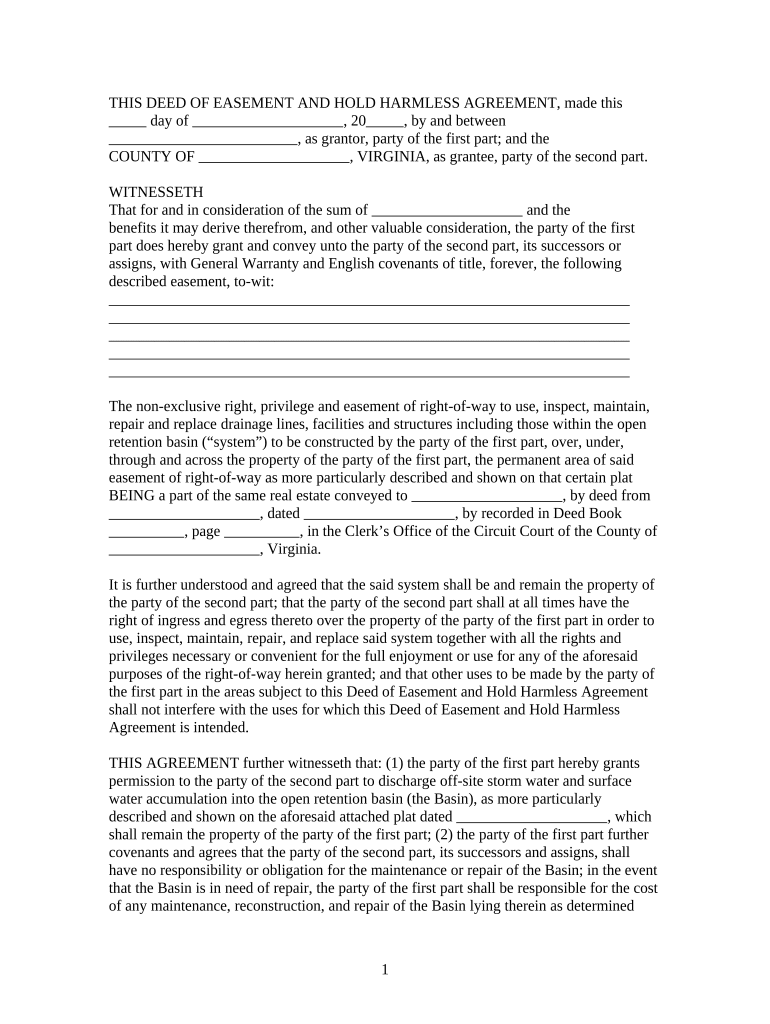
A Hold Harmless Agreement is a written contract in which one party (the indemnitor) agrees to assume liability for specified claims, damages, or losses that might otherwise be asserted against another party (the indemnitee). In practice it defines the scope of risk transfer, the activities covered, and any limits or exclusions. These agreements commonly appear in construction, real estate, events, and service contracts. They do not replace insurance but can require insurance or specify how claims and defense costs will be handled. Legal review is advisable for high-value exposures or unusual risks.

Why a Hold Harmless Agreement matters for risk allocation

A clear Hold Harmless Agreement allocates financial responsibility, reduces litigation risk, and clarifies who defends and pays for claims. Properly written clauses help preserve business relationships, support insurance coordination, and — when executed electronically under ESIGN or UETA — are admissible and enforceable in the United States.

Why a Hold Harmless Agreement matters for risk allocation

Common parties who complete or request a Hold Harmless Agreement

Typical users vary by industry; the clause protects contractors, property owners, and service providers who want to limit exposure during specified activities.

  • Property owners and landlords who accept contractors, vendors, or tenants onto premises for work or events
  • Contractors and subcontractors who seek to shift third-party claims for property damage or bodily injury
  • Event organizers and venues that require vendors or exhibitors to accept responsibility for their activities

Essential clauses that make a professional Hold Harmless Agreement

A robust Hold Harmless Agreement uses precise definitions, clear indemnity language, limits and exclusions, and provisions addressing defense, insurance, and damages to reduce interpretive disputes.

Parties defined

Identify indemnitor and indemnitee by full legal names and entity type; include addresses and contact information to avoid identity disputes.
Indemnity clause

State whether indemnity is for claims, damages, losses, and defense costs; specify if indemnity is primary, secondary, or limited to negligence.

Scope of coverage

Describe activities, time period, and locations covered; exclude unrelated operations or known preexisting conditions when needed.

Defense and costs

Allocate responsibility for legal defense, selection of counsel, settlement approvals, and payment of attorneys' fees and costs.

Insurance requirements

Require minimum insurance types and limits, name indemnitee as additional insured, and state certificate of insurance requirements.

Execution details

Include effective date, governing law, signature blocks, and any witness or notarization requirements to support enforceability.

Key data elements every Hold Harmless Agreement must include

Parties' legal names: Full legal entity names
Effective date: MM/DD/YYYY
Scope description: Activities and locations
Consideration: Payment or mutual exchange
Governing law: Chosen state law
Signatures: Authorized signer names

How to complete a Hold Harmless Agreement in four steps

Follow a short, consistent process to reduce errors: confirm parties, define the risk, allocate defenses and costs, then sign and store the executed agreement.

  • 01
    Review template: Read full text and confirm applicability
  • 02
    Identify parties: Enter exact legal names and roles
  • 03
    Define scope: Specify covered activities and exclusions
  • 04
    Execute and retain: Obtain signatures and save the final PDF

Online workflow settings to prepare the agreement for e-signing

Configure basic fields and signer rules before sending to ensure authentication, field behaviors, and storage meet legal and internal requirements.

Field Configuration
Authentication Email link or SMS code
Signature type Typed, drawn, or uploaded image
Notifications Email copy to all parties
Storage PDF with audit trail

Technical considerations for electronic execution and eSubmission

Confirm file format, signer authentication, and retention practices before sending an electronic Hold Harmless Agreement.

  • File formats: PDF, DOCX supported
  • Authentication: Email/SMS or stronger MFA
  • Security: TLS 1.2/1.3 and AES-256

Ensure the chosen platform preserves a complete audit trail and meets compliance needs (ESIGN/UETA, HIPAA BAA if healthcare data involved) for admissibility and recordkeeping.

Typical e-signing flow for a Hold Harmless Agreement

A standard online process reduces cycle time and captures evidence required to demonstrate intent, consent, attribution, and retention for legal validity.

  • Prepare document: Upload and place signature fields
  • Add signers: Assign roles and emails
  • Authenticate signer: Send email or SMS code
  • Complete signing: Signers approve and receive final PDF

Key timing and notice dates to track

Certain dates control when coverage begins, when claims must be reported, and how long records should be kept; track these to preserve rights and meet obligations.

Effective Date:

When indemnity obligations commence

Execution Deadline:

Date by which all parties must sign

Claim Notice Period:

Time allowed for reporting a claim

Insurance Reporting:

Deadline to notify insurers of incidents

Record Retention:

How long the executed agreement must be kept

Common drafting and completion mistakes to avoid

  • Using vague language for covered activities that leads to disputes about whether a particular loss is included under the clause
  • Failing to name the indemnitee correctly or omitting affiliated entities that should benefit from indemnity protections
  • Omitting defense obligations or failing to define who controls settlement decisions and payment of attorneys' fees
  • Relying solely on informal electronic consent without capturing an audit trail that shows signer intent and attribution

Potential legal and financial risks from an incorrect agreement

Unenforceable clause: Ambiguous or overly broad language
Insufficient coverage: No insurance backing indemnity
Invalid signature: Unsigned or improperly authorized
Costly defense: Unexpected attorneys' fees
Regulatory exposure: Violations in regulated industries
Revocation risk: Improperly executed rescission

eSignature vendor comparison for executing Hold Harmless Agreements

Basic vendor criteria for executing and retaining Hold Harmless Agreements. signNow is listed first for column consistency; features and pricing reflect common plan entry points.

signNow DocuSign Adobe Sign PandaDoc HelloSign
Starting Price $8/user/mo $15/user/mo $14/user/mo $19/user/mo $15/user/mo
Free Trial 7-day free trial Varies by plan Varies by plan Varies by plan Varies by plan
Bulk Send Yes (Premium) Yes Yes Yes No
Audit Trail Yes Yes Yes Yes Yes
HIPAA Compliant Yes Yes Yes No No

Representative use cases showing how Hold Harmless Agreements are applied

Concrete examples help illustrate clause placement, typical scope, and how parties coordinate insurance with indemnity obligations.

Real Estate Contractor

A landlord requires a contractor indemnity on a renovation project

  • Contractor agrees to indemnify landlord for site injuries
  • The agreement names both parties, requires CGL insurance, and defines covered work and notice procedures for claims, reducing dispute risk at project closeout.

Event Vendor

A venue asks food vendors for indemnity before a festival

  • Vendor accepts responsibility for third-party claims
  • The form sets a single-day scope, requires a COI listing the venue as additional insured, and sets a quick notice window for incidents to streamline claims handling.

Frequently asked questions about Hold Harmless Agreements

Answers to common legal and practical questions about drafting, signing, and storing Hold Harmless Agreements in the United States.


Need help? Contact support

be ready to get more
Join over 28 million airSlate SignNow users