Establishing secure connection…Loading editor…Preparing document…

Idaho Name Change

This template is fully customizable. Edit the text, fill out the fields, and send it for signature. Give it a try!
Idaho Name Change

What an Idaho Name Change Entails

The Idaho name change is a formal court proceeding used to replace a person's existing legal name with a new name under Idaho state law. The process generally requires filing a petition in the county district court where the petitioner resides, providing identity and residency documentation, disclosing prior names or relevant criminal history when asked, and paying the court filing fee. Many petitions include a published notice unless the court grants a waiver for safety or privacy. A judge issues a signed order that becomes the authoritative record for updating state and federal identity documents.

Why a Court-Ordered Name Change Matters

A court order creates an official legal record that third parties accept when you update Social Security, driver’s licenses, passports, bank accounts, and school or employment records, reducing administrative friction and aligning identity documents under a single, enforceable name.

Why a Court-Ordered Name Change Matters

Who Typically Seeks an Idaho Name Change

Common users include adults changing their own names, parents seeking a minor’s name change, and attorneys filing petitions for clients or contested matters.

  • Self-represented petitioners — adults filing for their own legal name change without attorney representation.
  • Parents or guardians — requesting a minor child’s surname change with required consents or court approval.
  • Attorneys and legal clinics — preparing petitions, representing clients, and handling objections or privacy waivers.

Essential Components of a Complete Idaho Name Change Petition

A complete petition combines factual declarations, identity documentation, and procedural attachments so the court can evaluate the request and issue an enforceable order for post-judgment record updates.

Caption

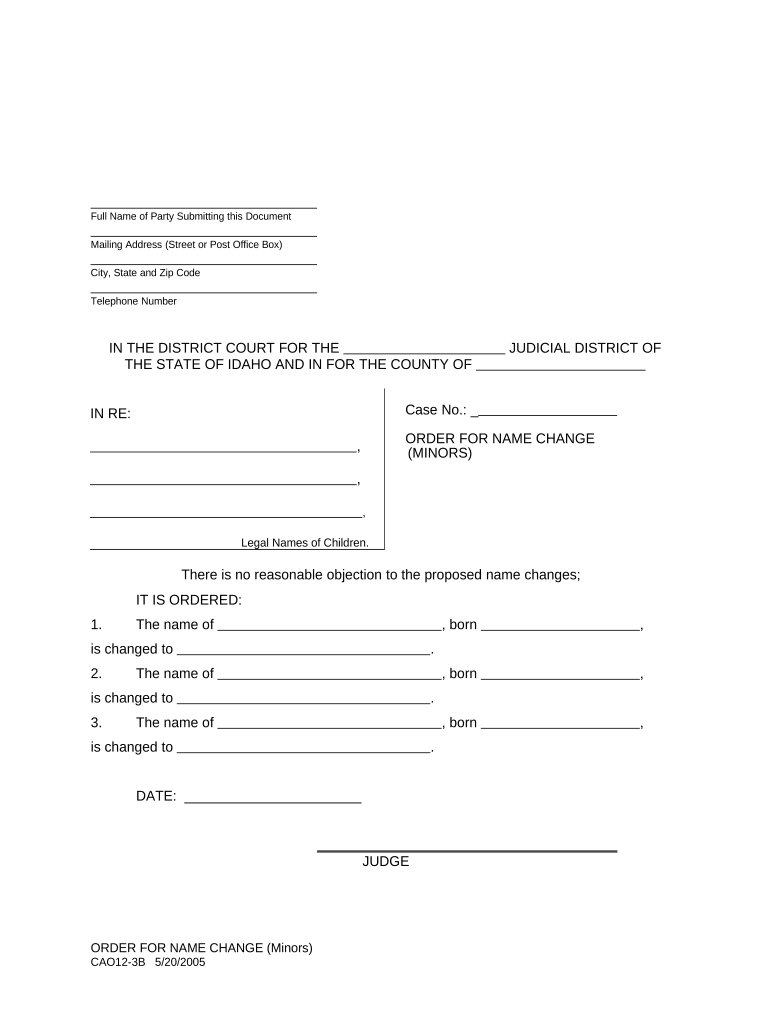
Court caption must show the case style, county, and nature of the petition so the clerk assigns a correct case number and calendar placement for hearing.
Petition Statement

A clear statement of current name, proposed new name, and the petitioner’s reasons, written plainly and truthfully to support the court’s statutory analysis.

Identity Evidence

Certified or government-issued ID and a birth certificate or equivalent document to confirm identity and support issuance of an order.

Background Disclosure

A truthful disclosure regarding criminal convictions, restraining orders, or bankruptcy where courts require such information before granting relief.

Proposed Order

A draft signed order the judge can execute to minimize clerical revisions and to ensure the post-order record includes necessary details for agencies.

Service Plan

Proof of service, publication affidavit, or a waiver request that shows notice was provided as required or explains why notice should be excused.

Step-by-Step: Filing an Idaho Name Change Petition

Follow these steps to prepare and file an Idaho name change petition with the appropriate district court.

  • 01
    Gather documents: Collect ID, birth certificate, proof of residency, and any required court forms.
  • 02
    Prepare petition: Complete the petition form with current and proposed names and required declarations.
  • 03
    File with court: Submit the petition, pay filing fees, and receive a case number from the clerk.
  • 04
    Hearing & order: Attend a court hearing if scheduled and obtain the signed name change order.

Setting Up a Digital Workflow for the Petition

A digital workflow can collect signatures, notarize affidavits, and route certified copies to agencies after the order is issued.

Field Configuration
Upload petition PDF or DOCX upload, set required fields for petitioner signature and date.
Signer assignment Assign petitioner as primary signer; add attorney or guardian as secondary signer when needed.
Authentication Enable email or SMS code authentication; require notarization steps as required by court.
Archive copy Save a certified PDF copy and distribute to named agencies and petitioner.

Where to File and How the Petition Is Routed

Identify the county district court clerk for your residence; the clerk accepts filings, assigns a case number, and provides local procedure instructions.

  • File at clerk: File the petition in the district court of your county of residence.
  • Clerk processing: Clerk reviews filing, assigns case number, and notes hearing or publication requirements.
  • Publication or waiver: Follow court instructions for publication or file a waiver request as permitted.
  • Certified order: Obtain certified copy of the signed order for agency updates and recordkeeping.

Digital Filing and eSubmission Considerations

Confirm that the platform you use supports PDF/DOCX uploads, identity document attachments, audit trails, and optional remote notarization for affidavits.

  • Supported formats: PDF and Word DOCX are widely accepted.
  • Authentication options: Email, SMS code, or multi-factor verification.
  • Integrations: Connectors for cloud storage and case management.

Timing Considerations and Typical Milestones

Timing depends on county workload, publication periods, and whether the petition is contested; local clerk offices provide the most accurate schedules.

Filing Date:

Clerk-stamped filing establishes the case and any fees due at submission.

Publication Window:

If required, publication runs per local rule; waivers may be available for safety or privacy.

Hearing Date:

The judge may schedule a brief hearing or decide on the papers; times vary by docket.

Order Entry:

After approval, the clerk files a signed order and provides certified copies for agency updates.

Record Updates:

Use certified order promptly to update Social Security, DMV, passport, and financial records.

Common Preparation Mistakes to Avoid

  • Failing to check local rules — counties differ on publication, forms, and notary requirements which can delay acceptance.
  • Submitting incomplete documentation — missing birth certificates, proof of residence, or unsigned pages commonly cause rejections.
  • Omitting required disclosures — inaccurate answers about prior names or convictions can lead to denial or later vacatur.
  • Using inconsistent name formats — mismatched punctuation, suffixes, or spacing complicates agency matching and record updates.

Consequences of Errors or Misstatements

Rejected Filing: Missing signatures or fees
Delayed Order: Incomplete service or publication
Denial: Material nondisclosure of history
Record Mismatch: Inconsistent name formatting
Legal Challenge: Objections from interested parties
Fraud Risk: Attempting deceptive changes

Required Information and Key Fields at a Glance

Current Name: Full legal name
Requested Name: Exact proposed name
Date of Birth: MM/DD/YYYY format
Residence: Full street address
Background: Criminal history disclosure
Signature: Petitioner signature and date

Practical Examples of Typical Name Change Cases

The following two scenarios illustrate common, uncontested name change pathways and the documents petitioners used to complete each case.

Adult Petition Example

A petitioner with consistent identity documents filed an uncontested petition

  • Clerk scheduled a brief hearing for verification
  • The judge signed the order; the petitioner obtained five certified copies and updated Social Security and DMV records within two weeks.

Minor Name Change Example

Parents filed a joint petition for a minor with consent forms attached

  • The court reviewed parental consent and best-interest factors
  • The judge issued a child name-change order; parents used the certified order to amend the child’s birth certificate and school records.

eSignature Provider Comparison for Name Change Workflows

Compare baseline pricing and core capabilities for common eSignature providers used to collect signatures, notarize affidavits, and distribute certified PDFs for administrative updates.

signNow DocuSign Adobe Sign PandaDoc HelloSign
Starting Price $8/user/mo $15/user/mo $14/user/mo $19/user/mo $15/user/mo
Free Trial 7-day free trial, no credit card required Varies by plan Varies by plan Varies by plan Varies by plan
Bulk Send Yes (Business Premium) Yes Yes Yes No
Audit Trail Yes Yes Yes Yes Yes
HIPAA Compliant Yes Yes Yes No No

Tips for Accurate and Efficient Completion

Follow these best practices to minimize filing delays and to streamline post-order updates with agencies and institutions.

Verify local court rules first
Confirm county-specific forms, publication requirements, and notarization rules with the district court clerk before preparing the petition to avoid rework and rejected filings.
Use certified copies strategically
Order multiple certified copies of the signed order at filing or immediately after entry so you can update Social Security, DMV, passport, and financial institutions without repeated court requests.
Standardize name formatting
Choose consistent spacing, punctuation, and suffix usage across all agency updates; inconsistencies increase the time and documentation needed to reconcile records.
Document proof of service
Maintain affidavits of publication, service receipts, or waiver orders to demonstrate compliance if a third party later questions the validity of the order.

Frequently Asked Questions About Idaho Name Change

Practical answers to frequently asked questions about forms, notarization, publication, and next steps after a judge signs the order.


Need help? Contact support

be ready to get more
Join over 28 million airSlate SignNow users