Establishing secure connection…Loading editor…Preparing document…

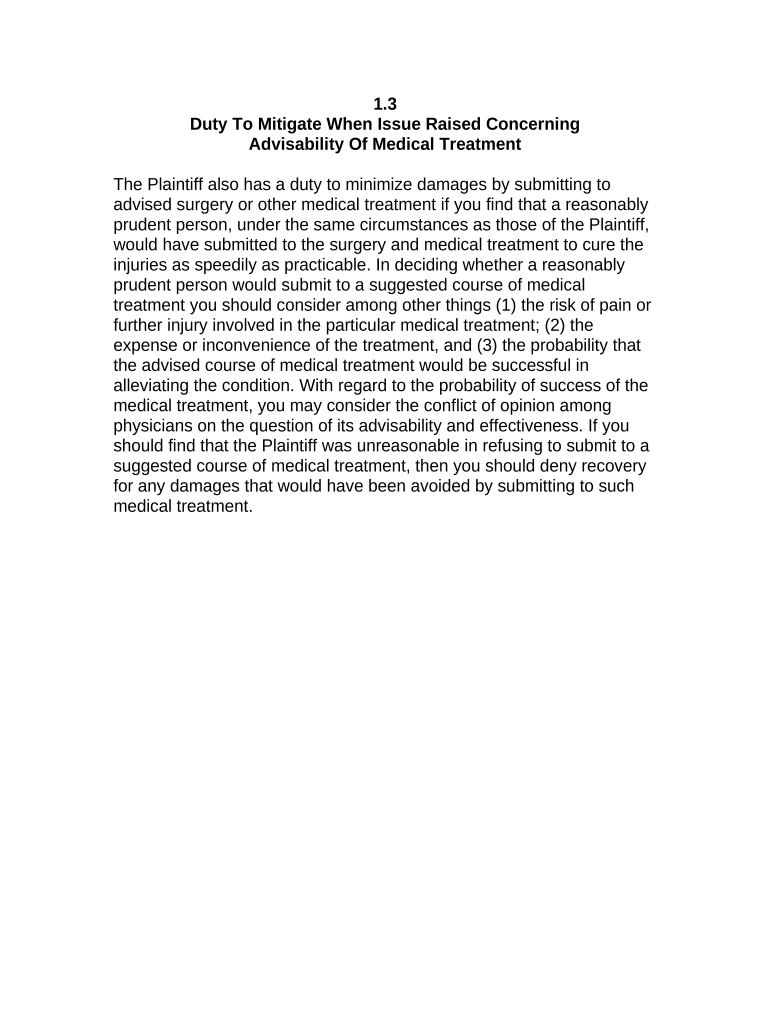
Jury Instruction Duty

This template is fully customizable. Edit the text, fill out the fields, and send it for signature. Give it a try!
Jury Instruction Duty

What the Jury Instruction Duty Is and When It Applies

A Jury Instruction Duty is a formal submission that proposes specific legal instructions the court should give to the jury at the close of evidence. It typically identifies the legal standards, elements of offenses or causes of action, and applicable burdens of proof, and it may include authorities and supporting citations. Parties file proposed jury instructions to preserve issues for appeal, to frame the jury’s decision-making, and to ensure the court considers requested formulations. Local rules and timing requirements govern format, service to opposing counsel, and whether the court will accept or modify proposed language.

Why a Well‑Prepared Jury Instruction Duty Matters

Clear, timely jury instructions reduce the risk of reversible error and help preserve appellate arguments under procedural rules and case law. Drafting precise instructions aligned to substantive law protects parties’ trial and post‑trial rights.

Why a Well‑Prepared Jury Instruction Duty Matters

Who Typically Prepares and Uses a Jury Instruction Duty

Accurate preparation and timely service of the Jury Instruction Duty help avoid sanctions, preserve issues, and support efficient court consideration.

  • Trial attorneys: Draft instructions tailored to facts and legal claims to guide jury deliberations and protect appellate records.
  • Court clerks and judges: Review formatting, docket entries, and whether submissions comply with local rule requirements.
  • Pro se litigants: May prepare and submit instructions; courts often apply local-format and service requirements strictly.

Representative Signatories and Preparers

Trial Attorney

A licensed attorney representing a party prepares the instruction text, attaches supporting authorities, and signs the certificate of service; they ensure adherence to local court formatting and serve opposing counsel per rule.

Court Clerk

The clerk accepts filings, applies docketing procedures, and enforces local filing requirements; clerks may reject nonconforming submissions and advise parties on e‑filing or physical submission protocols.

Step-by-Step: Drafting and Submitting a Jury Instruction Duty

Follow this ordered checklist to prepare a compliant proposed jury instruction for court consideration and to preserve issues for appeal.

  • 01
    Gather Case Data: Collect caption, docket number, party names, and trial date.
  • 02
    Draft Instruction: Write plain, legally accurate instruction text with elements.
  • 03
    Cite Authority: Attach statutory or case law citations supporting the instruction.
  • 04
    Serve and File: Serve opposing counsel and file per local court rules.

Typical Digital Workflow Settings for Online Completion

Use consistent field labels, required toggles, and signer roles when preparing an electronic Jury Instruction Duty.

Field Configuration
Court Caption Field Required text field, single line
Docket Number Field Required, validation pattern allowed
Instruction Text Field Multi-line, preserves formatting
Signature Block Signer role required, date auto-fill

Digital Filing and Format Considerations

Confirm the court clerk’s e‑filing specifications before submission and preserve an unalterable copy for the record.

  • File Formats: PDF/A or DOCX preferred
  • Integrations: Works with NetSuite, Google Workspace
  • Authentication: Email or SMS signer verification

Where to File and How the Filing Process Works

Follow local rules to determine whether to e‑file, deliver a chamber copy, or provide printed materials at trial.

  • Prepare Submission: Finalize instruction text and supporting citations.
  • E‑File or Hand File: Submit via court e‑filing portal or clerk’s office.
  • Serve Opposing Counsel: Serve per local rule: e‑service or hand delivery.
  • File Certificate: File certificate of service with the court docket.

Common Timing Rules and When to Submit Proposed Instructions

Deadlines vary by jurisdiction; check local rules and the judge’s scheduling order for exact timing and any required advance service.

Charge Conference Deadline:

Often due before or at jury charge conference.

Advance Service:

Many courts require service several days before trial begins.

Objection Window:

Opposing counsel must lodge objections within judge’s established timeframe.

Last‑Minute Submission:

Late proposals may be accepted only with leave of court.

Local Rule Variation:

Some courts require specific numbering and single‑spaced format.

Notarization and Witness Steps (When Required)

Most proposed jury instructions do not require notarization, but signature and service rules still apply; some accompanying affidavits or exhibits may require notarization or witness signatures.

01

Signature Authentication

Signer prints name and signs; date included.

02

Notarization (If Needed)

Obtain notary only for sworn affidavits or exhibits.

03

Witness Signatures

If an exhibit requires witnesses, follow state witness rules.

04

Remote Notarization

Use RON where state law permits and court accepts.

05

Retention of Records

Keep audio/video RON record per state rules.

06

Clerk Acceptance

Clerk may refuse nonconforming notarized exhibits.

07

Certificate of Service

Include method and recipients of service.

08

Chamber Copy

Deliver chamber copy if ordered by judge.

Key Security and Compliance Features for Electronic Submissions

Encryption in Transit: TLS 1.2/1.3
Encryption at Rest: AES‑256
Audit Trail: Comprehensive signing logs
Certifications: SOC 2 Type II
Regulatory Compliance: ESIGN and UETA
HIPAA Support: BAA available when required

Penalties and Risks of an Incorrect or Untimely Submission

Rejection by Clerk: Nonconforming format may be rejected
Waiver of Issues: Late or unspecific instructions can waive appellate claims
Sanctions Risk: Frivolous or improper submissions can invite sanctions
Evidentiary Exclusion: Incorrect attachments may be excluded
Contempt Exposure: False sworn statements risk contempt
Cost of Refiling: Additional fees and delay may result

Common Mistakes to Avoid When Preparing a Jury Instruction Duty

  • Failing to follow the court’s local formatting rules, including margins and numbering, which often results in rejection or requests for correction.
  • Submitting instructions without precise legal citations or without distinguishing between burden of proof standards, reducing persuasive force before the judge.
  • Omitting a clear certificate of service or using an incorrect service method, which may lead to procedural objections or waiver.
  • Attempting last‑minute edits without court leave; rushed submissions can contain drafting errors and weaken appellate preservation.

How Courts and Counsel Use Electronic Workflows in Practice

Real organizations have adopted electronic document workflows to prepare, sign, and serve court‑related documents while preserving secure audit records and compliance controls.

Brian Fitzgibbons, COO — Optica Ventures LLC

Legal teams consolidated proposed instructions into a single digital package for review

  • Streamlined exchange with opposing counsel before trial
  • "The interface is simple and easy‑to‑use for our team; more importantly, it is just as easy for our customers."

Kodi‑Marie Evans, Director — Xerox

Integrations allowed auto‑population of case captions from ERP data

  • Reduced manual entry and filing errors in high‑volume matters
  • airSlate SignNow provided flexible signing and integration with case management systems.

eSignature Vendor Pricing and Capability Snapshot for Court Document Workflows

Comparing starting prices and core features helps choose a vendor that meets security, compliance, and volume needs for court submissions.

signNow DocuSign Adobe Sign PandaDoc HelloSign
Starting Price $8/user/mo $15/user/mo $14/user/mo $19/user/mo $15/user/mo
Free Trial 7-day free trial No No No No
Bulk Send Yes (Business Premium) Yes Yes Yes No
Audit Trail Yes Yes Yes Yes Yes
HIPAA Compliant Yes Yes Yes No No
Envelope Cap No cap 100 env/yr Varies by plan Varies by plan Varies by plan

FAQs and Troubleshooting for Jury Instruction Duty Preparation

Answers to common procedural and technical questions about drafting, signing, and filing proposed jury instructions.


Need help? Contact support

be ready to get more
Join over 28 million airSlate SignNow users