Establishing secure connection…Loading editor…Preparing document…

Jury Instruction Form

This template is fully customizable. Edit the text, fill out the fields, and send it for signature. Give it a try!
Jury Instruction Form

What a Jury Instruction Form Is and when it's used

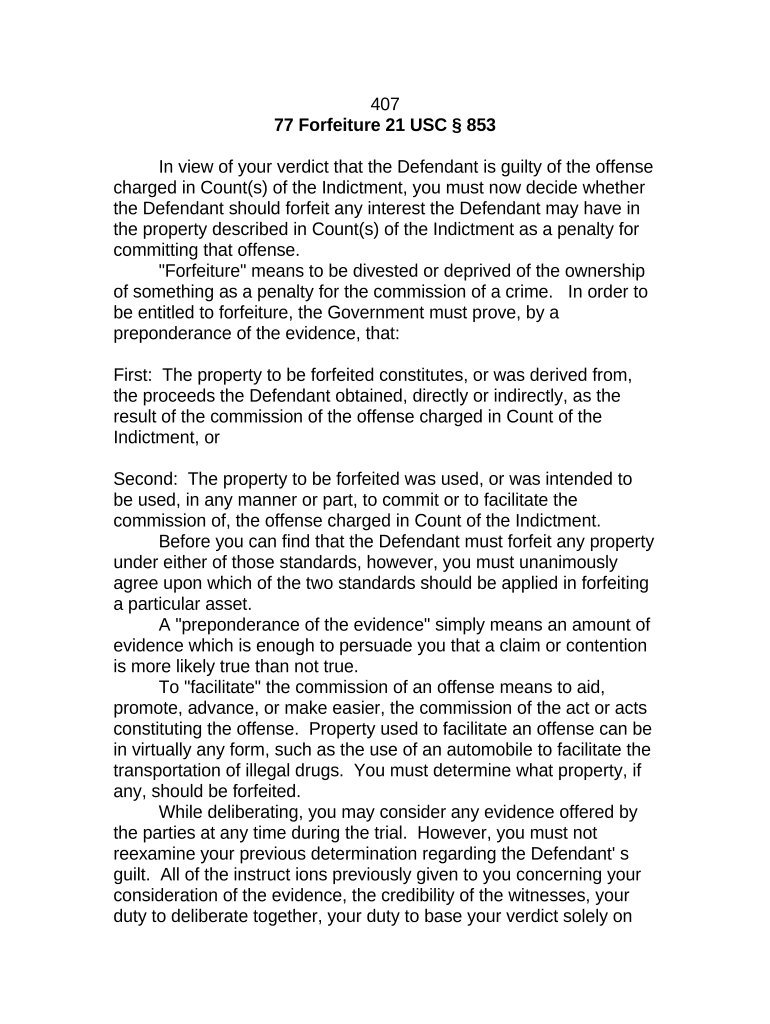
A Jury Instruction Form is a formatted submission of proposed jury instructions, definitions, and verdict forms that a party presents to a court for use at trial. It organizes legal propositions, statutory citations, and factual points into discrete instructions for the judge to consider before charging the jury. These forms are typically prepared by counsel, follow local court formatting rules, and may be filed with the clerk or exchanged with opposing counsel under court scheduling orders. Accuracy and clear attribution of authorities are essential to avoid procedural objections and ensure the judge can adopt or adapt the language.

Why a clear Jury Instruction Form matters

A well-prepared Jury Instruction Form reduces ambiguity at trial, helps the judge draft the final jury charge, and documents the legal basis for each instruction. It streamlines conference discussions and preserves objections for the record.

Why a clear Jury Instruction Form matters

Who prepares and relies on Jury Instruction Forms

Local rules and the judge's standing instructions will determine formatting, timing, and the required number of copies to distribute.

  • Plaintiff or petitioner counsel — Prepares instructions supporting claims and elements, cites controlling authority and proposed wording for the court's consideration.
  • Defense counsel — Submits alternate or responsive instructions and preserves objections for appeal through clear record entries.
  • Judicial officers and clerks — Review, consolidate, and format submitted instructions for the judge's charge to the jury.

Core components to include in every Jury Instruction Form

A complete form balances legal citation, plain-language instruction text, authority, and procedural metadata so the court can evaluate adoption and preservation of objections.

Caption

Case name, docket number, court, and judge so the instruction is correctly associated with the trial record and filings.
Instruction Text

Clear, numbered instruction language written for juror comprehension; avoid argument and include element structure where applicable.

Authority

Primary citation for the legal proposition (statute, reported case) and pinpoint cites to support adoption or modification by the court.

Requestor

Identify which party requests the instruction and include counsel contact information for conference or clarification.

Objection Record

Space to note any contemporaneous objections, alternatives offered, and whether the objection is preserved for appeal.

Verdict Forms

Proposed verdict questions and special interrogatories that align with the instructions and clarify the jury's findings.

Required data fields and short-format checklist

Case Caption: Plaintiff v. Defendant
Docket Number: Court-assigned number
Judge: Presiding judge name
Instruction No.: Sequential number
Requested By: Party name
Authority Cited: Short citation

Step-by-step: preparing a compliant Jury Instruction Form

Follow these sequential actions to prepare, serve, and submit proposed jury instructions under typical local rules and scheduling orders.

  • 01
    Draft: Write numbered instructions with plain-language elements.
  • 02
    Cite: Attach authority and pinpoint citations for each instruction.
  • 03
    Meet-and-confer: Exchange drafts with opposing counsel per scheduling order.
  • 04
    File/Serve: Submit copies to the court and opposing counsel as required.

Configuring online completion and e-submission workflow

Set up an online workflow to standardize submissions and record service for the trial court and opposing counsel.

Field Configuration
Document Template Create a reusable PDF or DOCX template with numbered fields.
Signer Roles Assign 'Drafting Counsel' and 'Approving Counsel' roles.
Authentication Use email or SMS code verification for signer attribution.
Delivery Auto-send copies to opposing counsel and clerk upon completion.

Where to file, serve, and deliver the Jury Instruction Form

The filing destination depends on court type and local rules; follow the judge's instructions and the court's electronic filing procedures.

  • Electronic Filing: Upload to the court's e-filing portal if available.
  • Chambers Copy: Provide the judge with the required courtesy paper or electronic copy.
  • Opposing Counsel: Serve via the method required by local rule or scheduling order.
  • Clerk's Office: File the required number of printed copies if requested.

Digital signing and eSubmission considerations

Confirm the court accepts electronic submissions and retain complete audit records showing signer identity, timestamps, and distribution for the record.

  • File formats: PDF and DOCX accepted
  • Integrations: Works with Google Workspace, Microsoft 365
  • Security: TLS and AES-256 encryption

Common timing and deadline considerations

Deadlines for submitting proposed jury instructions are governed by scheduling orders and local rules; confirm dates well before trial and factor in service periods.

Pretrial Scheduling:

Often requires exchange weeks before trial per local scheduling order.

Charge Conference:

Provide final versions at or before the charge conference.

Objection Period:

Reserve time to lodge and respond to objections before the judge charges the jury.

Last-Minute Changes:

Some courts accept limited edits up to the morning of the charge.

Filing with Clerk:

Follow local clerk rules for filing copies and certifying service.

Common mistakes and the risks they create

Missed Deadline: May forfeit proposal or preserve nothing
Incorrect Caption: Clerk misfiling or delays
Vague Language: Judge may refuse instruction
Missing Authority: Instruction lacks legal support
Poor Formatting: Court may reject or require reformatting
No Preservation: Lost appellate argument if objection not preserved

Example scenarios showing typical use of a Jury Instruction Form

The following examples illustrate practical contexts where proposed instructions shape trial outcomes and preserve issues for appeal.

Civil Negligence Example

Plaintiff submits element-based negligence instructions and cites controlling state law

  • Opposing counsel objects to wording
  • The record shows the judge considered competing language and the objection was preserved for appeal.

Contract Dispute Example

Defendant proposes contract interpretation instructions tied to specific contract clauses

  • Plaintiff offers alternatives focused on different clause reading
  • The judge adopts a hybrid instruction, minimizing ambiguity and clarifying verdict questions.

Practical tips for accurate, efficient Jury Instruction Form preparation

Use these focused practices to reduce clerical errors, streamline conferences, and support appellate preservation.

Standardize templates
Maintain a firm template with numbered fields, citation format, and signature blocks to ensure consistency across cases and reduce last-minute formatting rework.
Use plain language
Draft instructions in concise, juror-focused language while preserving necessary legal elements to improve comprehension and limit ambiguity at charge time.
Preserve objections
Make clear contemporaneous objections and alternative language on the record to preserve issues properly for appellate review and avoid waiver.
Confirm court preferences
Check the judge's standing orders and local rules for required copies, electronic formats, and whether chambers copies must be submitted in a specific manner.

eSignature vendor comparison relevant to court filing and legal workflows

Below is a concise pricing and capability comparison to consider when selecting an eSignature vendor for legal document workflows; signNow is listed first as the baseline for these criteria.

signNow DocuSign Adobe Sign PandaDoc HelloSign
Starting Price $8/user/mo $15/user/mo $14/user/mo $19/user/mo $15/user/mo
Free Trial 7-day free trial, no card Varies by plan Varies by plan Varies by plan Varies by plan
Bulk Send Yes (Business Premium) Yes Yes Yes No
Audit Trail Yes Yes Yes Yes Yes
HIPAA Compliant Yes (BAA required) Yes (BAA) Yes (BAA) No No
Envelope Cap No cap 100 envelopes/user/year Varies by plan Varies by plan Varies by plan

Frequently asked questions about Jury Instruction Forms

Answers address common concerns about e-signing, filing, objections, and recordkeeping for proposed jury instructions.


Need help? Contact support

be ready to get more
Join over 28 million airSlate SignNow users