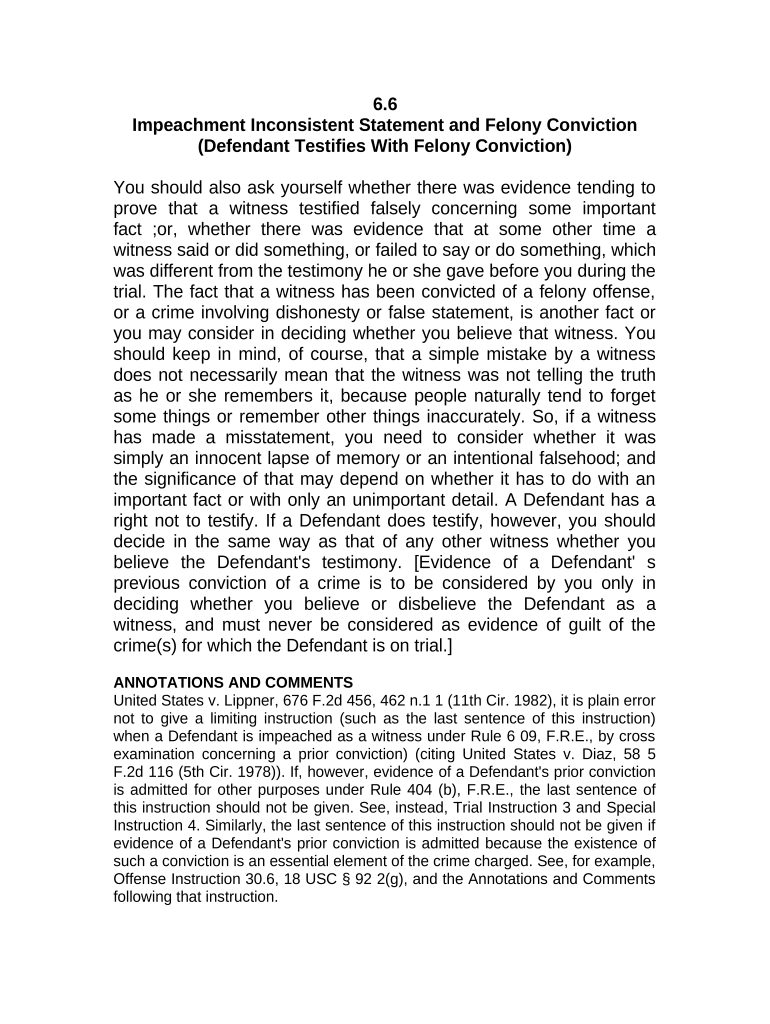
Impeachment Instruction Regarding Defendant's Felony Conviction
What this Impeachment Instruction document is and when it applies
Why a precise impeachment instruction matters
A clear impeachment instruction ensures the record accurately reflects the conviction used to attack credibility and limits grounds for later appeals. It reduces confusion at trial, helps the court apply evidentiary rules consistently, and documents the source and scope of the impeachment evidence for the appellate record.
Who typically prepares and relies on this document
Counsel for the prosecution or defense, court clerks, and judges prepare or authorize the instruction when prior convictions are used to impeach credibility.
- Trial attorneys seeking to introduce or rebut impeachment evidence during cross-examination or closing.
- Judges who must craft a legally correct instruction that limits jury consideration to permissible uses.
- Court clerks or records staff who obtain and certify the underlying conviction documents for the file.
Step-by-step: preparing the instruction for trial use
-
01Verify Conviction: Obtain certified judgment or official docket entry before drafting.
-
02Draft Language: Use neutral, precise wording limited to credibility impeachment.
-
03File or Submit: Provide the instruction to the court and opposing counsel per local rules.
-
04Record Admission: Place the certified record into evidence and note the exhibit number.
How the impeachment instruction is used during trial flow
-
Verification: Clerk or counsel obtains certified conviction records for accuracy.
-
Pretrial Disclosure: Provide opposing counsel copies as required by discovery rules.
-
Court Ruling: Judge rules on admissibility under evidence law before use.
-
Instruction to Jury: Court gives limiting instruction explaining permissible use for credibility.
Configuring an online workflow for preparing and sharing the instruction
| Field | Configuration |
|---|---|
| Document Upload | PDF or DOCX, include certified judgment as attachment |
| Signer Roles | Counsel, court clerk, and judge roles defined in order |
| Authentication | Email plus optional SMS or hosted login for identity |
| Retention | Automatic archival with audit trail and copy export |
Technical requirements for eSubmission and eSignature
Choose a platform that supports audit trails, secure storage, and the authentication strength required by the court or local rules.
- Audit Trail: Timestamp, IP, action log
- Document Formats: PDF, DOCX support
- Integrations: Court e‑filing compatibility
Key timing considerations and procedural deadlines
Pretrial Discovery Deadline:
Provide certified conviction records according to local discovery schedule before trial.
Motion in Limine Deadline:
File any motion to admit or exclude impeachment evidence prior to the court’s cutoff date.
Day of Trial:
Offer the certified record into evidence and seek a ruling before cross-examination.
Post-Trial Notice:
Note the conviction source in the trial transcript for appellate review.
Record Retention Deadline:
Retain certified records according to jurisdictional retention rules after case closure.
Milestones from verification to appellate record
Obtain Certified Record
Acquire the official judgment or docket certified by the issuing court.
Serve Opposing Counsel
Deliver copies to opposing counsel under discovery obligations.
Admit Into Evidence
Offer and mark the certified record during trial before impeachment use.
Preserve Appellate Record
Ensure the instruction and underlying documents are in the official record for appeal.
Common preparation mistakes to avoid
- Relying on uncertified copies that opposing counsel can contest and the court may exclude.
- Listing vague offense descriptions instead of the statutory name or exact judgment language.
- Failing to meet local discovery or motion deadlines, which can bar impeachment use.
- Neglecting to document chain of custody for records obtained from third‑party sources.
Consequences of preparing or using an incorrect instruction
Comparing eSignature vendor pricing and capabilities relevant to this document
| signNow | DocuSign | Adobe Sign | PandaDoc | HelloSign | |
|---|---|---|---|---|---|
| Starting Price | $8/user/mo | $15/user/mo | $14/user/mo | $19/user/mo | $15/user/mo |
| Free Trial | 7-day free trial, no credit card | Varies by plan | Varies by plan | Varies by plan | Varies by plan |
| Bulk Send | Yes (Business Premium) | Yes | Yes | Yes | No |
| Audit Trail | Yes | Yes | Yes | Yes | Yes |
| HIPAA Compliant | Yes | Yes | Yes | No | No |
| Envelope Cap | No envelope cap | 100 envelopes/user/year limit | Varies by plan | Varies by plan | Varies by plan |
Frequently asked questions about using and validating this impeachment instruction
-
Can this be signed electronically?
Yes. Electronic signatures are legally effective under the ESIGN Act (15 U.S.C. ch. 96, 2000) and UETA where applicable, provided the court accepts e-submissions and the signature meets authentication and retention requirements.
-
What documents must accompany it?
Include a certified judgment, docket entry, or certified copy of sentence. Courts typically require an official record rather than uncertified copies to authenticate a prior conviction for impeachment.
-
Is notarization or witness required?
Not generally required for the judgment itself; state rules vary. Some filings or affidavits related to authentication may require notarization—verify local rules with the court clerk.
-
How do I correct an error after filing?
File a corrected instruction or an amended entry with the court citing the correction and attach the accurate certified record. Notify opposing counsel per local procedure.
-
Will improper wording lead to reversal?
Potentially. Misstating conviction facts or failing to follow admissibility procedures may create grounds for appeal if the error was prejudicial to a party's rights.
-
How long must records be kept?
Retain the instruction and certified support through final judgment and appeals; follow federal and state retention standards such as IRC §6501(a) and 45 CFR §164.530(j) where applicable.