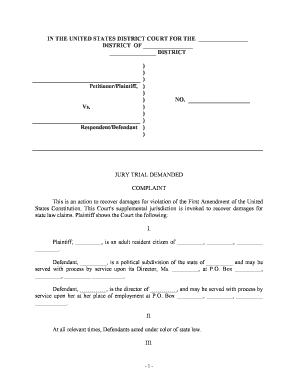
Complaint for Violation of First Amendment Rights
What a Complaint for Violation of First Amendment Rights Is
Why this Complaint Matters for Protecting Speech
Filing a formal complaint documents alleged constitutional harms, preserves claims within statute of limitations windows, and enables courts to evaluate and potentially enjoin ongoing restrictions or award damages for past deprivations.
Who Typically Files or Prepares This Complaint
Plaintiffs may act pro se or through counsel; organizational plaintiffs often require an authorized representative and resolution authorizing the action.
- Private individuals seeking to restore or protect personal speech rights in schools, public forums, or online.
- Nonprofit or media organizations challenging government censorship or disclosure requirements.
- Attorneys and civil rights firms filing suits on behalf of affected parties or classes.
Key Parties Who Sign or Authorize the Complaint
Individual Plaintiff
A private person who alleges a First Amendment injury must sign the complaint or authorize counsel to sign. The narrative should show personal standing and how the alleged government action affected that person's protected speech or association.
Civil Rights Attorney
An attorney preparing the complaint signs the pleading and files on behalf of the client, certifying factual and legal bases under applicable procedural rules and local court requirements.
Step-by-Step: Preparing the Complaint
-
01Gather Evidence: Collect records, witness statements, dates, and communications that support the alleged speech restriction.
-
02Draft Caption: Prepare the case caption and party list following the court's local form and naming conventions.
-
03Allege Facts: Write clear, specific factual paragraphs tying events to the claimed First Amendment injury.
-
04Request Relief: Specify the remedies sought and include any required jurisdictional or statutory text.
How Filing and Service Typically Proceed
-
File Complaint: Submit the complaint to the clerk via e-filing or paper submission per local rules.
-
Pay Fees: Include payment of the applicable filing fee or a timely request to proceed in forma pauperis.
-
Serve Defendants: Serve each defendant using the method authorized by the court and rules of civil procedure.
-
Await Response: Defendants will typically file a motion to dismiss or an answer within the rule-specified period.
Digital Workflow Settings for Drafting and Submitting
| Field | Configuration |
|---|---|
| Document Format | PDF/A or court-accepted PDF |
| E-Filing Method | Court portal upload or authorized vendor |
| Service Method | Personal service, certified mail, or authorized electronic service |
| Retention | Keep signed originals and evidence per retention policy |
Platform and Format Requirements for Electronic Submission
Ensure audit trails are preserved and that any electronic signature meets ESIGN/UETA criteria for enforceability in interstate filings.
- Accepted Formats: PDF, PDF/A, DOCX in some portals
- Signature Types: Typed or electronic signature with audit trail
- Integrations: Court portals and document management systems
Key Timing Rules and Deadlines to Observe
Statute of Limitations:
Varies by state; many civil rights claims use 2–3 year limitations periods.
Service Deadline:
Follow the rule-specific period for serving defendants after filing, commonly 90 days for federal court.
Defendant Response:
Defendants typically have 21–30 days to answer or move, depending on service method and court rules.
Motion Resolution:
Motions to dismiss may extend the timeline for discovery or trial scheduling.
Preservation Duties:
Issue hold notices promptly to preserve relevant evidence and communications.
Milestone Sequence from Filing to Initial Disposition
Filing Complete
Complaint accepted by clerk; case number assigned and fees charged.
Service of Process
Defendants are formally served according to jurisdictional rules.
Pre-Answer Motions
Defendants may file motions to dismiss or motions for judgment on the pleadings.
Initial Case Management
Judge issues scheduling order setting discovery and motion deadlines.
Common Preparation Challenges to Avoid
- Insufficient factual detail that fails to connect defendant actions to a constitutional harm, leading to dismissal for failure to state a claim.
- Naming the wrong defendant or omitting the official-capacity designation when suing a government actor, which can impede relief against the proper entity.
- Failing to allege state action or government involvement when required, leaving the complaint legally deficient against private parties.
- Neglecting to preserve key evidence or to issue litigation holds, undermining proof at summary judgment or trial.
Risks and Consequences of Filing an Incorrect Complaint
Choosing the Right Forum: Federal Court vs State Court
| Filing Venue | Federal Court | State Court |
|---|---|---|
| Jurisdictional Basis | federal question | state law or concurrent |
| Procedural Rules | federal rules apply | state rules apply |
| Remedies Available | injunctive and damages | similar but may vary |
| Appeal Path | federal circuit | state appellate courts |
eSignature Vendor Pricing Snapshot for Complaint Workflows
| signNow | DocuSign | Adobe Sign | PandaDoc | HelloSign | |
|---|---|---|---|---|---|
| Starting Price | $8/user/mo | $15/user/mo | $14/user/mo | $19/user/mo | $15/user/mo |
| Free Trial | 7-day free trial | Varies | Varies | Varies | Varies |
| Bulk Send | Yes | Yes | Yes | Yes | No |
| Audit Trail | Yes | Yes | Yes | Yes | Yes |
| HIPAA Compliant | Yes | Yes | Yes | No | No |
Practical Use Examples
Student Newspaper Complaint
A student alleges a school removed critical articles without due process, limiting editorial freedom.
- School administrators imposed a content ban on multiple publications.
- The complaint seeks declaratory relief, an injunction to restore editorial access, and nominal damages while preserving records for appeal if necessary.
Public Employee Retaliation
A city employee claims discipline followed protected speech on a matter of public concern.
- Employer disciplinary actions occurred shortly after public comments.
- The complaint requests reinstatement or injunctive relief, back pay, and compensatory damages, and it documents retention and discovery needs for public records.
Frequently Asked Questions About Filing a First Amendment Complaint
-
What is the filing deadline?
Deadlines depend on the statute of limitations applicable to the claim in your state; common civil rights periods are two to three years. Confirm the specific limitation period before proceeding to avoid permanent bar.
-
Can I e-sign the complaint?
Electronic signatures are generally valid under ESIGN and state UETA laws for filings and client authorizations, provided intent, consent, attribution, and retention requirements are satisfied.
-
Where should I file the complaint?
Choose federal court for federal questions or when defendants are federal actors; state court may be appropriate for parallel state claims or where jurisdiction lies. Evaluate relief sought and procedural advantages.
-
How must defendants be served?
Service rules vary by jurisdiction; follow federal or state rules closely and obtain proof of service to document proper notice and avoid dismissal for improper service.
-
What supporting evidence should I attach?
Attach documentary evidence such as emails, policy excerpts, meeting notes, and photographs that corroborate the factual narrative and timeline alleged in the complaint.
-
Can I amend the complaint later?
Most courts permit amendment under defined procedural rules; timely amendment may cure pleading defects, but be mindful of scheduling orders and potential motion practice costs.