Establishing secure connection…Loading editor…Preparing document…

Law Summary Judgment

This template is fully customizable. Edit the text, fill out the fields, and send it for signature. Give it a try!
Law Summary Judgment

What a Law Summary Judgment Is and When it Applies

A Law Summary Judgment is a court motion asking the judge to decide part or all of a case without a trial because there is no genuine dispute of material fact and the moving party is entitled to judgment as a matter of law under Federal Rule of Civil Procedure 56 or comparable state rules. The filing typically includes a memorandum of law, a statement of undisputed facts with citations to evidence, supporting declarations or affidavits, and proposed findings. Courts evaluate whether reasonable jurors could differ; if not, the judge may grant judgment without trial, narrowing or ending litigation.

Why a Well-Prepared Summary Judgment Matters

A clear, legally supported summary judgment can resolve key claims early, limit discovery costs, and reduce trial risk by securing a dispositive ruling when facts are undisputed and the law favors the moving party.

Why a Well-Prepared Summary Judgment Matters

Who Typically Prepares and Uses a Summary Judgment

Parties and counsel in civil litigation prepare summary judgment motions to dispose of claims or narrow issues before trial.

  • Plaintiff attorneys seeking to establish liability as a matter of law and avoid protracted trial preparation.
  • Defense lawyers aiming to dismiss claims by showing insufficient evidence to support an essential element.
  • In-house counsel and compliance teams who need to limit exposure and control litigation costs.

Judges and court clerks also interact with these filings; accurate formatting and complete evidence attachments improve judicial review and reduce administrative delays.

Representative Roles Who Sign or File These Documents

Litigation Attorney

Senior counsel or associate responsible for drafting the memorandum, assembling declarations, and certifying the motion complies with local rules. They coordinate exhibits and ensure admissibility of cited evidence.

Court Clerk

Staff who accept electronic filings, docket the motion, and provide the record. Clerks verify compliance with filing and formatting requirements and notify parties of scheduling or deficiencies.

Core Parts of a Professional Summary Judgment Filing

A complete filing combines legal argument and evidentiary support in a court-ready package that complies with local and federal procedural rules.

Notice of Motion

States the relief requested, the hearing date (if set), and the legal basis for the summary judgment.
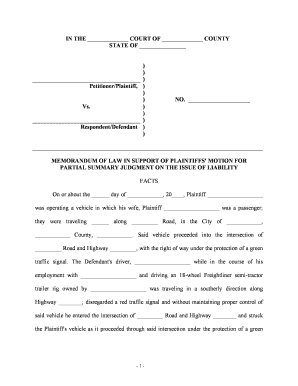
Memorandum of Law

Presents legal standards and applies facts to law in a concise, citation-supported brief for the court.

Statement of Undisputed Facts

Numbered facts with pinpoint citations to exhibits demonstrating there is no material factual dispute.

Declarations / Affidavits

Witness statements sworn under penalty of perjury that authenticate exhibits and establish evidentiary foundation.

Exhibits and Evidence

Documentary evidence, deposition excerpts, and authenticated records cited in the statement of facts.

Proposed Order

A suggested order granting the requested relief, formatted per local rules for the judge's convenience.

Step-by-Step: Preparing a Summary Judgment Motion

Follow a consistent sequence: assemble evidence, draft legal argument, verify admissibility, format per local rule, then file and serve electronically.

  • 01
    Gather Evidence: Collect declarations, documents, and deposition excerpts supporting undisputed facts.
  • 02
    Draft Memorandum: Frame legal standards and apply facts to elements required for judgment.
  • 03
    Prepare Exhibits: Number and authenticate all exhibits; prepare exhibit index.
  • 04
    File & Serve: Submit via court e-filing system and serve opposing counsel per court rules.

Configuring an Online Workflow for Summary Judgment Filings

When using an eSubmission or eSign solution, configure authentication, template fields, and attachments to match court and local rules.

Field Configuration
Authentication Email link or multi-factor authentication for signers
Template Prebuilt motion template with caption and signature fields
Attachments Attach exhibits as separate, bookmarked PDF files
Notifications Automatic confirmations to filer and served parties

Technical Considerations for eSubmission and eSigning

Ensure the platform supports court-required PDF standards, audit trails, and the authentication level your jurisdiction accepts.

  • PDF Compatibility: Produces PDF/A or searchable PDF as required
  • Audit Trail: Captures timestamps, IP, and signer attribution
  • Integrations: Works with cloud storage and e-filing portals

Verify the court's e-filing standards and ensure the chosen platform can export compliant PDFs and provide verifiable audit records for the court file.

Typical Online Filing Flow for a Summary Judgment Motion

A standard digital workflow moves the package from drafting to court record while preserving evidence integrity and signer attribution.

  • Upload Documents: Combine memorandum, exhibits, and proposed order into the filing package.
  • Place Signatures: Insert signature and date fields for counsel or declarants.
  • Authenticate: Use the configured authentication level for each signer.
  • Submit to Court: File via the court's e-filing system and serve opposing counsel.

Key Deadlines and Timing Considerations

Timing is governed by the court's scheduling order, local rules, and Federal Rule of Civil Procedure 56. Confirm hearing and response deadlines before filing.

Motion Filing Window:

Often set by the case schedule; FRCP 56 permits motions after discovery closes.

Response Time:

Local rules typically set response periods between 14 and 30 days.

Reply Deadline:

Reply briefs are often due 7–14 days after the response is filed.

Hearing Date:

Court sets based on calendar; some courts rule on papers without oral argument.

Preservation of Evidence:

Maintain originals and certified copies per discovery and retention obligations.

Milestones from Drafting to Court Decision

Track sequential milestones so the motion is filed timely and the record is complete for judicial review.

01

Complete Evidence

Assemble sworn statements, exhibits, and deposition citations for the statement of facts.

02

Draft & Review

Prepare the memorandum and proposed order; circulate to co-counsel for final edits.

03

File & Serve

Submit to the court e-filing system and serve opposing counsel following local rules.

04

Court Ruling

Judge issues an order granting, denying, or partially granting the motion after review or hearing.

Common Preparation Mistakes to Avoid

  • Failing to authenticate exhibits with sworn declarations or admissibility foundations, which can strip cited evidence of weight in the court's analysis.
  • Submitting an undisciplined statement of facts that mixes disputed and undisputed facts without clear citations to supporting exhibits or record pages.
  • Neglecting local formatting rules—page limits, font size, and exhibit labeling frequently cause clerical rejections or require refiling.
  • Relying on unsworn statements or hearsay in place of admissible affidavits or deposition testimony, undermining the motion's evidentiary basis.

Consequences of Incomplete or Improper Filings

Motion Denied: Court may deny relief for procedural or substantive defects.
Sanctions: Court can impose monetary or evidentiary sanctions for frivolous filings.
Waiver: Poorly preserved issues may be waived at trial or on appeal.
Delay: Clerical rejections and refilings prolong litigation timelines.
Increased Costs: Additional briefing and discovery increase attorney fees.
Adverse Findings: Court may draw negative inferences from missing evidence.

Security and Compliance Considerations for Electronic Filings

In-Transit Encryption: TLS 1.2/1.3 protects data transmitted to the signing platform and e-filing portal.
At-Rest Encryption: AES-256 secures stored documents and audit logs.
Audit Trail: Comprehensive timestamped records of signer actions and IP addresses.
ESIGN / UETA: Compliant with ESIGN Act and UETA principles for electronic signatures.
HIPAA: Business associate agreements available for protected health information handling.
21 CFR Part 11: Support for FDA-regulated electronic records when required.

Practical Examples of Effective Summary Judgment Use

Real-world examples show how focused facts and strong evidentiary support can persuade a court to resolve issues without trial.

Optica Ventures — Efficiency

The team consolidated deposition highlights and documents into a concise facts statement.

  • The judge relied on authenticated exhibits.
  • The result reduced the scope of contested claims and shortened pretrial scheduling, allowing the parties to focus remaining resources on narrower issues.

Martin Properties — Compliance

Property evidence and recorded documents were carefully authenticated with sworn declarations.

  • Hearing was brief.
  • The court granted judgment on the statutory claim, saving months of trial preparation and mitigating potential exposure for the client.

FAQs and Troubleshooting When Preparing a Summary Judgment

Answers to frequent procedural and technical questions about admissibility, e-signing, service, and correcting filing errors.


Need help? Contact support

be ready to get more
Join over 28 million airSlate SignNow users