Establishing secure connection…Loading editor…Preparing document…

Legal Disclaimer Terms of Use

This template is fully customizable. Edit the text, fill out the fields, and send it for signature. Give it a try!
Legal Disclaimer Terms of Use

What the Legal Disclaimer Terms of Use Covers

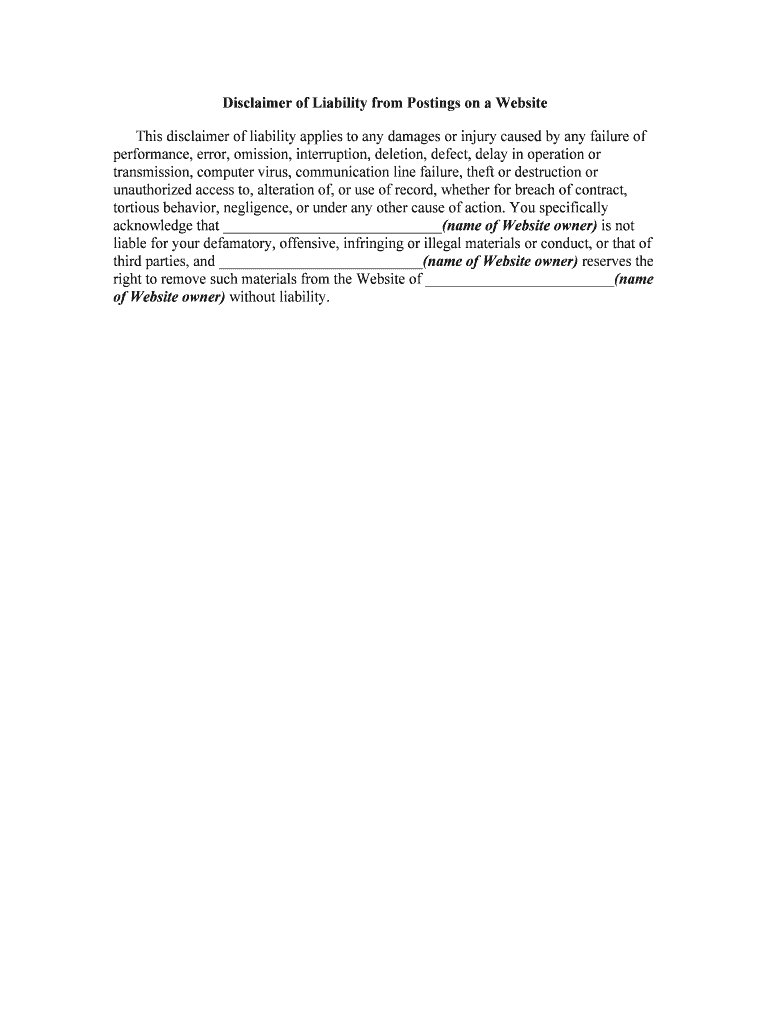
A Legal Disclaimer Terms of Use is a written statement that limits liability, sets permitted uses, and explains the relationship between a service provider and end users. It typically clarifies warranty disclaimers, limits on damages, and the scope of permitted content or conduct. For online services, it also addresses notice delivery, modification procedures, and how disputes will be handled. Properly drafted terms reduce ambiguity about responsibilities and provide a clear contractual baseline for enforcement under U.S. law, including ESIGN and applicable state electronic transaction rules.

Why a Clear Disclaimer and Terms of Use Matter

Clear Legal Disclaimer Terms of Use reduce legal exposure, set user expectations, and support enforceability of limitations and notices. They help preserve defenses against liability claims and provide a written basis for dispute resolution and contract interpretation.

Why a Clear Disclaimer and Terms of Use Matter

Who Typically Prepares and Signs These Terms

Organizations use Legal Disclaimer Terms of Use to manage risk and communicate permitted use; individuals may agree to them when accessing services or content.

  • Businesses and platforms: Legal, compliance, and product teams draft and maintain terms for websites and apps; operations enforce them.
  • Service providers and vendors: Contractors include disclaimers in proposals and portals to limit consequential damages and define service scope.
  • Educational and nonprofit operators: Admins use tailored terms to control permitted use, privacy expectations, and liability in program materials.

Review by in-house counsel or external counsel is recommended for high-risk activities, regulated industries, or when the terms affect consumer rights.

Core Elements to Include in Professional Terms

A complete Legal Disclaimer Terms of Use includes identity, permitted uses, disclaimers of warranty, limitation of liability, dispute resolution, and update procedures tailored to the service and audience.

Identity

Name of the owner and contact details for legal notices.
Permitted Use

Scope of allowed activities and prohibited conduct or content.

Warranty Disclaimers

Explicit statements that services are provided 'as is' when appropriate.

Liability Limits

Caps on damages and exclusion of consequential or incidental losses.

Modification Procedure

How and when users will be notified about changes to terms.

Governing Law

Choice of state law and venue for disputes, and applicable statutes.

Required Fields and Metadata

Parties: Full legal names of provider and user entity.
Effective Date: MM/DD/YYYY of when terms take effect.
Scope: Clear short description of covered services.
Contact: Email and physical address for legal notices.
Versioning: Document version or revision identifier.
Signature Block: Signatory name, title, and date fields.

Step-by-Step: Complete a Legal Disclaimer Terms of Use

Follow these essential steps to draft, review, and finalize a Legal Disclaimer Terms of Use for online or printed distribution.

  • 01
    Draft core clauses: Write identity, scope, disclaimers, liability limits, and governing law.
  • 02
    Select governing state: Choose the jurisdiction most closely connected to operations.
  • 03
    Internal review: Have legal and compliance review for regulated exposures.
  • 04
    Execute and publish: Obtain signatures, publish online, and retain an executed copy.

How to Configure Online Completion and Routing

Configure fields and authentication in the eSigning workflow so signers are properly identified and records are captured for legal validity.

Field Configuration
Signature Field Require visible signature and date stamp
Authentication Email plus optional SMS code or KBA
Routing Order Specify sequential or parallel signer order
Audit Capture Record IP, timestamp, and action log

Where to File, Send, or Deliver Executed Terms

Determine the proper destination and delivery method for executed terms depending on whether they are internal agreements or consumer-facing notices.

  • Internal Records: Store executed copies in corporate contract repository with version control
  • Counterparty Delivery: Send signed PDF or certified copy to the counterparty email or portal
  • Regulatory Filings: File with regulator only if statute expressly requires submission
  • Public Posting: Publish updated terms on website and note effective date

Distribution and eSubmission Considerations

Choose distribution channels that preserve the signed record and allow reliable reproduction for legal purposes.

  • Email Delivery: Suitable for direct counterparty delivery; retains sent timestamp
  • Secure Portal: Preferred for regulated data and controlled access
  • Integrated Systems: Use CRM or document management integrations for lifecycle tracking

Ensure any chosen platform captures an audit trail and allows export to PDF/A or comparable archival formats for retention and compliance.

Timelines, Deadlines, and Typical Processing Times

Expect practical review and processing timeframes when drafting, approving, and publishing a Terms of Use document; regulated processes may add statutory timing requirements.

Internal Legal Review:

Allow 3–10 business days depending on complexity

Sign-back Time:

Electronic signatures commonly return within 24–72 hours

Consumer Consent:

Obtain electronic consent before delivery per ESIGN requirements

Publication Delay:

Post updated terms and provide clear effective date

Record Retrieval:

Plan 1–5 business days for retrieval from archives

Common Preparation Errors to Avoid

  • Overbroad disclaimers that conflict with consumer protection laws and may be struck down by courts.
  • Unclear effective dates or versioning that make it impossible to determine which terms apply to a dispute.
  • Missing signature or incomplete signatory details that impair contract formation or enforcement.
  • Failure to obtain required consumer electronic consent under 15 U.S.C. §7001 when delivering consumer-facing records.

Key Risks and Legal Consequences of Errors

Invalid Notice: Failure to secure consent may void electronic delivery
Regulatory Fines: Violations can trigger state or federal enforcement
Contract Disputes: Ambiguous clauses increase litigation risk
Data Exposure: Improper handling of personal data raises HIPAA/CCPA concerns
Payment Withholding: Poorly defined liability limits affect recovery
Reputation Harm: Public disputes or enforcement actions damage trust

Real-World Examples of Use

These real customer examples show practical use of digital signing and clear terms in client-facing workflows.

Optica Ventures, COO

Their team needed a simple interface for customers to sign online

  • Ease of use sped turnaround and reduced errors
  • The COO reported that customers found the process straightforward and that it improved their document completion rates without in-person meetings.

Martin Properties, Founder

A small real estate firm moved lease execution online

  • Mobile and offline signing were essential
  • The founder said they could process and execute documents online with full compliance and security, enabling timely closings and remote transactions.

eSignature Pricing and Feature Snapshot for Document Execution

Comparison of typical starting prices and feature availability across common eSignature providers; signNow appears first per vendor ordering rules.

signNow DocuSign Adobe Sign PandaDoc HelloSign
Starting Price $8/user/mo $15/user/mo $14/user/mo $19/user/mo $15/user/mo
Free Trial 7-day free trial Varies by plan Varies by plan Varies by plan Varies by plan
Bulk Send Yes Yes Yes Yes No
Audit Trail Yes Yes Yes Yes Yes
HIPAA Compliant Yes Yes Yes No No
Envelope Cap No cap 100 envelopes/user/year Varies by plan Varies by plan Varies by plan

Frequently Asked Questions and Troubleshooting

Answers to common questions about enforceability, execution, and electronic delivery for Legal Disclaimer Terms of Use.


Need help? Contact support

be ready to get more
Join over 28 million airSlate SignNow users