Establishing secure connection…Loading editor…Preparing document…

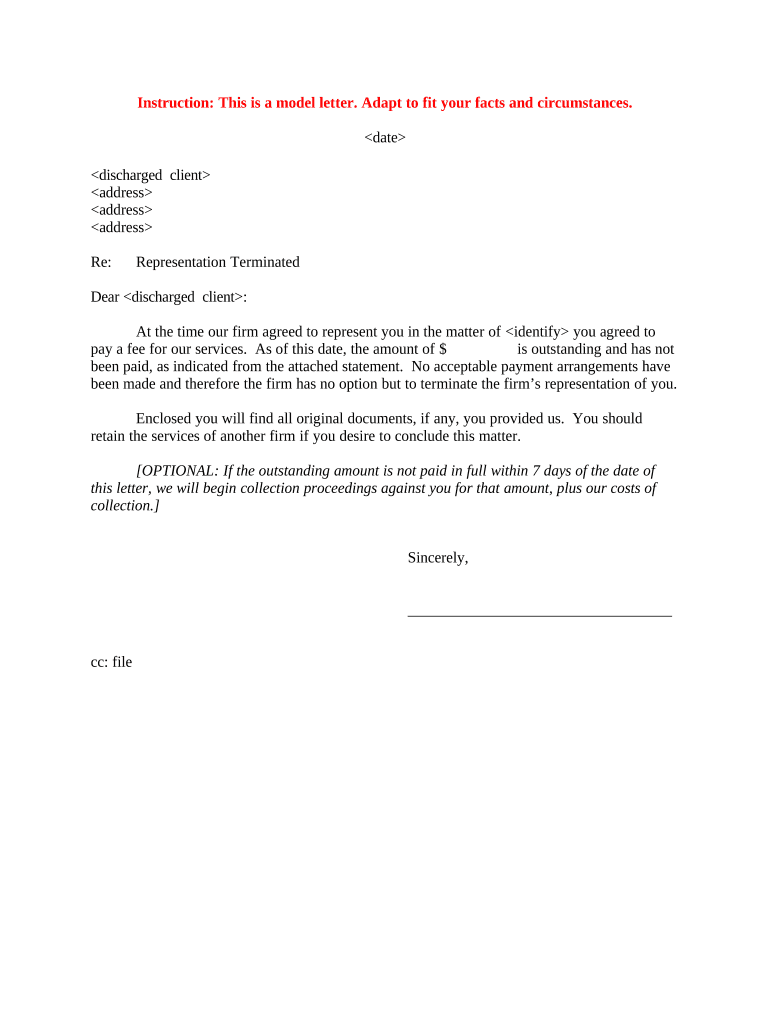
Letter of Termination of Representation

This template is fully customizable. Edit the text, fill out the fields, and send it for signature. Give it a try!
Letter of Termination of Representation

What the Letter of Termination of Representation Is

A Letter of Termination of Representation is a written notice from a client or representative that ends an existing agency, attorney-client, or representative relationship. It documents the date representation ends, identifies the parties, describes any outstanding matters or files, and states who will handle ongoing obligations. In the United States this document can be delivered electronically if the parties consent and the method meets ESIGN (15 U.S.C. ch. 96) and applicable state UETA requirements, except where specific statutory exceptions apply.

Why a Clear Termination Letter Matters

A formal termination letter records the end of authority, reduces ambiguity about future obligations, and provides proof of notice if disputes arise. It helps protect both the client and former representative by setting expectations for file transfer, outstanding fees, and future communications.

Why a Clear Termination Letter Matters

Who Typically Prepares or Receives This Letter

Use clear language and dates; deliver by a verifiable method and retain a copy for your records.

  • Individual clients notifying attorneys or agents about termination and next steps for files and billing.
  • Attorneys or agents notifying clients and third parties that they no longer represent the client.
  • Organizations terminating outside counsel or third-party representatives and documenting authority revocation.

Primary Signatories and Their Roles

Client / Principal

An individual or organization that initially appointed the representative. The client signs to confirm termination of authority, specify the effective date, and indicate instructions for file transfer, outstanding fees, and future communications to avoid ambiguity.

Representative / Counsel

An attorney or designated agent who may acknowledge receipt or provide a closing statement. The representative documents actions taken to wind down matters and may confirm retention period for client files and outstanding deliverables.

Essential Information to Include

Client Name: Full legal name
Representative Name: Full legal name
Effective Date: MM/DD/YYYY
Scope Ended: Matters terminated
File Instructions: Transfer or retention plan
Signature Block: Typed or signed name

Core Components of a Professional Letter

A well-structured termination letter reduces risk and ensures both parties understand what ends, when, and how remaining matters are handled.

Heading

A clear title such as 'Letter of Termination of Representation' to identify the purpose immediately and avoid confusion.
Parties

Names and contact details for the client and the representative so recipients can be identified and communications routed correctly.

Effective Date

Explicit MM/DD/YYYY effective date that determines when the representative's authority ends and triggers any notice or transition obligations.

Scope Description

Short description of which matters or services are terminated and which, if any, continue or require wind-down activities.

Outstanding Items

Instructions for unpaid fees, file transfer, uncompleted tasks, or ongoing court deadlines and who will handle them.

Signature

Signature block with printed name, title, date, and space for acknowledgment by the representative if appropriate.

Step-by-Step: Drafting and Delivering the Letter

Follow these steps to create and provide a clear, verifiable termination notice.

  • 01
    Draft the Letter: Include parties, effective date, and scope.
  • 02
    Review Obligations: Check outstanding deadlines and client property.
  • 03
    Choose Delivery: Select certified mail, email with read receipt, or e-signature.
  • 04
    Retain Proof: Save signed copy and delivery receipt.

How to Configure an Online Termination Workflow

Configure a straightforward e-document workflow to collect signatures, preserve an audit trail, and distribute copies automatically.

Step Configuration
Upload Template Use a PDF/DOCX template with fillable fields.
Assign Signers Set client and representative roles and emails.
Authentication Require email link or SMS code for signer ID.
Delivery Options Enable copy to client, counsel, and document repository.

Selecting an eSignature Platform

Confirm platform encryption, retention features, and whether a Business Associate Agreement is needed for health-related matters.

  • File Formats: PDF and DOCX support
  • Authentication: Email, SMS, or KBA
  • Compliance: ESIGN, UETA support

Typical Delivery and Filing Flow

A clear delivery flow helps ensure proof of notice and continuity of obligations after termination.

  • Create Document: Draft or load template with filled fields.
  • Set Signers: Add client and representative emails.
  • Send for Signature: Dispatch via secure e-sign link or certified mail.
  • Archive: Store signed copy with audit trail.

Timelines, Deadlines, and What to Expect

Timing depends on context — contractual obligations, court deadlines, and delivery method determine when termination takes effect.

Effective Date Entry:

The date entered controls when authority ends.

Immediate Delivery:

Email or e-signature can effect notice upon delivery.

Certified Mail:

Allow postal transit; effective on receipt per governing contract.

Court Matters:

File substitution or notice per local rules to protect court deadlines.

Document Retention:

Keep signed copies and proof of delivery for compliance and defense.

Common Mistakes to Avoid

  • Failing to specify an effective date creates ambiguity about authority and deadlines.
  • Neglecting to instruct on file transfer or custody leads to disputes over client property.
  • Using informal delivery without proof can leave you vulnerable in a dispute.
  • Assuming representation ends for all matters when only specific matters were intended.

Risks and Potential Consequences

Missed Deadlines: Liability for unaddressed filings
Client Confusion: Disputes over authority
Invalid Notice: Challengeable termination
Ethics Violations: Professional responsibility risk
Regulatory Fines: Penalties for noncompliance
Contract Liability: Breach claims for unmet obligations

Examples of Real-World Uses

Below are representative case summaries showing how organizations document termination to manage risk and continuity.

Martin Properties

A regional property manager used an online termination letter to end an agent relationship and transfer leases.

  • The signed letter specified effective date and file handoff.
  • The firm preserved an audit trail and delivery receipt to resolve a later dispute about rent collection responsibilities.

Optica Ventures

A business client sent a signed termination to outside counsel to stop further engagement.

  • The letter listed open matters and instructed on file return.
  • Having a dated, signed notice simplified the billing reconciliation and reassigned remaining tasks to in-house counsel.

eSignature Pricing Comparison for Termination Letters

Compare common vendor pricing and basic features relevant to sending and storing a Letter of Termination of Representation. Pricing reflects typical starting plans and feature availability.

signNow DocuSign Adobe Sign PandaDoc HelloSign
Starting Price $8/user/mo $15/user/mo $14/user/mo $19/user/mo $15/user/mo
Free Trial 7-day free trial Varies by plan Varies by plan Varies by plan Varies by plan
Bulk Send Yes Yes Yes Yes No
Audit Trail Yes Yes Yes Yes Yes
HIPAA Compliant Yes Yes Yes No No
Envelope Cap No cap 100 envelopes/user/year Varies by plan Varies by plan Varies by plan

Frequently Asked Questions About Termination Letters

Answers to common questions about validity, notarization, delivery, and electronic signatures for termination letters in the U.S.


Need help? Contact support

be ready to get more
Join over 28 million airSlate SignNow users