Establishing secure connection…Loading editor…Preparing document…

Letter Requesting Conservatorship Records

This template is fully customizable. Edit the text, fill out the fields, and send it for signature. Give it a try!
Letter Requesting Conservatorship Records

What the Letter Requesting Conservatorship Records Is

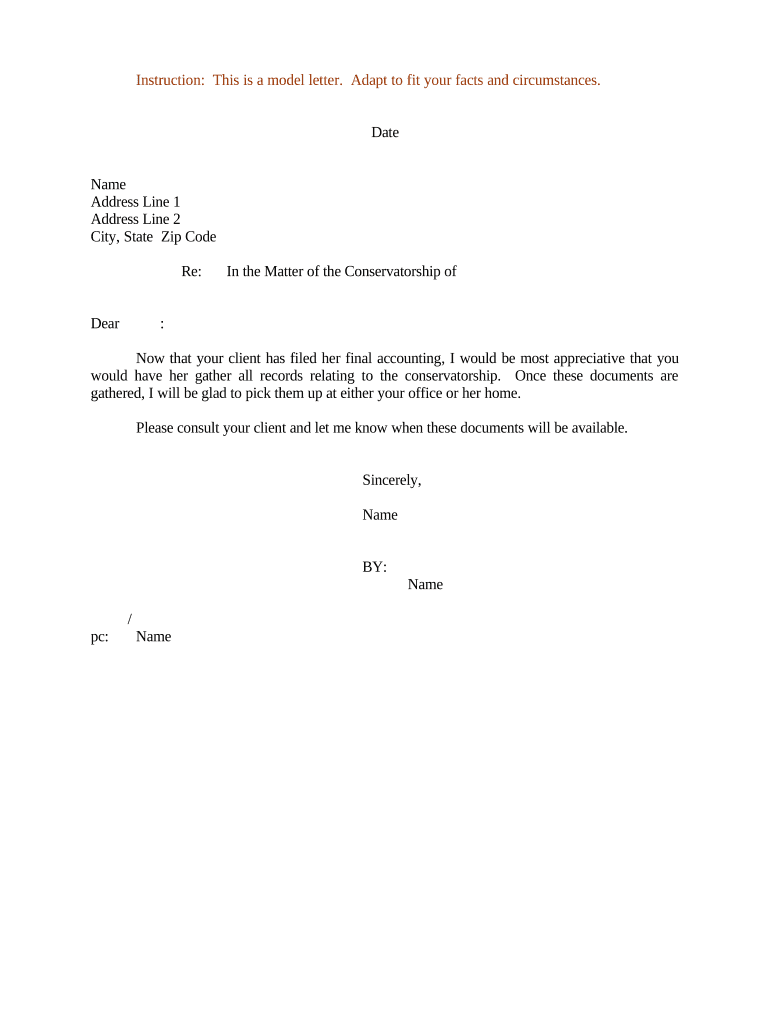
A Letter Requesting Conservatorship Records is a formal written request asking a court, clerk’s office, conservator, or records custodian to produce documents related to a conservatorship or guardianship proceeding. It typically identifies the conservatorship case, the records sought (medical, financial, court filings), the requester’s relationship or authority, and the timeframe for which records are requested. The letter should follow local court access rules and may need attachments proving authority, such as a court order, letters of conservatorship, or a notarized authorization.

Why a Clear, Professional Request Matters

A precise letter reduces processing delays, avoids unnecessary inquiries, and documents your attempt to obtain records. Clear scope and authority information helps clerks and custodians verify access rights and respond accurately under applicable privacy rules.

Why a Clear, Professional Request Matters

Who Typically Prepares and Sends This Letter

Common requesters include appointed conservators, attorneys for the conservatee, family members with court authorization, and agencies managing care or benefits.

  • Appointed conservator — prepares official requests to manage the conservatee’s affairs or to audit fiduciary acts.
  • Attorney for conservatee — requests records during estate administration, accounting, or litigation.
  • Family member with authority — seeks records when acting under a court order or written authorization.

Ensure your role and legal basis for access are documented in the letter to prevent denials or privacy-related redactions.

Authorized Signers and Requesters

Conservator

An appointed conservator or guardian may sign the request and produce a certified copy of letters of conservatorship as proof. Courts typically accept filings from the conservator to obtain case-related records or third-party custodians when access is required to manage the conservatee’s affairs.

Attorney

An attorney representing the conservatee or conservator may request records on letterhead and attach a representation letter or court order; local rules often allow counsel to receive records without the conservator’s physical signature if authority is documented.

Core Elements to Include in the Letter

A professional letter requesting conservatorship records should be concise, specific about the records sought, and include supporting proof of authority. Use a standard business letter format and reference any applicable case number or court docket.

Case Identification

Include the court name, case or docket number, conservatee full legal name, and county to ensure clerks locate the correct file.
Requester Identity

Provide the requester’s full legal name, role (conservator, attorney), contact information, and relationship to the conservatee.

Records Requested

List specific document types and date ranges (e.g., inventories, accountings, medical reports from MM/DD/YYYY to MM/DD/YYYY).

Legal Authority

Attach letters of conservatorship, court orders, power of attorney, or written authorization that proves entitlement to records.

Delivery Instructions

Specify how you want records delivered: certified copies, certified electronic PDF, secure portal upload, or certified mail.

Authentication

Sign and date the letter; include notarization if the receiving office requires an affidavit or notarized statement.

Step-by-Step: Preparing and Sending the Request

Follow these steps to create a complete, verifiable request that courts or custodians can process without repeated follow-up.

  • 01
    Confirm authority: Verify you have letters of conservatorship or a court order authorizing access.
  • 02
    Identify records: Specify documents and date ranges to limit scope and fees.
  • 03
    Attach evidence: Include certified documents proving your role and identity.
  • 04
    Send per rules: Submit by the court’s preferred method—mail, in-person, secure portal, or e-file—following stated delivery instructions.

Where Your Request Typically Goes and What Happens

Understanding routing helps set realistic expectations; different custodians apply different verification and redaction processes before releasing records.

  • Court Clerk: Receives the request, verifies case number and authority, and locates court files.
  • Records Office: Prepares copies, applies required redactions, and calculates any reproduction fees.
  • Third-Party Custodian: Healthcare or financial custodians verify HIPAA or privacy constraints before release.
  • Delivery: Records sent via requested secure channel or made available for pickup.

How to Configure an Online Request Workflow

If submitting electronically, configure each step to capture proof of authority, signer authentication, and a secure delivery method.

Field Configuration
Upload Method Accept PDF or DOCX; require searchable text.
Signer Authentication Use email + ID verification or multi-factor for access control.
Notarization Offer RON or in-person notarization depending on court rules.
Delivery & Storage Enable encrypted email, secure portal link, and archival storage.

Technical Options for Electronic Submission

Courts and custodians accept different electronic formats and authentication levels; confirm acceptable formats before submitting.

  • Supported Formats: PDF, Word DOCX
  • Authentication: Email, SMS, ID verification
  • Integrations: Salesforce, NetSuite, Google Workspace

Security and Compliance Points to Note

Encryption in Transit: TLS 1.2/1.3
Encryption at Rest: AES-256
Audit Trail: Tamper-evident logs
HIPAA Controls: BAA required for PHI
Regulatory Standards: ESIGN, UETA compliant
Certifications: SOC 2 Type II, ISO 27001

Common Mistakes That Cause Delays

  • Using an incorrect or partial case number that prevents the clerk from locating files and triggers follow-up requests.
  • Failing to attach a certified copy of letters of conservatorship or a court order proving authority to receive records.
  • Requesting overly broad records without date ranges, which increases processing time and reproduction fees.
  • Sending the letter to the wrong office (e.g., records custodian vs. probate clerk) or using an unsupported delivery method.

Risks and Consequences of an Improper Request

Access Denial: Custodian may refuse release without proper authority
Court Delay: Proceedings may be postponed for missing documentation
Privacy Violation: Improper disclosure can trigger HIPAA penalties
Sanctions: Court may sanction improper or abusive requests
Financial Cost: Reproduction and expedited fees may apply
Data Exposure: Unsecured delivery risks PHI or financial data leakage

Typical Timelines and When to Expect a Response

Processing times vary by court and custodian; include realistic expectations and escalation paths in your request if you need expedited handling.

Initial Acknowledgement:

Most offices acknowledge receipt within 3–5 business days

Standard Processing:

Records commonly delivered in 7–30 business days depending on volume

Expedited Requests:

Faster turnaround often incurs additional fees and formal justification

Review and Redaction:

Privacy review can add several business days to the timeline

Appeals or Denials:

If denied, follow court rules for motion or petition timelines

Practical Tips to Ensure an Efficient Request

Adopt clear, verifiable practices that align with court and custodian requirements to avoid unnecessary delays.

Verify Local Rules
Check the probate clerk’s published procedures and fee schedule before drafting your letter; some counties require forms or online portals.
Be Specific
Limit requests to necessary records and include precise date ranges to reduce review time and copying costs.
Provide Proof
Attach certified letters of conservatorship or court orders and a photocopy of requester ID to expedite verification.
Choose Secure Delivery
Request encrypted electronic delivery or certified mail for sensitive documents and retain delivery receipts.

Realistic Request Scenarios

These scenario sketches illustrate common, practical uses of a records request and what to include to succeed.

Scenario 1

A conservator needs accountings for estate management from 01/01/2020 to 12/31/2022

  • Request lists bank statements and fiduciary accountings
  • The conservator attaches certified letters of appointment, specifies delivery as encrypted PDF, and notes that fees will be prepaid to avoid processing delays.

Scenario 2

An attorney requests medical records for incapacity evaluation from 06/01/2021 to 06/01/2023

  • Request includes specific facility names and document types
  • The attorney submits a representation letter, client authorization, and requests redacted copies where required, noting urgency for court hearing preparation.

Typical eSignature Vendor Pricing and Feature Snapshot

Comparing eSignature vendors can help decide how to submit or manage electronic requests; signNow is listed first per platform comparison conventions.

signNow DocuSign Adobe Sign PandaDoc HelloSign
Starting Price $8/user/mo $15/user/mo $14/user/mo $19/user/mo $15/user/mo
Free Trial 7-day free trial Varies by vendor Varies by vendor Varies by vendor Varies by vendor
Bulk Send Yes Yes Yes Yes No
Audit Trail Yes Yes Yes Yes Yes
HIPAA Compliant Yes Yes Yes No No

Frequently Asked Questions About Requests for Conservatorship Records

Answers to common questions about proof of authority, acceptable formats, notarization, and handling sensitive information when requesting conservatorship records.


Need help? Contact support

be ready to get more
Join over 28 million airSlate SignNow users