Establishing secure connection…Loading editor…Preparing document…

Promotional Letter for Interior Design

This template is fully customizable. Edit the text, fill out the fields, and send it for signature. Give it a try!
Promotional Letter for Interior Design

What this Promotional Letter for Interior Design Is

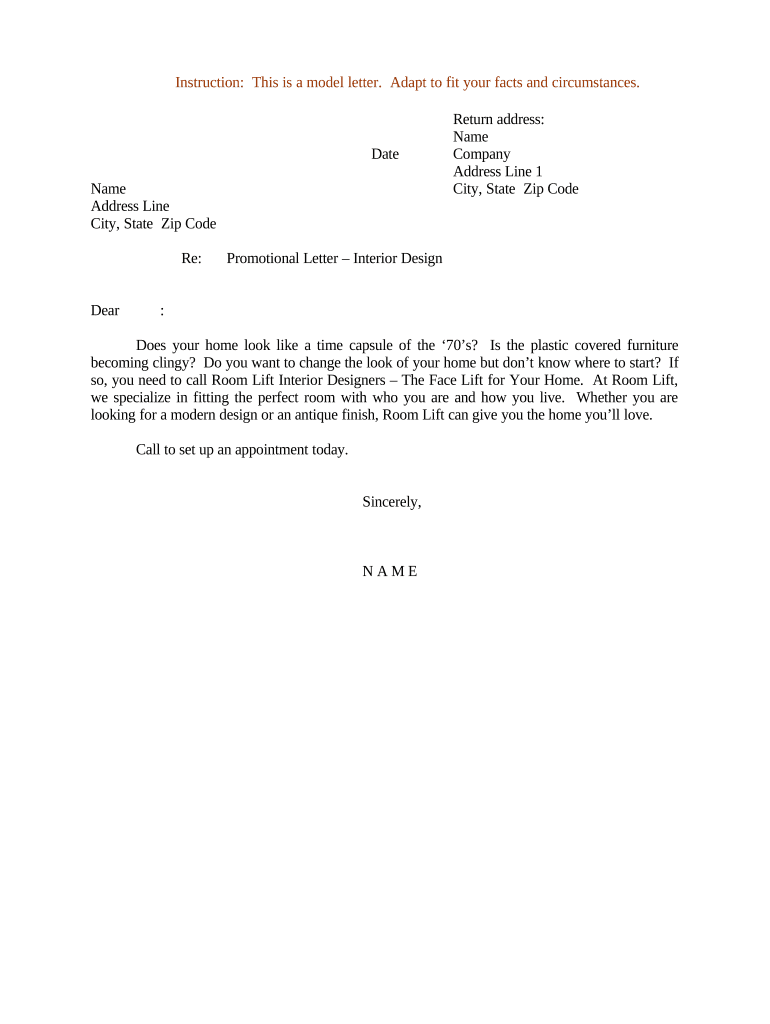
A Promotional Letter for Interior Design is a concise, written message used by interior designers and studios to introduce services, describe a proposed concept, and invite a prospective client to discuss a project. It typically outlines scope highlights, estimated timing, unique design approaches, and a clear contact point. The letter can be delivered as a PDF, editable Word document, or HTML email and is often paired with a proposal or portfolio link to illustrate previous work and set client expectations.

Why a Clear Promotional Letter Matters

A well-crafted promotional letter establishes professionalism, sets client expectations, and documents the initial offer and scope. It helps differentiate your services, reduces misunderstandings, and creates a record you can attach to proposals or agreements.

Why a Clear Promotional Letter Matters

Who Typically Sends or Receives This Letter

Typical senders include independent designers, small studios, and in-house design teams preparing outreach to prospects or referral partners.

  • Independent designers reaching homeowners and small commercial clients with custom offerings and local references.
  • Design studios and firms pitching staged projects, renovation concepts, or retainer-based design services.
  • Referral partners such as real estate agents, architects, and contractors sharing introductory materials for mutual clients.

Recipients expect clear contact info, a brief scope description, and an invitation to review a fuller proposal or schedule a consultation.

Step-by-Step: Completing the Promotional Letter

Follow these sequential steps to assemble and deliver a professional promotional letter.

  • 01
    Draft content: Write a focused opening, scope summary, and contact details.
  • 02
    Attach portfolio: Add 2–4 representative photos or a link to an online portfolio.
  • 03
    Confirm details: Verify recipient name, address, and project location.
  • 04
    Send and track: Deliver via PDF or eSignature platform and keep a copy.

Core Elements to Include in a Professional Promotional Letter

A concise, well-structured letter combines persuasive clarity with practical details so recipients can quickly assess fit and next steps.

Opening statement

A one- to two-sentence introduction that explains who you are, your design focus, and why you’re contacting this recipient—set context without overselling.
Project snapshot

A brief description of the project type (residential, hospitality, retail), major goals, and any distinguishing constraints such as historic preservation or commercial regulations.

Deliverables list

Clear bullets listing what you will provide (schematics, materials board, procurement, installation oversight) to reduce scope ambiguity in later contracting.

Estimated timing

Provide a realistic timeframe or phases that aligns with site access, material lead times, and client availability to avoid scheduling disputes.

Budget or fees

If including price ranges, state whether figures are estimates and subject to detailed proposal; clarify payment milestones and retainer requirements.

Next steps

Specify actions for the recipient (schedule a call, accept proposal, review portfolio) and provide direct contact information for follow-up.

Essential Information and Fields to Capture

Client Name: Full legal name
Project Location: Street, city, state
Scope Summary: Key deliverables
Timeline: Start and end dates
Fee Estimate: Range or fixed fee
Signature: Signer name and date

Where to Send or File the Completed Letter

Decide how the recipient should receive and where you will store the final, executed copy before sending.

  • Email delivery: Send PDF with read receipt enabled.
  • eSignature platform: Use secure eSign for signatures and audit trail.
  • Printed copy: Deliver when original signature or notarization required.
  • Internal records: Store executed copy in project folder or CMS.

Preparing the Letter for Digital Completion

Select a file format and signing method that preserves layout and creates an audit trail for the signed document.

  • File formats: PDF or DOCX preferred
  • Authentication: Email or SMS code options
  • Integrations: CRM and cloud storage support

How to Customize and Complete the Letter Online

Configure a reusable workflow so each outreach remains consistent and easy to send from your tools.

Field Configuration
Sender details Pre-fill business name and signature
Recipient block Merge client name and address
Portfolio link Add editable link placeholder
Approval step Assign approver before sending

Comparing eSignature Options for Delivering This Letter

Common eSignature vendors differ on pricing, envelope caps, and enterprise features; signNow is listed first for direct comparison against other market options.

signNow DocuSign Adobe Sign PandaDoc HelloSign
Starting Price $8/user/mo $15/user/mo $14/user/mo $19/user/mo $15/user/mo
Free Trial 7-day free trial Varies by plan Varies by plan Varies by plan Varies by plan
Bulk Send Yes (Premium tier) Varies by plan Varies by plan Varies by plan Varies by plan
Audit Trail Yes Yes Yes Yes Yes
HIPAA Compliant Yes (BAA available) Varies by plan Varies by plan Varies by plan Varies by plan
Envelope Cap No cap 100 envelopes/user/year Varies by plan Varies by plan Varies by plan

Common Mistakes to Avoid

  • Using vague scope language that later leads to disputes over included services or hours.
  • Failing to verify recipient name and mailing address, delaying contract execution or permitting issues.
  • Sending unbranded or inconsistent portfolio materials that reduce perceived professionalism and trust.
  • Overstating timelines or costs without contingency language, causing client dissatisfaction when estimates change.

Legal and Business Risks to Watch

Misleading claims: May trigger false advertising liability
Copyright misuse: Unauthorized images can create infringement exposure
Privacy breach: Improper data handling risks regulatory issues
Contract ambiguity: Leads to billing or performance disputes
Improper signing: Invalid signatures can affect enforceability
Spam compliance: Unsolicited commercial messages risk CAN-SPAM issues

Real-World Examples and How Firms Use Promotional Letters

These short examples show practical use cases where a promotional letter opened conversations and led to signed engagements.

Optica Ventures / Brian Fitzgibbons

An independent design lead sent targeted letters to property managers to introduce staging services.

  • The letter focused on quick turn staging offers.
  • The firm noted the simple, clear outreach increased response rates and made follow-up proposal delivery easier while keeping records attached to subsequent agreements.

Martin Properties / Tim Martin

A small studio included a promotional letter with portfolio images when pitching a renovation.

  • The letter summarized expected deliverables and timing.
  • The studio reported that paired letters and portfolios helped set expectations, reduced revision rounds, and accelerated acceptance of formal proposals.

Practical Tips for Accurate, Efficient Letters

Follow these practices to ensure clarity, professionalism, and higher conversion from outreach to signed work.

Be concise and specific
Keep the opening to two short paragraphs, use bullet points for deliverables, and avoid industry jargon. Specificity about deliverables and timelines reduces follow-up questions and speeds proposal acceptance.
Attach visuals selectively
Include 2–4 high-quality images or a one-page portfolio PDF demonstrating similar projects. Visuals should illustrate design intent and support the claims made in the letter without overwhelming the message.
Use standardized templates
Maintain a reusable template with merge fields for client name, project address, and timeline to reduce errors and speed personalization while keeping brand consistency across outreach.
Record delivery and consent
For electronic sends, preserve delivery receipts, read confirmations, and any eSignature audit trails to document client receipt and acceptance if disputes later arise.

Who Typically Signs the Promotional Letter

Lead Designer

The studio lead or principal designer signs when the letter represents the design approach and intent; signature confirms authorship of the concept and responsibility for deliverables.

Client / Owner

Client signature or written acceptance may appear on a returned copy to indicate agreement to discuss a formal proposal or to acknowledge receipt, forming a record of initial consent.

FAQs: Common Questions About the Promotional Letter for Interior Design

Answers to frequent questions about drafting, delivering, and validating promotional letters and the use of electronic signatures.


Need help? Contact support

be ready to get more
Join over 28 million airSlate SignNow users