Establishing secure connection…Loading editor…Preparing document…

Lien Release

This template is fully customizable. Edit the text, fill out the fields, and send it for signature. Give it a try!
Lien Release

What a Lien Release Is and when it’s needed

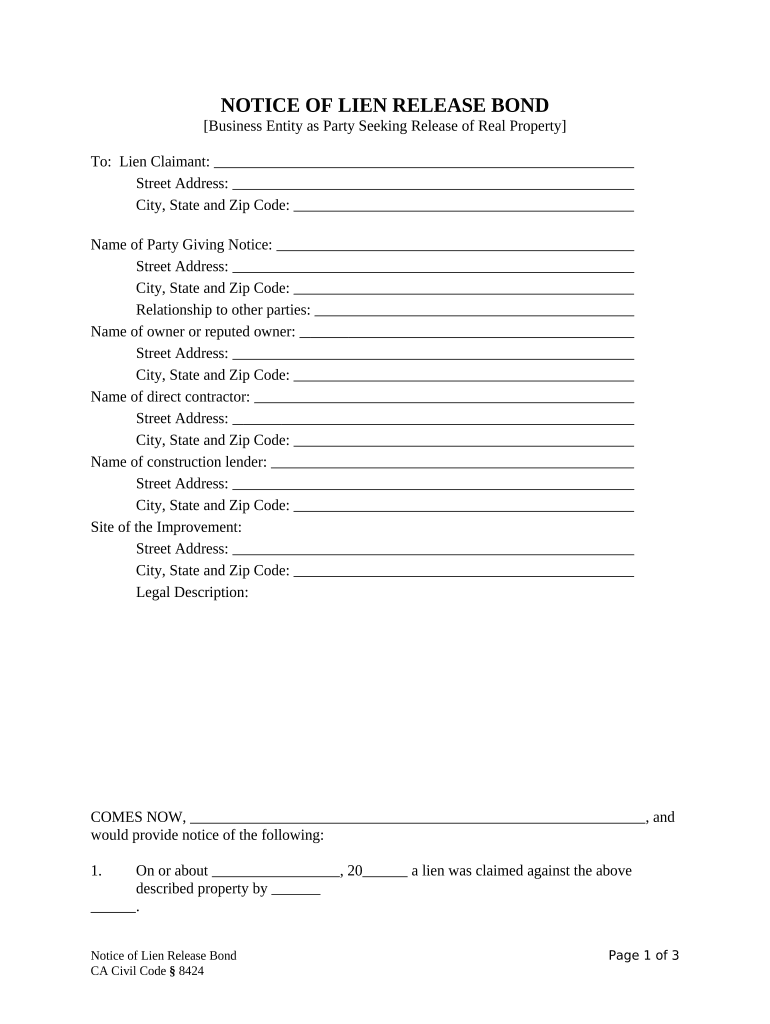
The Lien Release is a legally binding document that removes or limits a previously recorded lien against property, vehicle, or other collateral after the underlying obligation has been satisfied. It typically identifies the original lienholder, the secured debt or obligation, the property description, and a clear statement that the lien is released or subordinated. Parties use a Lien Release to clear title, permit sale or refinancing, and confirm that creditors no longer hold encumbrances. Proper execution and recording, where required by state law, are essential to restore marketable title and prevent future disputes.

Why a properly drafted Lien Release matters

The Lien Release documents that a lienholder has satisfied or relinquished an interest, enabling clear title transfer, refinancing, or property sale. It reduces legal risk, shortens closing timelines, and provides written proof of lien termination for lenders, buyers, and public records.

Why a properly drafted Lien Release matters

Typical parties involved with Lien Releases

Common signatories and stakeholders who prepare, approve, or rely on Lien Releases include these typical professionals and parties.

  • General contractors and subcontractors who release mechanic's liens after payment or negotiated settlement.
  • Lenders and mortgage companies issuing reconveyances or lien releases upon loan payoff.
  • Property buyers, title companies, and escrow agents verifying clear title for transfer or recording.

Core elements every Lien Release should include

Essential parts of a complete Lien Release document and how each element protects parties, confirms satisfaction, and supports reliable public recordation.

Parties

Identify the lienholder, debtor, and any assignees by full legal name and contact details; precise party identification avoids disputes and ensures the release applies to the intended encumbrance.
Property

Describe the collateral precisely—street address, legal description, VIN or parcel number where applicable; inaccurate descriptions can prevent acceptance by the recorder or fail to clear title in downstream transactions.

Debt Details

Specify the secured obligation, original debt amount, account or loan number, and payoff date; linking the release to a particular obligation prevents ambiguity about which lien is released.

Release Language

A clear declaratory clause stating 'lien is released' or 'satisfaction acknowledged' with scope (full release, partial release, subordination) to prevent interpretive disputes.

Execution

Signatures, printed names, titles, and dates for authorized signers; include corporate acknowledgments, officer attestations, and board resolutions when a business entity properly executes the release.

Notary/Recording

Notary acknowledgement, witness lines, and recorder's filing block as required by state law; recordation instructions and county clerk details help ensure correct submission.

Step-by-step: preparing, signing, and recording a Lien Release

A concise step-by-step checklist for preparing, signing, and recording a Lien Release to clear title efficiently.

  • 01
    Prepare Document: Gather lien instrument, payoff evidence, and parties' details.
  • 02
    Verify Authority: Confirm signatory can legally release lien.
  • 03
    Notarize if required: Complete notary block and witness lines.
  • 04
    Record/Distribute: File with county recorder and share copies.

Where to file and who receives the recorded release

Where to send, file, and record the executed Lien Release to ensure public notice and clear title for future transactions.

  • County Recorder: Submit original to county recorder in property county.
  • Secretary of State: Required for some UCC lien terminations (personal property).
  • Title Company: Provide release to title insurer for clearing exceptions.
  • Loan Servicer: Send copy to lender or loan servicer for account records.

Setting up an online Lien Release workflow

Configuring an online Lien Release workflow to collect signatures, support remote notarization where available, and enable automated distribution.

Field Configuration
Signer Authentication Email link with optional SMS or KBA
Notary Support Integrate RON vendor or require in-person notarization
Document Templates Pre-fill party and property fields to reduce errors
Notifications & Copies Auto-send executed PDF to parties and title company

Platform capabilities to support eSigning and recording workflows

Technical integrations and minimum platform features required to collect signatures, enable remote notarization, and route recorded releases to stakeholders.

  • File Formats: PDF, DOCX, or image
  • Integrations: Salesforce, NetSuite, Procore, Google Workspace
  • Security: AES-256 at rest; TLS 1.2/1.3

Risks and consequences of faulty Lien Releases

Recording Rejection: Incorrect form or missing notary.
Title Clouded: Unreleased lien remains on title.
Tax/Payment Disputes: Creditor claim may persist.
Civil Liability: Wrongful release can cause lawsuits.
Delays in Closing: Buy/sale postponed.
Recordkeeping Violations: Noncompliance with retention rules.

Common drafting and submission mistakes to avoid

  • Using informal or abbreviated party names that do not match the recorded lien instrument, causing recorder rejection or title insurer exceptions.
  • Failing to include the exact legal description, parcel ID, or VIN from the original lien, which can leave an encumbrance uncleared.
  • Omitting notary acknowledgement or required witness attestations where state law mandates them, resulting in non-recordable release.
  • Submitting only email copies or unsigned PDFs without authenticated e-signature or RON where required for recordation.

Timing and deadlines to watch when issuing a Lien Release

Key timing considerations for executing, recording, and distributing a Lien Release to avoid delays or penalties.

Payoff Date Documentation:

Attach proof of payment or satisfaction statement at signing.

Recording Window:

Record promptly to reflect cleared title in public records.

Tax Reporting Impact:

Confirm any tax liens or judgments remain unaffected.

Statute of Limitations:

Effective date may affect limitation and notice periods.

Distribution Timeline:

Provide copies to lender, title insurer, and buyer after recording.

Who may sign a Lien Release and what proof is needed

Authorized Officer

Company officer, corporate secretary, or authorized agent who can execute releases on behalf of a business. Provide attaching corporate resolution, proof of authority, and an officer's printed name and title to satisfy recorder and title insurer requirements.

Individual Debtor

The individual identified on the lien instrument who paid the secured obligation or reached settlement. The signer should match the recorded name and provide identification; power of attorney must be documented if signing for another person.

Examples showing how Lien Releases resolve title issues

Real-world examples showing how Lien Releases resolve title issues and support transactions across industries and cases.

Construction Project

A subcontractor received payment and needed to release a mechanic's lien to allow final owner payment and project closeout.

  • Conditional waiver issued after verified payment.
  • Recording the Lien Release with county records cleared the title defect, satisfied the owner's title company, and enabled the general contractor to receive final funds without further delay or litigation risk.

Refinance Closing

A homeowner paid off a line of credit and needed a mortgage lien release to complete refinancing.

  • Lender provided release upon payoff confirmation.
  • The borrower recorded the release with the county recorder and delivered certified copies to the new lender and title company, preventing holdbacks during closing and ensuring clear title for the refinance.

Practical best practices for accurate Lien Releases

Practical tips to prepare and record Lien Releases accurately and avoid title defects or closing delays.

Match original recorded instrument details
Copy names, legal descriptions, and filing references exactly from the recorded lien or mortgage instrument; minor inconsistencies often trigger county clerk rejection or title exceptions, requiring additional steps and costs to correct the record.
Obtain and attach payoff or satisfaction evidence
Include lender payoff statements, release of debt letters, canceled checks, or trustee certificates where applicable; supporting evidence speeds recorder acceptance and helps title companies remove exceptions during underwriting, reducing closing delays and legal exposure.
Confirm signer authority and documentation
For corporate or trustee lienholders, attach corporate resolutions, secretary certificates, or POAs demonstrating authority to sign; county recorders and title insurers may reject releases lacking proof of corporate authorization, causing reopening of title issues.
Record promptly and distribute certified copies
Record the original release in the appropriate county promptly after execution; obtain certified copies for the buyer, lender, and title insurer to ensure downstream parties rely on the recorded release and prevent redundant disputes.

Sample eSignature plan features and starting prices relevant to Lien Releases

Comparing typical eSignature plan features and starting prices relevant to executing and managing Lien Releases across platforms.

signNow DocuSign Adobe Sign PandaDoc HelloSign
Starting Price $8/user/mo $15/user/mo $14/user/mo $19/user/mo $15/user/mo
Free Trial 7-day trial Varies by promotion Varies by promotion Varies by plan Varies
Bulk Send Yes Yes Yes Yes No
Audit Trail Yes Yes Yes Yes Yes
HIPAA Compliant Yes Yes Yes No No
Envelope Cap No cap 100 envelopes/user/year Varies by plan Varies by plan Varies by plan

Frequently asked questions about Lien Releases

Answers to common questions about preparing, signing, recording, and correcting Lien Releases in the U.S. legal context.


Need help? Contact support

be ready to get more
Join over 28 million airSlate SignNow users