Establishing secure connection…Loading editor…Preparing document…

Demand for Indemnity from Limited Liability Company

This template is fully customizable. Edit the text, fill out the fields, and send it for signature. Give it a try!
Demand for Indemnity from Limited Liability Company

What a Demand for Indemnity from Limited Liability Company Is

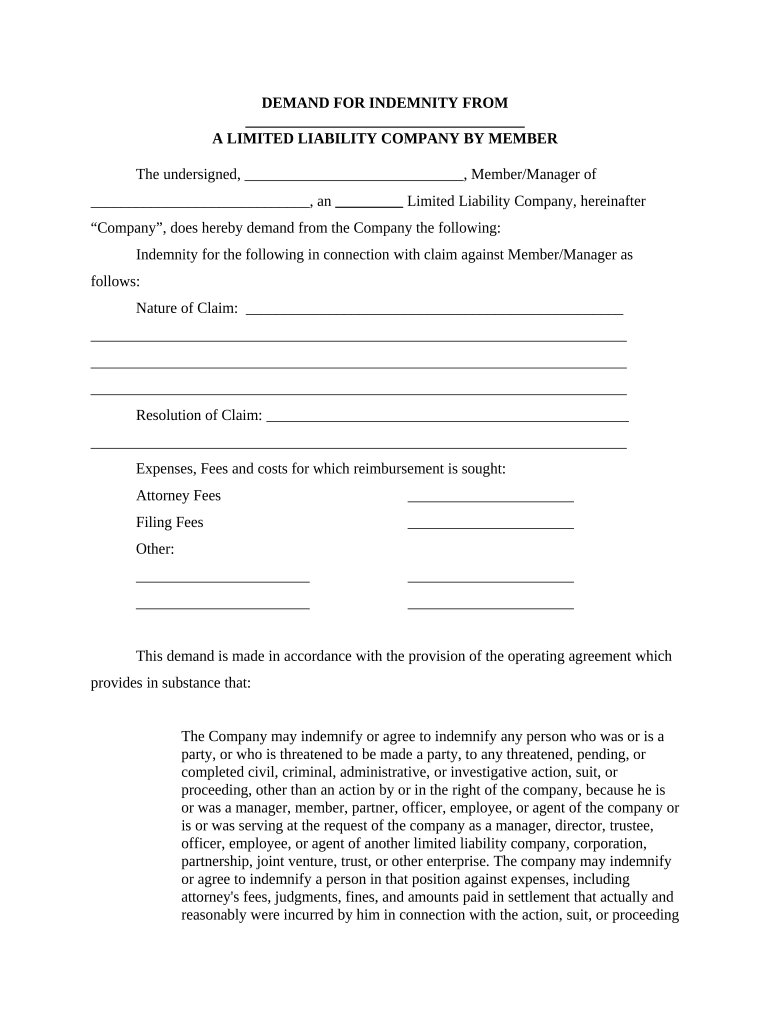
A Demand for Indemnity from Limited Liability Company is a formal written request by a party seeking reimbursement, defense, or hold-harmless protection from an LLC that has contractual or statutory indemnity obligations. Commonly used after third-party claims, settlements, or costs incurred enforcing rights, the demand identifies the underlying claim, summarizes losses or fees, cites the indemnity clause or statutory basis, and requests specified remedies and documentation. It serves as a precursor to litigation or arbitration by creating a clear record of notice and a documented timeline for the LLC to accept, dispute, or negotiate indemnity obligations.

Why a Clear Demand Matters

A well-drafted demand preserves legal rights, triggers contractual notice provisions, and documents damages and costs clearly to reduce disputes and speed resolution.

Why a Clear Demand Matters

Who Typically Prepares or Receives This Demand

Typical parties include claimants seeking reimbursement and LLC representatives responding under operating agreements or indemnity statutes.

  • Individual Claimants seeking recovery of legal fees, settlement amounts, or costs incurred defending against third-party claims under a contract with the LLC.
  • Insured Parties or subcontractors requesting contractual indemnity from an LLC that agreed to defend and indemnify in the governing agreement.
  • Company Representatives or in-house counsel asked to submit or respond to the demand on behalf of the LLC or claimant.

Who Can Sign and Represent Parties

Managing Member

A managing member or manager of the LLC can sign on behalf of the company when authorized by the operating agreement. Ensure the signer’s title is current and that corporate records reflect authority to bind the LLC in indemnity matters.

Authorized Representative

An attorney-in-fact or corporate officer with written authorization may sign the demand or the LLC’s response. Attach a power of attorney or board resolution when authority is not obvious from public filings.

Essential Data Elements to Include

Claimant Name: Full legal name
LLC Name: Exact entity name
Contract Reference: Agreement date
Loss Amount: Itemized total
Demand Date: MM/DD/YYYY
Requested Remedy: Indemnify/defend/pay

Consequences of an Incorrect or Incomplete Demand

Waived Rights: Missed notice deadlines
Denied Coverage: Insurer refusal to defend
Statute Limits: Time-barred claims
Increased Costs: Unreimbursed attorney fees
Litigation Risk: Early court disputes
Enforceability Issues: Authority not proven

Common Preparation Pitfalls to Avoid

  • Failing to cite the exact indemnity clause or contract provision leaves the request vague and invites dispute over scope.
  • Using informal language or unclear itemization of costs makes later proof of damages difficult and may delay payment.
  • Sending the demand to an incorrect or unauthorized signatory can invalidate notice and require re-delivery under contract terms.
  • Neglecting to preserve supporting documents (invoices, legal invoices, settlement agreements) undermines the claimant’s position.

Step-by-step: How to Prepare and Serve a Demand

Follow a structured sequence to preserve rights and create an auditable record when issuing a demand for indemnity.

  • 01
    Identify Basis: Locate the indemnity clause and governing agreement.
  • 02
    Gather Evidence: Compile invoices, pleadings, settlements.
  • 03
    Calculate Losses: Itemize fees, costs, and damages.
  • 04
    Serve Notice: Deliver to authorized contact per agreement.

Typical Workflow from Demand to Resolution

Track these core actions from issuance through response and potential dispute resolution.

  • Draft Demand: Prepare facts, clause citation, and itemized costs.
  • Deliver Notice: Send via contract-specified method with proof.
  • LLC Response: Accept, dispute, or request negotiation.
  • Resolve or Escalate: Settle, mediate, or file suit/arbitrate.

Primary Sections a Professional Demand Should Contain

A professional demand is organized, factual, and cites contractual authority; include specific sections to streamline review and reduce pushback.

Cover/Heading

Clear title, date, and recipient details, including the LLC’s exact legal name and a reference to the governing contract and clause number.
Statement of Facts

Concise chronology of events giving rise to the indemnity claim, including dates of the incident, notice to third parties, and any previously related communications.

Contract Citation

Exact citation to the indemnity clause, relevant sections of the operating agreement, and any insurance or third-party contract that triggers indemnity.

Itemized Damages

Line-item amounts for defense costs, settlements, judgments, and other recoverable losses with supporting attachments such as invoices and fee statements.

Demand and Deadline

A clear statement of requested relief (payment, defense, indemnification) and a reasonable response deadline tied to the contract notice period.

Reservation and Remedies

Reservation of rights language and notice that failure to honor the demand may result in legal or equitable relief, fees, and interest.

Setting Up an Electronic Workflow for the Demand

Configure your e-delivery workflow to capture consent, identity, and an auditable trail when using an eSignature platform.

Field Configuration
Signer Authentication Email link + SMS code or stronger
Audit Trail Enable IP, timestamp, and action log
Attachment Handling Require invoices as mandatory attachments
Storage Location Save final PDF to secure repository

Technical Requirements for Digital Delivery and eSigning

Use a platform that records signer identity, timestamps, and an immutable audit trail for legal defensibility.

  • File Formats: PDF and DOCX supported
  • Integrations: Connects to document storage
  • Authentication: Email/SMS or advanced options

Timing Considerations and Typical Deadlines

Observe contract notice periods and statutory deadlines; late or improper notice can bar recovery.

Contract Notice Window:

Follow the agreement’s stated days for written notice

Response Deadline:

Set a reasonable response date aligned with contract terms

Statute of Limitations:

Varies by claim type and state

Preservation Period:

Preserve documents upon notice of claim

Escalation Timing:

Allow time for negotiation before litigation

Key Milestones from Demand to Dispute Resolution

Use a milestone timeline to monitor deadlines and required actions after serving the demand.

01

Prepare Demand

Draft with clause citation and attachments

02

Serve Demand

Deliver per contract and retain proof

03

LLC Response

Accept, reject, or request clarification

04

Next Steps

Negotiate, mediate, or file suit

eSignature Pricing Snapshot for Document Delivery and Signing

Compare representative starting prices and basic feature availability for common eSignature providers; confirm plan details with each vendor before purchasing.

signNow DocuSign Adobe Sign PandaDoc HelloSign
Starting Price $8/user/mo $15/user/mo $14/user/mo $19/user/mo $15/user/mo
Free Trial 7-day trial Varies by plan Varies by plan Varies by plan Varies by plan
Bulk Send Available on paid tiers Available Available Available Available
Audit Trail Yes Yes Yes Yes Yes
Envelope Cap No cap 100 envelopes/user/year Varies Varies Varies

Illustrative Use Cases

These short examples show how demands are used in different factual settings and the practical documentary support involved.

Contractor Indemnity

A subcontractor seeks reimbursement for defense costs after a third-party claim

  • The indemnity clause required defense and indemnity
  • The claimant attached invoices, notice emails, and a settlement demand; the clear record led to negotiation and partial reimbursement without litigation.

Vendor Liability

A vendor demands indemnity after product-related customer claims

  • The demand cited warranty and indemnity sections
  • Detailed testing reports, warranty records, and a settlement invoice supported the claim and prompted insurer involvement to resolve the matter.

Frequently Asked Questions About Indemnity Demands

Answers to common questions on enforceability, signatures, timing, and electronic delivery to help avoid procedural errors.


Need help? Contact support

be ready to get more
Join over 28 million airSlate SignNow users