Establishing secure connection…Loading editor…Preparing document…

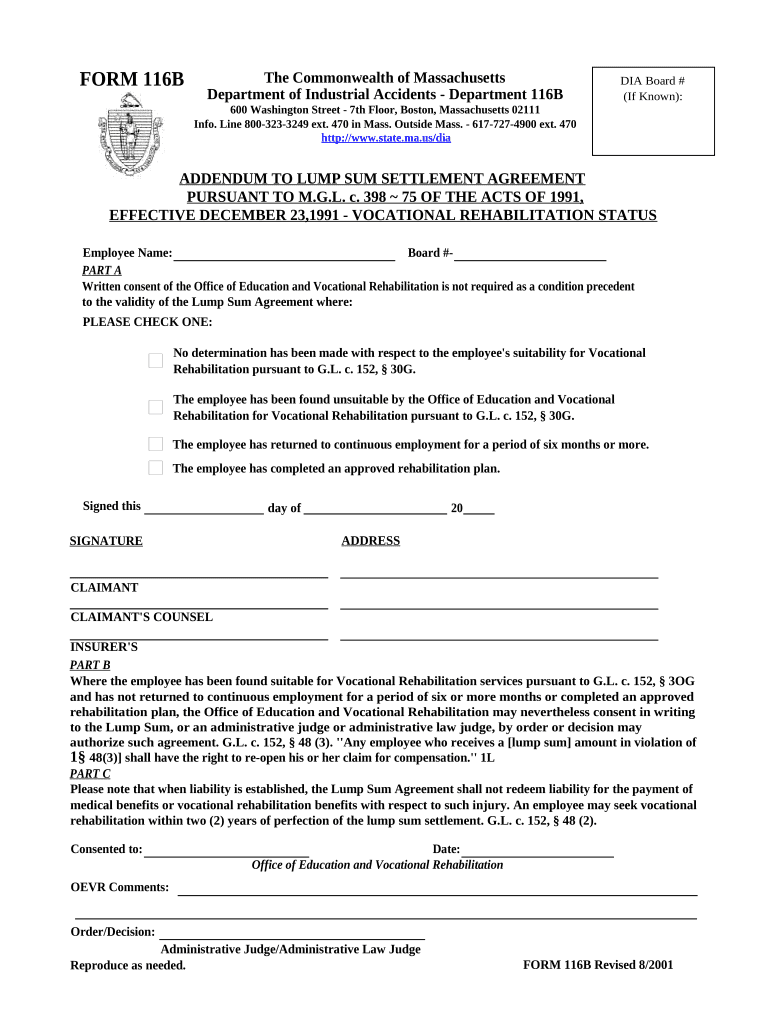
Lump Sum Agreement

This template is fully customizable. Edit the text, fill out the fields, and send it for signature. Give it a try!
Lump Sum Agreement

What a Lump Sum Agreement Is and when it’s used

A Lump Sum Agreement is a fixed-price contract under which one party agrees to complete specified work or deliver specified goods for a single, agreed-upon price. Common in construction, settlements, and project-based services, the document sets the payment amount, scope of work, schedule, and conditions for acceptance, change orders, and final payment. It allocates risk between the parties by defining allowances, exclusions, milestones, warranties, and remedies for breach, and it often links to lien waiver and tax reporting obligations.

Why a clear Lump Sum Agreement matters

A well-drafted Lump Sum Agreement reduces payment disputes, limits scope creep, and creates enforceable obligations. For electronic execution, the ESIGN Act (15 U.S.C. ch. 96) and UETA (Uniform Electronic Transactions Act) support enforceability of electronic signatures where state law permits.

Why a clear Lump Sum Agreement matters

Typical parties who use Lump Sum Agreements

Organizations and individuals use lump sum contracts when a single fixed price simplifies billing and risk allocation.

  • General contractors and subcontractors that need a fixed payment scope and schedule for bids and site work.
  • Property owners and developers seeking predictable total cost with defined deliverables and completion dates.
  • Attorneys and claims administrators using lump sum settlements to resolve liability with a single payment.

The document is versatile across project delivery, settlement, and procurement scenarios; adapt terms to industry and jurisdictional requirements.

Essential sections to include in a professional Lump Sum Agreement

Include clear, unambiguous sections so the parties and any third party (lenders, insurers, courts) can interpret obligations and remedies without dispute.

Parties

Full legal names and entity types for each party, including contact and registered agent details where applicable, to ensure enforceability and correct tax reporting.
Scope of Work

Detailed description of tasks, deliverables, specifications, and accepted materials. Attach drawings or exhibits and define standards of performance and inspection criteria.

Price and Payment

State the lump-sum amount, payment schedule, milestones, retainage (if any), and method of payment. Clarify what is included and excluded from the lump sum.

Change Orders

Process for requested changes, pricing adjustments, approvals, and effect on schedule. Make change orders written and signed to avoid scope disputes.

Warranties & Liens

Warranties for workmanship and materials, lien waiver and release language, and confirmation of compliance with lien laws and lien waiver timing.

Termination & Remedies

Conditions for termination for cause or convenience, liquidated damages or penalties, dispute resolution method, and governing law designation.

Required information and critical fields

Effective Date: MM/DD/YYYY format
Full Legal Names: As on government ID
Lump Sum Amount: Exact dollars and cents
Payment Schedule: Milestone dates and amounts
Scope Identifier: Reference to exhibits
Signature Blocks: Printed name, title, date

Step-by-step: Complete a Lump Sum Agreement

Follow a consistent sequence to prepare, review, approve, and execute the agreement to reduce back-and-forth and ensure enforceability.

  • 01
    Draft: Assemble parties, scope, payment, and exhibits in a single document.
  • 02
    Review: Legal and financial review for tax and lien risks.
  • 03
    Authorize: Obtain internal approvals and signatory authority confirmations.
  • 04
    Execute: Sign electronically or in wet-ink; record audit trail.

Where to send and how the executed agreement flows

Define distribution and filing steps so each stakeholder knows when they receive the signed agreement and any required supporting records.

  • Primary Parties: Each party retains an executed copy for records and tax files.
  • Accounting: Send to accounts payable/receivable for invoicing and payment scheduling.
  • File/Recording: If the agreement creates recorded interests, submit original to county recorder or registrar.
  • Legal: Legal team keeps master copy and change order history.

How to configure an online signing workflow

Set up field types, authentication, and notifications to match the parties' risk profile and compliance needs.

Field Configuration
Authentication Method Email link, SMS code, or KBA depending on risk
Field Types Signature, initials, date, checkbox, conditional fields
Conditional Logic Show fields only when prior answers require them
Notifications Email reminders, expiration warnings, completion receipts

Technical considerations for eSigning and storage

Match platform features to the agreement’s security, audit, and integration needs before eSubmission.

  • Integrations: CRM, ERP, and cloud storage connectors
  • Security: Encryption in transit and at rest
  • Audit Trail: IP, timestamp, and action logs

Ensure the chosen solution supports required compliance frameworks and retention policies for the document lifecycle.

Common eSignature vendor comparison for executing Lump Sum Agreements

Select an eSignature provider based on price, compliance needs, bulk send, and whether a HIPAA-ready BAA or advanced integrations are required.

signNow DocuSign Adobe Sign PandaDoc HelloSign
Starting Price $8/user/mo $15/user/mo $14/user/mo $19/user/mo $15/user/mo
Free Trial 7-day trial Varies by plan Varies by plan Varies by plan Varies by plan
Bulk Send Yes Yes Yes Yes No
Audit Trail Yes Yes Yes Yes Yes
HIPAA Compliant Yes Yes Yes No No

Key penalties and legal risks to watch for

1099/Tax Penalties: IRC §6721 penalties
Backup Withholding: 24% withholding risk
Lien Exposure: Unpaid subcontractor liens possible
Contract Voidance: Ambiguous scope may void terms
Late Payment: Interest or liquidated damages
I-9 Violations: Recordkeeping fines possible

Common mistakes when preparing a Lump Sum Agreement

  • Vague scope descriptions that leave critical tasks unspecified and create disputes over what the lump-sum covers and what constitutes extra work.
  • Incorrect party names or titles, which complicate enforceability, create tax-reporting errors, and may require corrective amendments to fix.
  • Missing or inconsistent payment milestone dates and conditions precedent, causing delayed releases, disputes, and potential breach claims.
  • Failure to require written, signed change orders; verbal changes often lead to claims for additional compensation or time extensions.

Practical drafting tips to reduce disputes and delays

Apply clear drafting and administrative controls to avoid ambiguity, speed approvals, and protect both parties’ interests.

Define scope with exhibits
Attach detailed specifications, drawings, and acceptance criteria as exhibits. Use measurable standards and inspection checkpoints so deliverables are objectively verifiable and disputes over workmanship are minimized.
Make payment conditions explicit
Link payments to completed milestones and required deliverables. Specify required documentation for each payment (invoices, lien waivers, inspection sign-offs) to reduce payment delays and disputes.
Use written change order process
Require all scope changes to be captured in signed change orders that set pricing and schedule impact. This prevents informal changes from eroding the lump sum and clarifies adjustment mechanics.
Preserve audit and retention rules
Keep an auditable executed copy, version history, and attachments. Ensure retention schedules meet IRS, HIPAA, and contract-specific recordkeeping requirements to avoid regulatory risk.

Real-world examples of online execution for fixed-price contracts

These examples show how organizations used electronic workflows to sign and manage fixed-price agreements while keeping compliance and auditability in focus.

Tim Martin — Martin Properties

Tim Martin used online signing to process property contracts remotely with consistent compliance.

  • Signatures completed from mobile and offline modes enabled timely execution.
  • "I can process and execute all of these documents online with 100% compliance and built-in security. Whether on mobile or working offline, I can get forms back to their necessary parties efficiently."

Dan Rotelli — BIS

BIS focused on compliance for enterprise agreements with strong audit trails.

  • SOC 2 and ESIGN/UETA alignment reassured their legal team.
  • "We felt most comfortable with airSlate SignNow given their SOC 2 certification and strict focus on ESIGN and UETA act compliance."

Key dates and deadlines to track in a Lump Sum Agreement

Track dates that trigger payments, reporting, and legal deadlines to avoid penalties and manage cash flow.

Effective Date:

Start date of obligations and timeline reference for performance

Payment Due Dates:

Milestone payment dates tied to inspections and deliverables

Final Acceptance:

Date when owner formally accepts completion and final payment is due

Tax Reporting:

Provide W-9 upon request; issue 1099-NEC by Jan 31 when applicable

Record Retention:

Preserve executed documents per retention policy and legal requirements

Frequently asked questions about Lump Sum Agreements

Answers to common questions about enforceability, signatures, notarization, and post-execution steps for Lump Sum Agreements.


Need help? Contact support

be ready to get more
Join over 28 million airSlate SignNow users