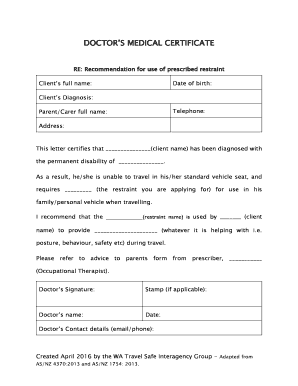
Medical Certificate for Travelling Abroad
What a Medical Certificate for Travelling Abroad Is
Why this Certificate Matters for International Travel
A clear medical certificate documents fitness to fly, supports visa and airline requirements, clarifies needed in‑flight or destination accommodations, and reduces screening delays; using a secure, standards-compliant eSignature workflow can simplify distribution and verification without compromising privacy.
Typical Users and Parties Involved
The certificate is used by travelers, clinicians, employers, schools, and travel insurers when proof of medical fitness or special handling is required.
- International travelers requesting airline clearance or consular support for visas and entry
- Clinicians and travel medicine clinics issuing fitness-to-travel documentation and required test/vaccination records
- Employers, schools, or insurers confirming fitness for travel, accommodations, or policy coverage
Who Can Sign and Why Their Role Matters
Treating Physician
An attending physician or licensed clinician with direct access to the patient’s records should prepare the certificate. Their authoritative assessment and inclusion of license number and contact details allow downstream verifiers to confirm credentials and clinical context.
Travel Clinic Clinician
Clinicians at specialized travel or occupational clinics often use standardized templates and know destination-specific requirements. Their experience with visa and airline rules helps ensure the certificate includes the specific tests, vaccinations, or wording required by receiving authorities.
Step-by-Step: Completing the Certificate
-
01Gather Records: Collect vaccination records, recent clinical notes, and travel itinerary for context.
-
02Clinical Assessment: Confirm current health status, contagion risk, and any mobility or oxygen needs.
-
03Prepare Certificate: Enter required fields, include clinician credentials, and set an accurate effective date.
-
04Deliver Securely: Send via secure email or an eSignature platform and retain proof of delivery.
Configuring an Online Certificate Workflow
| Field | Configuration |
|---|---|
| Authentication Method | Use email + SMS code for recipient identity confirmation |
| Document Template | Lock required fields to avoid accidental edits |
| Signer Sequence | Clinician signs first; patient acknowledgement optional |
| Storage | Retain signed PDF with audit trail in encrypted repository |
Where to Send the Certificate and Typical Routing
-
Airline: Provide to the carrier’s medical desk or web portal per airline instructions.
-
Embassy / Consulate: Submit with visa applications if the destination requires a health clearance.
-
Travel Insurance: Send to insurer to confirm coverage for pre-existing conditions or evacuation needs.
-
Personal Records: Keep a signed copy with the traveler and a secure clinic copy for audits.
Digital Delivery: Platform and Format Considerations
Use file formats and integrations that preserve signatures and offer secure audit trails without exposing protected health information.
- File Formats: PDF, DOCX accepted
- Integrations: Salesforce, Google Workspace, NetSuite
- Security: TLS in transit; AES-256 at rest
Timing: Typical Validity Windows and Provider Timing
Airline Requirements:
Often require a certificate issued within 48–72 hours before departure
Visa or Consulate:
Acceptance windows vary; some accept medicals issued within 7–30 days
Insurance Submission:
Submit as early as possible; insurers may require pre-approval before departure
Clinic Processing:
Allow time for examinations, tests, and signature validation—same-day may not be available
Record Retention:
Retain copies according to applicable HIPAA and tax record rules
Key Milestones from Assessment to Verification
Pre-Travel Assessment
Traveler schedules exam and gathers prior health records
Clinical Examination
Provider evaluates fitness, runs required tests, documents findings
Certificate Issuance
Clinician completes and signs the certificate with full credentials
Submission & Verification
Send to airline/consulate and confirm receipt and acceptance
Common Preparation Errors to Avoid
- Missing or mismatched name details between certificate and passport causing verification delays or refusal
- Omitting clinician license number or clinic contact information, which prevents downstream credential checks
- Using ambiguous language about fitness or contagion risk rather than clear, actionable restrictions and dates
- Failing to verify recipient acceptance of electronic signatures or required notarization prior to submission
Consequences of an Incorrect or Invalid Certificate
Who Typically Signs and Their Authority
Licensed Physician
A licensed physician or equivalent clinician who has examined the patient and reviewed records should sign. The signer’s license number and practice contact enable verifiers to confirm legitimacy, and professional liability considerations make accuracy essential.
Clinic Administrator
Clinic administrators may prepare documents but should not sign clinical determinations. They handle template generation, secure transmission, and retention, ensuring the signed clinician’s record is properly stored and auditable.
Practical Tips for Accurate, Efficient Certificates
Illustrative Use Cases
Case Study 1
Traveler with chronic respiratory disease seeks airline approval for supplemental oxygen
- Clinician documents oxygen requirement and stability
- The signed certificate and supporting test results enable the airline to assess in‑flight safety and arrange equipment or pre‑boarding when accepted.
Case Study 2
Student needs medical clearance for an international study program
- Clinic confirms vaccinations and fitness to travel
- The standardized certificate, issued within the required window, is accepted by the university and visa office, preventing enrollment delays.
eSignature Provider Pricing Snapshot
| signNow | DocuSign | Adobe Sign | PandaDoc | HelloSign | |
|---|---|---|---|---|---|
| Starting Price | $8/user/mo | $15/user/mo | $14/user/mo | $19/user/mo | $15/user/mo |
| Free Trial | 7-day free trial | Varies by vendor | Varies by vendor | Varies by vendor | Varies by vendor |
| Bulk Send | Yes | Yes | Yes | Yes | No |
| Audit Trail | Yes | Yes | Yes | Yes | Yes |
| HIPAA Compliant | Yes | Yes | Yes | No | No |
Frequently Asked Questions
-
Is an electronic medical certificate legally valid?
Yes. In the United States electronic signatures are generally valid under the ESIGN Act (15 U.S.C. ch. 96, 2000) and by state law via UETA in most states. Ensure the signer’s intent and an auditable record are captured to support validity.
-
Will airlines and embassies accept an e-signed certificate?
Acceptance varies. Many carriers and consulates accept e-signed PDFs with a clear audit trail, but some require original ink signatures or notarization. Confirm specific requirements with the receiving authority before travel.
-
How recent must the certificate be to be valid?
Timing depends on the recipient; common windows are 48–72 hours for airlines or up to 7–30 days for consulates. Verify the required issuance window with the verifier to avoid rejection.
-
Can a clinician outside the U.S. sign the certificate?
Foreign clinicians may sign, but receiving authorities can require local validation, translation, or an apostille. Check the destination or visa guidance for acceptable signers and authentication.
-
How should I correct an error after submission?
Issue a corrected certificate with a new date and clear notation of correction. Retain both versions and document the reason for change; confirm acceptance of the corrected version with the recipient.
-
How is patient privacy protected during electronic exchange?
Use platforms that offer TLS in transit and AES-256 at rest, implement minimum necessary disclosure, and execute a BAA with any vendor handling protected health information to meet HIPAA obligations.