Establishing secure connection…Loading editor…Preparing document…

Minnesota Homestead

This template is fully customizable. Edit the text, fill out the fields, and send it for signature. Give it a try!
Minnesota Homestead

What the Minnesota Homestead declaration is

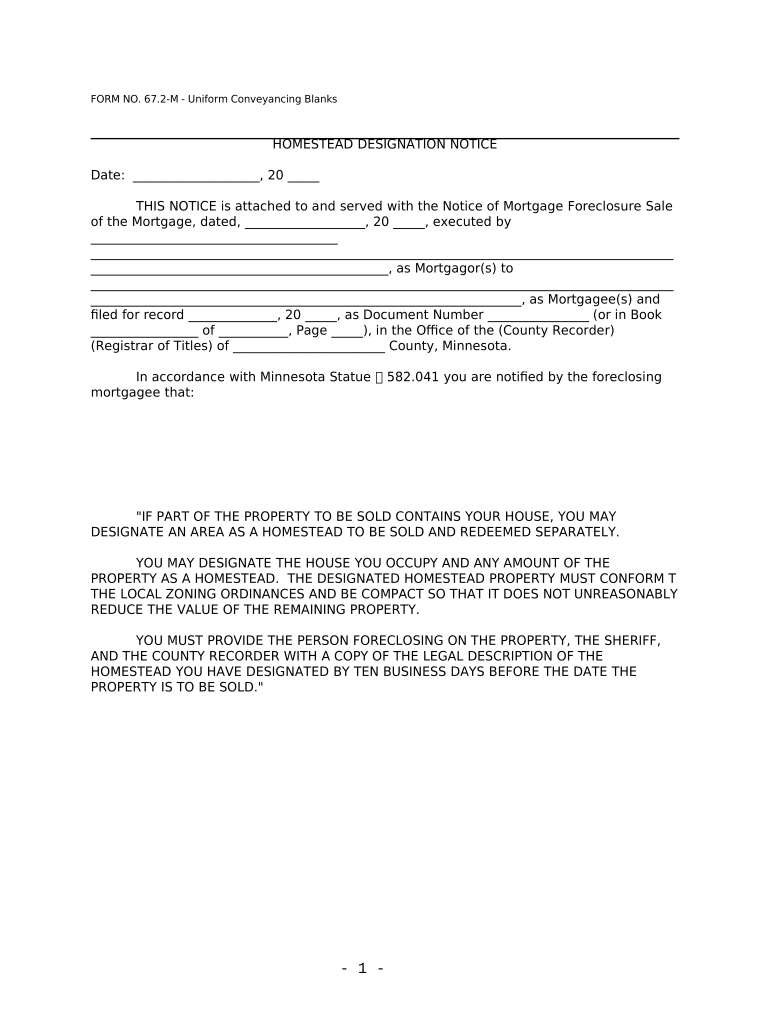
The Minnesota Homestead declaration is a county-level property classification and application that identifies a parcel as a homeowner's primary residence for property tax purposes. Filing the declaration establishes eligibility for homestead-related property tax classifications, possible tax aids, and certain local credits; it also creates a public record linking the owner to the parcel and the declared primary-residence date.

Why the declaration matters for property taxes and records

Designating a property as a Minnesota Homestead may affect local property tax classification, eligibility for targeted credits or deferrals, and the assessor’s valuation process. Accurate filing helps ensure you receive applicable tax treatment and reduces the risk of later adjustment, penalties, or loss of benefits due to incomplete or incorrect information.

Why the declaration matters for property taxes and records

Who completes and reviews a Minnesota Homestead declaration

Multiple parties interact with the form: homeowners submit it, county assessors process it, and related professionals may assist with preparation.

  • Homeowners and co-owners who occupy the property and claim it as their primary residence for the assessment year.
  • County assessors and property tax offices that review, classify, and record homestead status for taxing purposes.
  • Real estate agents, title companies, and tax advisors who prepare or advise clients on filing and supporting documentation.

Each participant has distinct responsibilities: homeowners must supply accurate facts and signatures; assessors apply classification rules and record maintenance.

Core elements of a professional Minnesota Homestead declaration

A complete declaration bundles identification, parcel references, occupancy facts, and supporting evidence so the assessor can verify primary-residence status without delays.

Legal Description

Exact legal description or recorded plat reference for the parcel; ensures the county correctly identifies the property in tax records and avoids misfiling.
Parcel ID

Recorder or assessor parcel number (APN) as shown on your property tax statement; this numeric identifier links the declaration to the county tax account.

Owner Affidavit

Signed statement from the owner confirming occupancy as primary residence and providing the move-in or occupancy date used to determine the applicable tax year.

Occupancy Date

Date you established the property as your primary residence. This date determines which assessment year or credits apply and supports retroactive claims if allowed.

Exemptions Claimed

List any local or state homestead-related exemptions, deferrals, or credits you are requesting so the assessor can apply appropriate adjustments.

Supporting Documents

Utility bills, driver’s license, voter registration, or closing statement that corroborate occupancy and name/address matching on the declaration.

Required information typically requested on the form

Owner Name: Full legal name
Property Address: Street, city, state, ZIP
Parcel Identifier: Assessor parcel number
Occupancy Date: MM/DD/YYYY format
Mailing Address: If different from property
Signature: Owner signature and date

Consequences of incorrect or late filing

Loss of Benefits: Possible loss of exemptions
Tax Reassessment: Retroactive valuation adjustments
Penalties: Late filing penalties may apply
Back Taxes: Liability for unpaid taxes
Record Disputes: Administrative review required
Incorrect Ownership: Title mismatches delay processing

Common preparation errors to avoid

  • Using a nickname or shortened owner name that doesn’t match recorded title causes delays and may trigger an assessor review or request for corrected documentation.
  • Omitting the assessor parcel number or entering an incorrect legal description commonly results in misrouted filings and requires resubmission to the correct county account.
  • Failing to provide or to attach supporting proof of occupancy, such as a driver’s license or utility bill, often leads to requests for additional evidence and slower processing.
  • Assuming electronic signatures are acceptable without verifying county policy can cause rejection; confirm the county assessor’s acceptance of e-signed declarations first.

How to complete and submit the Minnesota Homestead declaration

Follow these steps to prepare an accurate declaration and minimize processing delays with the county assessor’s office.

  • 01
    Gather documents: Collect deed, APN, ID, utility bills.
  • 02
    Complete form: Enter names, address, occupancy date.
  • 03
    Sign and date: Sign in all required signature blocks.
  • 04
    Submit to county: File with county assessor per local instructions.

Configuring an online homestead workflow

If you complete the declaration online, configure simple settings to ensure correct data capture and compliant signatures.

Field Configuration
Authentication Email link or SMS code to verify signer
Templates Use a saved form template to avoid omissions
Conditional Fields Show supporting-doc upload only when needed
Storage Save signed PDF to secure county folder

Where to send the completed Minnesota Homestead declaration

Delivery depends on local requirements; common destinations include county assessor offices, mortgage lenders, and personal records for proof of claim.

  • County Assessor: Primary filing destination for classification and tax records.
  • Title Company: Provide a copy if recently closed and title company requests it.
  • Mortgage Lender: Share if the lender requires occupancy confirmation for rate or escrow adjustments.
  • Personal Records: Retain a signed copy for your tax and legal files.

Digital signing and file-format considerations for online filing

Use common formats (PDF, DOCX) and verify the county accepts electronic submissions before you e-sign.

  • File Formats: PDF, Word DOCX, or scanned images
  • Authentication: Email or SMS verification recommended
  • Integrations: Works with cloud storage and county e-forms

If you use an eSignature provider, choose one that supports audit trails, secure storage, and the formats your county accepts; retain the certificate of completion.

Timing and processing expectations

Deadlines and processing times vary by county. File the declaration according to local assessor guidance to secure classification for the intended tax year.

Claim Deadline:

Varies by county; file before the assessment or exemption cutoff

Processing Time:

Counties typically process within weeks, but durations vary

Appeal Period:

Check local assessor for valuation appeal windows

Late Filing:

Late claims may be limited or applied retroactively only in specific cases

Annual Review:

Assessor offices may review occupancy periodically

eSignature vendor comparison for completing the Minnesota Homestead online

Compare basic pricing and capabilities of common eSignature providers when you need to collect signatures for homestead declarations; signNow is shown first per table rules.

signNow DocuSign Adobe Sign PandaDoc HelloSign
Starting Price $8/user/mo $15/user/mo $14/user/mo $19/user/mo $15/user/mo
Free Trial 7-day free trial Varies by vendor Varies by vendor Varies by vendor Varies by vendor
Bulk Send Yes Yes Yes Yes No
Audit Trail Yes Yes Yes Yes Yes
HIPAA Compliant Yes Yes Yes No No
Envelope Cap No cap 100 envelopes/user/year Varies Varies Varies

Typical filing scenarios and outcomes

Two practical examples show how accurate preparation and the right delivery method improve processing for homeowners and offices.

County Filing Scenario

A homeowner prepares a complete declaration with APN and occupancy date

  • The assessor processes the claim in one cycle
  • The properly documented filing avoids back-and-forth and secures classification for the tax year.

Remote Submission Scenario

An out-of-state owner signs electronically and uploads proof of occupancy

  • The county accepts e-signed documents per its policy
  • Electronic submission reduces mailing delays and preserves an audit trail for appeals.

Frequently asked questions about Minnesota Homestead declarations

Answers to common questions about eligibility, documentation, signatures, and correcting submitted declarations.


Need help? Contact support

be ready to get more
Join over 28 million airSlate SignNow users