Establishing secure connection…Loading editor…Preparing document…

California Intestate Succession

This template is fully customizable. Edit the text, fill out the fields, and send it for signature. Give it a try!
California Intestate Succession

What California Intestate Succession Means

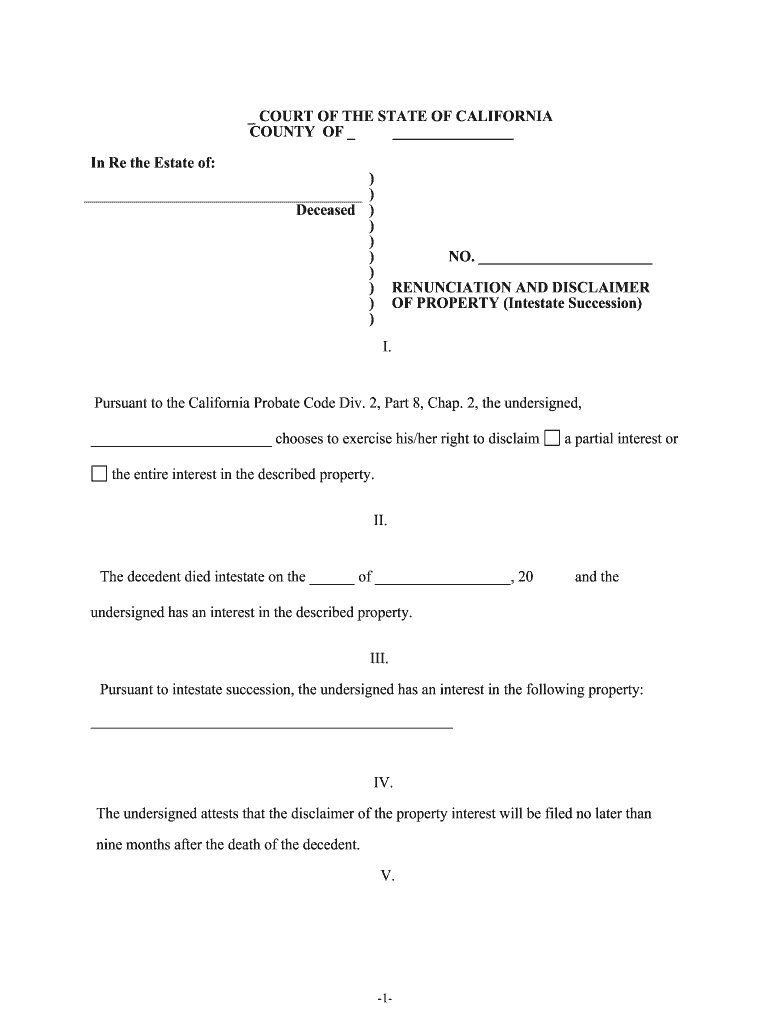
California intestate succession is the set of probate rules that determine how a decedent's property is distributed when there is no valid will or other dispositive instrument. The probate court oversees appointment of an administrator, identification of heirs, creditor notice and claims, and transfer of title. Distribution priorities follow California law and family relationships; community property, separate property and intestacy shares are applied per the Probate Code. This process is distinct from estate planning and typically requires formal filings with the county probate court and court supervision of asset transfers.

Why Understanding Intestate Succession Matters

Knowing California intestate succession helps avoid surprises, ensures lawful transfers, reduces family disputes, and clarifies when probate and administrator appointments are necessary.

Why Understanding Intestate Succession Matters

Who Commonly Engages With This Process

Key roles that interact with intestate succession in California.

  • Surviving spouse or domestic partner — Often files for appointment as administrator and claims community property and statutory share of separate property.
  • Adult children and other heirs — Need to provide identity, relationship evidence, and claims to inherit under intestacy rules.
  • Probate attorneys and court clerks — Prepare petitions, notices, inventories, and guide compliance with court procedures.

Core Elements of California Intestate Administration

Key components structure how the estate moves through probate, who may inherit, and what steps an administrator must take.

Heir Identification

Locate and document heirs by blood and legal relationship; accurate identification drives proper share allocation and notice obligations to interested persons.
Asset Inventory

Compile a complete list of assets and values including real property, bank accounts, investments, and personal effects for court inventory and potential creditor claims.

Community Property

Determine community versus separate property status because California community property rules affect the spouse's share and the estate's distributable assets.

Creditor Claims

Provide notice to creditors, evaluate and pay valid claims from estate assets, and follow statutory timelines to avoid personal liability for improper distributions.

Court Filings

File the petition for probate or small estate procedures, inventories, accountings, and petitions for distribution according to county probate court rules.

Title Transfers

Complete required documents to transfer real estate and financial accounts after court orders are issued, including certified letters and recorded instruments.

Essential Information to Gather

Decedent Name: Full legal name
Date of Death: MM/DD/YYYY
Last Address: Street, city, state
Heir Details: Names and relationships
Asset List: Descriptions and values
Title Papers: Deeds, account statements

Step-by-Step: Starting Intestate Administration

Follow these primary steps to begin administration and move the estate through probate or applicable simplified procedures.

  • 01
    Confirm Death: Obtain certified death certificate and determine domicile.
  • 02
    Identify Heirs: Trace spouse, children, parents, and next-of-kin per California succession rules.
  • 03
    Inventory Assets: Gather account statements, deeds, titles, and valuation documentation.
  • 04
    Petition Court: File probate petition or small estate affidavit with the county probate court.

Customizing an Online Probate Workflow

Configure a digital workflow to collect information, manage signatures, and retain records for the probate process.

Field Mapping Map petition fields to form inputs
Document Upload Accept PDF, DOCX, and scanned images
Signer Roles Assign administrators, heirs, and counsel
Authentication Use email, SMS, or stronger ID proofing
Storage Retain signed PDFs and audit trails

Where to File and What Happens Next

Typical filing destinations and the immediate next steps after submitting probate paperwork in California.

  • Prepare Documents: Assemble petition, inventory, and notices for filing.
  • File Petition: Submit to county superior court probate clerk for case opening.
  • Notify Heirs: Serve interested persons and publish notice when required.
  • Court Hearing: Appear for initial hearing and appointment of administrator.

Digital Filing and Authentication Considerations

Electronic workflows must meet court and privacy requirements for document integrity and authentication.

  • Integrations: Connect with document storage and case management
  • File Formats: PDF/A preferred for long-term archiving
  • Authentication: Email, SMS, or ID proofing options

Common Deadlines to Keep in Mind

Certain filing and tax deadlines are triggered by the decedent's death and administration steps; others depend on court scheduling and local rules.

Final Income Return:

File decedent's final Form 1040 by the usual tax deadline (April 15) for the year of death.

Information Returns:

Issue 1099-NEC to recipients by Jan 31 and follow IRS timelines for 1099-MISC.

Probate Petition:

File petition for probate promptly with the county court to begin administration.

Creditor Notices:

Provide statutorily required notices; exact claim periods vary by state and claim type.

FBAR / Offshore:

Report foreign accounts by April 15 with automatic extension to Oct 15 (FinCEN 114).

Common Preparation Mistakes to Avoid

  • Failing to identify all heirs, including omitted children or nontraditional relationships, leads to contested distributions and court delays.
  • Incomplete asset inventories or missing valuations produce creditor disputes, inaccurate accounting, and potential personal liability for administrators.
  • Using inconsistent names or dates across documents results in verification problems, rejected filings, and longer probate timelines.
  • Neglecting to provide timely creditor notice or to follow local publication rules can permit creditor claims after distribution.

Legal and Financial Risks of Errors

Tax Penalties: Late or incorrect returns can trigger IRS penalties under federal tax law.
Creditor Liability: Failure to handle valid claims can expose administrators to personal liability.
Title Problems: Improperly transferred deeds or missing letters can cloud real property title.
Fraud Allegations: Inaccurate disclosures or concealment may result in civil claims or criminal exposure.
Distribution Reversal: Court may unwind distributions if statutory procedures were not followed.
Recordkeeping Shortfalls: Insufficient documentation undermines audits, tax defenses, and future claims.

Practical Tips for Efficient Administration

Adopt organized procedures and reliable technology to streamline estate administration and reduce risk.

Create Central Inventory
Compile all assets, titles, account numbers, and contact information in a single verified list to accelerate valuations, notices, and court inventories; update it as discoveries occur and retain source documents for each item.
Preserve Originals
Secure death certificate, title documents, deeds, and bank originals in a safe location or with counsel; courts and third parties commonly require certified copies rather than scanned substitutes for filings and transfers.
Use Reliable Notices
Serve statutory notices and creditor publications according to local rules and obtain proof of service; proper notice limits later challenges and preserves claim deadlines.
Document Decisions
Keep clear records of distributions, account reconciliations, and court approvals; contemporaneous documentation eases final accounting and defends administrator actions.

eSignature Vendor Snapshot for Probate Workflows

Common capability and pricing considerations for eSignature platforms used to collect signatures and retain signed probate documents.

signNow DocuSign Adobe Sign PandaDoc HelloSign
Starting Price $8/user/mo $15/user/mo $14/user/mo $19/user/mo $15/user/mo
Free Trial 7-day free trial Varies by plan Varies by plan Varies by plan Varies by plan
Bulk Send Yes Yes Yes Yes No
Audit Trail Yes Yes Yes Yes Yes
HIPAA Compliant Yes Yes Yes No No

Practical Scenarios Illustrating Intestate Paths

Two concise scenarios show how different facts change administration and distribution outcomes.

Estate Example 1

A married decedent with two adult children and community property leads to spouse and children sharing estate per statutory rules.

  • Administrator must collect assets and file petition promptly to obtain letters and settle creditor claims.
  • The court issues letters of administration; after inventory, valid creditors are paid, and remaining assets are distributed under intestacy shares subject to title transfer requirements.

Estate Example 2

An unmarried decedent with only distant relatives triggers broader heir searches and genealogical proof.

  • Small estates procedures may apply if asset thresholds are low, avoiding full probate.
  • Where small estate affidavits are inapplicable, formal probate proceeds; locating heirs, publishing notice, and providing accountings extend the administration timeline.

Frequently Asked Questions About California Intestate Succession

Answers to common questions about probate, heirs, electronic documents, and next steps when someone dies without a will.


Need help? Contact support

be ready to get more
Join over 28 million airSlate SignNow users