Establishing secure connection…Loading editor…Preparing document…

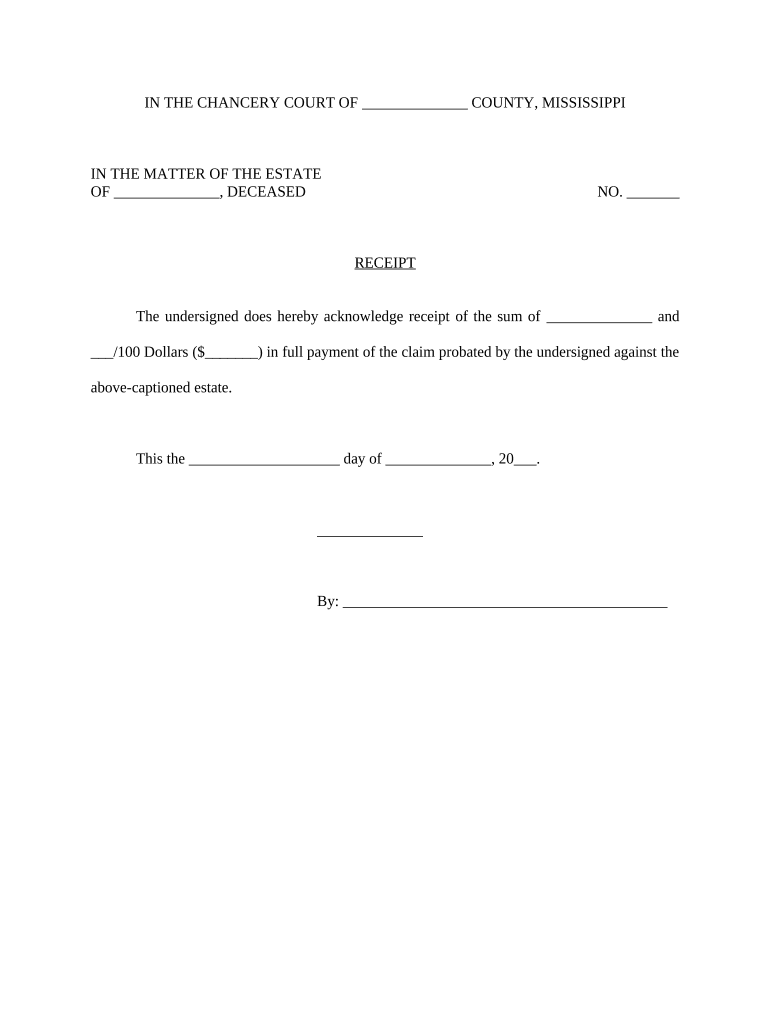
Mississippi Claim Form

This template is fully customizable. Edit the text, fill out the fields, and send it for signature. Give it a try!
Mississippi Claim Form

What the Mississippi Claim Form Is and when it’s used

The Mississippi Claim Form is a standardized document used to submit a formal claim or notice to an insurer, state agency, or other recipient in Mississippi. It collects facts about an event or loss, identifies the claimant and affected property or benefit, and documents the remedy sought. The form can be used for a range of matters — insurance claims, administrative benefits, property damage reports, or vendor/contractual claims — and typically becomes the official record for an investigation, coverage determination, or administrative review. Procedures and supporting requirements depend on the recipient agency or carrier.

Why a correctly completed Mississippi Claim Form matters

A complete, accurate form preserves legal rights, speeds processing, and reduces requests for additional information. It creates a clear written record that supports timely investigation, payment determinations, or administrative appeals.

Why a correctly completed Mississippi Claim Form matters

Who typically completes or receives this form

The Mississippi Claim Form is completed by individuals, businesses, and representatives to document claims for insurance, government benefits, or contractual remedies.

  • Individuals filing homeowner, auto, or personal injury claims with insurers or state benefit programs.
  • Business owners or property managers submitting damage, repair, or contractual claims on behalf of an entity.
  • Attorneys, adjusters, or authorized representatives completing forms for clients or insured parties.

When a representative files the form, include a signed authorization and current contact details so agencies and carriers can verify authority quickly.

Step-by-step: filling out the Mississippi Claim Form

Follow these core steps in order to create a complete, verifiable submission.

  • 01
    Gather documents: Assemble IDs, policies, invoices, and photos before you start.
  • 02
    Enter details: Complete claimant, incident, and coverage fields accurately.
  • 03
    Attach support: Upload scans or photos of receipts, estimates, and IDs.
  • 04
    Sign and submit: Apply an authorized signature, then send to the designated recipient.

Configuring an online submission workflow

A consistent online workflow speeds processing and preserves an audit trail for every submission.

Field Configuration
Required Fields Make claimant, date, and signature mandatory.
Conditional Logic Show additional fields when 'Yes' responses require more detail.
Attachments Accept PDFs, DOCX, JPG with size limits and type checks.
Notification Email confirmations to claimant and internal case owner.

Where a completed Mississippi Claim Form is sent

Different recipients require specific submission routes; verify the recipient’s instructions before sending.

  • Insurer Claims Desk: Submit to the carrier’s claims email, portal, or physical address per policy.
  • State Agency: File with the named department or division listed on the form.
  • Third-Party Administrator: Send to the TPA if the policy uses outsourced claims handling.
  • Legal Representative: Provide signed authorization and deliver to attorney or authorized agent.

Digital delivery and format considerations

Choose a submission method that preserves file integrity and an auditable trail.

  • File Formats: PDF, DOCX, JPG supported for most portals.
  • Authentication: Email link, SMS code, or stronger ID verification options.
  • Integrations: Supports common systems for storage and case management.

Verify recipient requirements for attachments, e-signature acceptance, and any required notarization before submitting.

Required information commonly requested on a claim form

Claimant: Full legal name
Incident Date: MM/DD/YYYY format
Address: Street, city, state, ZIP
Contact: Phone and email
Loss Details: Concise incident description
Signature: Authorized signer and date

Consequences of incomplete or late claim submissions

Missed Deadlines: Claim denial risk
Incorrect Signature: Form may be rejected
Missing Attachments: Processing delays
Wrong Recipient: Routing and jurisdiction issues
Improper Notarization: Legal invalidity risk
Privacy Breach: HIPAA or data exposure risk

Common mistakes that delay claim processing

  • Submitting a partially completed form without signature or required attachments forces manual follow-up and adds processing days.
  • Using informal or inconsistent names (nicknames) causes identity verification failures and slows adjudication.
  • Uploading illegible photos or scans prevents evidence review and triggers repeat requests for better documentation.
  • Failing to follow the recipient’s file naming or size rules can cause portal rejections or lost submissions.

Typical timing and response expectations for claim submissions

Deadlines differ by insurer and agency; use these common timeframes to guide submission and appeals.

Initial Filing:

File promptly; many insurers request within 30–60 days

Acknowledgement:

Carrier or agency usually acknowledges within 7–14 days

Investigation Period:

Resolution often occurs within 30–90 days

Request for More Info:

Respond promptly, typically within 14–30 days

Appeal Window:

Varies by policy or statute; check provider rules

Comparing eSignature vendor pricing and capabilities relevant to claim form workflows

Select an eSignature vendor based on price, bulk-send needs, audit trail, and regulatory compliance for your claim submissions.

signNow DocuSign Adobe Sign PandaDoc HelloSign
Starting Price $8/user/mo $15/user/mo $14/user/mo $19/user/mo $15/user/mo
Free Trial 7-day trial Varies Varies Varies Varies
Bulk Send Yes Yes Yes Yes No
Audit Trail Yes Yes Yes Yes Yes
HIPAA Compliant Yes Yes Yes No No

Frequently asked questions about the Mississippi Claim Form

Practical answers to common issues when completing, signing, or submitting a claim form in Mississippi.


Need help? Contact support

be ready to get more
Join over 28 million airSlate SignNow users