Establishing secure connection…Loading editor…Preparing document…

Mississippi Divorce

This template is fully customizable. Edit the text, fill out the fields, and send it for signature. Give it a try!
Mississippi Divorce

What a Mississippi Divorce Document Is and When It Applies

A Mississippi Divorce is the set of legal filings and supporting paperwork used to end a marriage under Mississippi law. It typically includes a petition or complaint, financial disclosures, parenting plans when children are involved, and a proposed judgment or decree for the chancery court to review. Residency, grounds, and procedural requirements are governed by Mississippi statutes and chancery-court rules; family law decrees may have limits on electronic execution. Parties normally present facts, division proposals, and requests for spousal support, custody, and property division for judicial approval or negotiated settlement.

Why a Clear, Complete Divorce Package Matters

A complete Mississippi Divorce filing clarifies rights, speeds court processing, and reduces contested issues at hearing. Proper documentation supports enforceable orders and protects deadlines and statutory rights.

Why a Clear, Complete Divorce Package Matters

Who Typically Prepares and Uses These Forms

Collaboration among parties and counsel reduces errors and shortens the time to final disposition.

  • Filing spouse or petitioner — prepares the initial petition, signs verifications, and provides required disclosures.
  • Respondent or other spouse — completes responses, counterclaims, and financial affidavits when required.
  • Family law attorney or paralegal — drafts pleadings, assembles exhibits, and ensures procedural compliance.

Core Components of a Professional Mississippi Divorce Package

A well-constructed submission groups essential pleadings, supporting affidavits, and clear orders so the chancery court can process the case without unnecessary continuances or requests for supplementation.

Petition / Complaint

A clear statement of parties, grounds for divorce, relief requested, and jurisdictional facts that gives the court authority to act and frames the issues for a judgment.
Summons / Service

Documentation that the respondent was properly served according to Mississippi rules of civil procedure, including proof of service or waiver to avoid default-motion disputes.

Financial Affidavit

Itemized income, expenses, assets and liabilities for both parties; courts rely on accurate schedules when ordering support or dividing marital property.

Parenting Plan

If children are involved, a custody and visitation plan that addresses decision-making, residential schedule, and dispute resolution, often accompanied by proposed child-support calculations.

Settlement Agreement

Written and signed agreement resolving property, support, and custody issues; when accepted by the court it can be incorporated into the final decree.

Proposed Decree

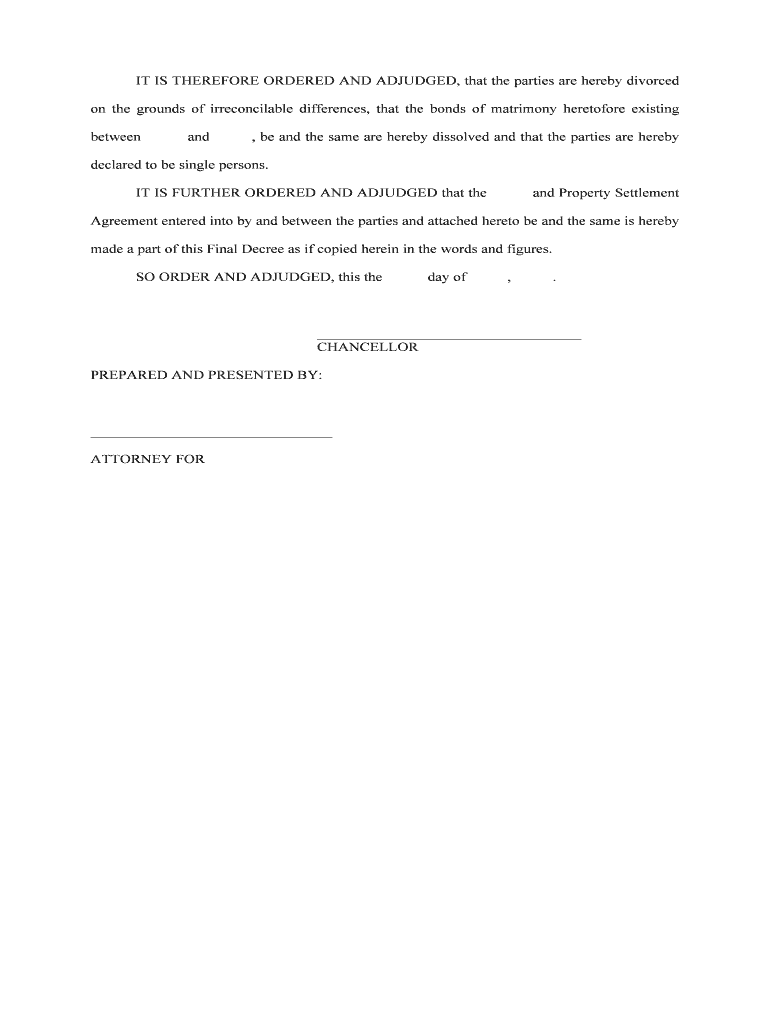
A draft order for the judge to sign that incorporates agreed terms or adjudicated findings, enabling entry of a final judgment of divorce.

Required Information and Essential Fields

Petitioner Name: Full legal name
Respondent Name: Full legal name
Case Caption: County and chancellor court
Grounds Stated: Legal basis
Financial Schedules: Income/assets listed
Signature Blocks: Sign/date lines

Step-by-Step: Preparing and Filing a Mississippi Divorce

Follow a consistent sequence: prepare pleadings, serve the respondent, file with the clerk, and attend required hearings or mediation sessions.

  • 01
    Draft Pleadings: Prepare petition, financial affidavit, and proposed decree.
  • 02
    Serve Papers: Complete service according to local rules and obtain proof of service.
  • 03
    File with Clerk: Submit originals, exhibits, and required filing fee to chancery court.
  • 04
    Attend Hearing: Appear for hearing or submit settlement for judicial approval.

Configuring an Online Workflow for Divorce Documents

Set up a repeatable document workflow that captures signatures, attachments, and an audit trail to match court and discovery needs.

Upload Format Use PDF or DOCX for court-ready filings
Signature Authentication Choose email link, SMS code, or stronger ID verification
Conditional Fields Show financial sections only when assets exist
Notification Settings Enable reminders for unsigned parties
Export Package Bundle signed documents, exhibits, and audit log

Where and How to Submit a Mississippi Divorce Filing

Files are typically submitted to the chancery court in the county where jurisdiction and venue are proper; process steps differ slightly by county clerk procedures.

  • File with Clerk: Deliver original pleadings and pay filing fee
  • Serve the Respondent: Use sheriff, process server, or accepted waiver
  • Attend Court: Appear at scheduled trial, hearing, or status conference
  • Decree Entry: Court signs and clerk files the final judgment

Digital Signing and Court Filing: Platform Considerations

Courts may require original signatures or notarized attestations for some filings; verify local chancery-court rules before relying solely on electronic execution.

  • File Formats: PDF and DOCX are widely accepted for court submission
  • Authentication Options: Email, SMS, or stronger multi-factor methods
  • Integration: Connect to cloud storage and case-management systems

Timing and Common Procedural Deadlines

While specific timelines vary by county and case facts, several milestones commonly affect how quickly a divorce proceeds to final resolution.

Response Period:

Time to respond after service varies by local rules

Discovery Deadlines:

Requests and responses follow court scheduling orders

Temporary Orders:

Hearings for temporary support may be scheduled quickly

Settlement Deadlines:

Courts often set deadlines for submitted agreements

Final Hearing:

Scheduled after pleadings, discovery, and any mediation

Common Mistakes That Delay Processing

  • Using inconsistent names or initials across filings, causing service and identity questions that lead to clerk requests for corrections.
  • Failing to include complete financial disclosures or summaries, which often triggers discovery and postpones hearings.
  • Improper service or missing return-of-service proof, resulting in dismissal or a requirement to re-serve the respondent.
  • Assuming electronic signatures satisfy court requirements for final decrees without confirming local chancery-court rules.

Consequences of Incomplete or Incorrect Filings

Case Dismissal: Incomplete pleadings can lead to dismissal
Sanctions: Court may impose monetary sanctions
Delayed Relief: Support or custody delayed
Enforcement Issues: Difficulty enforcing orders later
Financial Exposure: Undisclosed debts may be assigned
E-sign Invalidity: Electronic signatures may be rejected

Practical Tips for Accurate, Efficient Completion

Small preparation steps reduce court delays and discovery disputes; adopt consistent formats and preserve complete records of service and consent.

Confirm Jurisdiction and Venue
Verify county residence and venue before filing so the clerk accepts the petition without procedural objections; incorrect venue can require refiling.
Use Standardized Financial Forms
Provide clear, itemized schedules with supporting statements to minimize follow-up requests and speed adjudication of support and property division.
Document Service Carefully
Keep copies of service receipts, affidavits, or waivers to show timely notice and avoid re-service or default disputes.
Coordinate Signatures
Confirm which documents the court accepts electronically and which require notarized or original signatures to prevent downstream rework.

Real-World Scenarios: How Documents Are Used

Two concise examples show common ways parties and counsel use prepared filings and signed agreements to reach final orders efficiently.

Uncontested Divorce Filing

A couple agrees on asset division and support terms

  • Petitioner files a joint petition and settlement
  • The court reviews the agreement and enters a final decree within one short hearing, avoiding protracted litigation.

Contested Financial Dispute

Parties disagree on valuation of assets and spousal support

  • Each side submits affidavits and discovery responses
  • The court schedules hearings, weighs evidence, and issues a decree resolving property and support after trial.

Comparing eSignature Vendor Pricing and Core Capabilities

Basic price and capability differences can influence which eSignature option is cost-effective for law firms or courts handling divorce paperwork.

signNow DocuSign Adobe Sign PandaDoc HelloSign
Starting Price $8/user/mo $15/user/mo $14/user/mo $19/user/mo $15/user/mo
Free Trial Yes, 7-day No No Yes, limited Yes, limited
Bulk Send Yes Yes Yes Yes No
Audit Trail Yes Yes Yes Yes Yes
HIPAA Compliant Yes Yes Yes No No

FAQs and Troubleshooting for Mississippi Divorce Filings

Answers to frequently asked questions about electronic execution, filing pitfalls, and evidence preservation in Mississippi Divorce cases.


Need help? Contact support

be ready to get more
Join over 28 million airSlate SignNow users