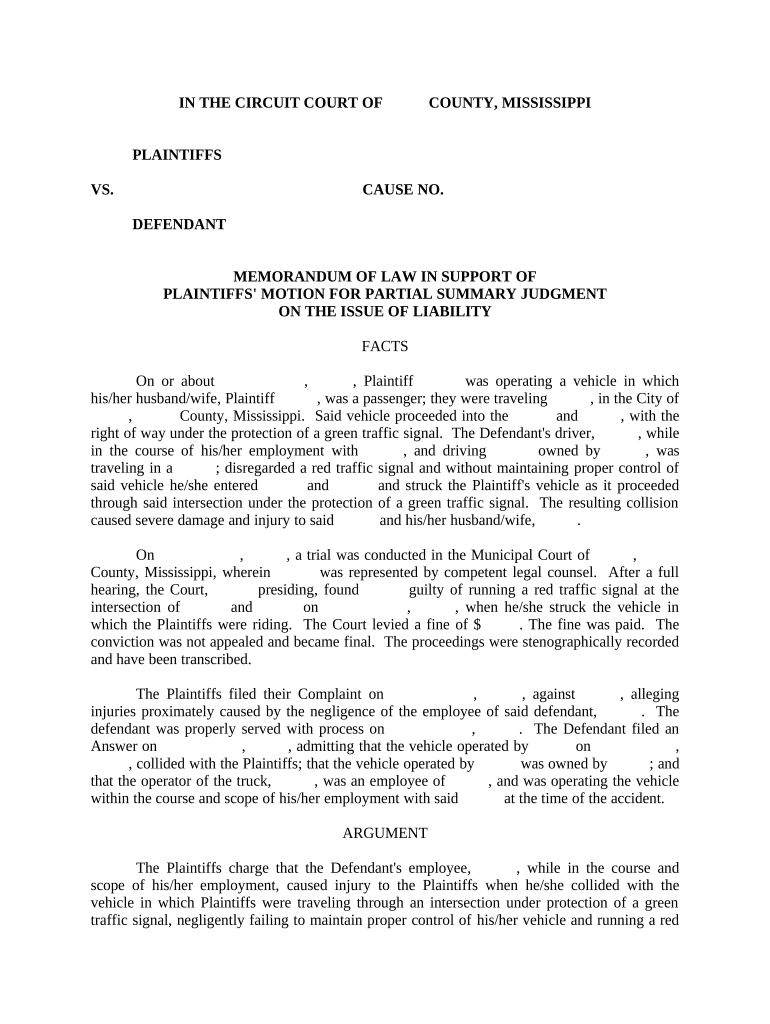
Mississippi Memorandum of Law in Support of Motion for Partial Summary Judgment
What the Mississippi Memorandum of Law in Support of Motion for Partial Summary Judgment Is
Why a Focused Memorandum Matters in Mississippi Litigation
A clear, legally grounded memorandum narrows issues, preserves appellate arguments, and can dispose of claims early under FRCP 56, saving time and litigation expense while providing the court with a roadmap tied to cited authority.
Who Typically Prepares and Relies on This Memorandum
Litigation counsel and parties use this memorandum as the primary legal brief supporting a partial summary judgment request; it frames the disputed legal questions and marshals evidence.
- Plaintiff counsel preparing targeted claims for summary judgment
- Defense counsel moving to dispose of discrete allegations
- Pro se litigants preparing concise legal argument when permitted
Courts rely on the memorandum to decide whether factual disputes remain; thoroughness and compliance with local rules affect admissibility and scheduling.
Representative Users and Their Needs
Civil Plaintiff Attorney
Seeks a focused memorandum that isolates undisputed facts, links each fact to admissible evidence, and advances claims for partial resolution to reduce trial scope and litigation costs.
Defense Counsel
Requires a memorandum that identifies legal deficiencies in plaintiff allegations, presents contrary admissible evidence, and requests partial dismissal to limit exposure and narrow factual issues.
Step-by-Step: Preparing and Filing Your Memorandum
-
01Draft: Outline legal issues and necessary evidence
-
02Gather: Attach affidavits and exhibits with citations
-
03Sign: Include attorney signature and certificate of service
-
04File: Submit via court e-filing per local rules
Typical Filing Workflow for a Mississippi Court Submission
-
Prepare: Assemble brief, exhibits, and proposed order
-
Authenticate: Sign electronically or physically per court requirements
-
File: Upload via e-filing or deliver to clerk's office
-
Serve: Provide opposing counsel with proof of service
Digital Workflow Settings to Configure
| Field | Configuration |
|---|---|
| File Format | PDF/A preferred for court filing |
| Signer Authentication | Email plus optional SMS or ID verification |
| Audit Trail | Enable detailed timestamps and IP logging |
| Certificate of Service | Attach signed proof of service exhibit |
Technical Considerations for eSigning and eFiling
Confirm the court's permitted electronic formats and the level of signer authentication required before using an eSignature solution.
- File Types: PDF and DOCX supported
- Integrations: Works with common EFSPs and cloud storage
- Audit Trail: Provides timestamped evidence
Maintain original signed copies and machine-readable audit trails in secure storage to meet court and retention requirements.
Time-Sensitive Filing Considerations
Local Rule Check:
Verify specific page limits and briefing schedules
Discovery Cutoff:
Ensure discovery is sufficiently complete before filing
Hearing Notice:
Observe advance notice requirements for motion hearings
Opposition Period:
Provide opposing parties required time to respond
Reply Deadline:
File replies within local rule timeframes
Key Milestones from Draft to Ruling
Drafting Complete
Memorandum and exhibits finalized and verified
Service Completed
Proof of service filed with the clerk
Hearing Scheduled
Court sets and notices motion hearing date
Decision Issued
Court rules granting or denying partial relief
Common Pitfalls to Avoid
- Failing to tie each asserted undisputed fact to admissible evidence, which may result in evidentiary objections and denial.
- Overlooking local court rules for page limits, font size, or exhibit handling, causing clerks to reject or strike filings.
- Relying on hearsay or unauthenticated documents without affidavits or certified records, leading to exclusion of key proof.
- Neglecting certificate of service requirements, which may affect timeliness and procedural default arguments.
Consequences of an Inadequate Memorandum
How This Memorandum Differs from Other Filings
| Criteria | Partial SJ | Motion to Dismiss |
|---|---|---|
| Primary Purpose | resolve facts | test legal sufficiency |
| Evidence Needed | affidavits/exhibits | complaint only |
| Timing | post-discovery typical | early pleadings |
| Standard | no genuine dispute | failure to state claim |
Real-World Examples of Efficient Legal Workflows
Optica Ventures LLC
A small litigation practice streamlined brief circulation and client sign-off using digital tools
- The interface simplicity improved turnaround
- The result reduced administrative delays and improved client responsiveness during motion practice.
Fertility Centers of Illinois
A healthcare provider needed secure signatures on legal and consent forms
- HIPAA compliance was required
- Using compliant e-signature workflows preserved privacy, created auditable records, and simplified counsel review of memoranda and exhibits.
Representative eSignature Pricing and Feature Comparison
| signNow | DocuSign | Adobe Sign | PandaDoc | HelloSign | |
|---|---|---|---|---|---|
| Starting Price | $8/user/mo | $15/user/mo | $14/user/mo | $19/user/mo | $15/user/mo |
| Free Trial | 7-day free trial | Varies | Varies | Varies | Varies |
| Bulk Send | Yes | Yes | Yes | Yes | No |
| Audit Trail | Yes | Yes | Yes | Yes | Yes |
| HIPAA Compliant | Yes | Yes | Yes | No | No |
| Envelope Cap | No cap | 100 envelopes/user/yr | Varies | Varies | Varies |
Frequently Asked Questions — Practical Answers
-
Can the memorandum be e-signed?
Yes. Electronic signatures satisfy ESIGN (15 U.S.C. §7001) and state UETA rules where adopted; confirm the court's local e-filing and signature preferences before submission.
-
Are affidavits required with facts?
Affidavits or sworn declarations are typically required to support factual assertions; cite specific pages and attach admissible exhibits to avoid hearsay objections.
-
What if local rules differ?
Always consult the relevant court's local civil rules and standing orders; local differences govern page limits, filing method, and briefing schedules.
-
Can unsigned exhibits be filed?
Unsigned documents may be admissible if authenticated by affidavit or certified copy; unsigned exhibits alone risk exclusion at summary judgment.
-
How to prove no genuine dispute?
Link each legal element to undisputed evidence and explain why a reasonable juror could not find for the nonmoving party under FRCP 56.
-
When should counsel use RON or notary?
Use RON or in-person notarization when an exhibit or affidavit requires notarization; verify acceptance of RON-signed records by the receiving court or agency.