Establishing secure connection…Loading editor…Preparing document…

Money Judgment

This template is fully customizable. Edit the text, fill out the fields, and send it for signature. Give it a try!
Money Judgment

What a Money Judgment Is and when it applies

A Money Judgment is a court-issued order that establishes one party's legal obligation to pay a specified monetary amount to another. It typically follows a civil lawsuit, settlement, or default, and identifies the parties, the principal amount, interest, costs, and any post-judgment remedies. Once entered, the judgment becomes enforceable through wage garnishment, bank levies, execution of property, or recording as a lien against real property. Enforcement procedures, interest accrual, and renewal periods vary by jurisdiction and must follow the clerk and local court rules.

Why a clear Money Judgment matters

A clear, complete Money Judgment creates an enforceable legal basis to collect a debt, documents the exact obligations, and defines interest, costs, and remedies. Properly prepared judgments reduce disputes about amounts and streamline enforcement across jurisdictions.

Why a clear Money Judgment matters

Typical users and roles involved

The Money Judgment is used by creditors, attorneys, court clerks, and collection professionals to document and enforce monetary awards.

  • Creditors and claimants seeking formal collection rights and enforcement mechanisms after judgment.
  • Collections attorneys and law firms preparing pleadings, computation of interest, and lien recordings.
  • Court clerks and sheriff/levy officers who file, docket, serve, and execute judgment-related orders.

Who signs and certifies a Money Judgment

Creditor — Accounts Receivable Manager

Often the party that requests entry of judgment or provides documentation of outstanding balances; coordinates with counsel and provides supporting invoices or account histories to prove the amount claimed.

Attorney — Collections Counsel

Drafts the judgment language, computes interest and costs, prepares filings for the court clerk, and advises on enforcement options such as garnishment, liens, or writs of execution.

Security and compliance considerations for judgment documents

Encryption: TLS 1.2/1.3 in transit; AES-256 at rest
Audit trail: Comprehensive timestamps and signer attribution
Access controls: Role-based permissions and account management
HIPAA considerations: BAA required when health data included
Retention policy: Secure archival with export and e-discovery support
Authentication: Multi-factor and ID-proofing options available

Key risks and consequences of errors

Incorrect party: May render judgment unenforceable
Calculation errors: Incorrect interest or fees can be reversed
Improper service: Leads to vacated or delayed enforcement
Failure to record: Loses priority for lien enforcement
Missed renewals: Expiration can bar future enforcement
Bankruptcy stay: Automatic stay halts most collection

Common preparation mistakes to avoid

  • Using an inaccurate legal name for a debtor, which can prevent effective service or lien recording and stall enforcement.
  • Failing to compute or state the proper post-judgment interest rate and start date, producing later disputes and recalculation.
  • Not following local clerk filing formats or omitting required case captions, resulting in rejection or administrative delay.
  • Neglecting to attach supporting exhibits or itemized account statements, weakening proof of the amount owed during enforcement.

Essential parts of a professional Money Judgment

A well-structured judgment includes clear identification, precise amounts, interest rules, costs, enforcement instructions, and signature or stamp from the court to ensure enforceability.

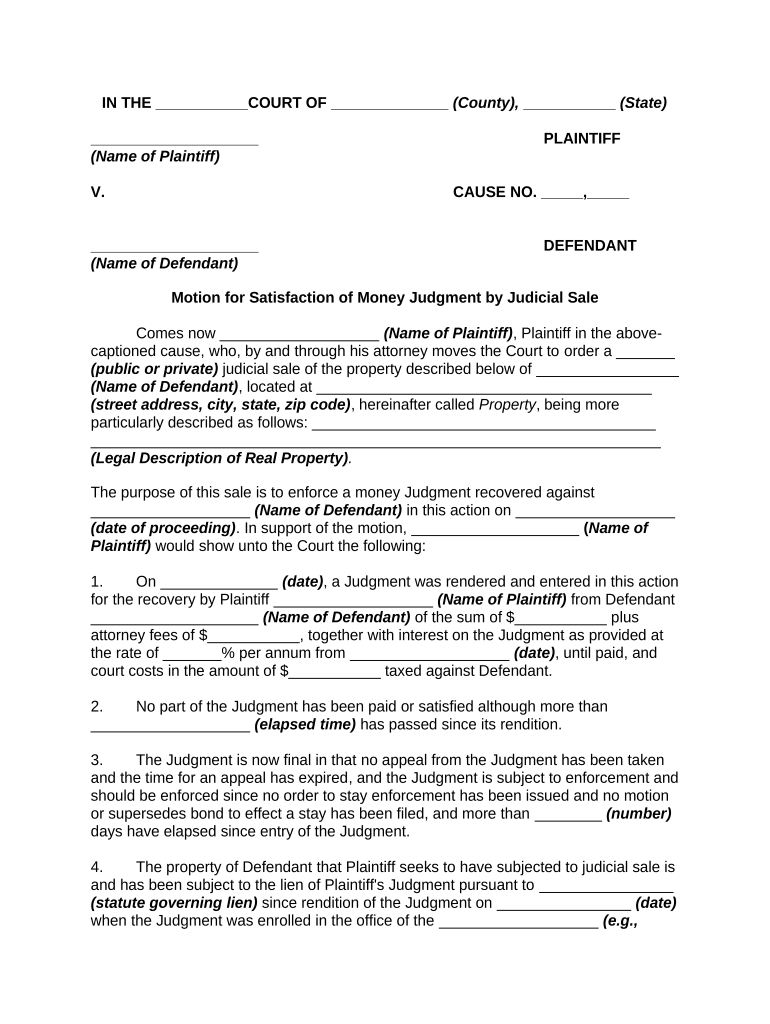
Case caption

Court name, docket/case number, and judge or clerk identification so the judgment is properly docketed and traceable in court records.
Parties named

Full legal names and contact addresses for plaintiff (judgment creditor) and defendant (judgment debtor) to avoid identity disputes.

Judgment amount

Clear principal amount stated in dollars, including itemized costs and discrete entries for attorney fees where awarded by the court.

Interest terms

Specify post-judgment interest rate, statutory basis or contract rate, and date when interest begins to accrue.

Costs and fees

State court costs, taxable costs, and any awarded attorney fees so collection calculations are deterministic.

Enforcement instructions

Language authorizing remedies such as lien recording, writs, garnishment, and specifying any jurisdictional or territorial limits.

Step-by-step: preparing and filing a Money Judgment

Follow this ordered checklist to prepare, execute, and file a Money Judgment to reduce administrative rework and enforcement delays.

  • 01
    Gather case info: Collect pleadings, docket number, and supporting invoices or contracts.
  • 02
    Compute totals: Calculate principal, interest, costs, and taxable fees with citations.
  • 03
    Draft judgment: Include caption, amounts, interest, remedies, and signature blocks.
  • 04
    File and serve: Submit to the clerk, obtain entry stamp, and serve the debtor as required.

From draft to enforcement: the typical workflow

A Money Judgment moves through drafting, court entry, service, recording, and enforcement; each step follows court and local filing rules.

  • Draft: Prepare the judgment with precise calculations and legal citations.
  • Entry: Clerk enters judgment; record the entry date for interest.
  • Record: Record lien in county where debtor owns real property if applicable.
  • Enforce: Pursue garnishment, levies, or writs per jurisdictional procedure.

Configuring a repeatable digital workflow

Set up eSignature and document templates so judgments can be prepared, signed, and filed consistently without manual re-entry.

Field Configuration
Template Create a reusable judgment template with locked fields
Signer authentication Use email and optional SMS or ID-proofing
Notifications Auto-notify creditor, counsel, and clerk on status changes
Storage Archive signed PDFs and maintain audit logs

Digital signing and file-format considerations

Choose a platform that supports common file formats and integrates with your case management or cloud storage systems.

  • File formats: PDF and DOCX are widely accepted
  • Integrations: Salesforce, NetSuite, Microsoft 365, Google Workspace
  • Authentication: Email, SMS, and advanced ID-proofing available

Timing and deadlines to track for a Money Judgment

Key dates include entry date, interest start, filing a lien, and statute-of-limitation or renewal deadlines; local rules determine exact timeframes.

Entry date importance:

Entry date sets when post-judgment interest begins to accrue.

Lien recording window:

Record liens promptly to secure priority over subsequent encumbrances.

Renewal considerations:

Many states permit renewal; check state statute for timing and procedure.

Service deadlines:

Complete required service promptly to avoid due process challenges.

Bankruptcy risk window:

A debtor bankruptcy filing can immediately halt enforcement actions.

Key milestones from judgment entry to collection

Track these sequential milestones to keep enforcement timely and preserve remedies available under law.

01

Judgment Entry

Clerk enters judgment and stamps the docket; this triggers interest and enforcement timelines.

02

Service Completed

Serve the debtor with the judgment to create notice for enforcement steps.

03

Lien Recording

File in county land records to attach a lien to real property holdings.

04

Execution & Remedies

Request writs, garnishments, or levies as permitted by the court and state law.

How a Money Judgment differs from related orders

Compare a Money Judgment with similar case outcomes to choose the correct document type for enforcement and recordation.

Document Type Money Judgment Consent Judgment
Entry method court order agreement approved by court
Requires trial sometimes
Enforceability directly enforceable same enforceability once entered
Typical use litigation award settlement resolution

eSignature platform comparison for executing Money Judgments

Select an eSignature solution that provides court-acceptable signed PDFs, audit trails, and the required authentication; signNow is listed first for clarity.

signNow DocuSign Adobe Sign PandaDoc HelloSign
Starting Price $8/user/mo $15/user/mo $14/user/mo $19/user/mo $15/user/mo
Free Trial Yes, 7-day free trial, no credit card Varies by vendor Varies by vendor Varies by vendor Varies by vendor
Bulk Send Available (Premium tier) Available Available Available Varies by plan
Audit Trail Yes Yes Yes Yes Yes
HIPAA Compliant Yes Yes Yes No No

Real-world Money Judgment scenarios

Two practical examples show how judgments are used and enforced in common situations.

Landlord Rent Recovery

A landlord obtains a judgment for unpaid rent after default and eviction

  • Judgment includes monthly arrears and late fees
  • The landlord records a lien against tenant-owned property and pursues wage garnishment to collect the award, reducing future loss exposure.

Business Contract Dispute

A vendor wins a breach-of-contract judgment for unpaid invoices

  • Court awards principal, costs, and post-judgment interest
  • The vendor records the judgment in debtor counties, uses bank levies where permitted, and renews the judgment per state rules to maintain enforceability.

How to update or amend a Money Judgment

Follow court procedures for modifications, corrections, and satisfaction entries to ensure records reflect the current status of the judgment.

01

Identify change:

Determine whether amendment or satisfaction is necessary
02

Prepare motion:

Draft and file required motion or stipulation with court
03

Obtain court order:

Secure signed order reflecting amendment or vacation
04

Serve parties:

Serve updated judgment or order on all interested parties
05

Record updates:

Record amended judgment or satisfaction where liens were filed
06

Archive records:

Retain a copy of the order and proof of recording

Frequently asked questions about Money Judgments

Answers to common questions about validity, e-signing, enforcement, cross-state issues, and retention for Money Judgments.


Need help? Contact support

be ready to get more
Join over 28 million airSlate SignNow users