Establishing secure connection…Loading editor…Preparing document…

Motion for New Trial

This template is fully customizable. Edit the text, fill out the fields, and send it for signature. Give it a try!
Motion for New Trial

What a Motion for New Trial Is and When It Applies

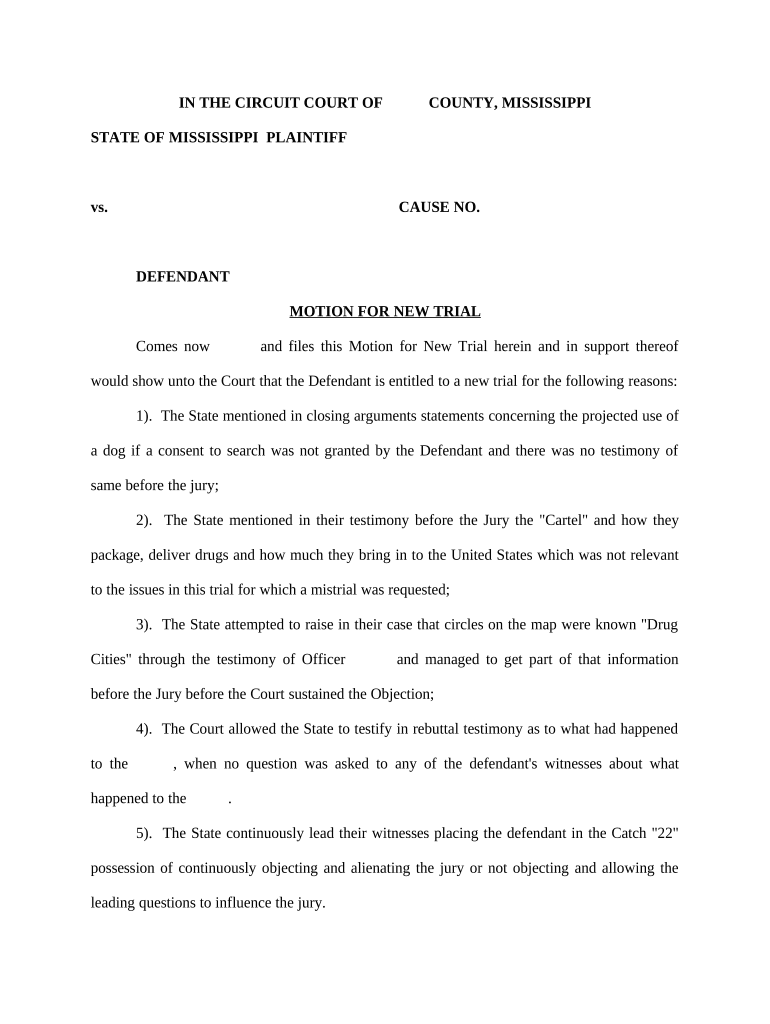
A Motion for New Trial is a post-judgment court filing that asks a judge to vacate an adverse jury verdict or bench ruling and order a new trial. Common bases include legal errors at trial, newly discovered evidence, juror misconduct, or verdicts against the weight of the evidence. Federal practice follows Federal Rule of Civil Procedure 59; state courts have similar but jurisdiction-specific rules and deadlines. The motion preserves issues for appeal and may be accompanied by supporting affidavits, a memorandum of law, and a proposed order.

Why Filing a Motion for New Trial Matters

A properly timed, well-supported motion can correct trial-level errors, admit newly discovered evidence, and preserve appellate issues. It offers a procedural path to retry critical factual disputes without initiating a separate appeal, and it often shapes settlement leverage or case resolution.

Why Filing a Motion for New Trial Matters

Who Typically Prepares and Files This Motion

Choose the appropriate filing party and confirm local court rules and service requirements before submission.

  • Plaintiff counsel seeking to overturn or re-litigate factual findings after adverse verdicts.
  • Defense counsel requesting a new trial based on procedural errors or improper evidence.
  • Pro se litigants who must follow local rules and may seek counsel for complex procedural issues.

Core Components to Include in a Professional Motion for New Trial

A Motion for New Trial should be organized, cite the legal basis, and include factual support. The package typically contains a caption, concise notice, legal memorandum, evidence, proposed order, and proof of service.

Caption

Court name, case title, docket number, and judge; matches the original complaint and judgment to ensure correct court processing and assignment.
Notice of Motion

Short statement of relief requested, date/time for a hearing if required, and the statutory or rule citation supporting the motion.

Memorandum

Legal argument summarizing grounds (e.g., errors of law, newly discovered evidence) with citations to authority and a clear statement of desired relief.

Supporting Affidavits

Affidavits or declarations from witnesses and counsel establishing facts, timelines, and the materiality of new evidence where applicable.

Proposed Order

A clean, ready-to-sign order that the judge can use to grant the motion and schedule a new trial, tailored to local judge preferences.

Certificate of Service

Proof that the motion and all attachments were served on opposing counsel or parties in accordance with local rules.

Step-by-Step Filing Workflow

Follow these sequential steps to prepare, file, and serve a Motion for New Trial while complying with court rules.

  • 01
    Draft Motion: Prepare notice, memorandum, affidavits, and proposed order.
  • 02
    Attach Evidence: Include transcripts, exhibits, and affidavits supporting your grounds.
  • 03
    File with Court: E-file or submit to clerk per local procedures and filing deadlines.
  • 04
    Serve Parties: Serve opposing counsel and file certificate of service promptly.

How to Configure an Online Motion Package

Set up an online workflow to assemble the motion, attach exhibits, route for signature, and export for e-filing or clerk submission.

Field Configuration
Document Assembly Use templated caption and motion sections for consistency.
Signature Routing Define signer order: counsel first, then client.
Attachment Handling Enable multi-file uploads and label exhibits clearly.
Export Format Export to court-accepted PDF/A with embedded bookmarks.

Where to File and How to Deliver the Motion

Different courts accept filings by e-filing systems, in-person clerk submission, or limited mail; follow local rules for method and required copies.

  • Federal Courts: E-file via CM/ECF where required.
  • State Courts: Use the state or county e-filing portal if available.
  • Mail or In-Person: Some courts accept paper filings; confirm clerk hours and copy requirements.
  • Certificate of Service: File proof of service in accordance with local rules.

Digital Signing and e-Submission Considerations

Verify local court rules for e-signature acceptance, and ensure any e-submission meets clerk and judge preferences before filing.

  • File Format: Use PDF/A or court-specified PDF format.
  • Authentication: Confirm whether the court accepts e-signatures and authentication methods.
  • Recordkeeping: Retain a full audit trail and original signed files.

Key Timelines and Deadline Rules to Watch

Timely filing and service are critical. Federal and state rules set short windows and missing them can forfeit relief.

Federal Deadline:

28 days after entry of judgment (see Federal Rule of Civil Procedure 59).

Service Deadline:

Serve the motion per local rules; many courts require immediate service upon filing.

Opposition Deadline:

Response periods vary; many jurisdictions allow 14–21 days for opposition.

Hearing Scheduling:

Courts set hearings on local calendars; check clerk availability for preferred dates.

Transcript Requests:

Request trial transcripts promptly; delays can hinder newly discovered evidence claims.

Milestones from Judgment to Resolution

Track these sequential milestones so filings, service, and evidence preservation occur in the proper order.

01

Judgment Entered

Start the timeline when the clerk enters final judgment and notice is issued.

02

Motion Filed

File the motion within the applicable deadline based on federal or state rule.

03

Opposition Filed

Opposing party typically files a written opposition within the court's response period.

04

Hearing and Ruling

Court hears argument, may grant, deny, or set conditions for relief.

Consequences and Risks of Incorrect or Late Filings

Late Filing: May result in waiver.
Procedural Waiver: Failure to follow rules can forfeit relief.
Sanctions: Court may impose fees or sanctions for frivolous motions.
Evidentiary Loss: Late preservation of transcripts harms evidence-based claims.
Increased Costs: Additional attorney fees and court costs.
Appeal Impact: Improper filings can limit appellate options.

Common Preparation Mistakes to Avoid

  • Relying on conclusory statements without specific factual support or transcript citations undermines credibility and invites denial.
  • Missing or incorrectly formatted caption, docket number, or judge name leads to administrative rejection or misfiling by the clerk.
  • Failing to serve opposing counsel properly or neglecting the certificate of service risks procedural dismissal of the motion.
  • Waiting to request trial transcripts or preserve evidence can prevent meeting the newly discovered evidence standard.

Security, Confidentiality, and Sealed Filings

Sealed Filings: File under seal when records include privileged or sensitive material.
HIPAA Redaction: Redact PHI before public filing when medical records are attached.
Encryption: Encrypt e-submissions and stored files.
Access Controls: Limit document access to authorized users.
Audit Trail: Maintain timestamps and signer attribution.
Retention Policy: Store originals per legal retention requirements.

Practical Tips for Accurate and Efficient Filing

Follow local rules, organize evidence clearly, and use an e-filing workflow that preserves audit trails and metadata.

Cite the Record
Cite precise transcript pages and exhibit numbers. Attach authenticated excerpts or full transcripts so the court can verify factual claims without searching the record.
Be Concise
Focus arguments on dispositive errors or genuinely new evidence. Long, unfocused memoranda reduce persuasive impact and risk opposing counsel's motion to strike.
Prepare Proposed Order
Submit a clear, tailored proposed order granting the precise relief requested. Judges and clerks often prefer editable, judge-ready orders for efficiency.
Preserve Evidence
Request transcripts and secure witness affidavits promptly. Delay can undermine a newly discovered evidence argument and weaken admissibility at a subsequent trial.

Realistic Use Cases for a Motion for New Trial

These examples illustrate common factual circumstances that may justify a motion for new trial in practice.

Civil Defense Example

After an adverse jury verdict, defense counsel discovered a lab report not produced at trial

  • The report undermines a key plaintiff theory
  • Counsel filed a timely motion with supporting affidavit and the court scheduled a limited hearing to assess prejudice and admissibility.

Plaintiff Counsel Example

Plaintiff's attorney located a previously unavailable eyewitness statement that contradicts the verdict

  • The statement surfaced after judgment due to late production by a third party
  • The motion argued materiality and diligence; the court considered whether a new trial was warranted.

eSignature Vendor Comparison for Filing and Executing Motions for New Trial

Compare common vendor features and starting prices to select an eSignature provider that meets e-filing, HIPAA, and audit-trail needs. signNow appears first for consistency in vendor comparisons.

signNow DocuSign Adobe Sign PandaDoc HelloSign
Starting Price $8/user/mo $15/user/mo $14/user/mo $19/user/mo $15/user/mo
Free Trial 7-day free trial Varies Varies Varies Varies
Bulk Send Yes Yes Yes Yes No
Audit Trail Yes Yes Yes Yes Yes
HIPAA Compliant Yes Yes Yes No No
Envelope Cap No envelope cap 100 envelopes/user/year Varies Varies Varies

Frequently Asked Questions About Motions for New Trial

Answers to common questions on timing, grounds, signatures, and next steps after filing a Motion for New Trial.


Need help? Contact support

be ready to get more
Join over 28 million airSlate SignNow users