Establishing secure connection…Loading editor…Preparing document…

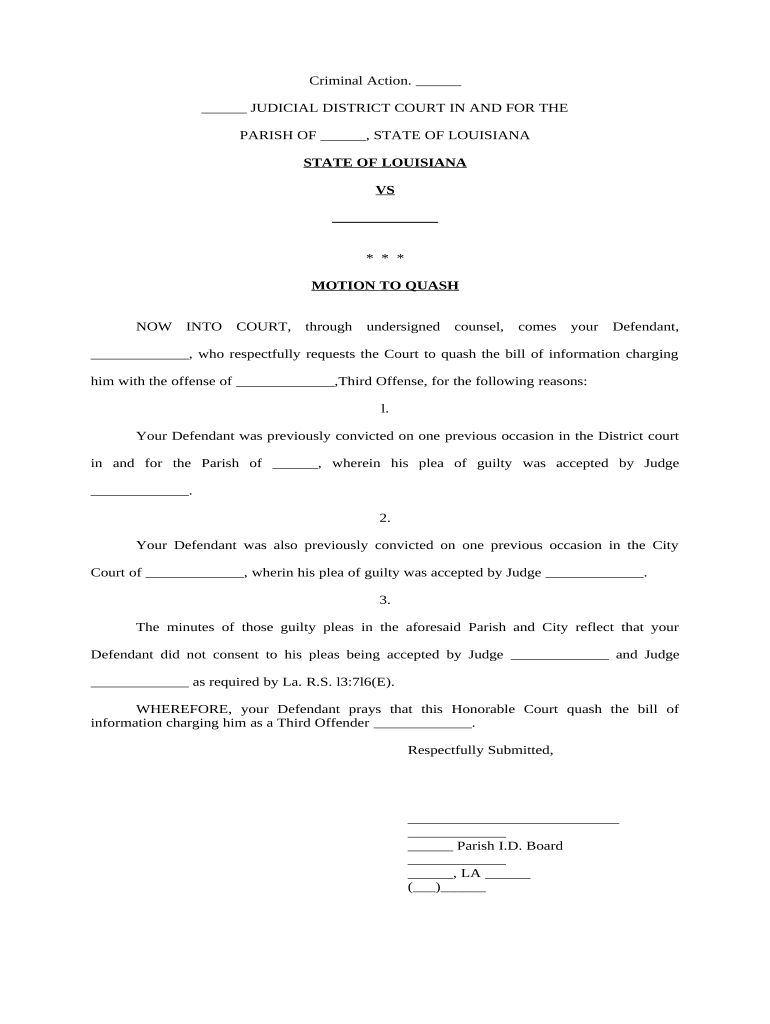
Motion to Quash

This template is fully customizable. Edit the text, fill out the fields, and send it for signature. Give it a try!
Motion to Quash

What a Motion to Quash Is and When it Applies

A Motion to Quash is a formal court filing that asks a judge to render a subpoena, service of process, or other legal instrument invalid or unenforceable. Commonly used to challenge subpoenas for documents or testimony, the motion identifies defects in service, improper scope, overbreadth, privilege, or jurisdictional problems. For subpoenas in federal cases, Rule 45(c)(3) of the Federal Rules of Civil Procedure provides grounds to quash or modify. Because local court rules and federal procedures differ, parties should tailor the motion to the governing rules and include a certificate of service and supporting exhibits.

Why a Motion to Quash Matters

Use a Motion to Quash to protect privileged information, limit burdensome discovery, or enforce procedural safeguards in litigation.

Why a Motion to Quash Matters

Who Typically Prepares and Files This Motion

The Motion to Quash is most often prepared by attorneys representing parties who received subpoenas or defective process.

  • Defense counsel protecting privileged client communications and limiting discovery burden.
  • In-house legal teams responding to third-party subpoenas for corporate records.
  • Self-represented parties seeking to correct service defects or preserve appellate rights.

Who Signs and Submits the Motion

Attorney

A licensed attorney of record signs and files most Motions to Quash. The signature certifies factual statements, compliance with local rules, and that counsel has conferred or attempted to confer with opposing counsel where required.

Pro Se Party

A self-represented (pro se) litigant may draft and sign a motion but remains responsible for meeting formatting, service, and timing rules; courts often apply strict compliance standards to pro se filings.

Key Security and Compliance Considerations

Encryption in transit: TLS 1.2/1.3
Encryption at rest: AES-256
Federal e-sign laws: ESIGN and UETA compliance
Health privacy: HIPAA (BAA required)
Audit and controls: SOC 2 Type II
Standards & access: ISO 27001 and WCAG AA

Consequences of a Deficient or Late Motion

Waiver of objection: Loss of certain defenses
Court sanctions: Monetary penalties possible
Adverse rulings: Forced compliance or limited relief
Cost awards: Opponent may recover fees
Delay risks: Extended litigation timeline
Preservation issues: Evidence preservation obligations

Common Preparation Pitfalls

  • Failing to include a certificate of service or proof of notice leads to administrative rejection or denial.
  • Citing irrelevant authority or omitting controlling local rules weakens the motion and can offend court practice.
  • Overbroad factual assertions without supporting exhibits invite credibility challenges and summary denial.
  • Ignoring privilege logs or confidentiality procedures may foreclose protective orders or produce sanctions.

Step-by-Step: Prepare and File a Motion to Quash

Follow a clear sequence: draft, attach exhibits, sign, serve opposing counsel, and file with the court using required e-filing procedures.

  • 01
    Draft motion: Write a concise statement of facts and legal grounds.
  • 02
    Attach exhibits: Include subpoena, service proof, and privilege log if applicable.
  • 03
    Sign and date: Attorney or pro se signature with date and contact info.
  • 04
    File and serve: E-file per court rules and serve opposing counsel promptly.

Where and How the Motion Is Submitted

Motions are filed with the clerk in the court where the case is pending; many federal and state courts require electronic filing via the court's case management system.

  • E-filing systems: Use CM/ECF or state e-filing portal as required.
  • Paper filing: Submit in-person only if e-filing is unavailable.
  • Service rules: Serve opposing counsel per local rule or FRCP requirements.
  • Proof of service: File certificate of service immediately after serving parties.

Typical Digital Workflow Settings for Filing

Configure e-filing and document settings before submitting to reduce errors and meet court formatting requirements.

Field Configuration
Document format PDF/A, flattened text as required by court
Signature type Electronic signature accepted per court rules
File naming Use caption and docket number
Certificate inclusion Embed certificate of service as separate page

Technical Requirements for eSubmission and Signing

Confirm the court's e-filing requirements and whether an electronic signature is acceptable for your filing.

  • PDF compatibility: Produce ISO-standard PDF/A files
  • Audit trail: Capture signer identity, IP, timestamp
  • Integration: Ensure compatibility with court e-filing portals

Timing and Response Considerations

Deadlines for filing and opposing responses differ by jurisdiction and document type; always verify local rules and applicable federal rules before filing.

Federal rule reference:

See FRCP 45(c)(3) for subpoena quash grounds

Local practice:

Most courts set specific motion briefing schedules

Service timing:

Service deadlines depend on local civil procedure rules

Opportunities to respond:

Opposing parties often have set days to oppose

Check clerk guidance:

Clerk’s office posts local e-filing deadlines

Key Milestones in a Motion-to-Quash Case Timeline

Track filing, service, opposition, hearings, and rulings in sequence to manage compliance and preserve record for appeal.

01

Draft and serve

Prepare motion and serve opposing counsel immediately.

02

File with court

E-file the motion per local procedures.

03

Opposition deadline

Opponent files a response under local briefing schedule.

04

Hearing or ruling

Court sets hearing or issues ruling on papers.

How a Motion to Quash Compares with Similar Filings

Compare motions by purpose, filing location, and typical remedies to pick the correct procedural vehicle.

Criteria Motion to Quash Motion to Dismiss
Primary purpose challenge subpoena attack complaint
Filing location court where subpoena issued court handling complaint
Typical remedy quash or modify subpoena dismiss claims
Timing sensitivity immediate generally early stage

eSignature Vendor Snapshot for Preparing and Filing Motions

Compare common vendor attributes relevant to preparing, signing, and securely storing a Motion to Quash. Pricing and features vary by plan and billing cadence.

signNow DocuSign Adobe Sign PandaDoc HelloSign
Starting Price $8/user/mo $15/user/mo $14/user/mo $19/user/mo $15/user/mo
Free Trial 7-day free trial Varies Varies Varies Varies
Bulk Send Yes Yes Yes Yes No
Audit Trail Yes Yes Yes Yes Yes
Envelope Cap No cap 100 envelopes/user/year Varies Varies Varies

Essential Parts of a Professional Motion to Quash

A complete motion combines clear procedural statements, legal argument, supporting evidence, and proof of service to facilitate judicial review and ruling.

Caption

Court name, parties, and docket number matching prior filings to ensure the motion is associated with the correct case.
Introduction

Short statement identifying the movant, the instrument to be quashed, and the specific relief requested to frame the court’s review.

Statement of Facts

Concise factual background, dates of service, and a description of the subpoena or process being challenged with exhibit references.

Legal Argument

Authority and analysis citing applicable federal or state rules, case law, and statutory provisions supporting why the court should quash.

Relief Sought

Clear request (quash, modify, protective order) and any alternative relief, including proposed protective terms for sensitive materials.

Certificate of Service

Statement of how and when opposing parties were served, essential to establish notice and preserve rights.

Supporting Materials to Attach

Include only relevant exhibits and demonstrate privilege with a prepared privilege log when withholding documents.

Subpoena Copy

Attach the full subpoena to show scope and demands; the court reviews the original instrument when ruling.

Proof of Service

Provide affidavits or declarations showing when and how the subpoena or process was served on the movant.

Privilege Log

List withheld documents with sufficient detail for the court to assess privilege claims without revealing privileged content.

Supporting Declarations

Include sworn declarations from custodians or counsel explaining burdens, relevance, or confidentiality concerns.

Illustrative Use Cases

Real examples show how Motions to Quash are used in practice and the different outcomes they can produce.

Defense Counsel in Civil Litigation

A defendant moved to quash a third-party subpoena seeking privileged communications

  • Court reviewed privilege log
  • Judge granted a protective order limiting scope and preserving privilege while ordering limited disclosures under redaction and in-camera review.

Healthcare Provider

A hospital received a subpoena for patient records and filed to quash based on HIPAA concerns

  • Counsel cited privacy rules
  • Court required narrowed production with notice to patients and a protective order.

Practical Tips for Accurate and Efficient Filing

Follow local court formatting, be concise, and attach only necessary supporting documents to streamline judicial review.

Check local rules
Confirm e-filing, formatting, and signature requirements before filing to avoid administrative rejection.
Be concise
Focus facts and legal arguments on discrete grounds to increase persuasive clarity and judicial efficiency.
Preserve proof
Retain copies of service and filings; file certificate of service immediately after serving parties.
Propose alternatives
Offer redaction or limited production as an alternative to outright quashing when appropriate.

Frequently Asked Questions About Motions to Quash

Answers to common practical questions about when to file, how to serve, and how courts treat motions to quash.


Need help? Contact support

be ready to get more
Join over 28 million airSlate SignNow users