Establishing secure connection…Loading editor…Preparing document…

Mississippi Complaint for Grandparent's Visitation

This template is fully customizable. Edit the text, fill out the fields, and send it for signature. Give it a try!
Mississippi Complaint for Grandparent's Visitation

What the Mississippi Complaint for Grandparent's Visitation Is

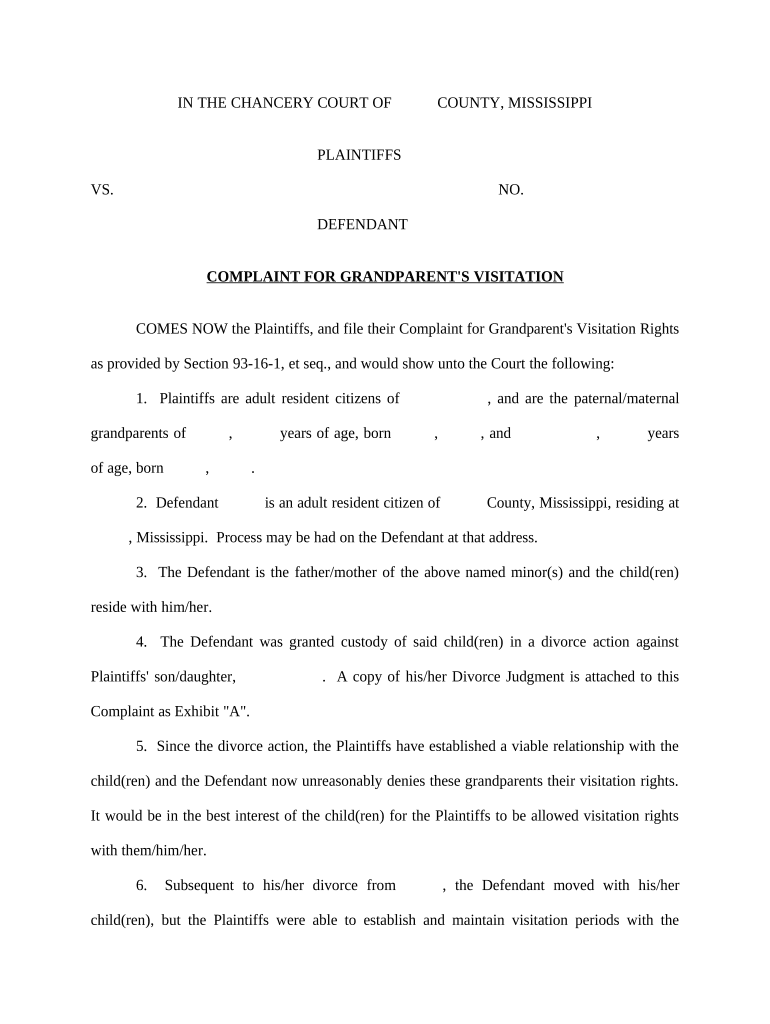
Mississippi Complaint for Grandparent's Visitation is a state court pleading filed by a grandparent seeking court-ordered visitation with a minor grandchild under Mississippi law. It sets out the parties, relationship to the child, factual basis for requesting visitation, the specific access sought, and the statutory or equitable grounds supporting the request. The complaint initiates a family-court or chancery-court proceeding, may request temporary orders pending hearing, and triggers service of process on parents or guardians. It should be drafted to comply with local rules and include supporting factual declarations and proposed visitation terms.

Why a Clear, Compliant Complaint Matters

A well‑prepared Mississippi Complaint for Grandparent's Visitation explains the legal basis for access, clarifies proposed schedules, preserves the grandparent's right to seek court review, and helps the court assess the child's best interests using verified facts and evidence admissible under family law standards.

Why a Clear, Compliant Complaint Matters

Who Typically Uses This Complaint

This form is used by grandparents, kinship caregivers, and their attorneys to request court-ordered visitation when informal arrangements have failed or been denied.

  • Grandparents with an established caregiving or regular visitation history seeking formal access.
  • Relative caregivers or former custodians concerned about losing informal access to the child.
  • Attorneys preparing pleadings or evidence on behalf of grandparents in chancery or family court.

Core Elements to Include in the Complaint

Core elements of a professional Mississippi Complaint for Grandparent's Visitation ensure clarity, procedural compliance, and persuasive factual support to assist judicial assessment of the child's best interests.

Caption

Include court name, docket designation, parties' names, case number (if known), and contact information for counsel or pro se litigant. Accurate captioning prevents misfiling and supports proper docketing.
Jurisdiction

State the basis for the court's jurisdiction and venue under Mississippi law, including residency, the child's location, and any prior custody orders relevant to the petition.

Factual Allegations

Set out chronological facts: contact history, caregiving episodes, significant events, and any parental actions affecting the child's welfare. Tie allegations to concrete dates and corroborating exhibits.

Legal Claims

Identify statutory or common-law theories authorizing grandparent visitation under Mississippi law and briefly explain why facts meet those legal elements without extensive legal argument in pleadings.

Relief Sought

State specific orders requested: visitation schedule, supervision or exchange conditions, transportation responsibilities, modification timelines, and any interim temporary relief until final adjudication and enforcement mechanisms.

Attachments

List exhibits: sworn declarations, communication logs, school or medical records, photographs, and proposed orders. Organize exhibits with tabbed references and exhibit list for court convenience.

Step-by-Step: Preparing and Filing the Complaint

Follow these steps to prepare and file the complaint with necessary attachments and service information.

  • 01
    Prepare Petition: Draft caption, parties, factual allegations, and requested visitation terms.
  • 02
    Attach Evidence: Include declarations, photos, communication records, and affidavits of witnesses.
  • 03
    File With Court: Submit to the appropriate chancery or family court clerk's office.
  • 04
    Serve Parties: Arrange certified mail or sheriff service to parents or guardians.

Online Workflow Settings for e-Filing and e-Signing

Suggested online workflow settings for preparing and routing the complaint and supporting documents for e-filing and e-signature.

Field Configuration
Document Type PDF/A with exhibit list attached
Signing Order Petitioner then witnesses then filing party
Authentication Email link plus SMS code optional
Retention Keep signed PDF and audit trail

Platform Requirements for Secure eSubmission

Use platforms that support secure uploads, PDF signatures, audit trails, and multiple signer roles to maintain evidentiary integrity.

  • Formats: PDF, DOCX supported.
  • Integrations: Court e-filing and cloud storage.
  • Authentication: Email, SMS, or advanced checks.

How Filing and Service Work in Practice

Filing workflow steps clarify preparation, submission, service, and court response to streamline processing and reduce procedural errors.

  • Draft: Prepare complaint, exhibits, and proposed order.
  • File: Submit to clerk and pay applicable filing fee.
  • Serve: Effect service on respondents and file proof.
  • Hear: Attend hearing or submit consent orders as directed.

Timing Considerations and Response Windows

Key filing and procedural timing matters for Mississippi grandparent visitation complaints, including service deadlines and potential expedited relief requests.

When to File the Complaint:

Act promptly once facts supporting visitation exist and documentation is assembled.

Requesting Temporary Orders for Immediate Relief:

Include affidavits and a clear urgency statement for temporary visitation.

Timing for Service and Proof Filing:

File proof of service immediately after completion to avoid continuances.

Time for Respondent to Answer or Respond:

Check local rules; typical response periods are seven to thirty days.

Scheduling the Hearing and Possible Continuances:

Hearing dates depend on docket; prepare for continuances and discovery timelines.

Key Milestones from Filing to Enforcement

Sequential milestones from filing to enforcement help track progress and expected court interactions in a visitation case.

01

Prepare and File

Finalize complaint, attach exhibits, and file with clerk.

02

Service and Response

Serve respondents and await answer or motions per local rules.

03

Discovery and Hearing Prep

Exchange evidence, depose witnesses, and prepare affidavits.

04

Hearing and Order

Attend hearing, present evidence, then receive court order.

Security and Compliance Considerations

Encryption: TLS 1.2/1.3 in transit; AES-256 at rest.
Certifications: SOC 2 Type II, ISO 27001, PCI DSS.
HIPAA: BAA available for protected health data.
eSignature Law: Complies with ESIGN and UETA frameworks.
Audit Trail: Detailed timestamps, IP logs, and history.
Accessibility: WCAG 2.0 Level AA conformance.

Penalties and Risks of Errors or Omissions

Dismissal Risk: Improper service or lack of standing.
Delay: Missing evidence delays hearing dates.
Reduced Access: Court may limit or supervise visits.
Financial Costs: Attorney and filing expenses can increase.
Adverse Findings: Court findings may affect custody cases.
Perjury Risk: Unsupportive affidavits risk sanctions.

Common Preparation Challenges to Avoid

  • Proving standing and a sufficient prior relationship can be fact-intensive; failure to provide contemporaneous records or witness affidavits commonly weakens petitions and creates credibility issues at hearing.
  • Incomplete or incorrectly completed service of process papers often leads to continuances or dismissal; use certified methods and file proper proof to avoid procedural setbacks.
  • Overreliance on hearsay without sworn declarations reduces evidentiary weight; prioritize signed affidavits and primary records from schools, healthcare providers, or caregivers.
  • Neglecting to request interim relief when facts show risk can expose the child to harm and limit the court's remedial options later.

Saving, Exporting, and Organizing Signed Documents

Saving, exporting, and organizing signed complaints and attachments in standard formats ensures court acceptance and long-term access for review and enforcement.

File Formats

Save signed pleadings as PDF/A to preserve metadata and a tamper-evident format; retain the audit trail certificate and a copy of the unsigned source document for records and potential appellate review.

Cloud Storage

Store documents in access-controlled cloud storage with versioning and audit logs; maintain backups and restricted permissions to protect sensitive child welfare and medical information.

Local Copies

Keep a local, encrypted copy of the signed complaint and exhibits; include the platform audit trail and signed timestamp for evidentiary support during hearings.

Exhibit Index

Attach an exhibit list referencing tabbed documents and Bates numbers where appropriate to streamline the court's review and reduce in-court confusion.

Practical Tips to Improve Filing Accuracy

Practical tips reduce filing errors, speed processing, and improve the court's ability to evaluate visitation requests.

Document preparation and proofreading checklist
Proofread names, dates, and exhibit references; use consistent formatting and paginate exhibits. Confirm that affidavits are signed, dated, and notarized where required to avoid clerical rejection and hearing delays.
Organize exhibits with an index
Number and tab exhibits, reference each exhibit in the complaint, and provide the court with a single exhibit binder or organized PDF to simplify review.
Check local court rules for filing
Local clerks can require specific formatting, page limits, or filing portals; consult court rules or clerk's office before e-filing to ensure compliance and avoid rejection.
Preserve originals and maintain chain
Keep original physical records, maintain a chain of custody for critical documents, and record who handled or transmitted records to support authenticity at hearing.

Representative Example Scenarios

Real-world examples show common paths and outcomes when grandparents file visitation complaints in state courts.

Caregiving Grandparent Success

A long-term caregiving grandparent filed a complaint supported by school records and sworn affidavits documenting daily care and emergency contacts over two years.

  • Judge granted supervised visitation pending full hearing.
  • The court awarded limited weekend visits and required a written parenting plan; organized exhibits and corroborating proof shortened the hearing and reduced disputes over factual assertions, improving enforceability. Counsel also negotiated exchange logistics reducing future conflicts.

Record-Driven Petition

A grandparent with sporadic prior contact assembled medical and school records showing ongoing involvement and filed a complaint with precise exhibit indexing.

  • Court ordered limited supervised visitation and periodic review.
  • Careful documentation and an organized exhibit list persuaded the court to permit verified contact; the order included conditions for review and a mechanism for modification if parental cooperation changed. Counsel monitored compliance.

Typical Parties Involved

Petitioner — Grandparent

A grandparent filing pro se or with counsel typically provides evidence of relationship, caregiving history, and concrete visitation proposals. They must prepare sworn declarations, contact information, and cooperate with service requirements to establish standing and support requests for interim relief.

Attorney — Family Law

Family law counsel drafts pleadings, assembles exhibits, verifies statutory standing, prepares sworn declarations, and advocates for visitation terms. Counsel also coordinates service, temporary motions, and compliance monitoring post-order to protect the client's interests and the child's welfare.

eSignature Vendor Comparison for Filing and Signing Documents

Vendor pricing and capability comparison for eSignature options commonly used to prepare and sign Mississippi visitation complaints and supporting affidavits.

signNow DocuSign Adobe Sign PandaDoc HelloSign
Starting Price $8/user/mo $15/user/mo $14/user/mo $19/user/mo $15/user/mo
Free Trial 7-day free trial, no credit card Varies by vendor Varies by vendor Varies by vendor Varies by vendor
Bulk Send Yes (premium) Varies by plan Varies by plan Yes Varies by plan
Audit Trail Yes Yes Yes Yes Yes
HIPAA Compliant Yes Yes Yes No No
Envelope Cap No cap 100 envelopes/user/year Varies by plan Varies by plan Varies by plan

Frequently Asked Questions and Troubleshooting

Common questions about completing, filing, and enforcing a Mississippi Complaint for Grandparent's Visitation are answered below to reduce errors and delays.


Need help? Contact support

be ready to get more
Join over 28 million airSlate SignNow users