Establishing secure connection…Loading editor…Preparing document…

New Resident Guide for Tennessee

This template is fully customizable. Edit the text, fill out the fields, and send it for signature. Give it a try!
New Resident Guide for Tennessee

What the New Resident Guide for Tennessee Is

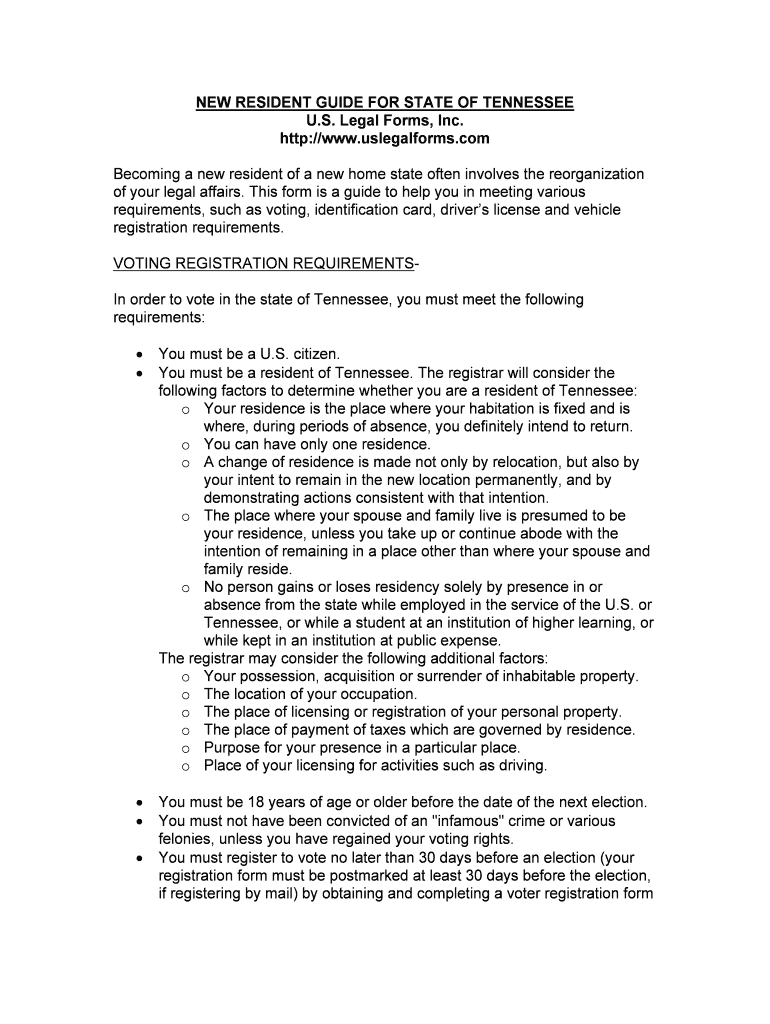
The New Resident Guide for Tennessee is a consolidated packet that helps individuals and households complete the administrative tasks required when relocating into Tennessee. It typically combines checklists, required forms, deadlines, and contact information for state and local agencies — for example vehicle registration, voter registration, utility setup, and school enrollment. The guide explains which documents to collect (IDs, proof of residence, lease or mortgage agreement), how to complete common forms, where to submit them, and which actions may require notarization or witness signatures.

Why a Tennessee New Resident Guide Matters

A targeted guide reduces missed steps and administrative delays by grouping state-specific requirements, common filing deadlines, and documentation checklists in one place. It lowers the risk of fines or service disruptions, clarifies notarization and residency proofs, and helps new residents complete obligations more efficiently while preserving legal compliance where required.

Why a Tennessee New Resident Guide Matters

Who Finds This Guide Useful

New residents, property managers, relocation specialists, and social service organizations use the guide to streamline onboarding into Tennessee communities.

  • New residents and renters looking to complete registrations and utility setups quickly.
  • Landlords and property managers onboarding tenants and collecting move-in documentation.
  • Relocation coordinators and human resources teams assisting employees moving to Tennessee.

The guide is also helpful for legal or benefits specialists who must verify residency-related documentation for service eligibility or tax purposes.

Core Components of a Professional New Resident Guide

A professional guide combines clear forms, step-by-step workflows, state rules, and practical tools to prevent errors and accelerate completion.

Checklist

A prioritized move-in checklist covering ID, proof of residence, lease, vehicle registration, voter registration, and school enrollment items with target completion windows.
Required Documents

A succinct list of acceptable documents for identity and residency proofs (driver's license, passport, utility bill, lease) and notes on photocopies versus originals.

Filing Instructions

Stepwise instructions describing where to file each form, required fees, typical timelines, and whether a notary or witness is necessary.

Deadlines

Clear, prioritized timing guidance (for registrations, licensing, and voter registration) and notes on statutory deadlines where applicable.

Contact Directory

Key agency and municipal contact information, including DMV, county clerk, school district registration, utility providers, and voter registration offices.

Digital Options

Instructions for secure eSubmission and eSign workflows, including authentication levels and retention practices for electronically signed records.

Step-by-Step: Completing the New Resident Guide

Follow these core steps in order to complete the packet efficiently and maintain evidence of compliance.

  • 01
    Gather Documents: Collect ID, lease, utility bills, and vehicle title documents before starting.
  • 02
    Complete Forms: Fill each form carefully using MM/DD/YYYY and full legal names.
  • 03
    Choose Authentication: Decide on in-person notarization or secure eSignature with adequate authentication.
  • 04
    Submit and Retain: Send forms to the designated agency and save signed copies and audit trails.

Configuring an Online Completion Workflow

Set up a simple digital workflow to reduce manual handoffs and centralize signed records.

Field Configuration
Document Template Upload a single PDF or DOCX version for reuse.
Signer Order Define sequential or parallel signing as needed.
Authentication Level Select email, SMS code, or knowledge-based authentication.
Retention Settings Enable audit trail and secure storage for signed copies.

Where to Submit Completed Items

Different items in the guide have different submission destinations; route accordingly to avoid rejections.

  • Driver / Vehicle Forms: Submit to Tennessee DMV or county clerk as indicated on the form.
  • Voter Registration: File with county election commission or use state online portal where available.
  • School Enrollment: Provide required records to local school district registration office.
  • Utilities & Services: Contact utility providers directly to set up accounts and verify required ID documents.

Options for Sharing and Signing Your Guide

The guide supports multiple distribution and signing channels — choose the method that meets agency requirements and security needs.

  • Email Delivery: Send securely as PDF; ensure password protection if sensitive data is included.
  • eSignature Platforms: Use a compliant eSignature solution that supports audit trails and consent.
  • In-Person or Notarized: Use in-person signing or notarization when a notarized acknowledgement is explicitly required.

Match the distribution method to the receiving agency's acceptance rules and keep copies of signed records for your files.

Common Timelines and Expected Processing

Typical timeframes for new resident tasks vary by agency. Plan ahead to avoid late fees or service gaps.

Driver/Vehicle Registration:

Complete within the timeframe specified by the Tennessee DMV or county clerk to avoid penalties.

Voter Registration:

Allow several weeks for registration processing before an upcoming election.

School Enrollment:

Register early to secure placement and submit immunization records per district deadlines.

Utility Activation:

Schedule service setup 7–14 days before move-in to avoid interruption.

Lease Obligations:

Pay first month and security deposit per lease terms, typically at lease signing or move-in.

Key Milestones from Move-In to Fully Registered

Track these sequential milestones to complete essential registrations and validations after relocating to Tennessee.

01

Pre-Move Preparation

Gather IDs, lease, and proof of residency before arrival.

02

Day One Tasks

Set up utilities and confirm service start dates.

03

First Week

Complete vehicle registration or license transfer if required.

04

First Month

Finalize voter registration, school enrollment, and retain copies of all submissions.

Common Mistakes to Avoid

  • Using nicknames or initials instead of full legal names causes identity mismatches.
  • Submitting expired IDs or undated proof of residence leads to delayed acceptance.
  • Failing to capture signed audit trails for electronic signatures removes evidence of consent.
  • Mixing state-specific forms; use Tennessee-specific versions when required by state agencies.

Risks and Potential Consequences of Incorrect Submissions

Registration Delays: Processing may be delayed, causing temporary loss of services or benefits.
Financial Penalties: Late fees or fines may apply when statutory deadlines are missed.
Legal Challenges: Incorrect documents can complicate eligibility for local services or legal processes.
Record Rejection: Agencies may reject filings that lack required notarization or witness signatures.
Tax Implications: Incorrect residency reporting can affect state tax status and withholding.
Identity Risk: Poor data handling increases the risk of identity theft if sensitive documents are not secured.

Essential Information Elements to Include

Full Name: Provide exactly
Date of Birth: MM/DD/YYYY
Current Address: Street, city, state, ZIP
Government ID: Driver's license or passport
Proof of Residency: Lease or utility bill
Vehicle Details: VIN and plate number

eSignature Pricing and Feature Comparison (signNow first)

Select an eSignature provider that matches authentication, compliance, and volume needs. The table compares common starter metrics across vendors with signNow listed first.

signNow DocuSign Adobe Sign PandaDoc HelloSign
Starting Price $8/user/mo $15/user/mo $14/user/mo $19/user/mo $15/user/mo
Free Trial 7-day free trial Varies by vendor Varies by vendor Varies by vendor Varies by vendor
Bulk Send Yes Yes Yes Yes No
Audit Trail Yes Yes Yes Yes Yes
HIPAA Compliant Yes Yes Yes No No
Envelope Cap No envelope cap 100 envelopes/user/year Varies by plan Varies by plan Varies by plan

Frequently Asked Questions About the New Resident Guide for Tennessee

Answers to common questions about completing, signing, and submitting the guide, including eSignature and notarization considerations.


Need help? Contact support

be ready to get more
Join over 28 million airSlate SignNow users