Caption
Court name, case caption, and case number placed at the top so the clerk and judge can identify the underlying matter immediately.
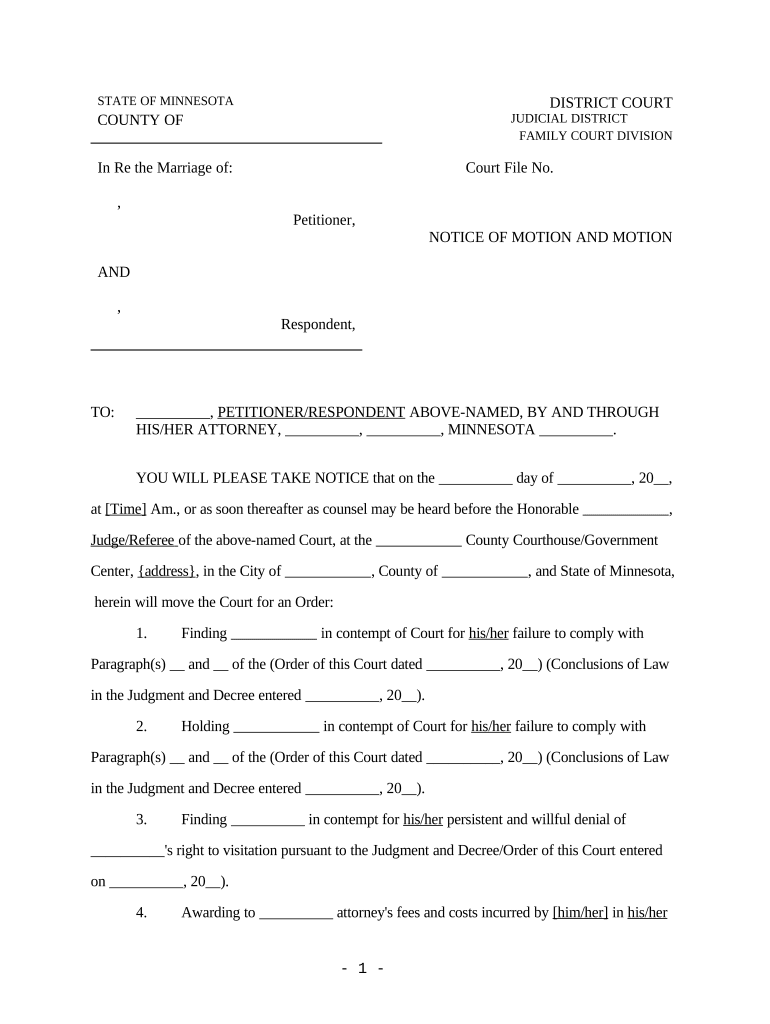
A clear, well-documented Notice of Contempt focuses the court on specific violations and evidence, preserves procedural rights, and increases the likelihood of timely remedies such as sanctions, enforcement orders, or coercive measures. Proper form, service, and supporting declarations minimize procedural dismissals and avoid delay.

Timely filing, correct service, and accurate evidence attachment are essential regardless of whether an attorney or a self-represented litigant prepares the notice.
A licensed attorney of record signs filings and certifies procedural compliance. The attorney’s signature certifies that the notice is warranted under applicable law and that factual allegations have evidentiary support; counsel also handles service and hearing preparation.
A party appearing pro se may sign and submit a Notice of Contempt. The party should follow local rules for declarations, verify statements under penalty of perjury, and be prepared to present evidence at the contempt hearing.
Court name, case caption, and case number placed at the top so the clerk and judge can identify the underlying matter immediately.
Specify the exact order or judgment allegedly violated, including date and docket entry reference to avoid ambiguity about which directive was breached.
Concise, chronological facts showing how the responding party failed to comply; include dates, places, communications, and precise omissions or acts.
Exhibits such as court orders, receipts, communications, or declarations must be labeled and cross-referenced to the facts in the notice.
Clear statement of specific remedies sought (sanctions, compliance order, attorney fees, arrest warrant, or other relief) with statutory or rule basis.
Signed declaration or affidavit verifying the facts under penalty of perjury, with date, printed name, contact information, and signature block.
When using e-signatures or e-submission, ensure the chosen platform supports required authentication and audit trails and complies with ESIGN and UETA.
File as soon as noncompliance is documented to preserve remedies.
Serve opposing party per local rule before the hearing date.
Opposing party often has short weeks to respond; check local rules.
Court will set a hearing date after filing and service are proven.
Post-judgment appeals follow statutory deadlines; consult appellate rules.
Draft notice, attach exhibits, and file with the clerk.
Prove proper service by affidavit or court system entry.
Present evidence and witness testimony at the scheduled hearing.
Judge issues findings and potential sanctions or compliance orders.
A mid-market operations team streamlined remote document exchange for legal and transactional work
A property management founder needed reliable remote signing for tenant and court-related documents
| signNow | DocuSign | Adobe Sign | PandaDoc | HelloSign | |
|---|---|---|---|---|---|
| Starting Price | $8/user/mo | $15/user/mo | $14/user/mo | $19/user/mo | $15/user/mo |
| Free Trial | 7-day free trial | No | No | Yes, limited | Yes, limited |
| Bulk Send | Yes | Yes | Yes | Yes | No |
| Audit Trail | Yes | Yes | Yes | Yes | Yes |
| HIPAA Compliant | Yes | Yes | Yes | No | No |