Establishing secure connection…Loading editor…Preparing document…

Novation Agreement

This template is fully customizable. Edit the text, fill out the fields, and send it for signature. Give it a try!
Novation Agreement

What a Novation Agreement Is and When It Matters

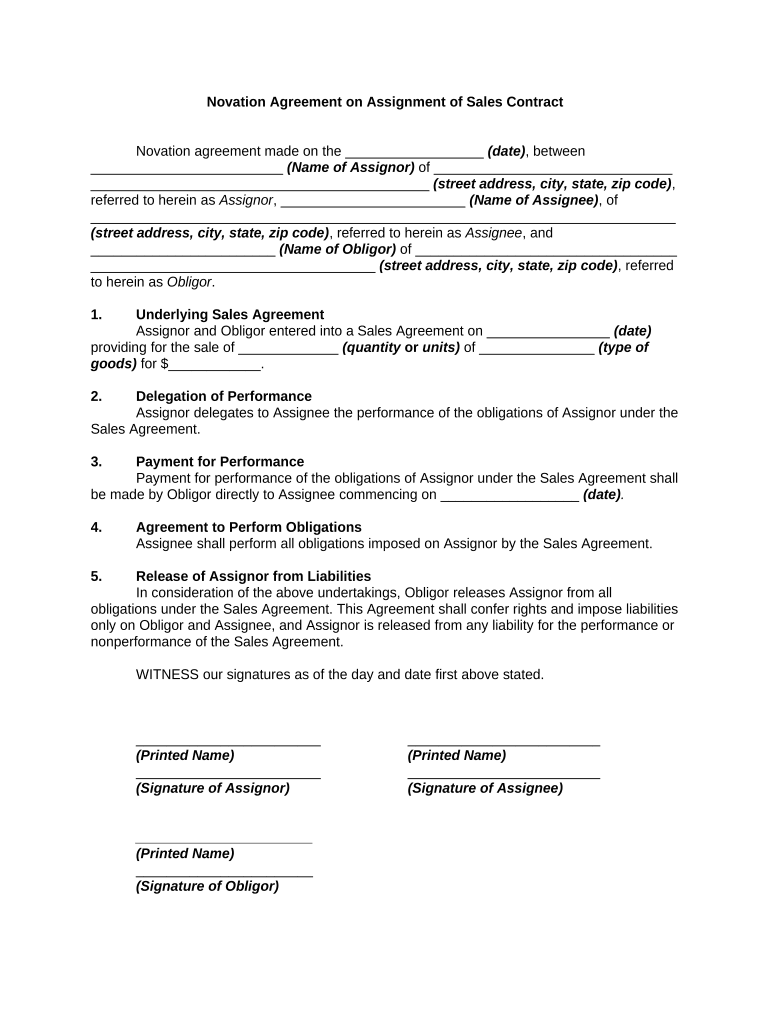
A Novation Agreement substitutes one party for another in an existing contract so that the new party assumes the rights and obligations of the original party. It requires consent from all affected parties and typically extinguishes the original obligor's liability once executed. Novations are used to transfer contractual responsibility—commonly in mergers, asset sales, service-provider changes, or debt substitutions—where simple assignment would not suffice because counterparty consent or mutual release is required. The agreement should state effective date, replaced party, replacing party, consideration, and any continuing warranties or conditions.

Why Use a Novation Agreement

A Novation Agreement creates a clean transfer of contractual duties and rights, avoiding dual liability and clarifying which party is responsible going forward. It preserves continuity while documenting consent and consideration required under contract law and reduces disputes about standing, performance obligations, and liability allocation.

Why Use a Novation Agreement

Who Typically Prepares or Signs a Novation Agreement

Parties with ongoing contractual relationships that must transfer obligations or rights—plus in-house counsel and contracting teams—usually manage novations.

  • Corporate legal teams managing M&A, divestiture, or supplier changes.
  • Finance or treasury teams handling debt substitutions or assignment of receivables.
  • Service providers and customers when a contract’s performance is transferred.

Typical Signatory Roles

Assignor — Counsel

General counsel or assigned contracting lawyer represents the original party transferring rights. They confirm the original contract terms, ensure the release of liability language is accurate, and coordinate consent from counterparties and any required third parties.

Assignee — CFO

A finance leader or authorized officer for the incoming party signs to accept obligations and confirm financial capability. They review consideration, indemnities, and immediate performance responsibilities before binding the assignee to the agreement.

Step-by-Step: Completing a Novation Agreement

Follow a defined sequence to minimize errors and secure required consents before execution.

  • 01
    Review Original Contract: Confirm consent provisions and anti-assignment clauses first.
  • 02
    Draft Novation: Define parties, replaced obligations, effective date, and consideration.
  • 03
    Obtain Consents: Get written consent from the counterparty and any required third parties.
  • 04
    Execute and Distribute: Sign all counterparts, notarize if necessary, and circulate executed copies.

How Novation Replaces One Party with Another

A novation creates a tri-party or multi-party agreement that expressly substitutes a new obligor and releases the original obligor from future liability once effective.

  • Step 1: Original parties agree to substitution terms.
  • Step 2: Incoming party accepts obligations in writing.
  • Step 3: Counterparty gives express consent to the novation.
  • Step 4: Document executed; liability transfers per the effective date.

Configuring an Online Novation Workflow

Set up document routing and fields in your e-signature platform to capture consent, signatures, and post-signature distribution automatically.

Field Configuration
Signature Blocks Place signers in order; require name, title, and date fields
Consent Checkbox Add a required checkbox confirming counterparty consent
Supporting Attachments Include exhibits or original contract reference files
Final Distribution Auto-send executed copies and PDF audit trail to parties

Digital Signing and Delivery Options

Use a platform that supports sequential signing, audit trails, and secure storage when executing novation agreements electronically.

  • Integrations: Salesforce, NetSuite, Microsoft 365
  • Formats: PDF, DOCX, HTML
  • Authentication: Email, SMS code, or advanced options

Comparing eSignature Providers for Novation Agreements

Selecting an eSignature vendor affects cost, compliance, and available workflows. The table compares core pricing and compliance attributes across common vendors with signNow listed first.

signNow DocuSign Adobe Sign PandaDoc HelloSign
Starting Price $8/user/mo $15/user/mo $14/user/mo $19/user/mo $15/user/mo
Free Trial 7-day free trial Vendor-specific trials Vendor-specific trials Vendor-specific trials Vendor-specific trials
Bulk Send Yes Yes Yes Yes No
Audit Trail Yes Yes Yes Yes Yes
HIPAA Compliant Yes Yes Yes No No
Envelope Cap No cap 100 env/user/yr Varies by plan Varies by plan Varies by plan

Security and Compliance Highlights Relevant to Novation

Encryption: TLS 1.2/1.3 in transit; AES-256 at rest
Audit Trail: Comprehensive timestamp and IP logging
Certifications: SOC 2 Type II and ISO 27001
HIPAA: Compliant (BAA required)
21 CFR Part 11: Support for regulated workflows
Accessibility: WCAG 2.0 Level AA

Key Risks if a Novation Is Defective

Invalid Transfer: Original party may remain liable
Breach Claims: Counterparty may sue for nonperformance
Tax Exposure: Unreported transfers can trigger assessments
Recording Errors: Property novations may create title issues
Regulatory Noncompliance: Industry regs may require specific notices
Enforceability Delay: Missing consent causes litigation risk

Common Preparation Mistakes to Avoid

  • Failing to obtain explicit written consent from each counterparty before executing the novation, which can leave the original party exposed to liability.
  • Using vague consideration language like 'value received' without specifying the amount or form, creating ambiguity about enforceability and tax treatment.
  • Neglecting to update exhibits, schedules, or referenced contracts so the novation does not correctly map substituted obligations and performance timelines.
  • Skipping verification of signatory authority—corporate resolutions or officer signing authority should be documented to prevent later challenges.

Typical Deadlines and Time-Sensitive Steps

Track the critical dates that affect enforceability, recording, and tax reporting when completing a novation agreement.

Effective Date:

Date when obligations transfer and liability shifts to assignee

Consent Deadline:

Counterparty response window for approving the substitution

Recording Window:

Record deeds or security interest changes per local county rules

Tax Reporting:

Report transfers per applicable tax-period deadlines

Document Retention:

Retain executed novation per regulatory retention rules

Key Milestones from Draft to Enforcement

A clear milestone plan helps ensure consents, execution, and recording happen in sequence to avoid gaps in liability coverage.

01

Draft Approval

Internal review and legal sign-off prior to counterparty delivery

02

Counterparty Consent

Obtain written acceptance and any required amendments

03

Execution

All parties sign and date all counterparts

04

Post-Execution Steps

Distribute executed copies; record or notify third parties

Practical Novation Examples

Two concise scenarios show typical novation uses and the considerations that follow.

Commercial Lease Novation

A landlord consents to substitute a new tenant after a corporate sale

  • New tenant accepts rent and lease obligations
  • The lease novation required landlord consent, updated security deposit terms, and timely recording to protect possession rights.

Service Contract Novation

A vendor transfers a long-term support contract during acquisition

  • Assignee agrees to deliver services under existing SLAs
  • Parties executed a novation with explicit warranty continuation and a defined transition schedule to avoid service interruptions.

Frequently Asked Questions About Novation Agreements

Answers to common questions about validity, signature options, and practical steps when preparing or executing a novation.


Need help? Contact support

be ready to get more
Join over 28 million airSlate SignNow users