Establishing secure connection…Loading editor…Preparing document…

Texas Affidavit of Due Diligence

This template is fully customizable. Edit the text, fill out the fields, and send it for signature. Give it a try!
Texas Affidavit of Due Diligence

What the Texas Affidavit of Due Diligence Is

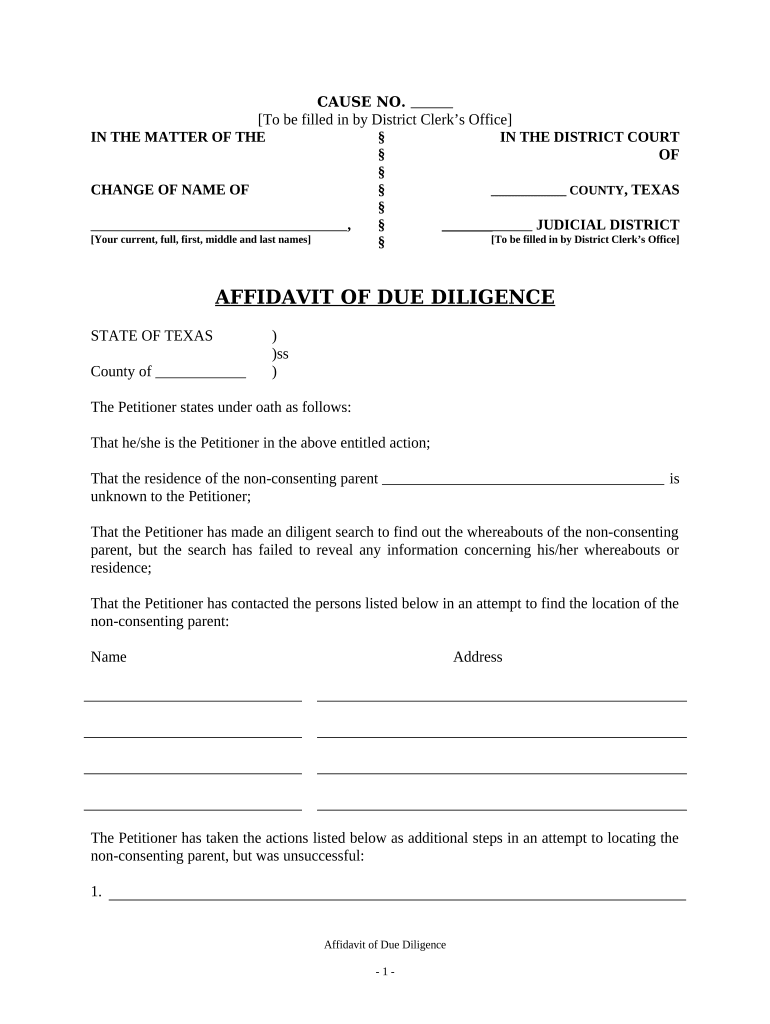
The Texas Affidavit of Due Diligence is a sworn, written statement used to document reasonable efforts made to locate, notify, or otherwise address required parties before filing or serving a legal action or recording an instrument. It records specific steps taken, dates, and outcomes and is commonly attached to court filings, foreclosure or lien-related records, property transfer documentation, and administrative submissions where proof of notice or search efforts is required. The affidavit is completed by an affiant with personal knowledge and is typically acknowledged before a notary public to support its evidentiary value in Texas proceedings.

Why a Proper Affidavit of Due Diligence Matters

A complete affidavit preserves evidence that required search, notice, or service steps were performed and supports compliance with procedural rules. Courts and agencies rely on sworn statements to assess whether parties received proper notice; a clear affidavit reduces the risk of delays, rehearings, or jurisdictional challenges while documenting a defensible record of effort.

Why a Proper Affidavit of Due Diligence Matters

Who Typically Prepares or Signs This Affidavit

Several roles may complete a Texas Affidavit of Due Diligence depending on context and agency or court requirements.

  • Title companies and closing agents conducting searches and attempts to contact lienholders or owners when preparing conveyance or foreclosure documentation.
  • Process servers and law firms documenting service attempts for court filings, evictions, and collection actions.
  • In-house compliance or records staff at financial institutions and government offices creating administrative records of outreach and search steps.

The affiant should be a person with direct knowledge of the efforts described; attorneys often review affidavits before submission to ensure procedural adequacy.

Core Elements of a Professional Affidavit of Due Diligence

A well-prepared affidavit is concise, fact-based, and structured so reviewers can quickly verify the who, what, when, where, and how of the stated efforts. Include identifiers, timelines, methods used, results, and notarization details.

Affiant Identity

Full legal name, title or role, contact information, and a declaration of personal knowledge establishing the affiant’s basis to testify to the facts.
Scope and Purpose

A clear statement of why the due diligence was performed (e.g., attempted service, property owner search, lienholder notification) and the legal or administrative context.

Search Methods

Detailed list of sources checked and methods used such as public records, online databases, mail, phone calls, in-person visits, and certified mail attempts.

Timeline

Specific dates and times for each attempt, including date ranges for searches and timestamps for electronic actions where available.

Outcomes

Results for each attempt (contact made, returned mail, no forwarding address, unknown, refusal) and any documents generated or attached as exhibits.

Notary Block

Notarial acknowledgment with venue, date, and notary signature; include witness lines if the jurisdiction or document type requires witnesses.

Step-by-Step: Completing the Texas Affidavit of Due Diligence

Follow these sequential steps to prepare a clear, defensible affidavit suitable for court or administrative submission.

  • 01
    Gather facts: Collect dates, times, and records of every attempt.
  • 02
    Populate form: Enter affiant, subject, and method details in each field.
  • 03
    Attach evidence: Include receipts, search printouts, and mail proofs.
  • 04
    Sign and notarize: Execute before a notary or e-notary per jurisdictional rules.

How to Configure a Digital Workflow for This Affidavit

Set up a repeatable electronic process to maintain consistent records, reduce errors, and retain audit trails for every affidavit.

Field Configuration
Affiant Name Field Required; auto-validate against known user profile
Date Fields Use MM/DD/YYYY with auto-fill option for today’s date
Attachments Allow PDF, JPG; require at least one supporting file
Signature Field Require signer authentication and capture timestamp

Where the Completed Affidavit Goes and What Happens Next

After execution, handle routing and retention according to the filing purpose; steps below summarize typical next actions.

  • Court Filing: Attach affidavit to the relevant pleading or motion and file with the clerk.
  • Recording Office: If required, submit affidavit with instruments to the county recorder.
  • Internal Records: Store a copy in the matter file and compliance system.
  • Service Proof: Use affidavit to corroborate attempts when seeking default or relief.

Digital Signing and eSubmission Considerations

Ensure your eSignature platform and workflow meet legal and technical requirements for affidavits used in Texas proceedings.

  • Authentication: Use verified signer ID or multi-factor authentication.
  • Audit Trail: Capture IP, timestamps, and action logs.
  • Notarization Support: Support remote online notarization where allowed.

Platforms that preserve tamper-evident records, allow PDF/A exports, and provide notarization integrations help maintain admissibility; confirm the platform meets ESIGN, UETA, and any state RON rules before using for sworn statements.

Timing and Deadlines to Watch When Using the Affidavit

Deadlines depend on the underlying process—court rules, foreclosure timelines, or agency filing windows establish when an affidavit must be executed and submitted.

Before Filing:

Complete the affidavit prior to submitting a pleading that relies on its statements.

Service-Related Deadlines:

Record all attempts promptly to preserve contemporaneous evidence of notice.

Recording Windows:

If attaching to a recorded instrument, follow county recorder deadlines and requirements.

Retention Start:

Retention begins on execution date; preserve originals according to record rules.

Challenge Periods:

Be aware that opposing parties may challenge adequacy of notice within statutory contest periods.

Security and Compliance Considerations for Electronic Affidavits

Encryption: TLS 1.2/1.3 in transit; AES-256 at rest
Audit Trail: Comprehensive logs of actions and timestamps
Access Controls: Role-based permissions and SSO options
HIPAA Support: BAA available where PHI is involved
21 CFR Part 11: Options for regulated electronic record controls
Certifications: SOC 2 Type II and ISO 27001 available

Legal Risks of an Incomplete or Incorrect Affidavit

Perjury Risk: False statements can expose the affiant to criminal penalties under state law
Procedural Delay: Insufficient detail may result in filing rejections or hearings
Loss of Relief: Improper proof of notice can defeat default judgments or relief sought
Evidentiary Weakness: Vague or missing exhibits reduce admissibility
Notarization Errors: Incorrect venue or incomplete notary blocks may invalidate the affidavit
Data Privacy: Improper handling of PHI can trigger HIPAA violations

Common Preparation Mistakes to Avoid

  • Using vague language such as 'attempted contact' without dates, times, or method specifics; lack of specifics undermines credibility.
  • Failing to attach supporting documents (mail receipts, screenshots, search reports), which prevents verification of claimed efforts and leads to evidentiary disputes.
  • Mismatched names or inconsistent subject identifiers across the affidavit and supporting records; inconsistencies can trigger additional discovery or challenges.
  • Skipping notarization or using an incorrect notarial form for the jurisdiction, which can render the affidavit ineffective for court or recording purposes.

eSignature Vendor Pricing Snapshot for Affidavit Workflows

Basic pricing and feature availability for common eSignature vendors are shown below. signNow appears first to reflect its pricing and feature set alongside widely used alternatives.

signNow DocuSign Adobe Sign PandaDoc HelloSign
Starting Price $8/user/mo $15/user/mo $14/user/mo $19/user/mo $15/user/mo
Free Trial 7-day free trial Varies Varies Varies Varies
Bulk Send Yes Yes Yes Yes No
Audit Trail Yes Yes Yes Yes Yes
HIPAA Compliant Yes Yes Yes No No

Frequently Asked Questions About the Texas Affidavit of Due Diligence

Answers to common questions about completion, notarization, electronic signing, and evidentiary value for Texas affidavits.


Need help? Contact support

be ready to get more
Join over 28 million airSlate SignNow users