Establishing secure connection…Loading editor…Preparing document…

Opposition Motion

This template is fully customizable. Edit the text, fill out the fields, and send it for signature. Give it a try!
Opposition Motion

What an Opposition Motion Is and When It Matters

An Opposition Motion is a formal written filing submitted to a court or administrative tribunal to contest another party’s motion. It sets out factual background, legal arguments, evidentiary citations, and a requested ruling denying or narrowing the moving party’s relief. Typical components include a memorandum of law, statement of facts, supporting exhibits, a proposed order, and a certificate of service. Procedural requirements — page limits, citation style, filing method, and deadlines — differ by jurisdiction and court rules and must be followed to preserve appellate rights and avoid waiver.

Why a Clear Opposition Motion Benefits Your Case

A concise, properly formatted Opposition Motion preserves issues for appeal, narrows factual disputes, and helps the court identify weaknesses in the moving party’s position. It creates a record for appellate review and can limit the scope of relief granted by highlighting procedural or evidentiary defects.

Why a Clear Opposition Motion Benefits Your Case

Who Typically Prepares and Files an Opposition Motion

Opposition Motions are prepared by private litigants, plaintiff or defense counsel, and in-house legal teams to respond to dispositive or procedural motions in civil and administrative matters.

  • Individual litigants or pro se parties responding to motions without counsel in civil cases.
  • Defense and plaintiff attorneys opposing summary judgment, preliminary injunctions, or discovery motions in state and federal court.
  • Respondents or regulated parties contesting agency petitions or administrative motions before tribunals and boards.

Stepwise Preparation and Submission Checklist

Follow these steps to draft, review, serve, and file an Opposition Motion that complies with court formatting and timing requirements.

  • 01
    Draft: Prepare the memorandum, facts, and exhibits in draft form.
  • 02
    Check Rules: Confirm page limits, font, citation rules, and filing method.
  • 03
    Assemble Exhibits: Label, paginate, and create an exhibit index.
  • 04
    File and Serve: E-file per local portal and serve opposing counsel as required.

How the Opposition Motion Process Typically Flows

The standard workflow moves from initial drafting through authentication, e-filing, and service, with time to respond or request oral argument as provided by local rules.

  • Prepare: Collect facts, legal authorities, and exhibits.
  • Authenticate: Include declarations, sworn statements, or affidavits as needed.
  • E-file: Submit via the court’s electronic filing system where required.
  • Serve: Serve opposing parties using approved methods and include proof.

Digital Workflow Settings for Online Drafting and Filing

Use a consistent workflow for version control, signature placement, and e-filing preparation to reduce errors before submission to the court.

Field Configuration
Document Type Opposition Motion
Formatting Follow local civil rules for font, margins, and citation form
Filing Method E-file where available; retain PDF/A copy
Service Method Electronic service, certified mail, or hand delivery per court rules

Security and Compliance Considerations for Electronic Filings

Encryption: TLS 1.2/1.3 in transit
Data at Rest: AES-256 encryption
Audit Trail: Comprehensive signing logs
HIPAA: BAA available where required
Regulatory: SOC 2 Type II certified
Standards: ISO 27001 compliance

Comparison of eSignature Pricing and Key Features

Signatures and document workflows can simplify Opposition Motion preparation; the table compares signNow with other common eSignature providers on price and core capabilities.

signNow DocuSign Adobe Sign PandaDoc HelloSign
Starting Price $8/user/mo $15/user/mo $14/user/mo $19/user/mo $15/user/mo
Free Trial 7-day trial Varies by plan Varies by plan Varies by plan Varies by plan
Bulk Send Yes Yes Yes Yes No
Audit Trail Yes Yes Yes Yes Yes
HIPAA Compliant Yes Yes Yes No No

Technical Options for Electronic Signing and Submission

Choose a platform that supports court-accepted PDF formats, secure authentication, and an auditable trail for signature attribution.

  • Integrations: Salesforce, NetSuite, Google Workspace
  • File Formats: PDF, DOCX, PDF/A supported
  • Authentication: Email, SMS, or advanced options

Core Components to Include in a Professional Opposition Motion

A strong opposition combines procedural compliance with persuasive legal argumentation; include these six essential elements to improve clarity and court acceptance.

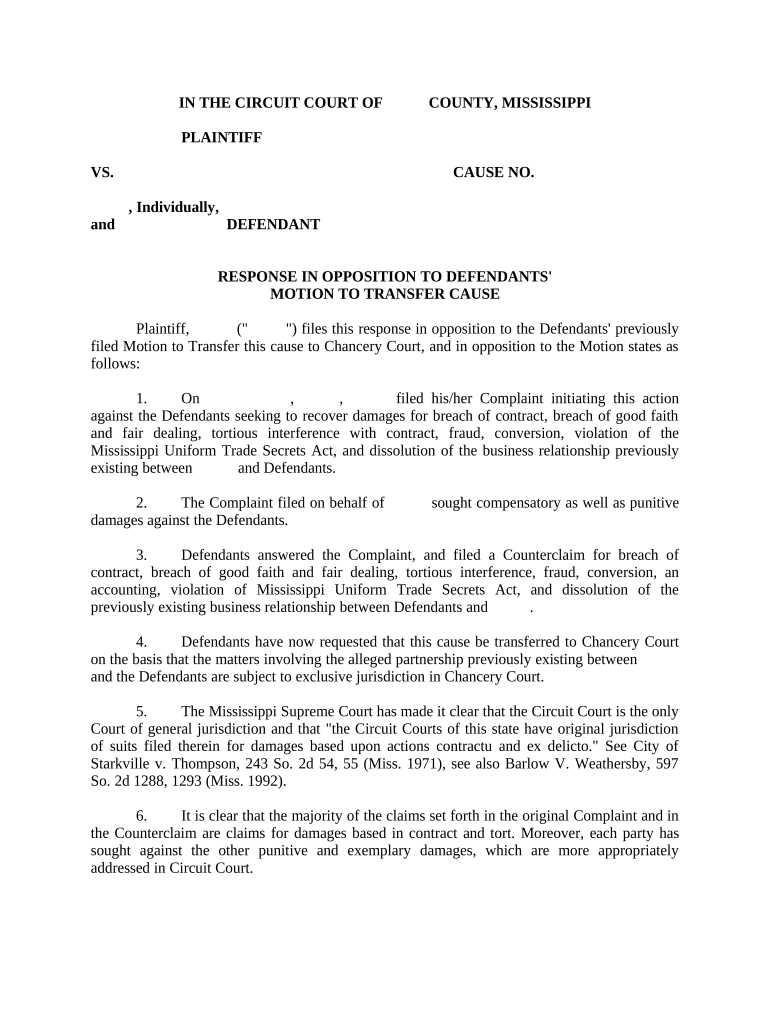
Case Caption

Accurate court name, parties, and docket number placed at the top of the document so the filing is associated with the correct matter.
Statement of Facts

A concise, evidence-supported factual narrative that highlights disputed material facts and links exhibits to argument sections.

Legal Argument

Organized headings and citations to controlling authority that directly respond to each claim made in the moving party’s brief.

Declarations & Exhibits

Sworn statements and properly labeled exhibits that authenticate documents, emails, and other evidence cited in the opposition.

Certificate of Service

A clear statement of how and when opposing counsel and parties were served, complying with local service rules.

Proposed Order

When appropriate, include a clean proposed order reflecting the relief sought by the respondent for the court’s convenience.

Practical Examples of Opposition Motion Use

Two illustrative scenarios show common contexts for Opposition Motions and how parties frame their responses for the court.

Civil Summary Judgment Response

A defense attorney files an opposition to summary judgment focusing on material factual disputes and admissible evidence

  • Identifies conflicting affidavits and timelines
  • The brief ties exhibits to disputed facts and requests denial of summary judgment to preserve trial rights and appellate record.

Administrative Agency Proceeding

A regulated party opposes an agency motion to expedite, citing factual incompleteness and prejudice

  • Submits declarations and redacted documents
  • The opposition emphasizes procedural irregularities, seeks more discovery, and asks the tribunal to deny expedited relief.

Best Practices for Drafting an Effective Opposition Motion

Adopt consistent habits that reduce risk and improve persuasiveness when preparing and filing Opposition Motions.

Start Early and Calendar
Begin drafting immediately upon receipt of the moving papers, and create a calendar for briefing deadlines, service, and any page or word-limit constraints.
Be Precise with Citations
Cite controlling statutes and on-point case law; avoid excessive string cites and ensure pinpoint citations are accurate and verifiable.
Use Clear Exhibit References
Number exhibits, reference them consistently in the text, and ensure each exhibit is authenticated by affidavit or declaration when required.
Proofread for Compliance
Verify font, margins, signature blocks, and certificate of service; clerks often reject or strike filings that fail formatting checks.

Common Preparation Pitfalls to Avoid

  • Missing the local page or word limit and submitting an overlong brief without prior leave of court can lead to clerk rejection or striking of excess pages.
  • Failing to attach or properly mark supporting exhibits makes factual claims unverifiable and weakens credibility with the judge or administrative decisionmaker.
  • Using uncertified or unsworn statements rather than declarations or affidavits risks exclusion of evidence and reduces persuasive weight.
  • Neglecting to serve opposing counsel correctly or to file a certificate of service can result in a later motion to strike or procedural sanctions.

Short Summary of Key Risks from Incorrect Opposition Filings

Waiver of Issues: Claims may be waived
Default Judgment: Risk in certain procedural settings
Sanctions: Court may impose sanctions
Struck Evidence: Unsupported exhibits excluded
Missed Deadlines: Loss of appellate rights
Rejected Filing: Clerk rejection delays case

FAQs and Troubleshooting for Opposition Motions

Answers to frequently asked questions about timing, formatting, service, and electronic submission of Opposition Motions to help avoid common procedural errors.


Need help? Contact support

be ready to get more
Join over 28 million airSlate SignNow users