Establishing secure connection…Loading editor…Preparing document…

Petition to Close Estate

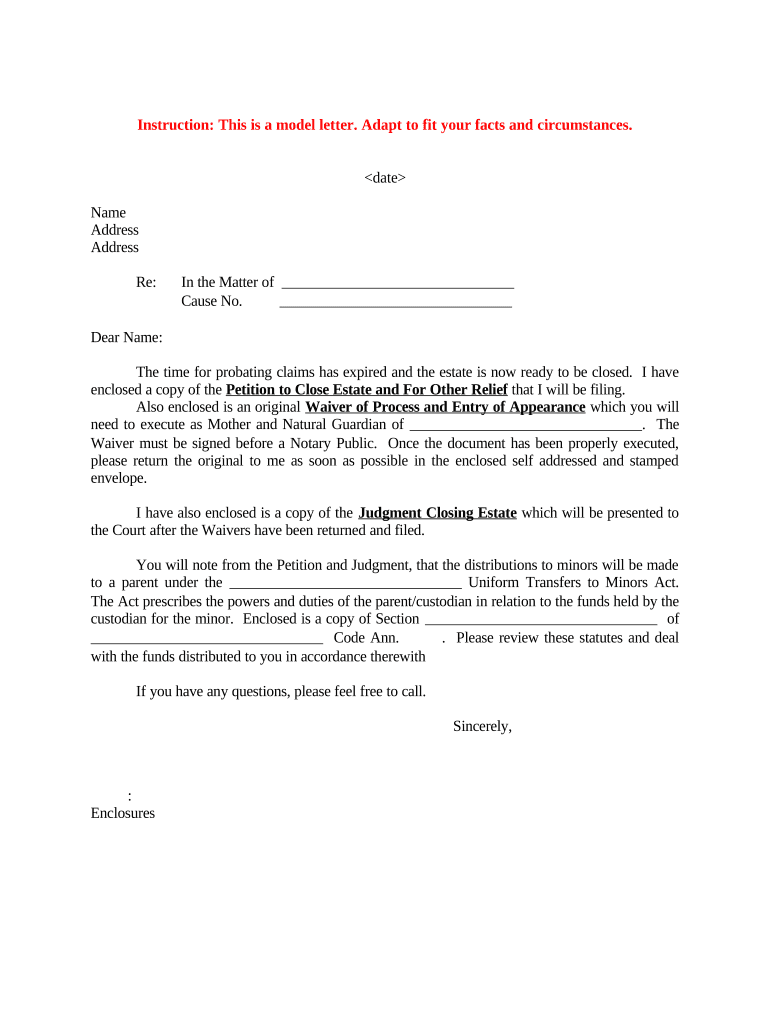
This template is fully customizable. Edit the text, fill out the fields, and send it for signature. Give it a try!
Petition to Close Estate

What the Petition to Close Estate Is and when it’s used

A Petition to Close Estate is a court filing that requests formal termination of probate administration after the executor or personal representative has settled debts, administered assets, and distributed property to beneficiaries. The petition summarizes final accounting, creditor notifications, and proposed distributions, and asks the probate court to enter an order discharging the representative and closing the estate, restoring title where applicable.

Why filing a Petition to Close Estate matters

Closing the estate through a formal petition provides judicial approval of distributions, limits the personal liability of the executor, and creates an official record for beneficiaries and third parties. A clear closing avoids reopenings, reduces creditor disputes, and completes statutory reporting obligations.

Why filing a Petition to Close Estate matters

Who typically prepares and files a Petition to Close Estate

Parties who receive the court order include beneficiaries, creditors on record, and governmental agencies for tax and recordkeeping purposes.

  • Personal representative or executor – files, signs, and certifies final accounting and distributions.
  • Estate attorney – drafts petition, compiles exhibits, and represents the estate at the closing hearing.
  • Court clerk or administrator – accepts filing, schedules hearing, and issues the closing order.

Primary signers and document roles

Personal Representative

The appointed executor or administrator who managed estate tasks, provides the final accounting, signs the petition under oath, and is the party the court will discharge if the petition is granted.

Estate Attorney

Licensed counsel who prepares pleadings, attaches inventories and receipts, certifies legal compliance, and may appear at the closing hearing to respond to court questions and to verify distributions are lawful.

Essential information to include in the petition

Decedent Name: Full legal name
Case Number: Probate docket number
Date of Death: MM/DD/YYYY
Inventory: Assets listed
Creditor Notices: Proof of notices
Distribution Plan: Beneficiaries listed

Consequences of errors or omissions

Delayed Closure: Court continuances or re-filings
Personal Liability: Executor sued for improper distributions
Tax Penalties: IRS fines for late filings
Court Sanctions: Fines or corrective orders
Creditor Claims: Reopened estate exposure
Fraud Allegations: Criminal or civil risk

Common preparation mistakes to avoid

  • Incomplete accounting — failing to list assets, dispositions, or receipts can prompt a court to reject or delay closure.
  • Insufficient creditor notice — not following statutory notice procedures may allow late creditor claims or require reopening the estate.
  • Mismatched names or dates — discrepancies between IDs, court records, and documents can undermine the petition’s effectiveness.
  • Missing supporting exhibits — omitting probate inventories, tax receipts, or beneficiary releases often triggers evidentiary requests.

Step-by-step: completing the Petition to Close Estate

Follow a consistent sequence: assemble records, prepare final accounting, attach exhibits, and file with the probate court.

  • 01
    Prepare Accounting: Compile receipts, disbursements, and final asset list.
  • 02
    Attach Exhibits: Include inventories, creditor proof, and releases.
  • 03
    Complete Petition: Draft petition language and certificates of service.
  • 04
    File & Serve: File with court and serve interested parties.

Where to file and how the court processes the petition

Petitions are filed with the probate court that has jurisdiction over the decedent’s estate; processing steps vary by county but follow a common pattern.

  • Court Filing: Submit petition to probate clerk.
  • Clerk Review: Court checks completeness and docketing.
  • Hearing: Judge schedules review or hearing.
  • Closing Order: Court issues order closing estate.

Key components a professional petition should include

A professional petition organizes facts, accounting, legal authority, and requested relief so the court can efficiently rule on closure and discharge of the representative.

Caption

Court name, case title, docket number, and clear petition title to ensure correct filing and routing.
Statement of Service

Affidavit showing beneficiaries and creditors were served per statute and court rules to preserve notice requirements.

Final Accounting

Itemized receipts and disbursements with beginning and ending asset totals and reconciliation.

Exhibits

Inventory, receipts, tax filings, releases, and any small-estate affidavits or settlements attached as proof.

Requested Relief

Clear prayers: discharge personal representative, approve accounting, authorize distribution, and close probate.

Verification

Signature under penalty of perjury by the representative with date and contact information.

Typical timing and court processing expectations

Timelines depend on local rules, estate complexity, and whether creditor claims are expected; plan for multiple steps and possible continuances.

Creditor Notice Period:

Often 3 months from published/mailed notice; varies by state

Final Accounting Filing:

Commonly filed within 6–12 months after administration begins

Hearing Scheduling:

Court may schedule within 30–90 days after filing

Order Issuance:

Court issues closing order after hearing or on submitted papers

Distribution Timing:

Distribution typically occurs after order, often within 10–30 days

How the Petition to Close Estate compares to similar filings

Different closing mechanisms exist depending on estate size and state rules; choose the form that matches the estate’s threshold and complexity.

Criteria Petition to Close Small Estate Affidavit
Typical threshold varies by state varies by state
Court Hearing Required sometimes usually not
Notarization often required required
Time to complete longer shorter

Comparing eSignature vendors for estate closing documents

Common vendor features and starting prices for eSignature platforms used to execute, notarize, and archive estate closing documents; signNow is listed first per comparison standards.

signNow DocuSign Adobe Sign PandaDoc HelloSign
Starting Price $8/user/mo $15/user/mo $14/user/mo $19/user/mo $15/user/mo
Free Trial 7-day free trial Yes Yes Yes Yes
Bulk Send Yes (Premium) Yes Yes Yes No
Audit Trail Yes Yes Yes Yes Yes
HIPAA Compliant Yes (BAA) Yes Yes No No

Frequently asked questions about closing an estate

Answers to common questions about filing, notarization, e-signature validity, supporting exhibits, and anticipated timelines.


Need help? Contact support

be ready to get more
Join over 28 million airSlate SignNow users