Establishing secure connection…Loading editor…Preparing document…

Arizona Alternative Dispute Resolution Statement to the Court

This template is fully customizable. Edit the text, fill out the fields, and send it for signature. Give it a try!
Arizona Alternative Dispute Resolution Statement to the Court

What the Arizona Alternative Dispute Resolution Statement to the Court Is

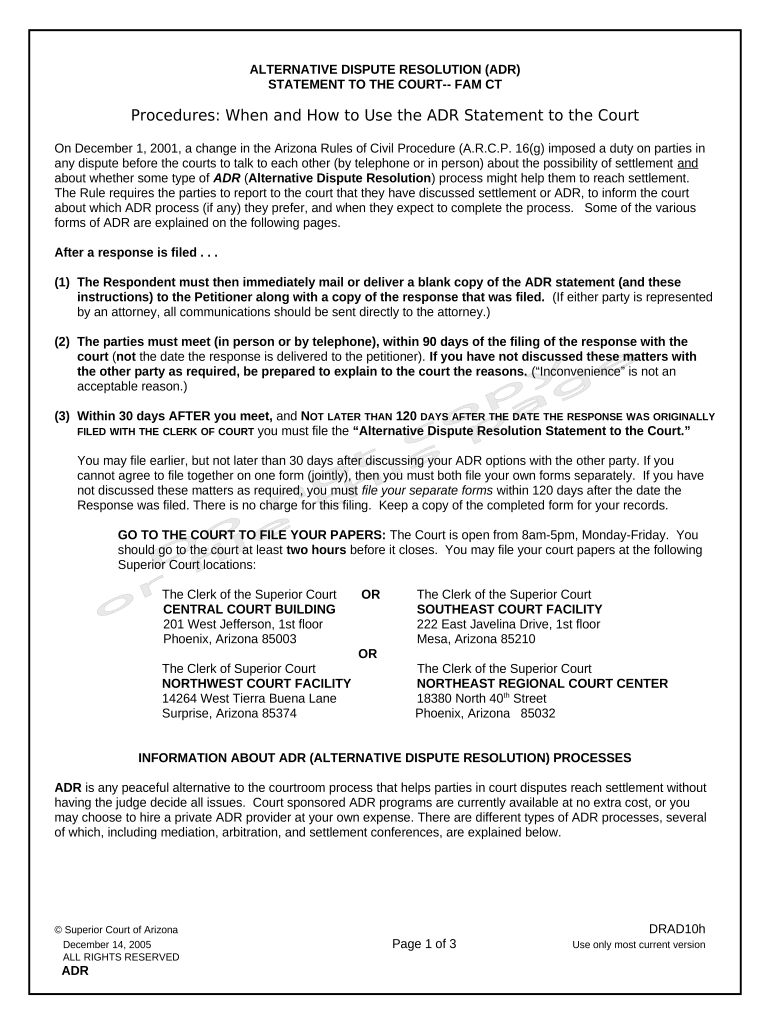
The Arizona Alternative Dispute Resolution Statement to the Court is a short filing that notifies the court and opposing parties whether the case is subject to, or will use, court-annexed or private alternative dispute resolution (ADR) processes such as mediation or arbitration. It identifies the parties, case number, ADR preference or status, and any scheduling or confidentiality considerations required by local rules. Courts use the statement to set ADR deadlines, assign a mediator or refer to program personnel, and ensure ADR compliance during case management.

Why Filing an ADR Statement Matters for Case Management

Filing the ADR Statement informs the court of ADR plans, triggers scheduling and referrals under local civil rules, and helps avoid sanctions for noncompliance; electronic signatures are acceptable under ESIGN (15 U.S.C. ch. 96) and UETA where adopted.

Why Filing an ADR Statement Matters for Case Management

Who Typically Prepares and Signs an ADR Statement

The ADR Statement is prepared by counsel or self-represented parties and filed with the court to meet case management and local rule obligations.

  • Plaintiffs and petitioners — file initial ADR intentions with case opening or scheduling order.
  • Defense counsel and respondents — update ADR status before case management conferences.
  • Court clerks and ADR coordinators — use the statement to schedule or track ADR events.

Step-by-Step: Completing and Filing the ADR Statement

Follow these steps to prepare, sign, and file the statement correctly with the court and opposing counsel.

  • 01
    Draft the Statement: Populate caption, case number, parties, and ADR selection.
  • 02
    Obtain Signatures: Have authorized counsel or party sign and date the form.
  • 03
    Attach Supporting Info: Include mediator contact or ADR program referral if available.
  • 04
    File and Serve: File through the court's electronic filing system and serve opposing parties.

How the ADR Statement Moves Through the Court Process

Understanding the typical routing helps ensure the statement triggers the correct administrative actions and scheduling.

  • Filing: Submitted to the court via eFiling or clerk intake.
  • Docketing: Court clerk assigns an entry and notifies parties.
  • ADR Referral: Court or ADR coordinator assigns mediator or program slot.
  • Scheduling: Mediator and parties set dates per court deadlines.

Configuring an Electronic Workflow for the ADR Statement

Set up a simple e-filing workflow that captures signature, audit trail, and service copies before filing with the court.

Field Configuration
Document Template Pre-fill caption and case number from case intake.
Signature Field Require signer name, typed signature, and date.
Authentication Use email or SMS code for signer verification.
Service Copies Auto-send signed PDF to opposing counsel and docketing contact.

Digital Signing and eSubmission Requirements

Ensure your e-signature platform captures a robust audit trail, supports required file formats, and can produce a court-ready PDF.

  • File Formats: PDF/A or print-ready PDF required for most courts.
  • Audit Trail: Timestamp, IP address, and signer attribution.
  • Authentication: Email or multi-factor signer verification.

Core Components to Include in a Professional ADR Statement

A complete statement is concise but must give the court everything needed to process ADR tasks and schedule events without follow-up.

Court Caption

Full court title and division exactly as used elsewhere in the docket so the clerk can match the submission instantly.
Docket Number

Case number typed precisely; it directs the statement to the correct electronic file and avoids misfiling.

Party Identification

List all parties and counsel with contact details so the ADR coordinator can reach the correct representatives.

ADR Selection

State the chosen ADR mechanism clearly (mediation, binding arbitration, neutral evaluation) and whether the court program or private provider will be used.

Scheduling Info

Include known availability, proposed dates, or a request for the court to set ADR deadlines consistent with the scheduling order.

Signature Block

Authorized signer must sign, date, and include bar number or party designation; include contact email and phone for notices.

Security, Privacy, and Compliance Essentials for Electronic ADR Filings

Encryption in Transit: TLS 1.2/1.3
Encryption at Rest: AES-256 encryption
Federal eSign Laws: ESIGN and UETA compliant
HIPAA Support: BAA available where required
Audit Trail: Timestamps, IP, and action log
Third-Party Certs: SOC 2 Type II and ISO 27001

Penalties and Risks from an Incorrect or Late ADR Statement

Case Delay: Scheduling postponement
Sanctions: Court may impose fees or orders
Rejection: Clerk may return for corrections
Waiver Risk: Missed ADR rights or defenses
Service Failure: Opposing party not notified
Evidence Gaps: Lost audit or incomplete record

Common Mistakes to Avoid When Preparing the ADR Statement

  • Omitting or mistyping the case number, which often results in clerks returning the form or misdocketing the statement.
  • Failing to sign or date using the required format, causing the filing to be treated as unsigned or incomplete.
  • Not serving the opposing party a copy of the filed statement in the manner required by local rules.
  • Using an e-signature platform that does not provide a complete audit trail or court-ready PDF, which can lead to evidentiary questions.

Timing: When to File the ADR Statement

Check local rules and the court's scheduling order; typical triggers and deadlines are listed below but verify with the assigned court division.

Initial Filing Deadline:

Often due at case opening or within 14–28 days of the scheduling order.

Pre-Mediation Notice:

Some courts require notice 7–14 days before mediation.

Amendment Window:

File updates promptly when parties change ADR status.

Sanction Risk Deadline:

Failure to timely file may expose parties to sanctions.

Court-Specific Dates:

Local rules govern precise dates; confirm with the clerk.

Key Milestones in the ADR Statement Lifecycle

Track these milestones to move the matter from filing to ADR event without administrative delay.

01

Drafting Completed

Finalize content and confirm party approvals.

02

Signature Executed

Obtain authorized signature and date the form.

03

File with Court

Submit via eFiling or clerk intake.

04

ADR Session

Attend mediation or arbitration per schedule.

Comparison: Typical eSignature Pricing and Features for Court Filings

Platform pricing and features vary; signNow is shown first as a representative option. Check vendor plans and feature details before selecting a solution for court filings.

signNow DocuSign Adobe Sign PandaDoc HelloSign
Starting Price $8/user/mo $15/user/mo $14/user/mo $19/user/mo $15/user/mo
Free Trial 7-day free trial Yes Yes Yes Yes
Bulk Send Yes Yes Yes Yes No
Audit Trail Yes Yes Yes Yes Yes
HIPAA Compliant Yes Yes Yes No No

Practical Examples: ADR Statements in Use

These brief examples illustrate how organizations use electronic signing and ADR statements in practice.

Optica Ventures — Legal

Optica used an e-signed ADR Statement to schedule mediation quickly

  • Statement included mediator contact and preferred dates
  • The court docketed the filing same day and the parties completed mediation within 30 days, reducing case management overhead.

Martin Properties — Real Estate

Martin Properties submitted an e-signed ADR Statement specifying binding arbitration

  • The statement named a private arbitrator and set proposed timelines
  • The arbitration award resolved the dispute without prolonged discovery, saving significant time and cost.

Frequently Asked Questions About the Arizona ADR Statement

Common questions about completion, filing, signatures, and eSubmission are answered below to address routine points of confusion.


Need help? Contact support

be ready to get more
Join over 28 million airSlate SignNow users