Establishing secure connection…Loading editor…Preparing document…

Petition Hearing

This template is fully customizable. Edit the text, fill out the fields, and send it for signature. Give it a try!
Petition Hearing

What a Petition Hearing Is and when it applies

A Petition Hearing is a court proceeding scheduled after a petition (a formal written request) has been filed with the court to obtain relief, clarification, or a declaratory ruling. Petition Hearings appear across practice areas — family law (custody, support), probate (guardianship, estate matters), administrative petitions, and specialty statutory remedies. The hearing gives the judge an opportunity to review pleadings, hear testimony or argument, consider documentary evidence, and enter an order resolving the petition. Some courts accept electronically filed petitions but note that court orders and certain official filings may be subject to local rules or exceptions.

Why a Petition Hearing matters to your case

A Petition Hearing focuses the dispute, creates an official record, and enables the court to grant interim or final relief. It clarifies factual and legal issues, sets deadlines, and gives parties a structured opportunity to present evidence and argument before a judicial decision is entered.

Why a Petition Hearing matters to your case

Who typically files and attends Petition Hearings

Petition Hearings are used by a mix of self-represented individuals, private counsel, and government attorneys depending on the proceeding.

  • Self-represented litigants — Individuals initiating a petition without an attorney for personal, family, or administrative matters, often using court forms or local clinic services.
  • Private practice attorneys — Counsel file petitions and prepare hearing exhibits, witnesses, and legal memoranda on behalf of clients to obtain relief.
  • Government or agency counsel — State or local agencies bring or respond to petitions in regulatory, child welfare, or public-benefit contexts.

Parties involved should confirm court-specific filing and service rules early to avoid procedural delays.

Key roles at a Petition Hearing

Petitioner

The individual or entity that files the petition and bears the burden of demonstrating entitlement to requested relief; responsible for service, filing fees, and presenting evidence at the hearing.

Respondent / Counsel

The party responding to the petition or their attorney; may file responsive pleadings, present counter-evidence, request continuances, or negotiate stipulated outcomes prior to the judge's ruling.

Core components included in a Petition Hearing package

A professional Petition Hearing packet combines procedural notices, evidentiary exhibits, and concise legal argument so the court can adjudicate promptly and with a clear record.

Petition

The initiating document that states jurisdictional facts, legal grounds, and the specific relief sought; should be clear, numbered, and cite statutory authority where relevant.
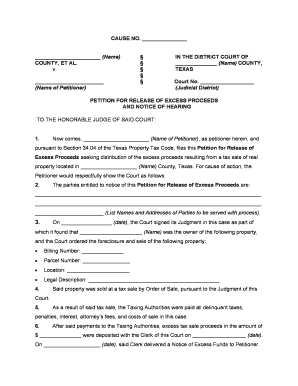
Notice of Hearing

A court-ready notice that identifies hearing date, time, courtroom, service instructions, and any remote appearance instructions required by the court.

Affidavits / Declarations

Signed factual statements or sworn testimony in writing that support factual assertions; include dates, author identification, and exhibit references.

Exhibit Index

A numbered list of documentary evidence offered at the hearing, with page references and a short description for each exhibit for easy court review.

Hearing Memorandum

Concise legal brief summarizing relevant law, key facts, and the precise remedy requested to assist judicial decision-making at the hearing.

Proposed Order

A draft order the judge can sign if the petition is granted; include precise operative language, effective date, and any compliance deadlines.

Essential information fields for the petition and hearing

Case Number: Court docket identifier
Court Name: Jurisdiction and division
Party Names: Full legal names
Relief Sought: Specific remedy requested
Hearing Date: MM/DD/YYYY
Signature: Printed name and date

Step-by-step process to prepare for a Petition Hearing

Follow a clear sequence from filing through courtroom presentation to reduce procedural risk and ensure the judge has the necessary record to rule.

  • 01
    Prepare petition: Draft petition, cite statutes, include relief requested.
  • 02
    File with clerk: Submit petition with filing fee or fee waiver request.
  • 03
    Serve parties: Complete service per local rules and file proof.
  • 04
    Attend hearing: Present evidence, examine witnesses, and argue law.

Setting up a digital workflow for petition creation and routing

Configure a repeatable workflow to collect signatures, attachments, and serve proof while preserving an audit trail.

Field Configuration
Document Template Create reusable petition template with placeholders
Notifications Email reminders to signers and the filer
Authentication Email link or SMS code for signer identity
File Format Use PDF/A for court archive compatibility

Technical considerations for eSubmission and signing

Confirm file formats, signer authentication, and audit-trail capabilities before submitting or serving any petition documents.

  • File Formats: PDF and DOCX accepted
  • Integrations: Court e-filing or CMS connectors
  • Authentication: Email, SMS, or stronger methods

Use platforms that preserve timestamps, signer attribution, and a tamper-evident audit trail to align with ESIGN/UETA documentation requirements.

How filing and serving a petition typically functions

A predictable flow: prepare the packet, file with the clerk, serve interested parties, and attend the scheduled hearing with exhibits organized.

  • Prepare packet: Combine petition, exhibits, and proposed order
  • File with clerk: E-file or deliver paper copy per court rules
  • Serve opposing parties: Use personal service, mail, or permitted electronic service
  • Attend hearing: Present evidence and request the court's ruling

Common timeframes and procedural deadlines to track

Timeline requirements vary by jurisdiction and case type; confirm local rules but calendar service, response, and prehearing submission deadlines early.

Service window before hearing:

Often 14–30 days before hearing; local rules control.

Response deadline:

Respondent typically has 20–30 days to answer — varies.

Pre-hearing submissions:

Exhibit lists or briefs often due several days prior.

Continuance requests:

File promptly with justification to avoid denial.

Court ruling timeframe:

Judge may rule at hearing or issue a written order later.

Consequences of procedural errors or incomplete petitions

Dismissal for lack of service: Case may be dismissed
Default or adverse order: Relief may be granted to other side
Sanctions: Court-ordered fines or fees
Evidence excluded: Late exhibits can be barred
Delay in relief: Important deadlines missed
Increased costs: Additional hearing and attorney fees

Common preparation mistakes to avoid

  • Failing to confirm local court rules for service and e-filing leads to rejected filings or hearing continuances and wastes time and fees.
  • Submitting incomplete or unnumbered exhibits makes it difficult for the judge and opposing counsel to follow and may result in exclusion.
  • Using informal or inconsistent party names (nicknames, initials) can create identity or service disputes that delay the hearing.
  • Missing the clerk's procedural steps (civil cover sheet, filing fee, proof of service) risks administrative dismissal or misdocketing.

eSignature vendor comparison for Petition Hearing workflows

Compare starting price, trial availability, bulk-send capability, audit trails, HIPAA support, and envelope limits when selecting an eSignature provider for petition packets.

signNow DocuSign Adobe Sign PandaDoc HelloSign
Starting Price $8/user/mo $15/user/mo $14/user/mo $19/user/mo $15/user/mo
Free Trial Yes, 7-day free trial Yes, trial available Yes, trial available Yes, trial available Yes, trial available
Bulk Send Yes Yes Yes Yes No
Audit Trail Yes Yes Yes Yes Yes
HIPAA Compliant Yes Yes Yes No No
Envelope Cap No envelope cap 100 envelopes/user/year Varies by plan Varies by plan Varies by plan

Frequently asked questions about Petition Hearings

Answers to common procedural and technical questions to reduce delays and avoid common errors when preparing or attending a petition hearing.


Need help? Contact support

be ready to get more
Join over 28 million airSlate SignNow users