Candidate Details
Full legal name, contact info, date of birth or ID reference, and any professional credentials required for the placement; necessary for identity checks and tax reporting.
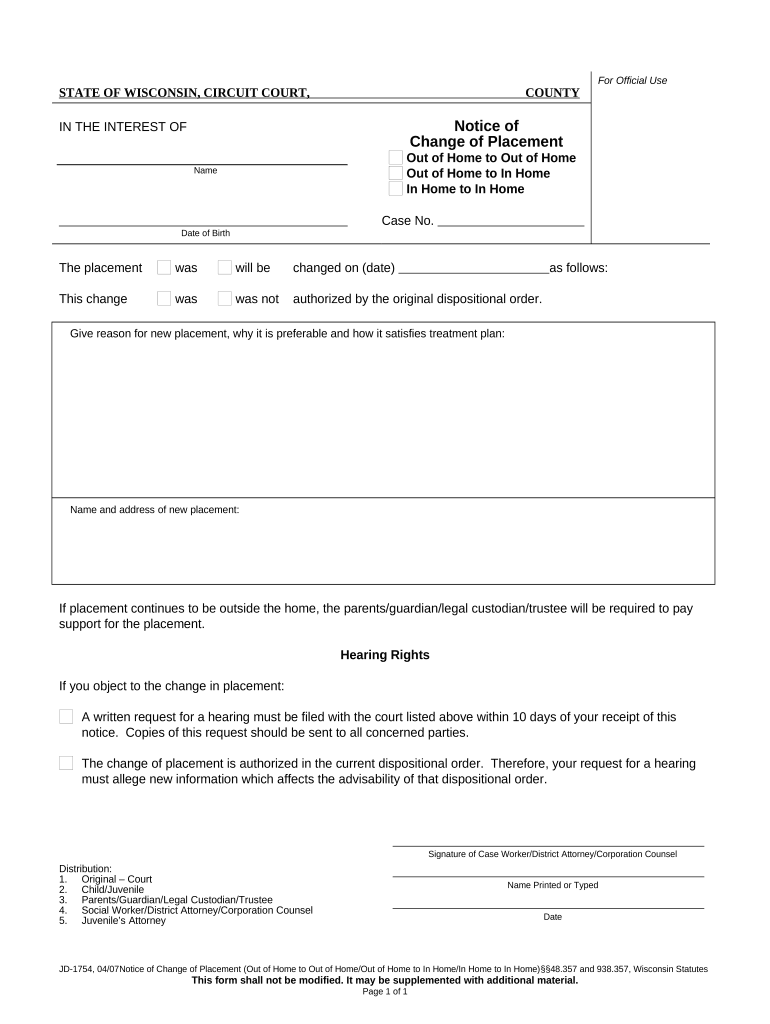
A clear Placement Form establishes responsibilities, start dates, fees, and signature evidence that supports enforceability. When signed electronically, the form can meet U.S. legal standards for electronic signatures under the ESIGN Act (15 U.S.C. ch. 96) and UETA in most states, provided intent, consent, attribution, and retention criteria are met.

Completed forms create an operational record for payroll, compliance checks (I-9, background screens), invoicing, and future audits; keep copies in both operational and long-term storage locations.
Full legal name, contact info, date of birth or ID reference, and any professional credentials required for the placement; necessary for identity checks and tax reporting.
Company or hiring manager name, billing address, PO or requisition number, and contact person for placement coordination and invoicing.
Position title, department, location, start and end dates, schedule, bill rate, pay rate, and any trial or probation conditions that govern the placement.
Clear statement of wages, overtime rules, invoicing cadence, expense reimbursement, and who bears payroll or contractor tax responsibilities.
Required supporting documents (I-9, licenses, certifications, background checks), verification status, and any HIPAA or FERPA handling notes for sensitive placements.
Designated signature blocks for candidate, client representative, and agency approver with dates and space for initials or witness/notary entries when required.
| Field | Configuration |
|---|---|
| Signer order | Define sequence: candidate → agency → client approver |
| Authentication | Choose email or SMS code; use stronger KBA if required |
| Conditional fields | Show license fields only for regulated roles |
| Notifications | Set reminders and final copies to HR and billing |
Ensure the chosen solution offers audit trails, secure storage (AES-256 at rest, TLS 1.2/1.3 in transit), and, if handling protected health information, a HIPAA BAA to meet regulatory obligations.
Candidate must return form and docs within 3 business days
Client approval typically within 48–72 hours of submission
Confirm start date at least 5 business days before work begins
Complete I-9 within 3 business days of hire per USCIS
Provide payroll with signed form before first pay period
A small property management firm moved leasing approvals online to eliminate paper queues.
A venture services firm standardized placement terms across deals to avoid billing ambiguity.
Save executed records as PDF/A for archival, and export editable copies as DOCX when internal systems require it; include the audit trail with the file.
Attach I-9, licenses, background checks, and invoices to the signed record so reviewers can access a single compiled file set.
Preserve timestamps, IP addresses, and signer authentication logs to substantiate who signed and when for legal and compliance reviews.
Limit access to executed Placement Forms to HR, payroll, and authorized managers; use role-based permissions and encryption at rest.
| signNow | DocuSign | Adobe Sign | PandaDoc | HelloSign | |
|---|---|---|---|---|---|
| Starting Price | $8/user/mo | $15/user/mo | $14/user/mo | $19/user/mo | $15/user/mo |
| Free Trial | 7-day trial | Varies | Varies | Varies | Varies |
| Bulk Send | Yes | Yes | Yes | Yes | No |
| Audit Trail | Yes | Yes | Yes | Yes | Yes |
| HIPAA Compliant | Yes | Yes | Yes | No | No |