Establishing secure connection…Loading editor…Preparing document…

Letter Regarding Free Port Tax Exemption

This template is fully customizable. Edit the text, fill out the fields, and send it for signature. Give it a try!
Letter Regarding Free Port Tax Exemption

What the Letter Regarding Free Port Tax Exemption Is

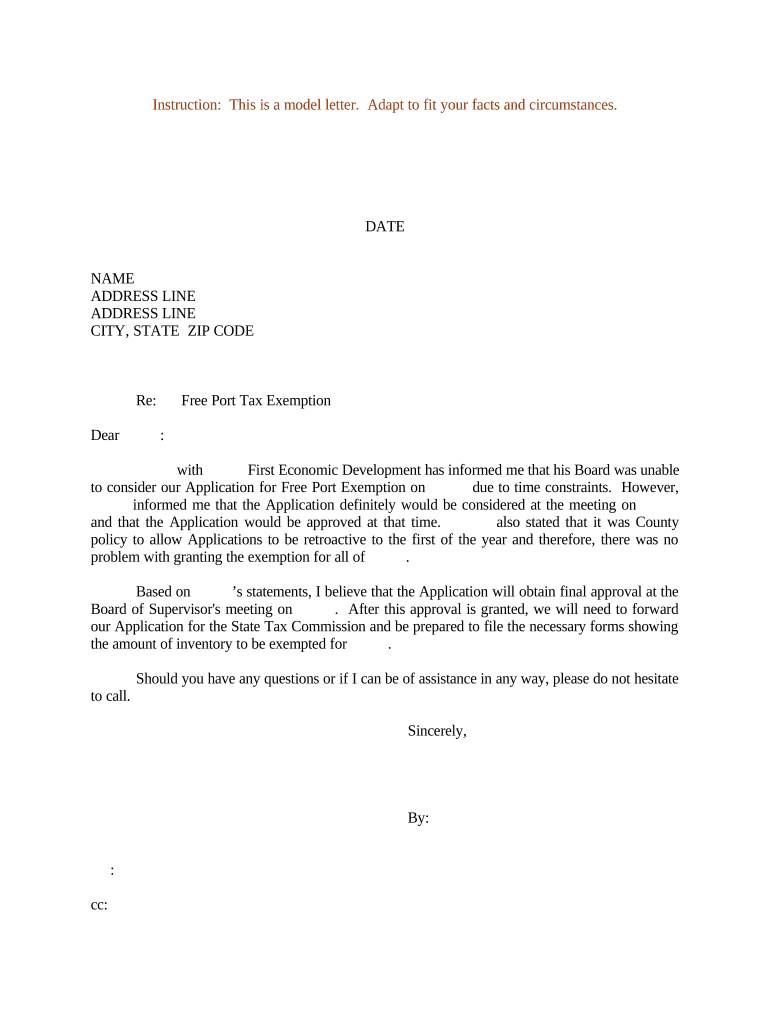
A Letter Regarding Free Port Tax Exemption is a formal written statement submitted to a taxing authority or purchaser asserting that specified inventory, goods in transit, or goods stored briefly at a port qualify for a statutory free port or temporary exemption from local property or inventory taxation. The letter documents the claimant, identifies goods and dates, and explains the legal basis for the exemption so assessors, auditors, or buyers can process tax relief or withhold backup withholding as required.

Why this Letter Matters for Tax and Inventory Management

The letter preserves a taxpayer’s claim to exemption, provides evidence to purchasers and assessors, and reduces the risk of improper tax collection or backup withholding when prepared correctly and supported with required documentation.

Why this Letter Matters for Tax and Inventory Management

Typical users and roles that prepare this letter

Organizations and individuals use this letter to document eligibility for a free port or temporary inventory tax exemption and to communicate that status to taxing authorities, purchasers, or warehouse operators.

  • Manufacturers and distributors asserting exemption for goods briefly held at port facilities
  • Warehouse operators providing documentation to buyers or county tax assessors
  • Tax professionals preparing supporting statements for audit or exemption filings

Users should confirm local filing practices and include supporting schedules or affidavits as required by the relevant taxing authority.

Core elements to include in a professional exemption letter

A complete Letter Regarding Free Port Tax Exemption is clear, dated, signed, and accompanied by documentation tying specific goods to the exemption statute and period; include contact details and a concise legal citation where relevant.

Claimant

Name and legal status of the entity claiming exemption; include EIN or SSN as appropriate.
Goods Identified

Detailed description or schedule of items, quantities, SKU numbers, invoice or bill of lading references.

Location and Dates

Exact port, warehouse, or storage location plus arrival and departure dates relevant to the exemption period.

Legal Basis

Citation to the applicable state statute or local ordinance authorizing free port or temporary inventory exemption.

Supporting Documents

Attach bills of lading, invoices, inventory records, and warehouse receipts to corroborate the claim.

Signature and Contact

Authorized signer name, title, contact phone/email, and signature date.

Step-by-step: prepare and send the exemption letter

Follow these sequential steps to prepare a compliant letter and submit it to the correct recipient.

  • 01
    Gather records: Collect invoices, bills of lading, warehouse receipts, and inventory schedules.
  • 02
    Draft letter: Describe goods, location, dates, and statutory basis for the exemption.
  • 03
    Attach documentation: Attach supportive documents and a contact sheet for follow-up.
  • 04
    Sign and distribute: Obtain authorized signature, then deliver to taxing authority, purchaser, and warehouse.

Configure a digital workflow for completing and tracking the letter

Use a consistent digital template and verification steps to reduce errors and speed processing.

Field Configuration
Document template Pre-fill claimant name, EIN, and signature block for reuse
Authentication Use email or SMS code for signer verification
Notifications Auto-CC taxing authority or buyer contacts when signed
Retention Store signed letter and attachments for required retention period

Where to send the completed letter and typical routing

Different recipients may require their own format; route copies to all relevant parties to establish a clear record.

  • Local Taxing Authority: Send to county assessor or state department of revenue for exemption filing.
  • Buyer or Payer: Provide a copy to purchasers to avoid inappropriate withholding or tax collection.
  • Warehouse/Port Operator: File a copy with the facility to support physical custody records.
  • Internal Tax Records: Keep a signed copy in your tax and inventory files for audit defense.

Digital submission and eSignature considerations

Many authorities accept electronic letters and attachments when the transaction satisfies ESIGN/UETA validity tests and record-retention rules.

  • Document formats: PDF or PDF/A with embedded attachments
  • Authentication: Email verification, SMS code, or more advanced methods
  • Audit trail: Secure timestamp, IP, and signer attribution

Confirm the receiving party’s acceptance policy before e-filing; when required, obtain notarization or a physical signature per local rules.

Timing, deadlines, and when to file the letter

Deadlines vary by jurisdiction and the underlying tax reporting schedule; submit the letter early to prevent withholding or assessment.

Before sale or payment:

Provide letter prior to buyer payment to avoid incorrect withholding.

Audit support:

Retain evidence contemporaneously to support the exemption if audited later.

Tax reporting windows:

Align submission with annual or quarterly inventory reports in your jurisdiction.

Amendments:

Submit corrected letters promptly if new information appears.

Follow local rules:

Some counties require notification within specific days of storage or shipment.

Common preparation errors to avoid

  • Omitting precise dates or shipment identifiers makes it difficult for auditors to match records and can lead to denial of the exemption.
  • Using a different legal name or TIN than in tax filings can trigger backup withholding or requests for corrected documentation.
  • Failing to attach bills of lading, warehouse receipts, or invoices often leads to requests for additional evidence and processing delays.
  • Assuming all ports or warehouses accept electronic copies without confirming policy can result in rejected claims.

Penalties and risks of incorrect or late letters

Incorrect reporting: May trigger IRS or state penalties for misreporting or late filings
Backup withholding: Missing or incorrect TIN can create 24% backup withholding.
Late submission: Could lead to denial of exemption or tax assessment
Audit exposure: Insufficient documentation increases risk of reassessment
Civil penalties: Intentional misstatement can lead to higher fines
Operational delay: Rejected claims delay shipments and collections

Security and compliance points for electronic letters

Encryption in transit: TLS 1.2/1.3 required
Encryption at rest: AES-256 storage recommended
Audit trails: Timestamp, IP, and action log
ESIGN / UETA: Electronic signature legal basis
HIPAA considerations: Use BAA where PHI included
Access controls: Role-based permissions and MFA

Representative situations showing how the letter is used

Two brief examples illustrate common scenarios where the letter supports exemption claims and prevents incorrect tax collection.

Manufacturer at Port

A Texas manufacturer documents goods unloaded at a port and stored 48 hours

  • Point: bills of lading and inventory logs attached
  • Outcome: county assessor accepted the claim after matching shipment dates and warehouse receipts, avoiding assessed inventory taxes.

Wholesale Distributor

A regional distributor provides a letter to a buyer with SKU-level manifests

  • Point: buyer avoided backup withholding by receiving the signed exemption statement
  • Outcome: expedited payment and reduced administrative follow-up for both parties.

Who is authorized to sign and attest

Chief Financial Officer

The CFO or other senior financial officer typically signs to attest to accuracy of tax and inventory statements; their signature demonstrates corporate authorization and connects the claim to financial records for audit purposes.

Authorized Agent or Tax Preparer

A licensed tax professional or designated agent may sign when a valid power of attorney or authorization letter is attached, and the agent must include their credentials and contact information.

Typical eSignature vendor pricing and capability snapshot relevant to this letter

Compare pricing and capability basics for common eSignature vendors; signNow appears first per platform comparison conventions.

signNow DocuSign Adobe Sign PandaDoc HelloSign
Starting Price $8/user/mo $15/user/mo $14/user/mo $19/user/mo $15/user/mo
Free Trial 7-day free trial Varies by plan Varies by plan Varies by plan Varies by plan
Bulk Send Yes (Premium) Varies by plan Varies by plan Varies by plan Varies by plan
Audit Trail Yes Yes Yes Yes Yes
HIPAA Compliant Yes (BAA) Yes (BAA) Yes (BAA) Varies Varies
Envelope Cap No cap 100 env/user/yr Varies by plan Varies by plan Varies by plan

Frequently asked questions and answers

Answers to common questions about validity, signatures, notarization, corrections, and supporting documents for the letter.


Need help? Contact support

be ready to get more
Join over 28 million airSlate SignNow users