Establishing secure connection…Loading editor…Preparing document…

Letter Acknowledging Comments from Publisher to Author

This template is fully customizable. Edit the text, fill out the fields, and send it for signature. Give it a try!
Letter Acknowledging Comments from Publisher to Author

What the Letter Acknowledging Comments from Publisher to Author Is

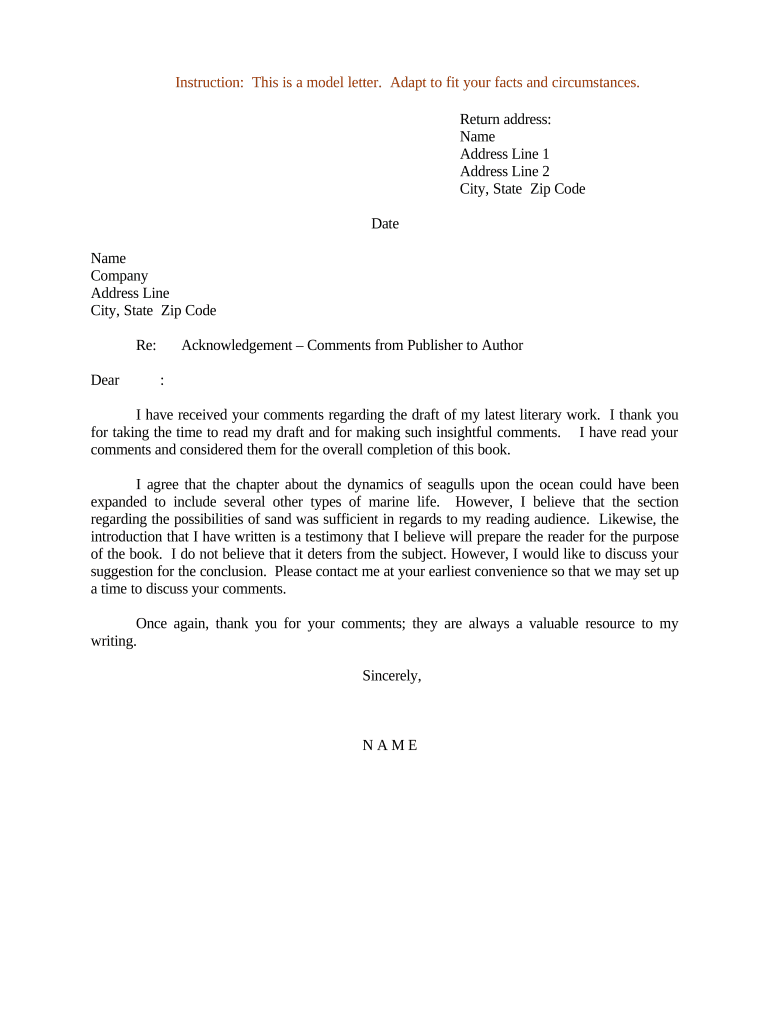
A Letter Acknowledging Comments from Publisher to Author is a formal written response from a publisher or editor confirming receipt of editorial, contractual, or production comments and summarizing next steps. It records which comments the author has received, notes required revisions or clarifications, confirms deadlines or milestone dates, and documents acceptance or disagreement with specific points. The letter creates a clear, auditable record for rights management, production scheduling, and dispute resolution, and is commonly used during manuscript revisions, copyediting, proofing, or final prepublication sign-offs.

Why a Clear Acknowledgement Letter Matters

A concise acknowledgement letter reduces misunderstandings, establishes a timeline for revisions, and creates legal and operational clarity for both parties while supporting later audits or dispute resolution.

Why a Clear Acknowledgement Letter Matters

Who Typically Prepares and Receives This Letter

The document is used by publishing professionals and authors to confirm editorial feedback and next steps.

  • Authors and co-authors who must confirm receipt and acceptance of publisher comments.
  • Acquiring editors, project managers, and production editors issuing revision or approval requests.
  • Legal or rights managers who track changes affecting permissions and copyright.

How to Complete the Letter, Step by Step

Follow this practical sequence to create a clear, enforceable acknowledgement letter that tracks comments and next steps.

  • 01
    Prepare header: Include publisher and author names, manuscript title, and date.
  • 02
    Summarize comments: List each item with a short reference (page, section, file name).
  • 03
    State author response: Indicate acceptance, planned edits, or objections for each comment.
  • 04
    Sign and retain: Sign with date and distribute copies to relevant parties.

Typical Communication Flow for an Acknowledgement Letter

A predictable workflow keeps expectations aligned and preserves a clear record of the exchange between publisher and author.

  • Publisher issues comments: Editor sends annotated manuscript or a comments list to the author.
  • Author reviews comments: Author assesses each comment and decides on revisions or objections.
  • Author submits acknowledgement: Author returns the signed acknowledgement letter and any queries.
  • Publisher confirms acceptance: Publisher records acceptance or schedules further negotiation as needed.

Configuring an Online Acknowledgement Workflow

When automating the exchange, set up fields, routing, and notifications to capture decisions and retain audit evidence.

Field Configuration
Author Signature Required electronic signature field, date stamp enabled
Comment Reference Repeating text field for comment ID or file name
Response Type Dropdown: Accept | Modify | Reject
Routing Auto-send to legal, production, and rights teams

Platform and Format Considerations for eSubmission

Choose a platform that preserves timestamps, captures signer identity, and exports a complete audit trail.

  • Document formats: PDF and DOCX are standard for tracked comments
  • Audit capabilities: Timestamped audit trail with IP and action log
  • Integrations: Connects to CMS or contract management systems

Essential Elements to Include in a Professional Acknowledgement Letter

A well-structured letter contains core elements that map comments to responses, set deadlines, and provide a record for production and legal teams.

Identification

Project and parties clearly named, with manuscript title and contract reference so the letter binds to the specific agreement and files.
Comment Index

Numbered or labelled list of publisher comments that references page or file names for precise cross-referencing during revision.

Author Response

For each comment state acceptance, proposed change, or reason for disagreement, and include proposed replacement text if applicable.

Deadlines

Explicit revision dates and milestone deadlines, using MM/DD/YYYY to avoid ambiguity in scheduling production and rights management.

Rights and Permissions

Note any changes affecting copyright, attributions, or third-party permissions and identify whether new clearances are required.

Signatures

Author and publisher sign and date; include printed names, titles, and contact details for follow-up and verification.

Security and Legal Data Points to Note

ESIGN / UETA: Validates e-signature legal effect
Audit Trail: Records timestamp, IP, and actions
Encryption: TLS in transit; AES-256 at rest
HIPAA Considerations: BAA required for protected health data
Access Controls: Role-based permissions recommended
Record Export: PDF with embedded audit evidence

Common Risks from Incomplete or Incorrect Letters

Missed Deadline: May trigger contract penalties
Incorrect Parties: Could void the acknowledgement
Invalid E-sign: Weak authentication may be challenged
Unauthorized Changes: Alters rights or deliverables
HIPAA Noncompliance: Exposes sensitive data risk
Disputed Scope: Leads to negotiation or delay

Frequent Preparation Errors to Avoid

  • Failing to reference the manuscript version or page numbers, which makes it hard to match comments to specific text and prolongs revision cycles.
  • Using vague response language like 'will fix as needed' instead of listing concrete changes, which leaves obligations ambiguous for production.
  • Omitting signatory names, titles, or dates, creating uncertainty about authority to accept or reject contractually significant changes.
  • Not preserving an electronic audit trail or final signed PDF, which risks losing evidence needed for dispute resolution or rights verification.

Typical Deadlines and Timing Expectations

Timing varies by project; define explicit dates for each milestone and set internal buffers for review and approvals.

Acknowledgement Due:

Publisher often requests acknowledgement within 14–30 days of comments

Revision Window:

Author revision period commonly set to a defined number of days

Final Acceptance:

Publisher confirms final manuscript acceptance upon receiving revisions

Escalation Period:

Allow a fixed time for negotiation on disputed items

Record Closure:

Document final sign-off date to close the review cycle

Key Milestones from Comment to Final Acceptance

Track these milestones in sequence to manage workload and preserve an auditable revision trail.

01

Publisher Issues Comments

Editor transmits annotated files or a formal comments list to author

02

Author Reviews

Author reads comments, assesses scope, and plans responses

03

Author Sends Acknowledgement

Author returns signed letter listing responses and revised timeline

04

Publisher Confirms Final

Publisher accepts revisions or requests further changes

eSignature Vendor Comparison for Executing the Letter

Select an eSignature provider that preserves an audit trail, meets compliance requirements for your industry, and fits your budget and volume needs.

signNow DocuSign Adobe Sign PandaDoc HelloSign
Starting Price $8/user/mo $15/user/mo $14/user/mo $19/user/mo $15/user/mo
Free Trial 7-day free trial Varies by plan Varies by plan Varies by plan Varies by plan
Bulk Send Yes Yes Yes Yes No
Audit Trail Yes Yes Yes Yes Yes
HIPAA Compliant Yes Yes Yes No No

Frequently Asked Questions and Practical Answers

Answers to common questions about formality, e-signature validity, notarization, and recordkeeping for an acknowledgement letter.


Need help? Contact support

be ready to get more
Join over 28 million airSlate SignNow users